
1. บทนำ
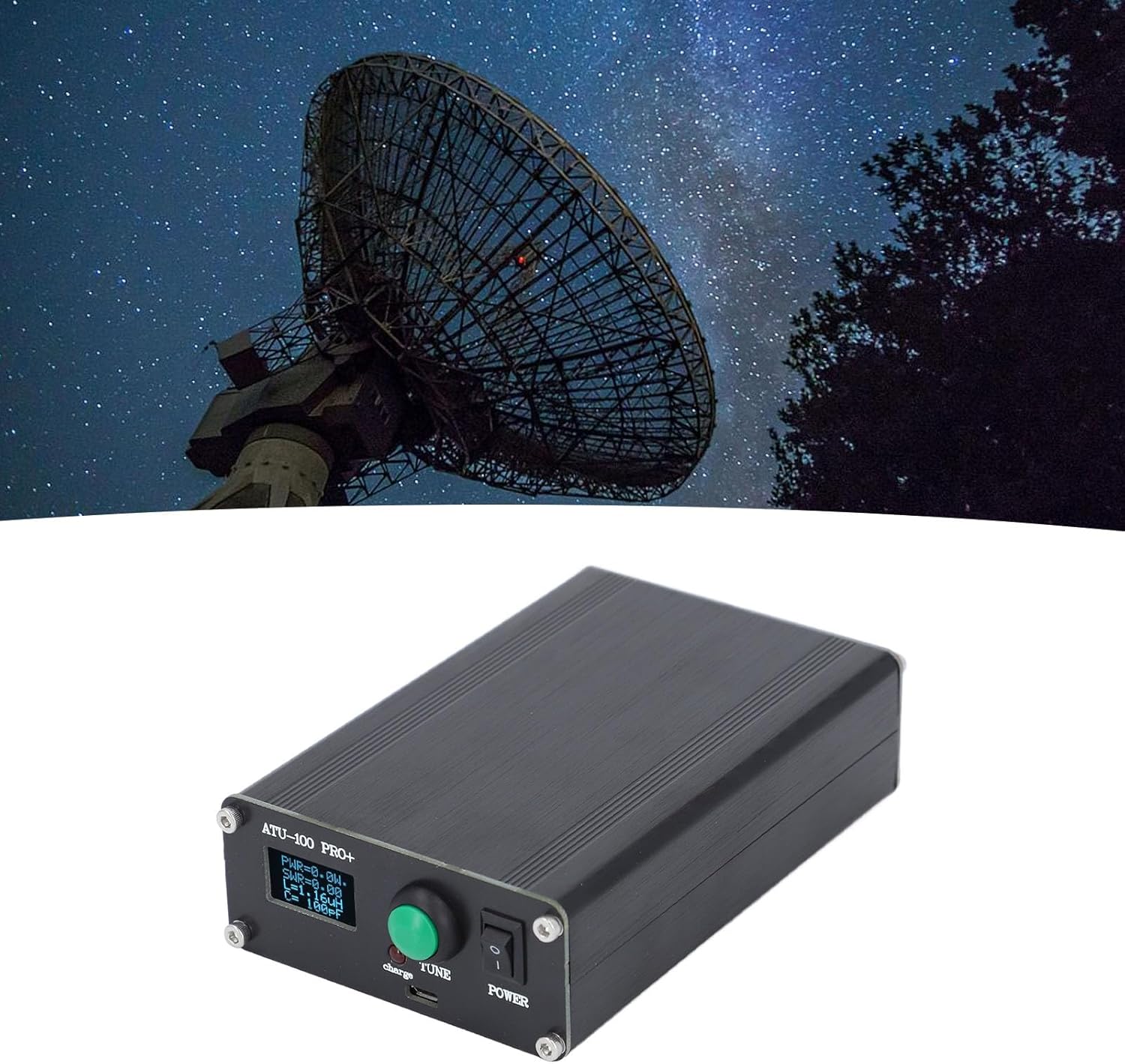
The Yosoo ATU-100 Pro+ is an automatic antenna tuner designed for radio stations, offering efficient and hassle-free tuning. This device features a robust aluminum alloy casing, high-performance internal components, and a clear OLED display for monitoring. It is equipped with a Type-C charging interface for convenience.
คุณสมบัติหลัก:
- Sturdy Aluminum Casing: Constructed with durable aluminum alloy for enhanced stability and longevity.
- High-performance Components: Utilizes top-quality capacitors, imported chips, and ultrahigh frequency connections for reliable operation.
- การตรวจสอบที่ง่ายดาย: Features a 0.96-inch OLED display screen for clear and effortless adjustment and monitoring of settings.
- การชาร์จที่สะดวกสบาย: Integrated Type-C charging interface for efficient and simple power replenishment.
- Premium Automatic Tuning: Provides automatic tuning capabilities without the need for control lines, suitable for various broadcasting stations.
2. การตั้งค่า
Follow these steps to set up your ATU-100 Pro+ antenna tuner:
- แกะอุปกรณ์ออกจากกล่อง: Carefully remove the ATU-100 Pro+ tuner and any accessories from its packaging.
- เชื่อมต่อเสาอากาศ: Connect your antenna to the "ANT" connector on the tuner. Ensure a secure connection.
- Connect Radio/Transceiver: Connect your radio or transceiver to the "RFIN" connector on the tuner. Ensure a secure connection.
- เปิดเครื่อง: Locate the power switch on the tuner and switch it to the "ON" position. The OLED display should illuminate.
- Initial Charge (if needed): If the device does not power on, connect a Type-C USB cable to the charging port and a suitable USB power source to charge the internal battery. A red "charge" indicator light will show charging status.
ภาพ: ด้านหลัง view of the ATU-100 Pro+ showing the ANT (Antenna) and RFIN (Radio Frequency Input) connectors.

ภาพ: รายละเอียด view of the tuner's front panel, highlighting the OLED display, TUNE button, and charging port.
3. คู่มือการใช้งาน
The ATU-100 Pro+ features an intuitive interface for automatic antenna tuning.
3.1. การแสดงผลและการควบคุม
The 0.96-inch OLED display provides real-time information on power (PWR), Standing Wave Ratio (SWR), inductance (L), and capacitance (C). The primary control is the TUNE button.

ภาพ: ด้านหน้า view of the ATU-100 Pro+ with its OLED display active, showing tuning parameters.
3.2. Automatic Tuning
To initiate automatic tuning:
- Ensure your radio is transmitting a low-power signal (e.g., 5-10W) on the desired frequency.
- กดปุ่ม ทำนอง button. The tuner will automatically adjust its internal components (inductance and capacitance) to achieve the lowest possible SWR.
- Monitor the SWR reading on the OLED display. The tuning process is complete when the SWR stabilizes at a low value.
The tuner is designed for hassle-free operation, automatically finding the optimal settings for your antenna and frequency.
3.3. Configuration Interface
The ATU-100 Pro+ features a configuration interface for advanced settings. To access and navigate this interface:
- วิธีการเข้าถึง: The specific method to enter the configuration menu is typically by a long press or a combination of presses on the TUNE button while powering on, or a dedicated menu button if present. Refer to the device's on-screen prompts.
- การเลือกโหมด: กดสั้น ๆ ทำนอง button to modify the current value within a setting.
- สลับการตั้งค่า: กดค้างไว้ ทำนอง button to switch between different configuration settings.
- Auto Mode (ON/OFF): This setting allows you to enable or disable the automatic tuning mode. Adjust this as needed for your operational preferences.
The tuner comes with firmware version 3.1, which includes an optimized power measurement calibration algorithm for improved accuracy.
3.4. การสาธิตวิดีโอ
Video: A demonstration of the ATU-100 Pro+ automatic antenna tuner in operation, showing the tuning process and display readings. This video illustrates how the device adjusts to achieve optimal SWR.
4. การบำรุงรักษา
Proper maintenance ensures the longevity and optimal performance of your ATU-100 Pro+.
- การทำความสะอาด: Use a soft, dry cloth to clean the exterior of the tuner. Avoid using abrasive cleaners or solvents, which can damage the aluminum casing และแสดงผล
- พื้นที่จัดเก็บ: Store the tuner in a cool, dry place away from direct sunlight and extreme temperatures when not in use.
- การดูแลแบตเตอรี่ For optimal battery life, avoid fully discharging the device frequently. Charge the battery regularly, especially if storing for extended periods.
- การตรวจสอบการเชื่อมต่อ: Periodically inspect all cable connections (antenna, radio, charging) for wear or damage. Ensure they are securely fastened.
5 การแก้ไขปัญหา
If you encounter issues with your ATU-100 Pro+, refer to the following common problems and solutions:
| ปัญหา | สาเหตุที่เป็นไปได้ | สารละลาย |
|---|---|---|
| อุปกรณ์ไม่เปิดเครื่อง | แบตเตอรี่ต่ำหรือหมด | Connect the tuner to a power source using the Type-C USB cable and allow it to charge. |
| High SWR after tuning. | Antenna mismatch, faulty cable, or out of tuner's range. |
|
| Tuner does not respond to TUNE button. | Device frozen or temporary software glitch. | ปิดเครื่อง รอสักครู่ แล้วเปิดเครื่องอีกครั้ง |
| หน้าจอว่างเปล่าหรือไม่สามารถอ่านได้ | Power issue or display malfunction. |
|
6. ข้อมูลจำเพาะ
Detailed technical specifications for the Yosoo ATU-100 Pro+ Automatic Antenna Tuner:
| คุณสมบัติ | ค่า |
|---|---|
| หมายเลขรุ่นสินค้า | ATU-100 Pro+ |
| วัสดุ | โลหะผสมอลูมิเนียม |
| หน้าจอแสดงผล | 0.96 Inch Organic Light Emitting Diode (OLED) |
| ความถี่ในการใช้งาน | 1.8-55 เมกะเฮิรตซ์ |
| กระแสไฟชาร์จ USB | 1A |
| รุ่นแบตเตอรี่ | 3.6V Lithium Battery 1350MAH (Built-in) |
| กระแสไฟสูงสุด | 400มิลลิแอมป์ |
| พลังสูงสุด | 100วัตต์ |
| Maximum Measurable Power | 150วัตต์ |
| Minimum Power for Setting Start | 5W |
| กำลังไฟฟ้าที่วัดได้ขั้นต่ำ | 0.1วัตต์ |
| Power Measurement Step Below 10W | 0.1วัตต์ |
| Power Measurement Step 10W | 1W |
| ความแม่นยำในการวัดพลังงาน | 10% |
| Specified Maximum Inductance | 8.53 ไมโครเอช |
| Minimum Inductor Installation Step | 0.05µH |
| Maximum Installation Capacity | 1869pF capacitor |
| Minimum Capacitor Installation Step | 10pF |
| ขนาดสินค้า | 7.09 x 4.33 x 2.36 นิ้ว |
| น้ำหนักสินค้า | 1.1 ปอนด์ |
7. การรับประกันและการสนับสนุน
Yosoo products are manufactured to high-quality standards. For specific warranty information, please refer to the documentation included with your purchase or contact Yosoo customer support directly.
If you require technical assistance or have questions regarding your ATU-100 Pro+, please visit the official Yosoo website or contact their customer service department. Keep your purchase receipt handy for any warranty claims.