1. บทนำ
ขอบคุณสำหรับการซื้อasing the Generic Wireless Mouse. This manual provides detailed instructions for setting up, operating, and maintaining your new mouse to ensure optimal performance and longevity. Please read this manual thoroughly before using the product and keep it for future reference.
This sleek and stylish wireless mouse is designed to elevate your computing experience. Its ergonomic design ensures comfortable use for extended periods, while the smooth gliding surface allows for precise cursor control. Featuring a striking RGB lighting system that cycles through a vibrant spectrum of colors, this mouse adds a touch of flair to your desktop setup. With its plug-and-play functionality and reliable wireless connectivity, you can bid farewell to tangled cords and enjoy seamless operation. Crafted with durability in mind, this mouse is built to withstand the demands of daily use.
2. สินค้าหมดview
The Generic Wireless Mouse combines ergonomic comfort with advanced features for an enhanced user experience. Key features include:
- Seamless RGB Lighting: A vibrant RGB lighting strip that cycles through a spectrum of colors.
- การออกแบบตามหลักสรีรศาสตร์: Contoured shape and textured grips for comfortable and secure handling.
- การติดตามที่แม่นยำ: High-precision optical sensor for smooth and accurate cursor control.
- การเชื่อมต่อแบบคู่: Supports 2.4GHz wireless connection and Bluetooth (3.0 and 5.2) for versatile pairing.
- แบตเตอรี่แบบชาร์จไฟได้: Built-in 500mAh lithium polymer battery for extended use.
- ปุ่มเงียบ: Mute buttons for a quiet clicking experience.
- ปลั๊กแอนด์เพลย์: No software installation required for 2.4GHz mode.
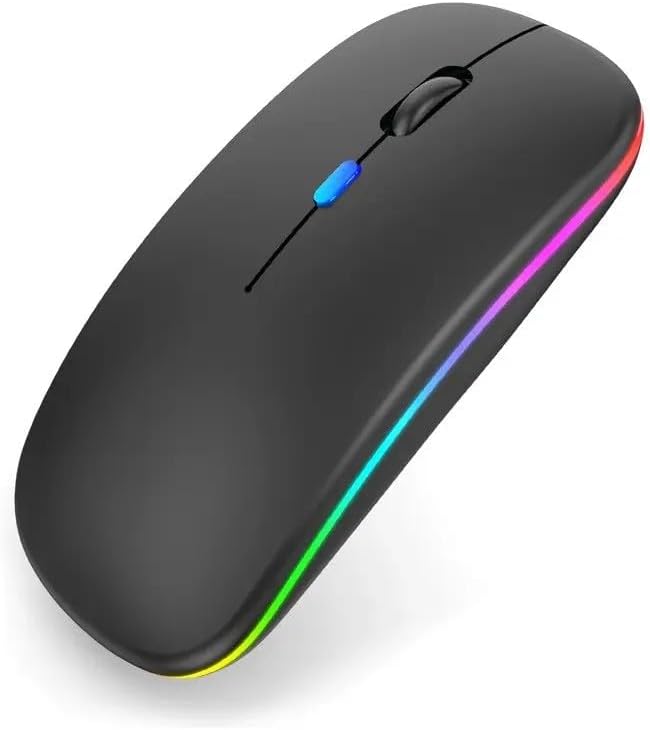
รูปที่ 2.1 : ด้านหน้า view of the Generic Wireless Mouse, showcasing its sleek black design and vibrant RGB lighting strip along the sides.
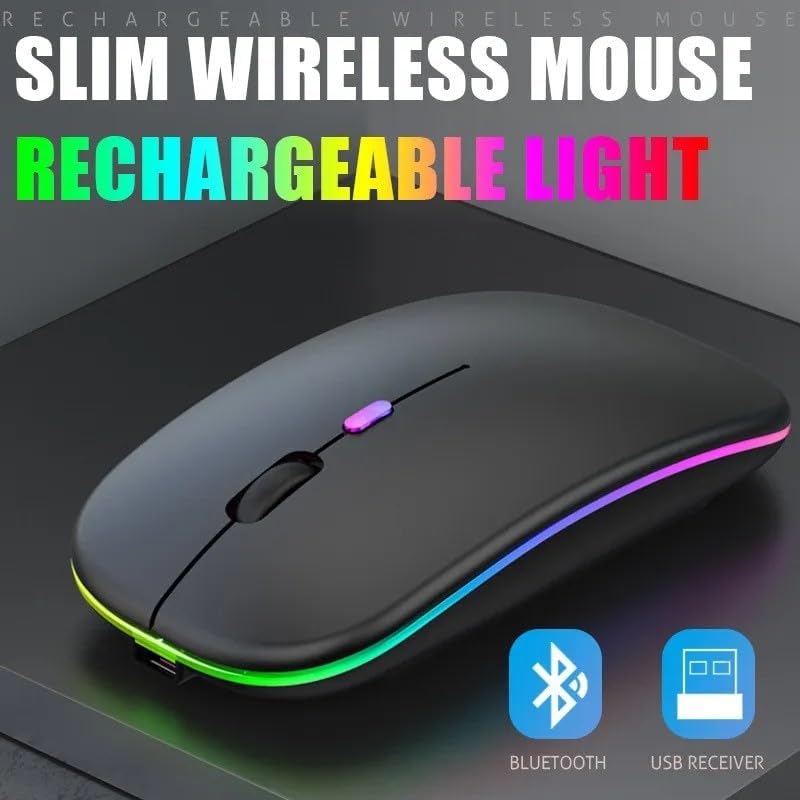
รูปที่ 2.2: รุ่น Slim Profile of the wireless mouse, highlighting its rechargeable light feature and indicating support for both Bluetooth and USB receiver connectivity.
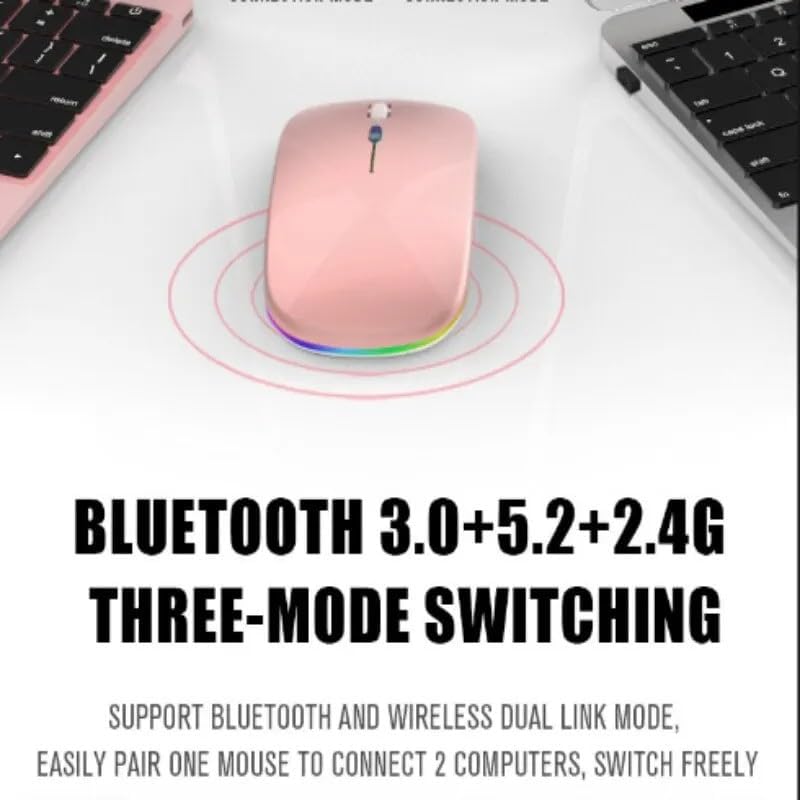
Figure 2.3: Illustration of the mouse's versatile connectivity options, supporting Bluetooth 3.0, Bluetooth 5.2, and 2.4G wireless modes, allowing connection to multiple devices.
3. การตั้งค่า
3.1 การชาร์จเริ่มต้น
Before first use, it is recommended to fully charge the mouse. Connect the included USB charging cable to the mouse's charging port and the other end to a USB power source (e.g., computer USB port, USB wall adapter).

Figure 3.1: The mouse connected to a charging cable, illustrating its 500mAh battery and long endurance after a single charge.
The RGB lighting may indicate charging status. A full charge typically provides up to 60 days of use, depending on usage patterns and RGB lighting settings.
3.2 การเชื่อมต่อเมาส์
Your mouse supports two primary connection modes: 2.4GHz Wireless and Bluetooth.
3.2.1 การเชื่อมต่อไร้สาย 2.4GHz
- Locate the USB nano receiver, usually stored in a compartment on the bottom of the mouse.
- เสียบตัวรับสัญญาณ USB นาโนเข้ากับพอร์ต USB ที่ว่างอยู่บนคอมพิวเตอร์ของคุณ
- เปิดเมาส์โดยใช้สวิตช์เปิด/ปิดที่อยู่ด้านล่าง
- Switch the mouse to 2.4G mode (refer to the mode switch on the bottom of the mouse).
- The computer should automatically detect and install the necessary drivers. The mouse is ready for use.
3.2.2 การเชื่อมต่อบลูทูธ
The mouse supports Bluetooth 3.0 and Bluetooth 5.2. You can easily pair one mouse to connect to two computers and switch freely between them.
- เปิดเมาส์โดยใช้สวิตช์เปิด/ปิดที่ด้านล่าง
- Switch the mouse to Bluetooth mode (BT1 or BT2, refer to the mode switch on the bottom of the mouse).
- เปิดการตั้งค่าบลูทูธบนคอมพิวเตอร์หรืออุปกรณ์ของคุณ
- ค้นหา new devices. The mouse should appear as "Wireless Mouse" or similar.
- เลือกเมาส์ที่จะจับคู่ ทำตามคำแนะนำบนหน้าจอ
- เมื่อจับคู่เสร็จแล้ว เมาส์ก็พร้อมใช้งานได้ทันที
4. คู่มือการใช้งาน
4.1 เปิด/ปิดเครื่อง
Use the power switch located on the bottom of the mouse to turn it ON or OFF.
4.2 การสลับโหมดการเชื่อมต่อ
The mouse features a mode switch on its underside, allowing you to toggle between 2.4G wireless mode and two Bluetooth modes (BT1, BT2). This enables seamless switching between up to three connected devices.
4.3 การปรับ DPI
The mouse typically features a DPI (Dots Per Inch) button, often located near the scroll wheel, to adjust cursor sensitivity. Press this button to cycle through different DPI settings (e.g., 800, 1200, 1600 DPI) to match your preference and task requirements.
4.4 การควบคุมแสง RGB
The mouse features dynamic RGB lighting. The lighting typically activates automatically when the mouse is in use. Some models may allow cycling through different lighting modes or turning the lighting off by pressing a specific button (often the DPI button or a dedicated light button) or a combination of buttons. Refer to the product's specific button functions for detailed control.

Figure 4.1: The mouse's colorful and cool RGB lights, designed to enhance the aesthetic of your desktop setup.
4.5 คุณสมบัติการคลิกแบบเงียบ
This mouse is designed with mute buttons, providing a quiet clicking experience. This feature is particularly beneficial in quiet environments, ensuring you do not disturb others.

Figure 4.2: Demonstrating the silent button feature, allowing for comfortable and undisturbed use, even in quiet environments.
5. การบำรุงรักษา
5.1 การทำความสะอาด
To clean your mouse, gently wipe its surface with a soft, dry, or slightly damp cloth. Avoid using harsh chemicals, abrasive cleaners, or excessive moisture, as these can damage the mouse's finish or internal components.
5.2 การดูแลแบตเตอรี่
- Avoid exposing the mouse to extreme temperatures (hot or cold) as this can affect battery life.
- If the mouse will not be used for an extended period, it is advisable to turn it off to conserve battery life.
- Charge the mouse using only the provided cable or a compatible USB charging cable.
6 การแก้ไขปัญหา
| ปัญหา | วิธีแก้ปัญหาที่เป็นไปได้ |
|---|---|
| เมาส์ไม่ตอบสนอง (2.4GHz) |
|
| เมาส์ไม่ตอบสนอง (บลูทูธ) |
|
| เคอร์เซอร์เคลื่อนที่ผิดปกติหรือกระโดดไปมา |
|
| ไฟ RGB ไม่ทำงาน |
|
| เมาส์ไม่ชาร์จ |
|
7. ข้อมูลจำเพาะ
| คุณสมบัติ | รายละเอียด |
|---|---|
| หมายเลขรุ่น | SMRGBCD001 |
| ยี่ห้อ | ทั่วไป |
| เทคโนโลยีการเชื่อมต่อ | Bluetooth (3.0, 5.2), 2.4GHz USB Wireless |
| เทคโนโลยีตรวจจับการเคลื่อนไหว | ออฟติคอล |
| สี | สีดำ |
| คุณสมบัติพิเศษ | Ergonomic Design, RGB Lighting, Silent Click Buttons |
| ประเภทแบตเตอรี่ | แบตเตอรี่ลิเธียมโพลิเมอร์ 1 ก้อน (500mAh) |
| ผู้ผลิต | Ch |
| วันที่พร้อมใช้งานครั้งแรก | วันที่ 26 สิงหาคม 2024 |
8. การรับประกันและการสนับสนุน
For warranty information and customer support, please refer to the documentation included with your purchase or visit the manufacturer's official webไซต์ เก็บหลักฐานการซื้อของคุณไว้เพื่อใช้ในกรณีเรียกร้องการรับประกัน
If you encounter any issues not covered in this manual, please contact the retailer or manufacturer's customer service for assistance.


