
1. บทนำ
This user manual provides detailed instructions for the operation, maintenance, and safety of your Walfront LED Work Light. This versatile and portable work light is designed for various applications, offering bright illumination and convenient features such as USB charging capabilities and adjustable light modes. Please read this manual thoroughly before using the product to ensure proper and safe operation.
2. คำแนะนำด้านความปลอดภัย
เพื่อให้มั่นใจถึงการทำงานที่ปลอดภัยและป้องกันความเสียหาย โปรดปฏิบัติตามข้อควรระวังด้านความปลอดภัยต่อไปนี้:
- การแยกแบตเตอรี่: It is recommended to separate the battery from the LED light when not in use to extend battery life and prevent accidental activation.
- จัดการด้วยความระมัดระวัง: The LED light is a delicate electronic device. Handle it with care to avoid dropping or impacting it, which may cause damage.
- ความต้านทานน้ำ: The light features an IP67 rating, indicating resistance to water splashes and rain. However, avoid submerging the device in water.
- ระบบป้องกันการโอเวอร์โหลด: The device is equipped with overload, overcurrent, overheating, and low voltage protection. Do not attempt to bypass these safety features.
- ความเข้ากันได้ของแบตเตอรี่: Only use compatible PARKSIDE X20V TEAM 20V PAP20A1, PAP20A3, PAP20B1, PAP20B3 batteries. Using incompatible batteries may cause damage or safety hazards.
- ความปลอดภัยในการชาร์จไฟ: When using the USB charging ports, ensure that the connected devices are compatible and do not exceed the specified output (5V 2A).
- พื้นที่จัดเก็บ: เก็บไฟส่องสว่างสำหรับทำงานไว้ในที่แห้งและเย็น หลีกเลี่ยงแสงแดดโดยตรงและอุณหภูมิที่สูงหรือต่ำเกินไป
3. สินค้าหมดview
Familiarize yourself with the components and features of your LED Work Light.
3.1 ส่วนประกอบ
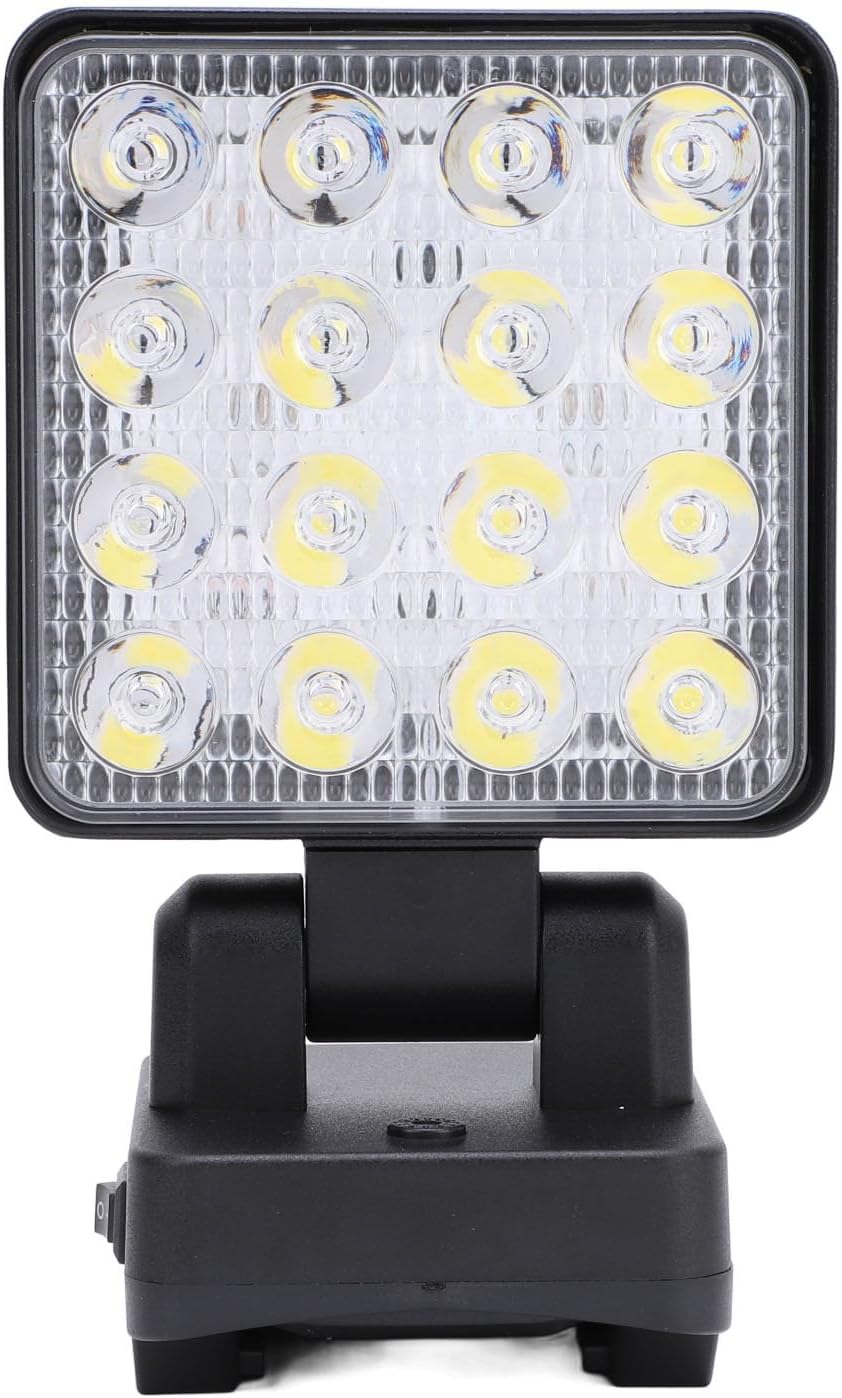
รูปที่ 3.1 : ด้านหน้า view of the Walfront LED Work Light, highlighting the bright LED array and the sturdy base.

รูปที่ 3.2: ระยะใกล้ views of the work light's features, including the power switch, USB-A and USB-C charging ports, and the integrated carrying handle.
- แผงไฟ LED: High-lumen LED panel for bright illumination.
- หัวหมุนได้: Allows 90° vertical and 330° horizontal rotation for precise light positioning.
- สวิตช์ไฟ: On/Off button and mode selector.
- พอร์ตเอาต์พุต USB-A: สำหรับชาร์จอุปกรณ์ภายนอก
- USB Type-C Output Port: สำหรับชาร์จอุปกรณ์ภายนอก
- ช่องใส่แบตเตอรี่: Located at the base, compatible with PARKSIDE X20V TEAM 20V batteries.
- ที่จับ: Integrated at the top for easy portability and hanging.
3.2 คุณสมบัติหลัก
- Flexible and Rotatable: The light head can rotate 90° up and down, and 330° horizontally, providing versatile lighting angles.
- การออกแบบไร้สาย: Compatible with PARKSIDE X20V TEAM 20V batteries (not included), offering portability without power cord restrictions.
- ระดับการกันน้ำ IP67: Designed to withstand rain and splashes, suitable for various environments.
- Multi-Functional Charging: Equipped with USB-A and Type-C charging interfaces to power mobile devices.
- พกพาสะดวกและอเนกประสงค์: Features a handle for easy carrying and hanging, ideal for construction sites, outdoor activities, camping, hiking, and vehicle maintenance.
- โหมดแสงที่ปรับได้: Three distinct lighting gears: Dim Light, Bright Light, and Flashing Light.
4. ข้อมูลจำเพาะ
| คุณลักษณะ | รายละเอียด |
|---|---|
| ประเภทสินค้า | ไฟทำงาน LED |
| ยี่ห้อ | Walfront |
| หมายเลขรุ่น | WALFRONT2369idgef0 |
| วัสดุ | อะคริโลไนไตรล์ บิวทาไดอีน สไตรีน (ABS) |
| พลัง | 11-15วัตต์ |
| ฟลักซ์ส่องสว่าง | 1200-1500LM |
| เอาต์พุต (USB) | USB Type-C 5V 2A, USB-A 5V 2A |
| เกียร์ปรับได้ | 1st Gear (Dim Light), 2nd Gear (Bright Light), 3rd Gear (Flashing Light) |
| แบตเตอรี่ที่สามารถใช้งานได้ | For PARKSIDE X20V TEAM 20V (PAP20A1, PAP20A3, PAP20B1, PAP20B3) - Battery Not Included |
| น้ำหนักสินค้า | 14.5 ออนซ์ (ประมาณ 411 กรัม) |
| ขนาดแพ็คเกจ | 7.09 x 4.33 x 3.54 นิ้ว (ประมาณ 18 x 11 x 9 ซม.) |
| สี | #311 (Black) |
| ระดับการต้านทานน้ำ | IP67 |

รูปที่ 4.1: ขนาดของผลิตภัณฑ์เพื่อเป็นข้อมูลอ้างอิง
5. การตั้งค่า
This section guides you through the initial setup of your LED Work Light.
5.1 การติดตั้งแบตเตอรี่
- Ensure the work light is turned off before installing or removing the battery.
- Locate the battery compartment at the base of the work light.
- Align your compatible PARKSIDE X20V TEAM 20V battery (PAP20A1, PAP20A3, PAP20B1, or PAP20B3) with the battery slot.
- ใส่แบตเตอรี่เข้าไปในช่องจนกระทั่งได้ยินเสียงคลิกและเข้าที่อย่างแน่นหนา
- To remove the battery, press the release button (if present on your battery) and slide the battery out.
บันทึก: The battery is not included with the LED Work Light and must be purchased separately.
6. คู่มือการใช้งาน
Learn how to operate your LED Work Light and utilize its various functions.
6.1 Powering On/Off and Adjusting Light Modes

Figure 6.1: Illustration of the three adjustable light modes.
- เปิดเครื่อง: Locate the master switch on the base of the light. Flip the switch to the "On" position.
- 1st Gear (Dim Light): After turning on the master switch, press the mode button once to activate the dim light setting.
- 2nd Gear (Bright Light): Press the mode button a second time to switch to the bright light setting.
- 3rd Gear (Flashing Light): Press the mode button a third time to activate the flashing light setting.
- หมดแรง: To turn off the light from any mode, long press the mode button. Alternatively, flip the master switch to the "Off" position.
6.2 Adjusting Light Angle

Figure 6.2: The light head can be rotated for optimal illumination.
- The light head can be manually rotated 90° vertically (up and down) and 330° horizontally (side to side) on its base.
- Gently adjust the light head to direct the beam precisely where needed. Avoid forcing the rotation beyond its designed limits.
6.3 การใช้งานพอร์ตชาร์จ USB
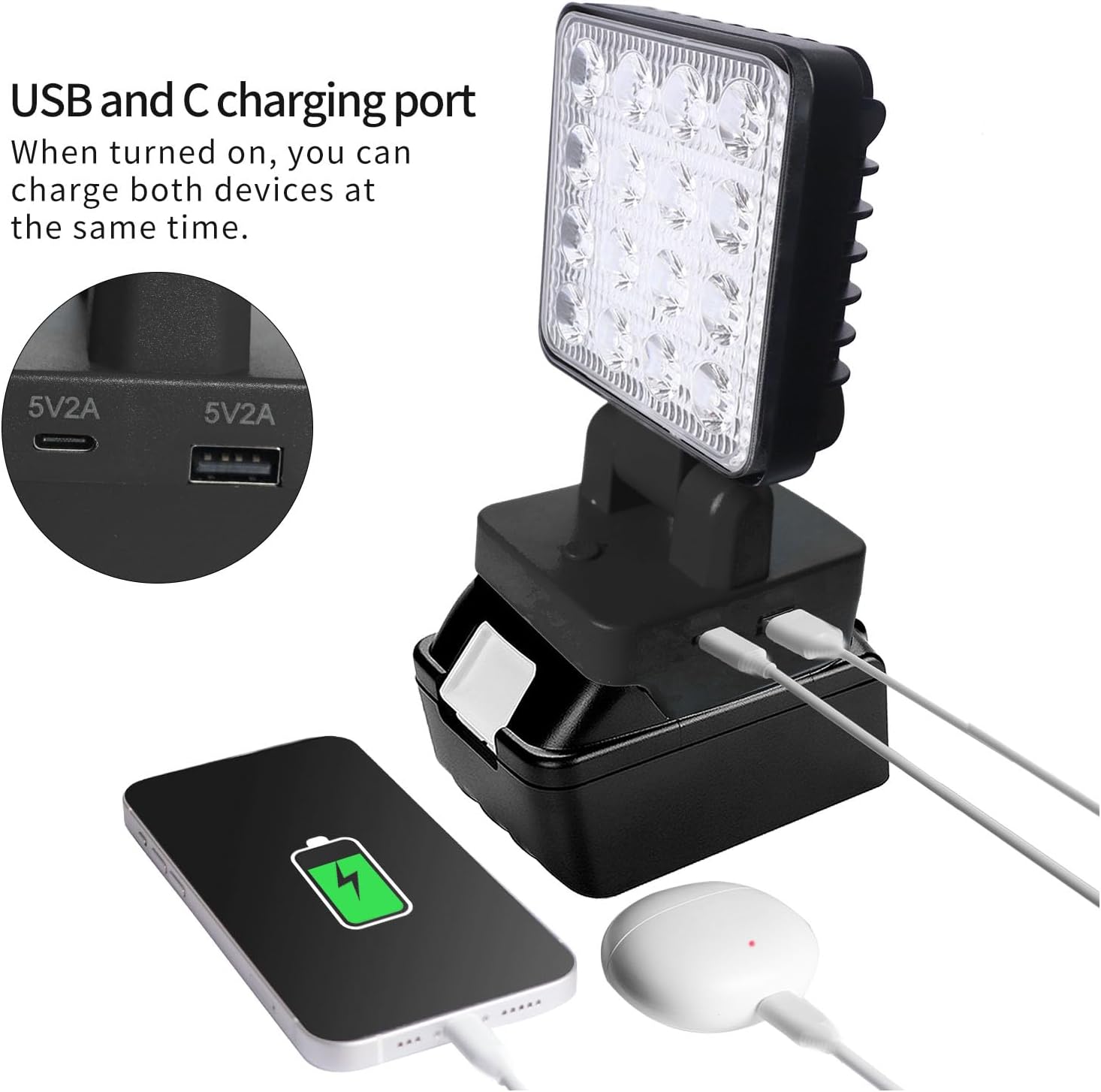
Figure 6.3: The work light can charge two devices simultaneously via its USB-A and USB-C ports.
- The LED Work Light can function as a power bank to charge your mobile devices.
- Locate the USB-A and USB Type-C output ports on the side of the light's base.
- Connect your device's charging cable to the appropriate USB port on the work light.
- Ensure the work light is powered on for the charging function to be active.
- The output for both ports is 5V 2A. Do not connect devices that require higher power input.
7. การบำรุงรักษา
Proper maintenance ensures the longevity and optimal performance of your LED Work Light.
- การทำความสะอาด: เช็ดพื้นผิวของแสงด้วยผ้านุ่มงamp cloth. Do not use abrasive cleaners or solvents, as they may damage the ABS material.
- พื้นที่จัดเก็บ: When not in use for extended periods, remove the battery and store the work light in a cool, dry place, away from direct sunlight and extreme temperatures.
- การดูแลแบตเตอรี่ โปรดปฏิบัติตามคำแนะนำของผู้ผลิตแบตเตอรี่เกี่ยวกับการชาร์จและการจัดเก็บ เพื่อยืดอายุการใช้งานแบตเตอรี่ให้ยาวนานที่สุด
- การตรวจสอบ: Periodically inspect the light for any signs of damage, such as cracks in the housing or frayed wires. Do not use the light if it appears damaged.
8 การแก้ไขปัญหา
If you encounter issues with your LED Work Light, refer to the following common problems and solutions:
| ปัญหา | สาเหตุที่เป็นไปได้ | สารละลาย |
|---|---|---|
| ไฟไม่เปิด | ติดตั้งแบตเตอรี่ไม่ถูกต้อง แบตเตอรี่หมด สวิตช์หลักปิดอยู่ | ตรวจสอบให้แน่ใจว่าได้เสียบแบตเตอรี่เข้าที่อย่างแน่นหนาแล้ว ชาร์จหรือเปลี่ยนแบตเตอรี่ Flip the master switch to the "On" position. |
| แสงสลัวหรือกระพริบ | ชาร์จแบตเตอรี่ต่ำ เลือกโหมดไม่ถูกต้อง | ชาร์จแบตเตอรี่ Cycle through the light modes to select the desired brightness. |
| การชาร์จผ่าน USB ไม่ทำงาน | Work light is off. สายเคเบิลของอุปกรณ์มีปัญหา Device requires more than 5V 2A. | Ensure the work light is powered on. ลองใช้สาย USB อื่น Confirm your device's charging requirements. |
| Light head does not rotate smoothly. | สิ่งกีดขวางหรือความเสียหาย | Check for any debris or obstructions. Do not force rotation. If damaged, discontinue use. |
9. เนื้อหาบรรจุภัณฑ์
รายการต่อไปนี้รวมอยู่ในแพ็คเกจของคุณ:
- 1 x Walfront LED Work Light
บันทึก: Compatible PARKSIDE X20V TEAM 20V batteries (PAP20A1, PAP20A3, PAP20B1, PAP20B3) are sold separately and are not included in this package.
10. การรับประกันและการสนับสนุน
For information regarding warranty coverage, technical support, or service inquiries, please refer to the warranty card included with your product or contact Walfront customer service through the retailer where the product was purchased. Please have your model number (WALFRONT2369idgef0) and purchase date ready when contacting support.
For additional resources and product information, you may visit the official Walfront store page on Amazon: Walfront Store