
DOOGEE T40
คู่มือผู้ใช้แท็บเล็ต DOOGEE T40 Android ขนาด 14 นิ้ว
Model: T40 | Brand: DOOGEE
1. สินค้าหมดview
The DOOGEE T40 is an advanced Android 14 tablet designed for both entertainment and productivity. It features a high-resolution 2.5K display, a powerful Octa-Core processor, and extensive storage capabilities, making it suitable for a wide range of applications from gaming to professional tasks.

รูปที่ 1.1: ด้านหน้าและด้านหลัง view of the DOOGEE T40 Tablet, highlighting its sleek design and camera module.
คุณสมบัติหลัก:
- แสดง: 11-inch 2.5K IPS Ultra Clear Display (2560x1600 resolution) for vibrant visuals.
- ผลงาน: Helio G99 Octa-Core Processor (6nm process technology) for smooth multitasking and gaming.
- หน่วยความจำและการจัดเก็บ: Up to 20GB RAM (8GB physical + 12GB virtual) and 512GB internal storage, expandable up to 2TB via microSD.
- แบตเตอรี่: 8580mAh large battery with 18W fast charging and reverse charging capability.
- การเชื่อมต่อ: Dual SIM 4G LTE, Dual-band Wi-Fi (2.4G/5G), Bluetooth 5.0.
- ระบบปฏิบัติการ: Android 14 for enhanced productivity and entertainment.
- เสียง: Immersive Quad Speakers for rich sound.
- กล้องถ่ายรูป: 16MP Main Camera and 8MP Front Camera.
วิดีโอ 1.1: จบแล้วview of the DOOGEE T40 Tablet, showcasing its design, display, and key features.
2. อะไรอยู่ในกล่อง
ตรวจสอบให้แน่ใจว่ามีอุปกรณ์ครบทุกชิ้นในบรรจุภัณฑ์ก่อนดำเนินการติดตั้ง
- T40 Tablet x1
- สาย USB Type-C x1
- เครื่องชาร์จ x1
- Tool for take card x1 (SIM Ejector Tool)
- Anti-explosion film x1 (Pre-applied screen protector)
- กล่องบรรจุ x1
- Manual x1 (This document)
3. ข้อมูลจำเพาะ
| คุณสมบัติ | ข้อมูลจำเพาะ |
|---|---|
| ยี่ห้อ | ดูจี้ |
| ชื่อรุ่น | T40 |
| ระบบปฏิบัติการ | แอนดรอยด์ 14 |
| ขนาดหน้าจอ | 10.95 นิ้ว |
| ความละเอียดหน้าจอ | 2560 x 1600 พิกเซล (2.5K) |
| โปรเซสเซอร์ | MediaTek Helio G99 Octa-Core |
| แรม | 20GB (8GB หน่วยความจำจริง + 12GB หน่วยความจำเสมือน) |
| การจัดเก็บข้อมูลภายใน | 512GB |
| พื้นที่เก็บข้อมูลแบบขยายได้ | สูงสุด 2TB ผ่านการ์ด MicroSD |
| ความจุของแบตเตอรี่ | 8580mAh |
| การชาร์จไฟ | ชาร์จเร็ว 18 วัตต์, ชาร์จย้อนกลับ |
| การเชื่อมต่อ | Dual SIM 4G LTE, Wi-Fi 2.4G/5G, Bluetooth 5.0 |
| กล้องถ่ายรูป | 16MP Main, 8MP Front |
| ขนาด (กxยxส) | 10.09 x 6.61 x 0.3 นิ้ว |
| น้ำหนักสินค้า | 2.49 ปอนด์ |
4. การตั้งค่า
4.1. ค่าธรรมเนียมเริ่มต้น
Before first use, fully charge your DOOGEE T40 tablet using the provided Type-C USB cable and charger. Connect the charger to the tablet's USB-C port and plug it into a power outlet. The battery indicator on the screen will show charging progress.

Figure 4.1: Illustration of the tablet's 8580mAh battery and 18W fast charging capability.
4.2. เปิด/ปิดเครื่อง
- การเปิดเครื่อง: Press and hold the Power button (located on the side) until the DOOGEE logo appears.
- วิธีปิดเครื่อง: กดปุ่มเปิด/ปิดค้างไว้จนกว่าเมนูตัวเลือกพลังงานจะปรากฏขึ้น จากนั้นเลือก "ปิดเครื่อง"
- ในการรีสตาร์ท: จากเมนูตัวเลือกพลังงาน เลือก "รีสตาร์ท"
4.3. การติดตั้งซิมการ์ดและการ์ด MicroSD
The DOOGEE T40 supports Dual SIM 4G LTE and MicroSD card expansion.
- หาช่องใส่ซิมการ์ดที่ด้านข้างของแท็บเล็ต
- Insert the provided SIM ejector tool into the small hole next to the tray and gently push until the tray pops out.
- ใส่ซิมการ์ดนาโนและ/หรือการ์ด MicroSD ลงในช่องที่กำหนดบนถาด โดยตรวจสอบให้แน่ใจว่าวางในทิศทางที่ถูกต้อง
- ค่อยๆ ดันถาดกลับเข้าไปในแท็บเล็ตจนกระทั่งได้ยินเสียงคลิกเข้าที่

Figure 4.2: Close-up of the Dual SIM and TF (MicroSD) card slot on the DOOGEE T40 Tablet.
4.4. การเชื่อมต่อเครือข่าย
- ไวไฟ : ไปที่ การตั้งค่า > เครือข่ายและอินเทอร์เน็ต > Wi-Fiเปิด Wi-Fi เลือกเครือข่ายที่ต้องการ และป้อนรหัสผ่านหากจำเป็น
- ข้อมูลมือถือ: Ensure your SIM card is installed correctly. Go to การตั้งค่า > เครือข่ายและอินเทอร์เน็ต > เครือข่ายมือถือ and enable mobile data.
5. คู่มือการใช้งาน
5.1. การใช้งาน Android 14
The DOOGEE T40 runs on Android 14, offering an intuitive user experience.
- หน้าจอหลัก: ปัดไปทางซ้ายหรือขวาเพื่อเข้าถึงหน้าจอหลักต่างๆ
- ลิ้นชักแอป: ปัดขึ้นจากด้านล่างของหน้าจอเพื่อเข้าถึงแอพพลิเคชั่นที่ติดตั้งทั้งหมด
- การแจ้งเตือนและการตั้งค่าด่วน: ปัดลงจากด้านบนของหน้าจอไปที่ view การแจ้งเตือนและสลับการตั้งค่าด่วน (Wi-Fi, Bluetooth ฯลฯ)
- แอปล่าสุด: Swipe up from the bottom and hold, then release to see recently used applications.
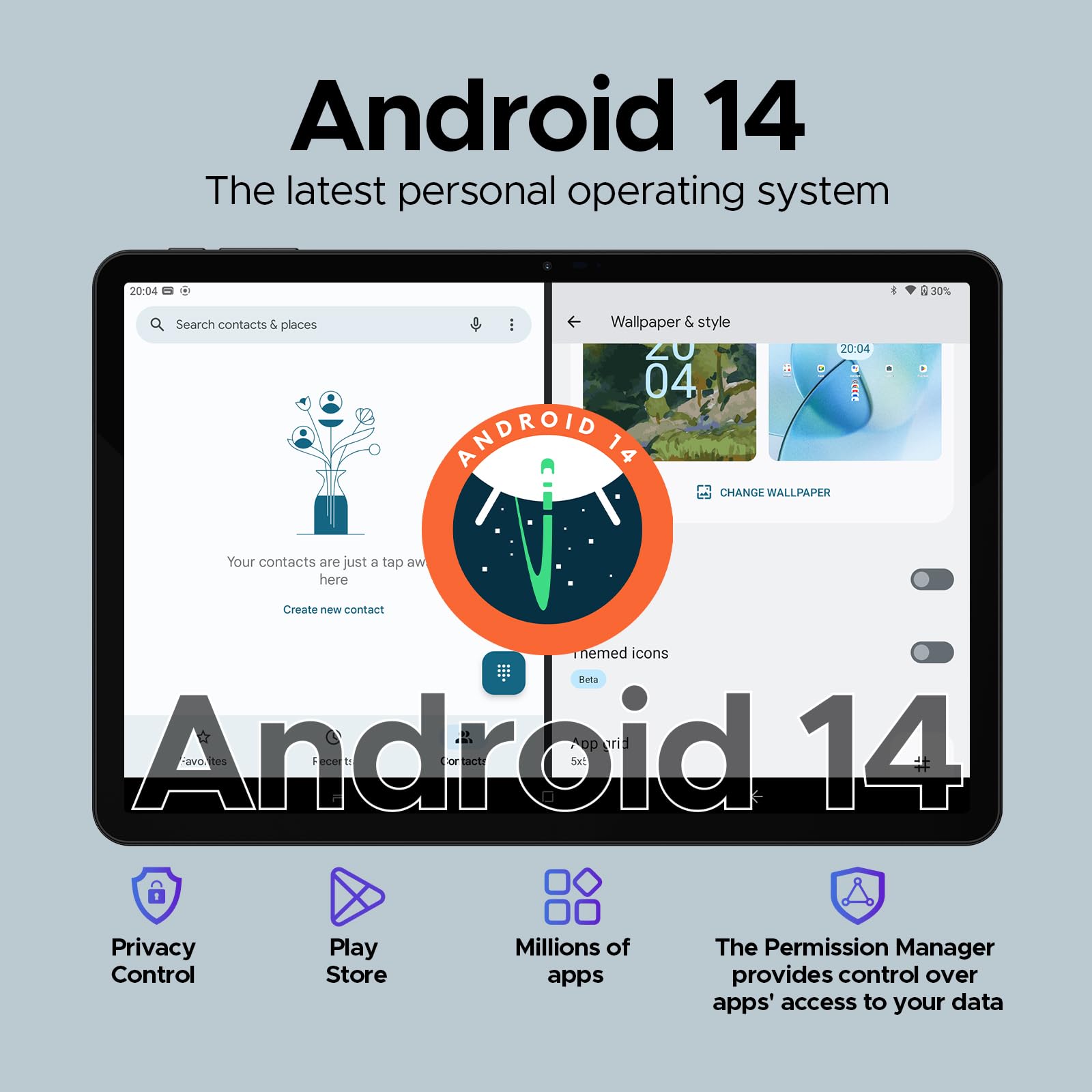
Figure 5.1: Visual representation of the Android 14 operating system interface on the DOOGEE T40.
5.2. การปลดล็อกด้วยใบหน้า
For quick and secure access, configure Face Unlock:
- ไปที่ การตั้งค่า > ความปลอดภัยและความเป็นส่วนตัว > ปลดล็อกอุปกรณ์ > ปลดล็อกด้วยใบหน้า.
- ปฏิบัติตามคำแนะนำบนหน้าจอเพื่อลงทะเบียนใบหน้าของคุณ
5.3. ฟังก์ชันการแบ่งหน้าจอ
Multitask efficiently by using two apps simultaneously:
- เปิดแอปแรกที่คุณต้องการใช้
- Swipe up from the bottom and hold to access recent apps.
- Tap the app icon at the top of the first app's card, then select "Split screen".
- เลือกแอปที่สองจากแอปที่ใช้งานล่าสุดหรือลิ้นชักแอปเพื่อเติมเต็มครึ่งหนึ่งของหน้าจอ
5.4. OTG (On-The-Go) Functionality
The DOOGEE T40 supports OTG, allowing you to connect USB devices like flash drives, keyboards, or mice directly to the tablet using a compatible OTG adapter (not included).
It also supports reverse charging, allowing the tablet to act as a power bank for other devices. Connect your device to the tablet's USB-C port using a compatible cable.
6. การบำรุงรักษา
6.1. การดูแลแบตเตอรี่
- หลีกเลี่ยงอุณหภูมิที่สูงเกินไป เพราะอาจทำให้แบตเตอรี่มีอายุการใช้งานลดลง
- โปรดใช้เฉพาะที่ชาร์จและสายเคเบิลที่ให้มากับแท็บเล็ตเท่านั้น
- เพื่อให้แบตเตอรี่ใช้งานได้นานที่สุด ควรหลีกเลี่ยงการปล่อยให้แบตเตอรี่หมดเกลี้ยงบ่อยๆ หรือการปล่อยให้แบตเตอรี่ชาร์จเต็ม 100% เป็นเวลานานๆ
6.2. การทำความสะอาด
- ใช้ผ้านุ่มที่ไม่เป็นขุยในการทำความสะอาดหน้าจอและตัวเครื่องแท็บเล็ต
- สำหรับรอยเปื้อนฝังแน่น ให้เช็ดออกเล็กน้อยampชุบผ้าด้วยน้ำหรือน้ำยาทำความสะอาดหน้าจอ หลีกเลี่ยงสารเคมีรุนแรง
6.3. การอัปเดตซอฟต์แวร์
ตรวจสอบและติดตั้งการอัปเดตซอฟต์แวร์เป็นประจำเพื่อให้มั่นใจถึงประสิทธิภาพ ความปลอดภัย และการเข้าถึงฟีเจอร์ใหม่ๆ ที่เหมาะสมที่สุด
- ไปที่ การตั้งค่า > ระบบ > อัปเดตระบบ.
- ทำตามคำแนะนำบนหน้าจอเพื่อดาวน์โหลดและติดตั้งการอัปเดตที่มีอยู่ ตรวจสอบให้แน่ใจว่าแท็บเล็ตของคุณมีแบตเตอรี่เพียงพอหรือเชื่อมต่อกับแหล่งจ่ายไฟในระหว่างการอัปเดต
7 การแก้ไขปัญหา
| ปัญหา | วิธีแก้ปัญหาที่เป็นไปได้ |
|---|---|
| แท็บเล็ตไม่สามารถเปิดเครื่องได้ | ตรวจสอบให้แน่ใจว่าแบตเตอรี่ชาร์จเต็มแล้ว เสียบที่ชาร์จและรอสักครู่ก่อนลองเปิดเครื่องอีกครั้ง หากเครื่องไม่ตอบสนอง ให้กดปุ่มเปิด/ปิดค้างไว้ 10-15 วินาทีเพื่อบังคับรีสตาร์ท |
| ปัญหาการเชื่อมต่อ Wi-Fi | รีสตาร์ทแท็บเล็ตและเราเตอร์ Wi-Fi ของคุณ ลืมเครือข่ายในการตั้งค่า Wi-Fi แล้วเชื่อมต่อใหม่ ตรวจสอบให้แน่ใจว่าคุณอยู่ในระยะสัญญาณ Wi-Fi |
| แอปขัดข้องหรือค้าง | Clear the cache and data for the problematic app (การตั้งค่า > แอป > [ชื่อแอป] > ที่เก็บข้อมูลและแคช) อัปเดตแอปจาก Google Play Store หากปัญหายังคงอยู่ ให้ถอนการติดตั้งและติดตั้งแอปใหม่ |
| ประสิทธิภาพการทำงานช้า | Close unused background apps. Clear cache regularly. Consider uninstalling rarely used apps. Ensure sufficient free storage space. Restart the tablet periodically. |
| ตรวจไม่พบซิมการ์ด | Ensure the SIM card is correctly inserted into the tray. Restart the tablet. Verify that the SIM card is active with your mobile carrier. |
8. การรับประกันและการสนับสนุน
The DOOGEE T40 Tablet comes with a รับประกัน 2 ปี, as stated in the product features. For any technical assistance or warranty claims, please contact the seller directly.
ผู้ขาย: Tablet flagship store
DOOGEE provides lifetime technical support and full 24/7 customer service for their products.
For further assistance, refer to the official DOOGEE webเว็บไซต์หรือติดต่อช่องทางสนับสนุนลูกค้าของพวกเขา
Ask a question about this manual
Ask about setup, troubleshooting, compatibility, parts, safety, or missing instructions. Manuals+ will review the question and use this page’s manual context to help answer it.