
1. บทนำ
The VILTROX 56mm f/1.7 E Lens is a compact and lightweight prime lens designed for Sony E-mount APS-C cameras. With a fast f/1.7 maximum aperture, it excels in low-light conditions and provides excellent background separation, making it ideal for portrait photography. Its 56mm focal length on an APS-C sensor is equivalent to approximately 85mm on a full-frame camera, offering a classic portrait perspective. The lens features an advanced optical design and a silent STM autofocus motor for precise and quick focusing.
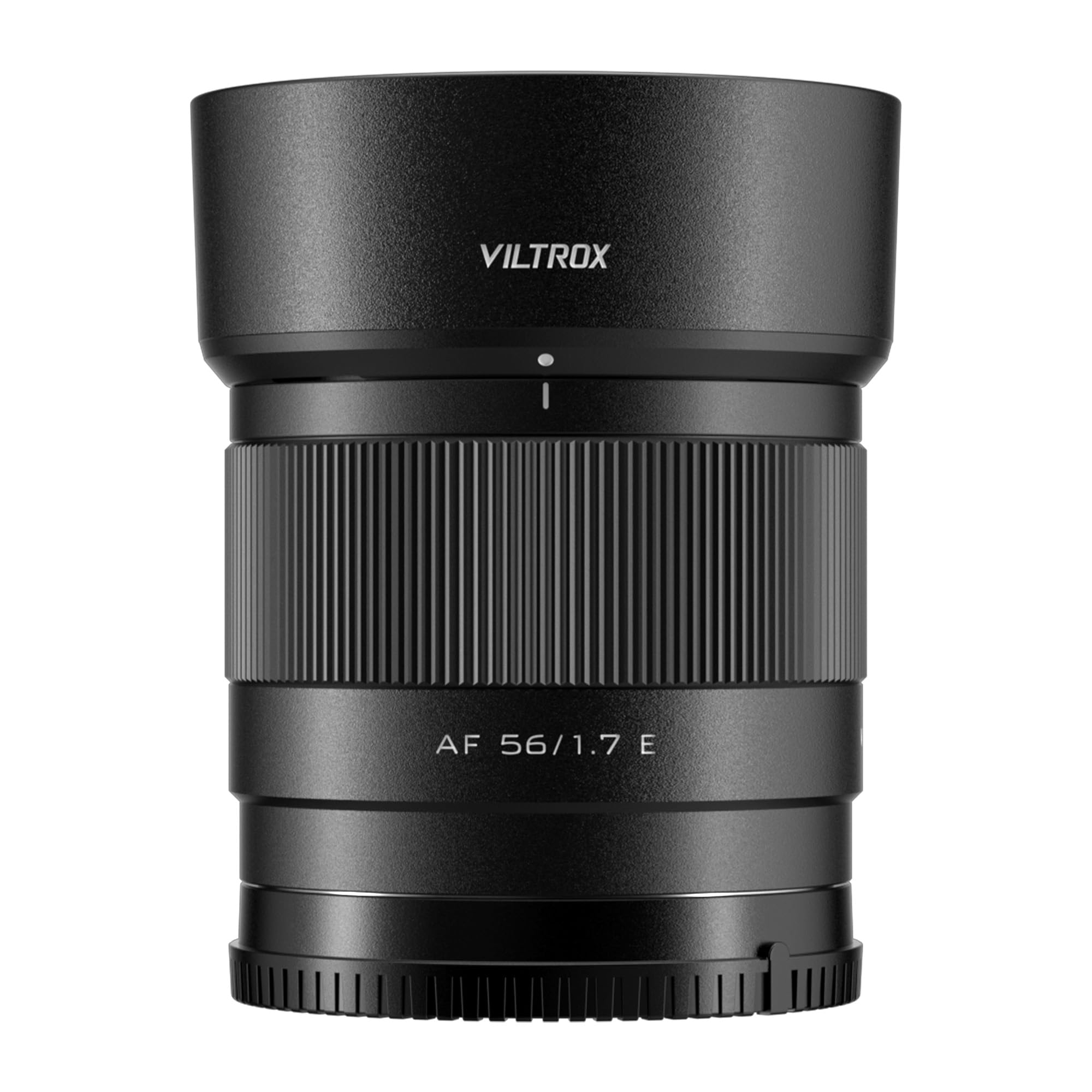
Figure 1: VILTROX 56mm f/1.7 E Lens mounted on a Sony camera.
2. อะไรอยู่ในกล่อง
กรุณาตรวจสอบว่ารายการทั้งหมดต่อไปนี้รวมอยู่ในแพ็คเกจของคุณ:
- VILTROX 56mm f/1.7 E Lens
- ฮูดเลนส์
- ฝาปิดหน้าเลนส์
- ฝาปิดเลนส์ด้านหลัง
- กระเป๋าใส่เลนส์
- คู่มือการใช้งาน
- บัตรรับประกัน

Figure 2: Contents of the VILTROX 56mm f/1.7 E Lens package.
3. การตั้งค่า
3.1 การติดเลนส์
- ตรวจสอบให้แน่ใจว่ากล้องของคุณปิดอยู่
- Remove the rear lens cap from the VILTROX 56mm f/1.7 E Lens and the body cap from your Sony E-mount camera.
- จัดตำแหน่งเครื่องหมายสีขาวบนตัวเลนส์ให้ตรงกับเครื่องหมายสีขาวบนฐานยึดเลนส์ของกล้อง
- ใส่เลนส์เข้าไปในช่องยึดกล้องแล้วหมุนตามเข็มนาฬิกาจนกระทั่งได้ยินเสียงคลิก อย่าฝืนใส่เลนส์
- Attach the lens hood by aligning its mark with the mark on the lens and twisting until it locks.
การอัปเดตเฟิร์มแวร์ 3.2 รายการ
The lens is equipped with a USB-C port for convenient firmware updates. To update the firmware:
- เยี่ยมชมเว็บไซต์อย่างเป็นทางการของ VILTROX webเว็บไซต์ดาวน์โหลดเฟิร์มแวร์ล่าสุด file for your specific lens model.
- Connect the lens directly to your computer using a USB-C cable. The lens will appear as a removable drive.
- คัดลอกเฟิร์มแวร์ที่ดาวน์โหลดมา file to the root directory of the lens drive.
- Safely eject the lens drive from your computer. The firmware update will proceed automatically.
- After the update, you can verify the new firmware version by opening the 'DeviceInformation.txt' file on the lens drive.
Video 1: Demonstrating the unboxing and mounting of the VILTROX 56mm f/1.7 E Lens onto a Sony E-mount camera.
4. การใช้งานเลนส์
4.1 ระบบโฟกัสอัตโนมัติ (AF)
The VILTROX 56mm f/1.7 E Lens features an STM (Stepping Motor) silent motor for efficient and reliable autofocus. This motor provides precise and fast focusing, which is crucial for capturing sharp images and smooth video. The lens supports various camera autofocus modes, including face and eye recognition, enhancing its performance for portrait and dynamic subjects.
4.2 ระบบโฟกัสแบบแมนนวล (MF)
To switch to manual focus, set your camera's focus mode to MF. Rotate the focus ring on the lens barrel to adjust focus. The smooth rotation of the focus ring allows for fine adjustments, which is beneficial for precise focusing in specific scenarios or for creative effects.
4.3 การควบคุมรูรับแสง
The f/1.7 maximum aperture allows for significant control over depth of field, enabling you to create images with beautifully blurred backgrounds (bokeh). The aperture can be controlled directly from your camera body, allowing seamless integration with your camera's exposure settings.

รูปที่ 3 : ด้านหน้า view of the VILTROX 56mm f/1.7 E Lens.
วิดีโอ 2: วิดีโอแสดงผลิตภัณฑ์อย่างเป็นทางการasing the VILTROX AF 56mm f/1.7 E Lens for Sony, highlighting its key features and performance.
5. คุณสมบัติโดยละเอียด
5.1 Ideal Portrait Focal Length
The 56mm focal length on an APS-C sensor provides a full-frame equivalent of approximately 85mm. This 'golden' portrait perspective offers a natural and pleasing compression, bringing out the three-dimensional sense of subjects and creating a beautiful background separation.
5.2 Advanced Optical Design
The lens incorporates 9 groups of 11 optical elements, including 4 ED (Extra-low Dispersion) lenses and 3 lenses with a high refractive index. This sophisticated design effectively minimizes chromatic aberrations and distortions, ensuring high image clarity and sharpness across the frame.
5.3 Video Performance
Designed with video shooters in mind, the 56mm f/1.7 lens offers comprehensive and reliable video shooting capabilities. It supports camera body anti-shake functions and exhibits very low distortion. The breathing effect (change in focal length during focusing) is almost imperceptible, contributing to more immersive and professional-looking video content.
5.4 Compact and Lightweight
Weighing only 170g, this lens is exceptionally compact and lightweight. Its portability makes it an excellent choice for everyday use, travel, and situations where minimizing gear weight is essential, encouraging users to carry it and capture more creative themes.

รูปที่ 4: ด้านข้าง view of the VILTROX 56mm f/1.7 E Lens mounted on a Sony camera.

รูปที่ 5: ด้านหลัง view of the VILTROX 56mm f/1.7 E Lens.
6. ข้อมูลจำเพาะ
| ยี่ห้อ | VILTROX |
| ชื่อรุ่น | VILTROX AF 56mm f/1.7 E Lens |
| หมายเลขรุ่น | AF 56/1.7 E |
| ระยะโฟกัส | 56mm (85mm full-frame equivalent) |
| ประเภทเลนส์ | Prime, Standard |
| การติดตั้งที่เข้ากันได้ | โซนี่ อี |
| รูรับแสงสูงสุด | เอฟ/1.7 |
| รูรับแสงต่ำสุด | เอฟ/16 |
| จำนวนไดอะแฟรมใบมีด | 9 |
| การออกแบบเลนส์ | 9 groups, 11 elements (including 4 ED, 3 high refractive index) |
| ประเภทโฟกัส | Auto/Manual (STM Motor) |
| การเคลือบเลนส์ | Nano Crystal Coating |
| ระบบป้องกันภาพสั่นไหว | Digital (Camera Body Anti-shake Support) |
| มุมมองจริงของ View | 29.8 องศา |
| ขนาดฟิลเตอร์ภาพถ่าย | 52 มิลลิเมตร |
| น้ำหนักสินค้า | 170 กรัม |
| สี | สีดำ |
| ระดับความต้านทานต่อน้ำ | ทนน้ำ |
7. การบำรุงรักษา
7.1 การทำความสะอาดเลนส์
- Use a soft, lint-free cloth or a lens brush to gently remove dust and debris from the lens surface.
- For stubborn smudges or fingerprints, apply a small amount of lens cleaning solution to a microfiber cloth and gently wipe the lens in a circular motion.
- Never use abrasive materials or harsh chemicals, as these can damage the lens coatings.
7.2 พื้นที่จัดเก็บ
- ควรปิดฝาครอบเลนส์ด้านหน้าและด้านหลังทุกครั้งเมื่อไม่ได้ใช้งานเลนส์ เพื่อป้องกันชิ้นส่วนทางแสงเสียหาย
- เก็บเลนส์ไว้ในที่แห้งและเย็น หลีกเลี่ยงแสงแดดโดยตรงและอุณหภูมิที่สูงหรือต่ำเกินไป
- If storing for an extended period, consider using a dehumidifying agent to prevent mold and mildew growth.
8 การแก้ไขปัญหา
8.1 ระบบโฟกัสอัตโนมัติไม่ทำงาน
- Ensure the camera's focus mode is set to 'AF' (Autofocus).
- Check that the lens is securely mounted to the camera body.
- Verify that the camera's firmware and the lens firmware are up to date.
- Clean the electrical contacts on both the lens and the camera body with a clean, dry cloth.
8.2 Image Quality Issues (Softness, Aberrations)
- Ensure proper focus. If using autofocus, try manual focus to confirm sharpness.
- Check for smudges or dust on the lens elements and clean as per maintenance instructions.
- Verify camera settings (e.g., shutter speed, ISO) are appropriate for the shooting conditions.
- Chromatic aberrations are minimized by the optical design but can sometimes be corrected in post-processing software.
9. การรับประกันและการสนับสนุน
The VILTROX 56mm f/1.7 E Lens comes with a รับประกันจากผู้ผลิต 3 ปี. For technical support, warranty claims, or further inquiries, please visit the official VILTROX website or contact their customer service directly. Keep your purchase receipt and warranty card for reference.
Official VILTROX Store: ร้านค้าอย่างเป็นทางการของ VILTROX