1. บทนำ
The Zephis Hawkeye Firefly Q6 is a versatile and compact sports camera designed for high-definition video recording and photography. Featuring a Novatek 96660 chipset and IMX078 back illumination CMOS image sensor, it supports 4K video recording and offers built-in image stabilization for clear, steady footage. Its mini portable size makes it ideal for various applications, including FPV racing drones and other action-packed scenarios.
คุณสมบัติหลัก:
- Novatek 96660 chipset with IMX078 back illumination CMOS image sensor.
- 4K high-definition video recording capabilities.
- Mini portable size, suitable for aerial shots and discreet recording.
- Built-in image stabilization gyroscope for smooth video.
- Equipped with a 0.7-inch OLED screen for quick settings adjustments.
- AV output and remote video camera functionality.

รูปที่ 1 : ด้านหน้า view of the Zephis Hawkeye Firefly Q6 sports camera, showcasinด้วยดีไซน์ที่กะทัดรัดและปุ่มควบคุม
2. การตั้งค่า
2.1 เนื้อหาบรรจุภัณฑ์
ก่อนดำเนินการต่อ โปรดตรวจสอบให้แน่ใจว่าส่วนประกอบทั้งหมดอยู่ในกล่องของคุณ:
- Hawkeye Firefly Q6 Camera
- สายชาร์จ USB
- (Optional) Rail Bracket (if purchased with rail version)
- คู่มือการใช้งาน (เอกสารนี้)
2.2 การชาร์จแบตเตอรี่
The Firefly Q6 has a built-in 700mAh battery. For optimal performance, fully charge the camera before first use.
- Connect the camera to a 5V 1A USB power source (e.g., computer USB port or wall adapter) using the provided USB cable.
- ไฟแสดงสถานะการชาร์จจะสว่างขึ้น
- Once fully charged, the indicator light will change or turn off (refer to camera's OLED screen for battery status).
Note: Charging time may vary depending on the power source.
2.3 การใส่การ์ด MicroSD
A MicroSD (TF) card (not included) is required to store recordings. The camera supports cards up to 32GB, Class 10 or higher is recommended.
- ค้นหาช่องเสียบการ์ด MicroSD บนกล้อง
- Gently insert the MicroSD card with the gold contacts facing down (or as indicated by the camera's slot diagram) until it clicks into place.
- ในการถอด ให้ค่อยๆ ดันการ์ดเข้าไปอีกครั้งจนกว่าการ์ดจะเด้งออกมา
Important: Ensure the camera is powered off before inserting or removing the MicroSD card to prevent data corruption.

Figure 2: Zephis Hawkeye Firefly Q6 camera with an optional rail bracket, demonstrating potential mounting configurations.
3. การใช้งานกล้อง
3.1 การเปิด/ปิดเครื่อง
- เปิดเครื่อง: Press and hold the Power button (usually marked with a circle or 'M') for a few seconds until the OLED screen illuminates.
- หมดแรง: กดปุ่มเปิด/ปิดค้างไว้อีกครั้งจนกว่าหน้าจอจะดับลง
3.2 การใช้งานเมนู
The 0.7-inch OLED screen displays current mode, settings, and battery status. Use the control buttons (often directional arrows or mode/shutter buttons) to navigate.
- ปุ่มโหมด: Typically cycles through video, photo, and settings modes.
- ปุ่มขึ้น/ลง: นำทางผ่านตัวเลือกเมนู
- ปุ่มชัตเตอร์/ตกลง: Selects an option or starts/stops recording/takes a photo.
3.3 การบันทึกวิดีโอ
The Firefly Q6 supports various video resolutions and frame rates:
- 4K (4096 x 2160) ที่ 24fps
- 2.5K (2560 x 1600) ที่ 30fps
- 1080P (1920 x 1080) at 60fps/30fps
- 720P (1280 x 720) at 120fps
- VGA (640 x 480) at 30fps
- ตรวจสอบให้แน่ใจว่ากล้องอยู่ในโหมดวิดีโอ
- Press the Shutter/OK button to start recording. A recording indicator (e.g., flashing light or on-screen icon) will appear.
- กดปุ่มชัตเตอร์/ตกลงอีกครั้งเพื่อหยุดการบันทึก
Tip: For fast-paced action, higher frame rates (e.g., 120fps) provide smoother slow-motion playback.
3.4 การจับภาพ
The camera supports image resolutions up to 16M.
- เปลี่ยนไปใช้โหมดถ่ายภาพโดยใช้ปุ่มโหมด
- Frame your shot using the OLED screen.
- กดปุ่มชัตเตอร์/OK เพื่อถ่ายภาพ
ไม่เคยตั้งค่าขั้นสูง
Access the camera's settings menu to adjust parameters such as:
- เวลาที่ล่วงเลย: Off, 0.5s, 3s, 5s, 10s, 30s intervals.
- ไอเอสโอ: Auto, ISO100, ISO400, ISO1600.
- Loop-cycle recording: 5min, OFF.
- WDR (ช่วงไดนามิกกว้าง): Enhances detail in both bright and dark areas.
- เอาท์พุตวิดีโอ: HD (HDMI) output for connecting to external displays.
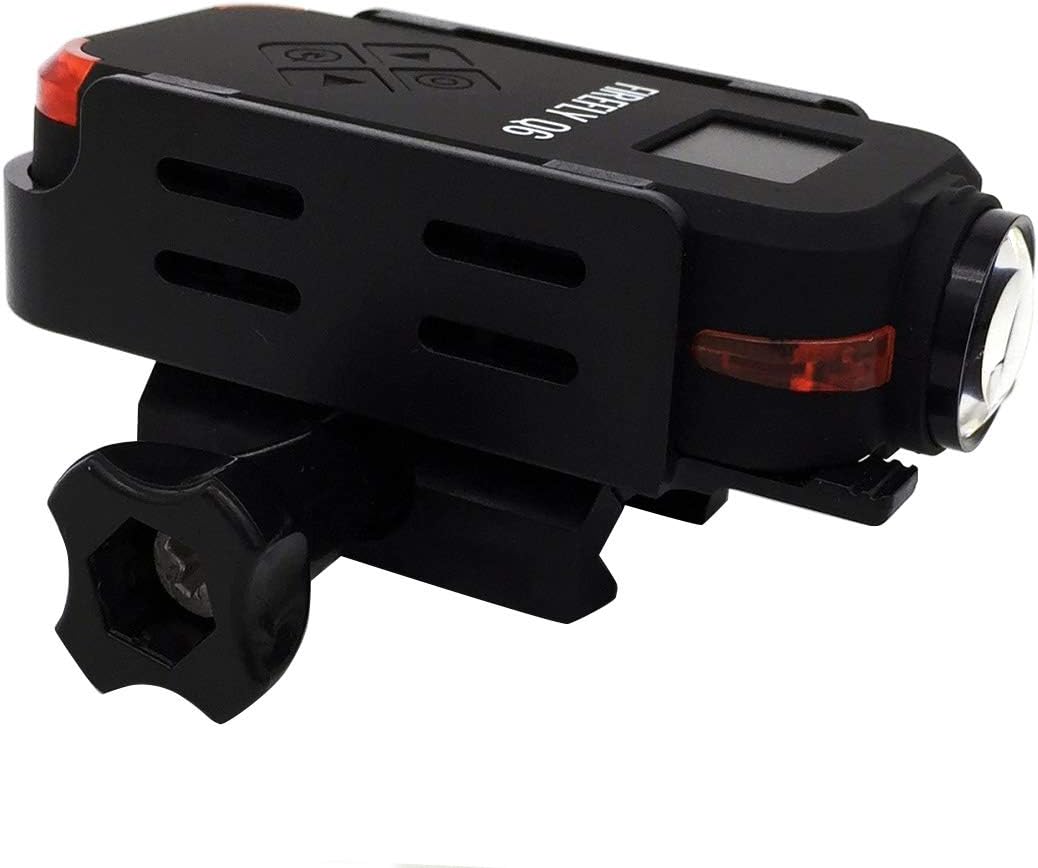
Figure 3: The Hawkeye Firefly Q6 camera in black, demonstrating its compact form factor and rail mounting capability.
4. การบำรุงรักษา
4.1 การทำความสะอาดกล้อง
- ใช้ผ้าเนื้อนุ่มที่ไม่เป็นขุยเช็ดทำความสะอาดตัวกล้อง
- สำหรับเลนส์ ให้ใช้ผ้าเช็ดเลนส์และน้ำยาทำความสะอาดเฉพาะทาง หลีกเลี่ยงวัสดุที่มีฤทธิ์กัดกร่อน
- ห้ามใช้ผงซักฟอกหรือตัวทำละลายที่มีฤทธิ์รุนแรง
4.2 การดูแลแบตเตอรี่
- Avoid exposing the camera to extreme temperatures (hot or cold) for prolonged periods, as this can affect battery life.
- If storing the camera for an extended time, charge the battery to about 50% to preserve its lifespan.
4.3 พื้นที่จัดเก็บ
Store the camera in a cool, dry place, away from direct sunlight and excessive humidity. Keep it in its original packaging or a protective case when not in use.
5 การแก้ไขปัญหา
| ปัญหา | สาเหตุที่เป็นไปได้ | สารละลาย |
|---|---|---|
| กล้องไม่สามารถเปิดได้ | แบตเตอรี่หมด | Charge the camera battery fully. |
| ไม่สามารถบันทึกวีดีโอ/ถ่ายภาพได้ | ไม่ได้เสียบการ์ด MicroSD หรือการ์ดเต็ม/เสียหาย | Insert a Class 10 or higher MicroSD card. Format the card if necessary (this will erase all data). Ensure sufficient space. |
| วิดีโอ footage สั่นคลอน | Image stabilization might be off or extreme movement. | Ensure the built-in image stabilization is enabled in settings. Minimize excessive camera movement. |
| กล้องหยุดนิ่งหรือไม่ตอบสนอง | ซอฟต์แวร์มีข้อผิดพลาดหรือข้อผิดพลาดชั่วคราว | Perform a soft reset by holding the Power button until it turns off, then restart. If persistent, remove and reinsert the battery (if accessible) or perform a factory reset (consult advanced settings). |
6. ข้อมูลจำเพาะ
| คุณสมบัติ | รายละเอียด |
|---|---|
| ชิปเซ็ต | โนวาเทค 96660 |
| เซ็นเซอร์รับภาพ | IMX078 back illumination CMOS |
| ความละเอียดวิดีโอ | 4K 24fps, 2.5K 30fps, 1080P 60/30fps, 720P 120fps, VGA 30fps |
| ความละเอียดของภาพ | 16เมตร, 8เมตร, 5เมตร |
| รูปแบบวิดีโอ | MP4 (เอช.264) |
| รูปแบบภาพ | JPG |
| ขนาดหน้าจอ | จอ OLED ขนาด 0.7 นิ้ว |
| เลนส์มุมกว้าง | 120 degree wide angle lens (Undistorted version available) |
| ประเภทแบตเตอรี่ | ลิเธียมไอออนในตัว |
| ความจุของแบตเตอรี่ | 700mAh |
| แหล่งจ่ายไฟ | 5V 1A |
| Max External Card Supported | TF 32GB (Class 10 recommended) |
| ระบบป้องกันภาพสั่นไหว | Yes (Built-in gyroscope) |
| ระบบเสียง | Built-in microphone/speaker (AAC) |
| เอาท์พุต | AV output, HD (HDMI) output |
| คุณสมบัติ | Time-lapse, Loop-cycle recording, WDR, Remote video camera support |
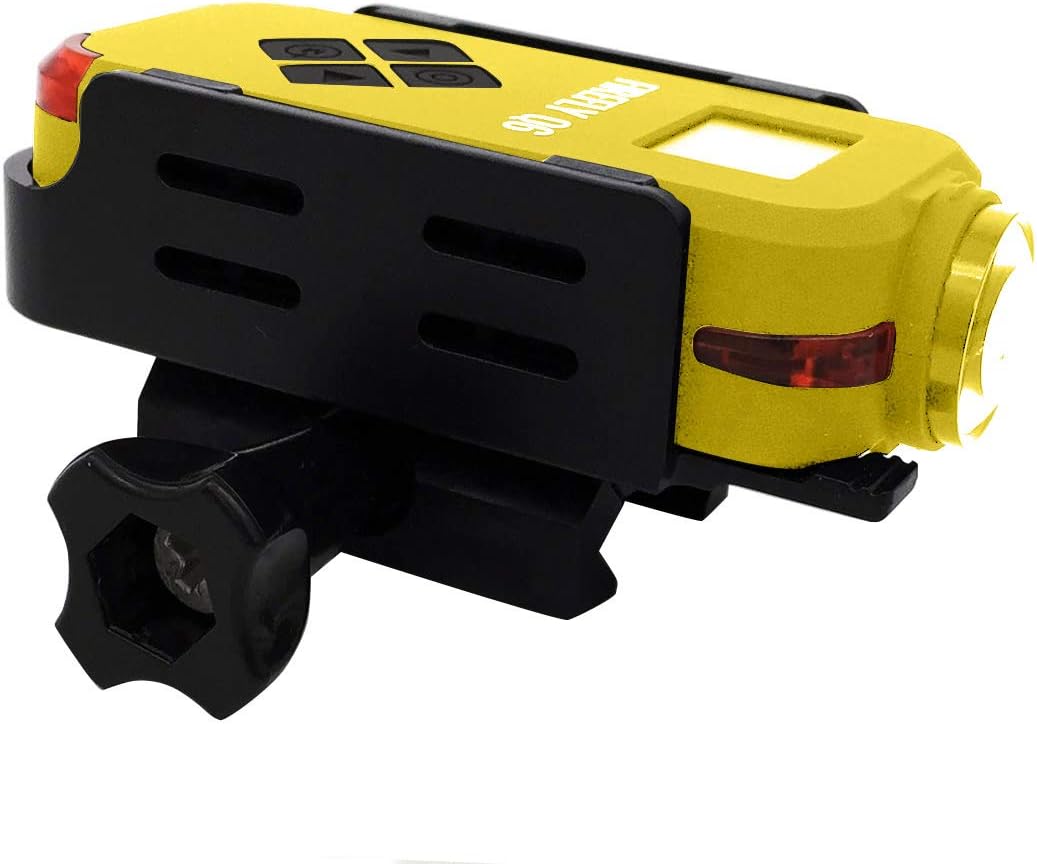
Figure 4: The Hawkeye Firefly Q6 camera in yellow, also available with a rail mounting option.
7. การรับประกันและการสนับสนุน
This product is covered by a manufacturer's warranty. For specific warranty terms and conditions, please refer to the documentation provided with your purchase or contact the seller directly.
การสนับสนุนลูกค้า:
If you encounter any issues or have questions not covered in this manual, please contact the seller or manufacturer for assistance. Keep your purchase receipt and product serial number handy when seeking support.
For the latest information and firmware updates, please visit the official Zephis or Hawkeye Firefly webเว็บไซต์ (ถ้ามี)


