Youshiko Radio Controlled Wall Clock (UK/Ireland Version)
Model: B0DC6XWBFR
การแนะนำ
This manual provides detailed instructions for the setup, operation, and maintenance of your Youshiko Radio Controlled Wall Clock. This clock is designed for the UK and Ireland, utilizing the MSF radio signal for automatic time synchronization. It features a large LCD display, indoor temperature reading, date, day of the week, and a dual alarm function.
คุณสมบัติผลิตภัณฑ์
Large LCD display for clear readability.
Radio-controlled time (MSF signal for UK/Ireland) for automatic and accurate time setting.
Automatic adjustment for Daylight Saving Time (DST).
Displays date with full day of the week and 3-digit month.
Selectable 12 or 24-hour time format.
Indoor temperature display in Celsius (°C) or Fahrenheit (°F).
Dual alarm with snooze function.
Wall-mountable or free-standing design.
การตั้งค่า
1. การจ่ายพลังงานให้กับนาฬิกา
The clock can be powered via a power cable (not explicitly mentioned if included, but implied by specifications) or batteries.
การติดตั้งแบตเตอรี่: Open the battery compartment cover on the back of the clock. Insert the required batteries (typically AA or AAA, check the compartment for markings) according to the polarity indicators (+ and -). Close the cover securely.
สายไฟ: If using a power cable, connect it to the appropriate port on the clock and plug it into a wall outlet.
ภาพ: ด้านหลัง view of the clock, highlighting the battery compartment and control buttons.
2. Initial Time Synchronization (MSF Signal)
Upon powering on, the clock will automatically attempt to receive the MSF radio signal from Cumbria, UK, to set the correct time.
Place the clock near a window, away from electronic devices that might cause interference.
The signal reception icon (often a radio tower symbol) will flash during synchronization.
Once the signal is successfully received, the icon will become solid, and the time will be set automatically. This process may take several minutes or up to 24 hours depending on signal strength.
If the signal is not received, try repositioning the clock.
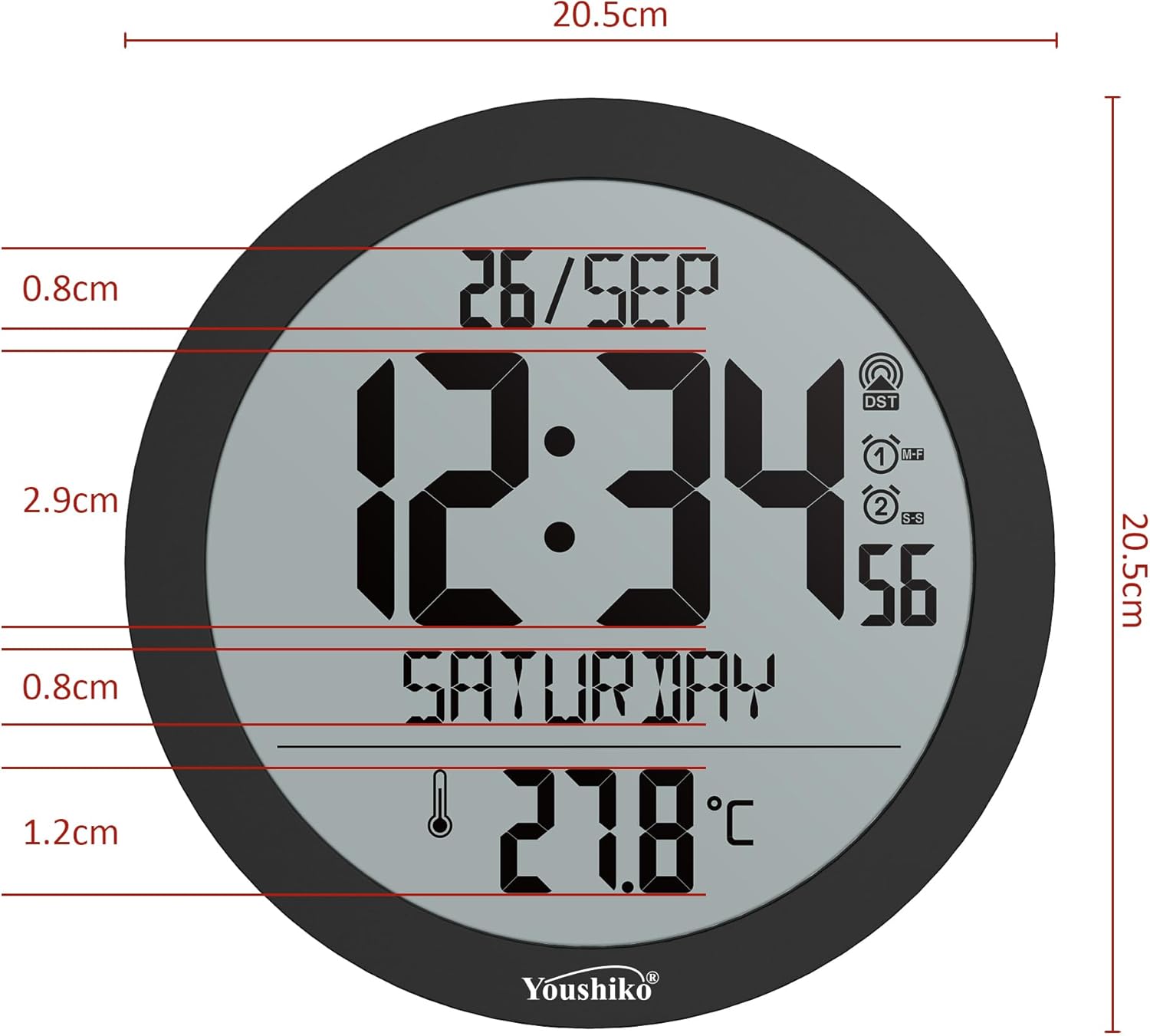
Image: Front display of the clock, showing the radio signal icon (top right).
3. ตัวเลือกการติดตั้ง
การติดตั้งบนผนัง: Use the integrated keyhole slot on the back of the clock to hang it securely on a wall hook or screw.
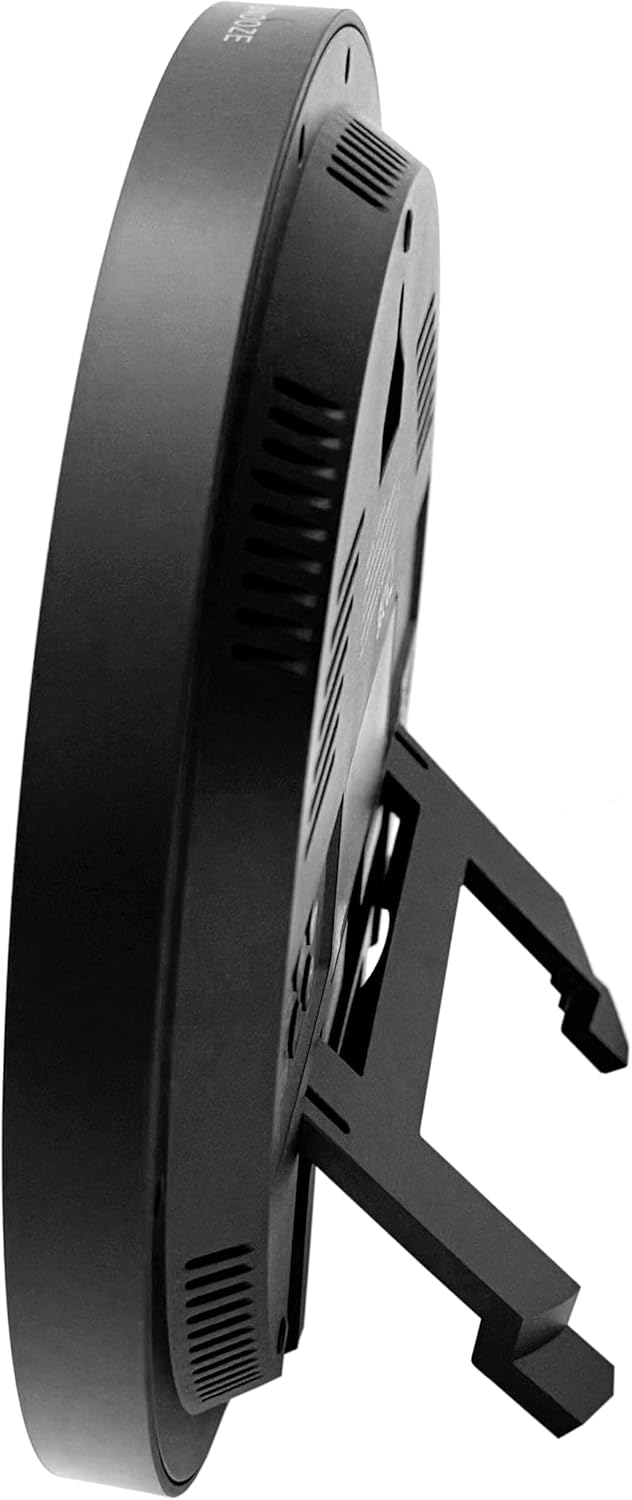
ขาตั้งแบบตั้งโต๊ะ: Extend the built-in stand on the back of the clock to place it on a flat surface.
ภาพ: ด้านข้าง view of the clock, demonstrating the extended tabletop stand.
ภาพ: อีกด้านหนึ่ง view of the clock, illustrating its design and stand.
คำแนะนำการใช้งาน
1. แสดงผลทับview
The large LCD display shows the current time, date (day/month), day of the week, and indoor temperature.
ภาพ: รายละเอียด view of the clock's display, indicating various information segments.
ภาพ: ด้านหน้าใส view of the clock's digital display.
2. Setting Time Format and Temperature Unit
Use the control buttons on the back of the clock to adjust settings. Refer to the button layout image for specific button functions.
รูปแบบ 12/24 ชั่วโมง: Press the 'MODE' or 'SET' button (refer to your clock's specific button labels) to cycle through time display options.
หน่วยวัดอุณหภูมิ (°C/°F): Press the '°C/°F' button (if available) or a combination of 'MODE' and '+' buttons to switch between Celsius and Fahrenheit.
Image: Close-up of the clock's rear control buttons for settings adjustment.
3. การตั้งปลุก
The clock features a dual alarm with snooze.
Press the 'ALARM' button (or similar, refer to button labels) to enter alarm setting mode.
Use the '+' and '-' buttons to adjust the alarm time.
Press 'ALARM' again to confirm and set the second alarm if applicable.
To activate/deactivate the alarm, press the 'ALARM ON/OFF' button.
When the alarm sounds, press the 'SNOOZE' button (located on top or back) to temporarily silence it. The alarm will sound again after a few minutes.
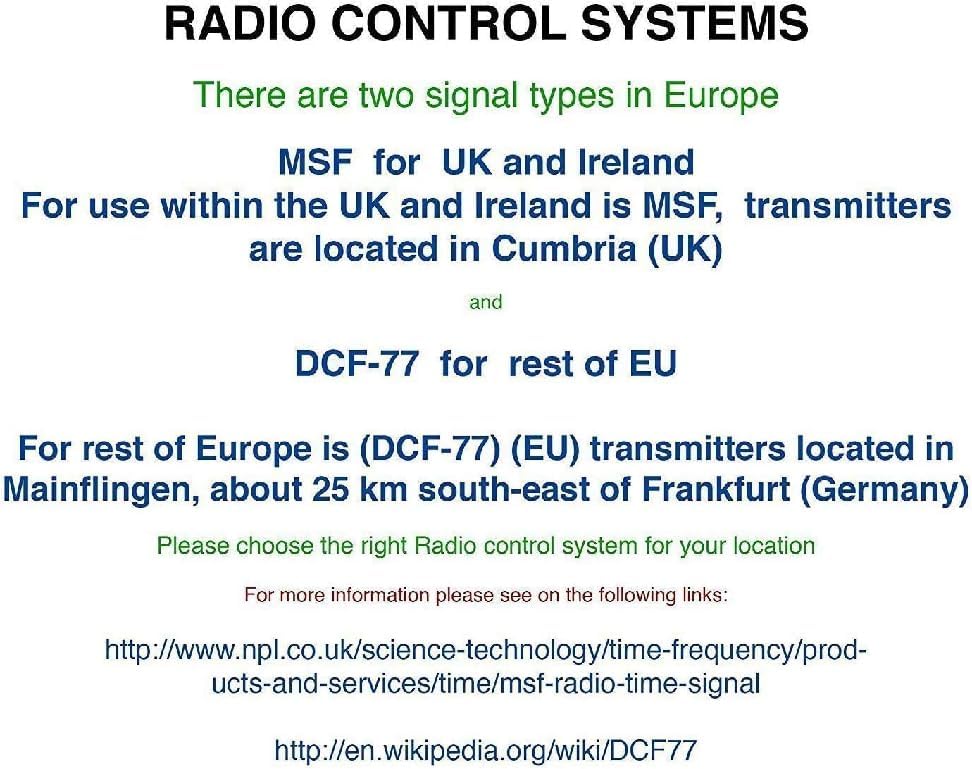
It is important to understand the different radio control signals used in Europe to ensure your clock functions correctly in your region.
Image: Explanation of radio control systems (MSF for UK/Ireland, DCF-77 for rest of EU).
MSF (UK and Ireland): Transmitters are located in Cumbria, UK. This clock is specifically designed for the MSF signal.
DCF-77 (Rest of EU): Transmitters are located in Mainflingen, Germany. This clock is not designed to receive the DCF-77 signal.
Ensure you have the correct radio-controlled clock version for your geographical location.
การซ่อมบำรุง
การทำความสะอาด: Wipe the clock's surface with a soft, dry cloth. Do not use abrasive cleaners or solvents, as these may damage the display or casing.
การเปลี่ยนแบตเตอรี่: If the display dims or the clock loses time frequently, replace the batteries. Ensure to use fresh batteries of the specified type and dispose of old batteries responsibly.
สิ่งแวดล้อม: Avoid exposing the clock to extreme temperatures, direct sunlight, or high humidity, which can affect its performance and lifespan.
การแก้ไขปัญหา
ปัญหา
สาเหตุที่เป็นไปได้
สารละลาย
Clock not displaying time / blank screen.
ไม่มีไฟหรือแบตเตอรี่หมด
Check power cable connection or replace batteries.
แสดงเวลาไม่ถูกต้อง
Poor MSF signal reception or incorrect region setting.
Ensure the clock is placed in an area with good signal reception (e.g., near a window).
Avoid placing near electronic devices that may cause interference.
Verify alarm settings and ensure the alarm is turned ON.
การอ่านอุณหภูมิดูไม่แม่นยำ
Clock exposed to direct heat/cold sources.
Relocate the clock away from direct sunlight, vents, or other temperature-influencing factors.
ข้อมูลจำเพาะ
แบบอย่าง: B0DC6XWBFR
ยี่ห้อ: โยชิโกะ
สี: สีดำ
ประเภทจอภาพ: จอ LCD ระบบดิจิตอล
ขนาด : 20.5 x 3.81 x 20.5 ซม. (8.07 x 1.5 x 8.07 นิ้ว)
น้ำหนัก: 430 กรัม (0.95 ปอนด์)
แหล่งพลังงาน: Cable electrico (Power cable) / Batteries (Not included, type to be confirmed by compartment)
คุณสมบัติพิเศษ: Automatic time adjustment (MSF), Temperature display, Dual alarm, Snooze function.
ประเภทห้อง: Home, office, large halls, bedrooms, children's classrooms, kitchen, dining room, study room.
รูปร่าง: กลม
การใช้งาน: ในร่ม
การรับประกันและการสนับสนุน
For warranty information and customer support, please refer to the documentation included with your purchase or visit the official Youshiko webเว็บไซต์.
Ask about setup, troubleshooting, compatibility, parts, safety, or missing instructions. Manuals+ will review the question and use this page’s manual context to help answer it.