
1. บทนำ
This user manual provides comprehensive instructions for the installation, operation, and maintenance of the DEWIN Tuya Smart 1P 63A 230VAC WiFi DIN Rail Smart Circuit Breaker. This device is designed to integrate with smart home systems via WiFi, offering remote control and monitoring capabilities. Please read this manual thoroughly before installation and use to ensure safe and optimal performance.
2. สินค้าหมดview
The DEWIN Tuya Smart Circuit Breaker is a versatile device for various applications, including current measurement systems, schools, markets, household appliances, industrial settings, and laboratories. It features robust construction and smart functionalities.
คุณสมบัติหลัก:
- การป้องกันหลายอย่าง: Equipped with colored indicator lights, providing clear operational status. Supports intelligent protection against overvoltage, อันเดอร์โวลtage, overcurrent, and leakage.
- การควบคุมระยะไกล WiFi: Control and monitor the device's status via the Tuya Smart mobile application. Compatible with Amazon Alexa and Google Assistant for voice control.
- การตรวจสอบตามเวลาจริง: View various data such as total energy consumption, current, voltage, and power directly from your mobile phone.
- เทคโนโลยีชิปอัจฉริยะ: Features powerful chips and integrated circuits for precise smart meter measurement with an error margin of less than 0.3%.
- โครงสร้างทนทาน: ซีasing is made from high-quality PC flame-retardant material, offering high resistance to flame, impact, and shock for extended durability.
- การติดตั้งราง DIN: Designed for easy installation on a standard 35mm DIN rail.
ส่วนประกอบของผลิตภัณฑ์:
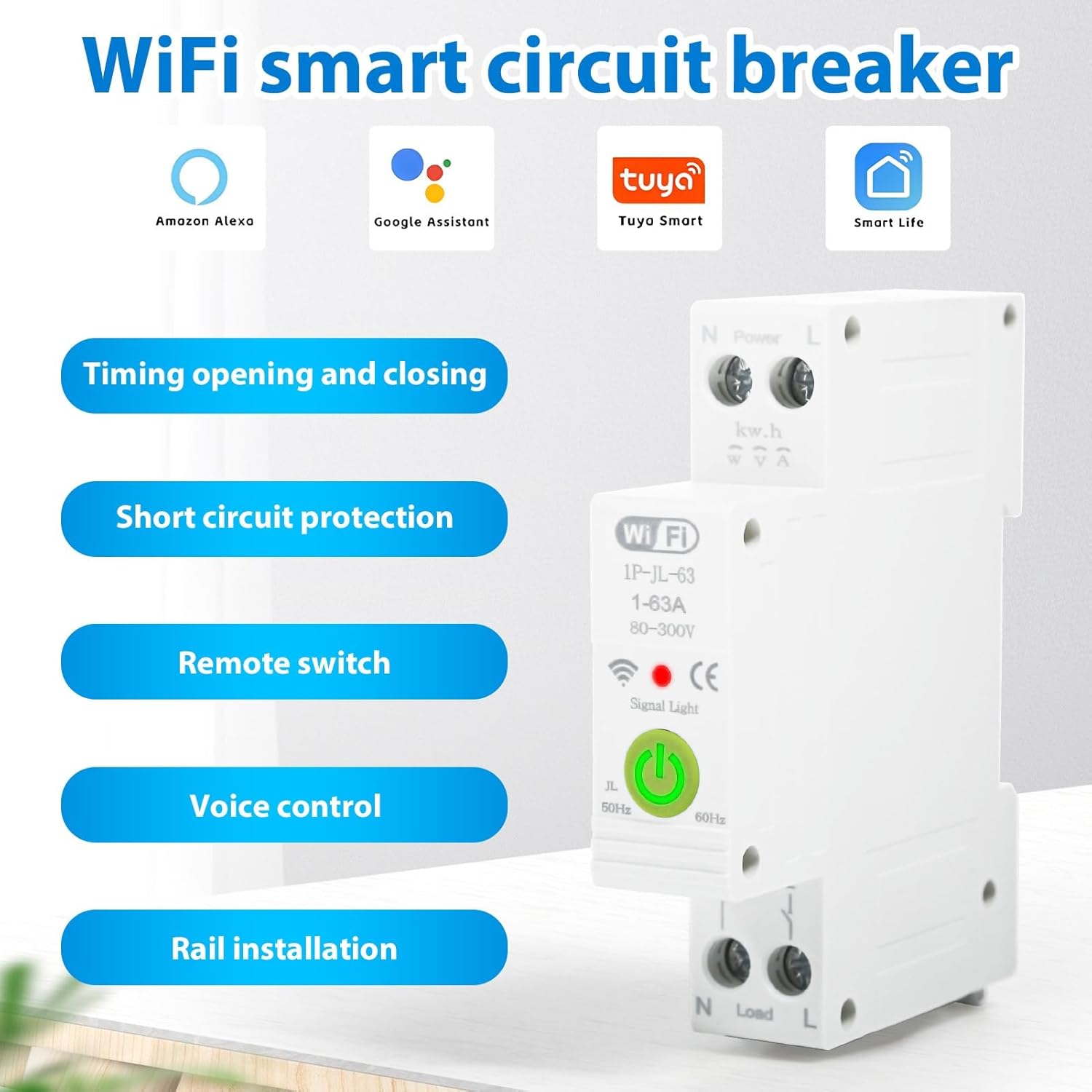
รูปที่ 2.1: เกินview of the DEWIN Smart Circuit Breaker highlighting its smart features and compatibility.
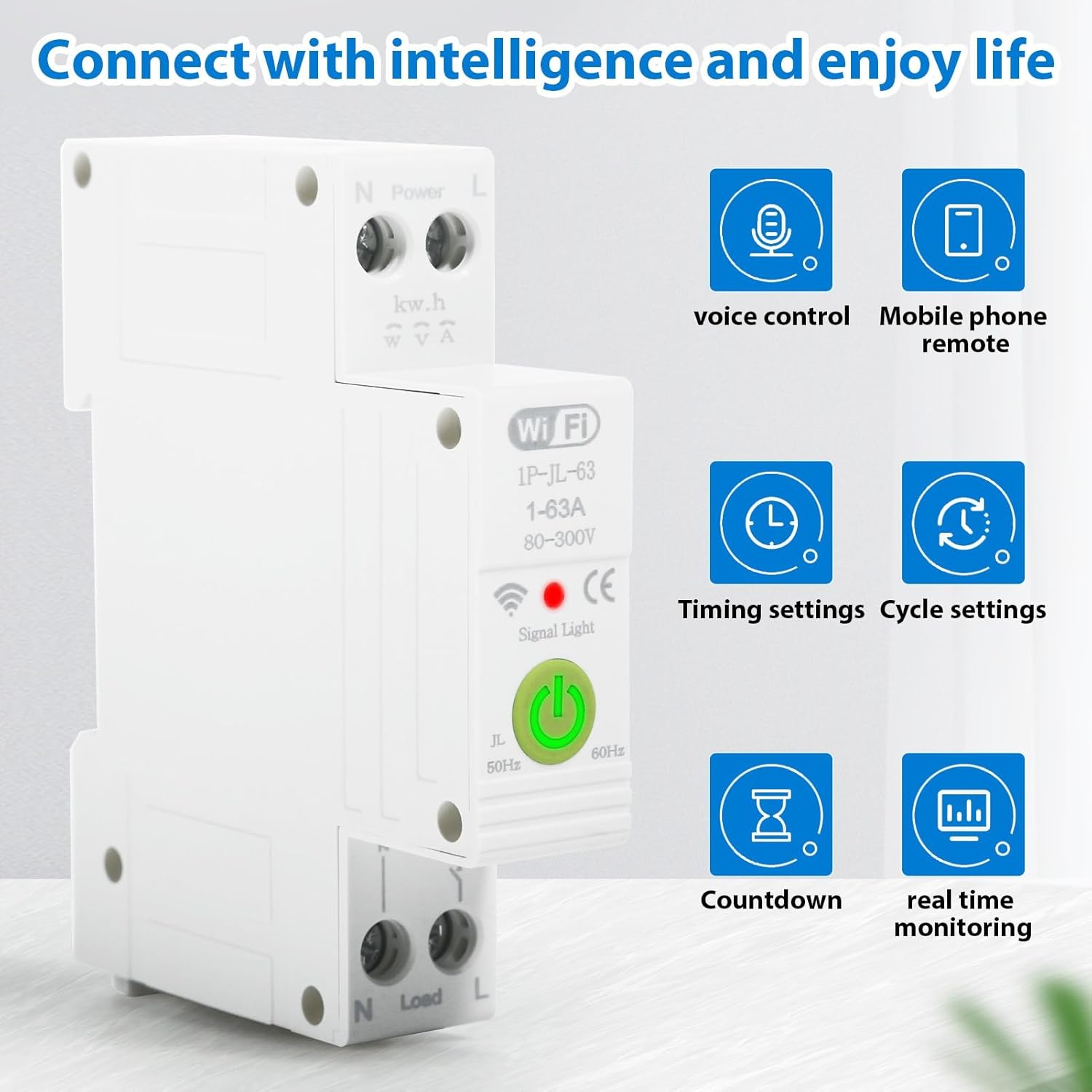
รูปที่ 2.2: Smart functionalities including voice control, remote access, and monitoring.
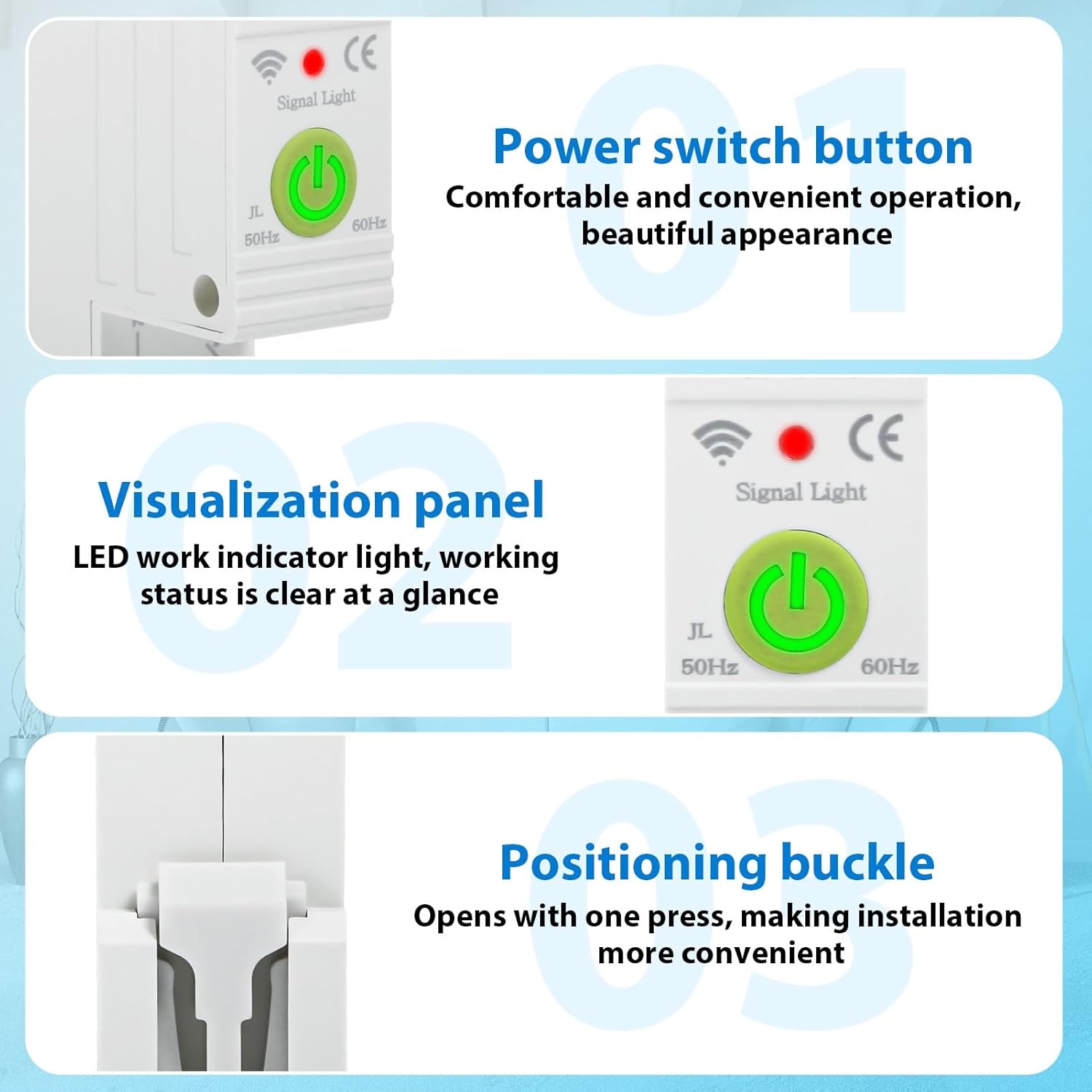
รูปที่ 2.3: รายละเอียด view of the power switch, LED indicator, and installation buckle.

รูปที่ 2.4: Illustration of the product's flame-retardant material for enhanced safety.
3. ข้อมูลจำเพาะ
The following table details the technical specifications of the DEWIN Tuya Smart Circuit Breaker:

รูปที่ 3.1: Product dimensions and key electrical specifications.
| ข้อมูลจำเพาะ | ค่า |
|---|---|
| Connection Platform | แอพ Tuya Smart |
| วัสดุ | วัสดุ PC ทนไฟ |
| กระแสไฟฟ้าที่ได้รับการจัดอันดับ | 63 ก |
| จัดอันดับVoltage | 230 โวลต์กระแสสลับ |
| ปฏิบัติการฉบับที่tagอี เรนจ์ | 80-400 โวลต์ AC |
| โอเวอร์โวลtagอี โพรเทคชั่น เร้นจ์ | 120-300 V (Adjustable) |
| อันเดอร์โวลtagอี โพรเทคชั่น เร้นจ์ | 80-210 V (Adjustable) |
| ความถี่ที่กำหนด | 50/60 เฮิรตซ์ |
| ความถี่ WiFi | 2.4 กิกะเฮิรตซ์ |
| วิธีการติดตั้ง | ราง DIN 35 มม |
| ช่วงอุณหภูมิแวดล้อม | -30℃ ถึง 70℃ |
| ขนาดสินค้า (กว้าง x ยาว x สูง) | 8.7 x 5 x 1.9 ซม. (1.9 x 8.7 x 1.9 ซม.) |
| น้ำหนักสินค้า | 120 กรัม |
| โหมดการทำงาน | เปิดปิด |
| ประเภทการติดต่อ | เปิดปกติ |
| ประเภทเทอร์มินัล | สกรู |
| ประเภทวงจร | 1 ทาง |
| วิธีการควบคุม | รีโมทคอนโทรล |
| โปรโตคอลการเชื่อมต่อ | ไวไฟ |
| หมายเลขชิ้นส่วนของผู้ผลิต | QBCXIYQEQ-GS110256-03 |
4. ข้อมูลด้านความปลอดภัย
โปรดปฏิบัติตามข้อควรระวังด้านความปลอดภัยต่อไปนี้เพื่อป้องกันการบาดเจ็บหรือความเสียหายต่ออุปกรณ์:
- การติดตั้งและบำรุงรักษาควรทำโดยช่างไฟฟ้าที่ผ่านการรับรองเท่านั้น
- Ensure the main power supply is disconnected before any installation or wiring work.
- ตรวจสอบว่าปริมาตรtage and current ratings of the circuit breaker match your electrical system requirements.
- ห้ามใช้งานอุปกรณ์ในสภาพเปียกหรืองamp เงื่อนไข.
- หลีกเลี่ยงการให้อุปกรณ์สัมผัสกับอุณหภูมิที่ร้อนจัดหรือโดนแสงแดดโดยตรง
- Do not attempt to disassemble or modify the circuit breaker.
5. การตั้งค่า
5.1. Installation on DIN Rail
The DEWIN Smart Circuit Breaker is designed for quick and easy installation on a standard 35mm DIN rail. No screws are required for mounting.
- Ensure the main power supply to the circuit is turned off.
- Align the circuit breaker with the DIN rail.
- Press the positioning buckle (refer to Figure 2.3) and snap the device onto the DIN rail until it clicks securely into place.
- Release the buckle to lock the device.

รูปที่ 5.1: DIN rail installation process.
5.2. การเชื่อมต่อสายไฟ
Proper wiring is crucial for safe and correct operation. Refer to the wiring diagram below:
- Identify the Live (L) and Neutral (N) input terminals for the power source.
- Connect the incoming Live wire to the 'L' input terminal and the incoming Neutral wire to the 'N' input terminal.
- Identify the Live (L) and Neutral (N) output terminals for the load.
- Connect the outgoing Live wire to the 'L' output terminal and the outgoing Neutral wire to the 'N' output terminal.
- ตรวจสอบให้แน่ใจว่าได้ขันขั้วต่อสกรูทั้งหมดให้แน่นสนิทเพื่อป้องกันการหลวมของสายไฟ

รูปที่ 5.2: Wiring diagram for Live and Neutral connections.
5.3. App Connection (Tuya Smart)
To enable smart features, connect the device to the Tuya Smart APP:
- Download the 'Tuya Smart' app from your mobile device's app store (iOS or Android).
- ลงทะเบียนหรือเข้าสู่ระบบบัญชี Tuya Smart ของคุณ
- Ensure your mobile device is connected to a 2.4 GHz WiFi network.
- Power on the circuit breaker. The signal light should blink, indicating it's in pairing mode. If not, press and hold the power switch button for 5-10 seconds until it blinks rapidly.
- In the Tuya Smart app, tap '+' to add a new device.
- Select 'Electrical' > 'Circuit Breaker (Wi-Fi)' or allow the app to auto-discover the device.
- Follow the on-screen instructions to complete the pairing process, entering your WiFi network password when prompted.
- Once connected, the signal light on the device will become solid.
6. คู่มือการใช้งาน
Once installed and connected to the Tuya Smart app, you can control and monitor your circuit breaker remotely.
6.1. คู่มือการใช้งาน
Press the physical power switch button on the device to manually turn the circuit ON or OFF.
6.2. การควบคุมแอป
Open the Tuya Smart app and select your circuit breaker device. From the app interface, you can:
- เปิด/ปิด: Toggle the power switch remotely.
- ข้อมูลการตรวจสอบ: View real-time data such as total energy consumption, current, voltagอีและพลังงาน
- ตั้งเวลา: Schedule the circuit to turn ON or OFF at specific times.
- Create Cycle Timings: Set repetitive ON/OFF schedules.
- Configure Countdown: Set a countdown timer for the circuit to switch.
- Adjust Protection Settings: Modify overvoltagอีและอันเดอร์โวลtage protection ranges as needed (refer to specifications for default ranges).
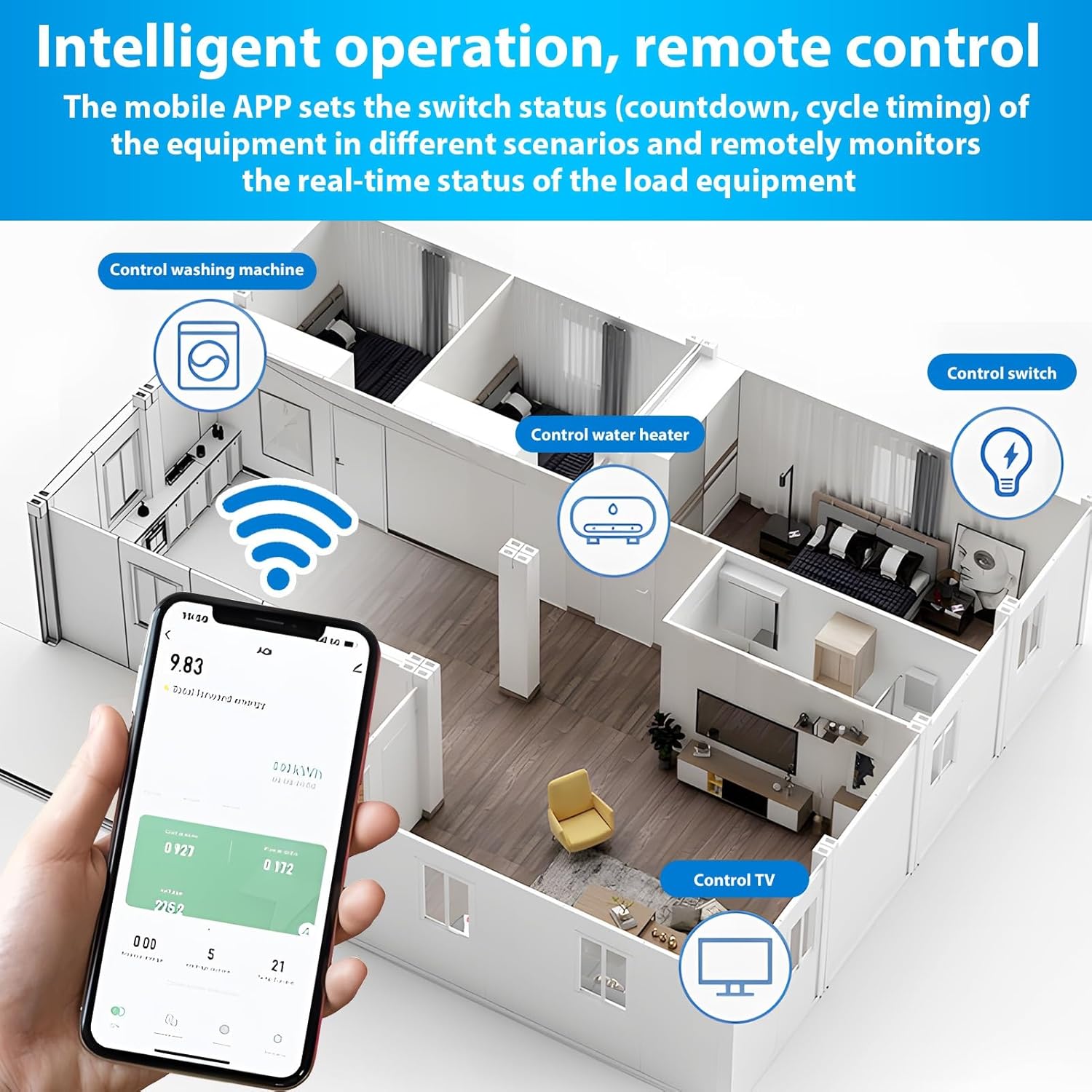
รูปที่ 6.1: Remote control and monitoring via the Tuya Smart mobile application.
6.3. การควบคุมด้วยเสียง
Integrate the Tuya Smart app with Amazon Alexa or Google Assistant for voice-activated control:
- Enable the 'Tuya Smart' skill in your Alexa or Google Home app.
- Link your Tuya Smart account.
- ค้นพบอุปกรณ์
- ใช้คำสั่งเสียง เช่น:
- "อเล็กซ่า เปิดใช้งาน [ชื่ออุปกรณ์]"
- "เฮ้ Google ปิด [ชื่ออุปกรณ์]"
7. การบำรุงรักษา
The DEWIN Smart Circuit Breaker requires minimal maintenance. Follow these guidelines to ensure longevity:
- Regularly inspect the device for any visible damage or loose connections.
- รักษาอุปกรณ์ให้สะอาด ปราศจากฝุ่นและสิ่งสกปรก ใช้ผ้าแห้งนุ่มๆ ในการทำความสะอาด
- อย่าใช้สารเคมีรุนแรงหรือน้ำยาทำความสะอาดที่มีฤทธิ์กัดกร่อน
- ตรวจสอบให้แน่ใจว่ามีการระบายอากาศที่เหมาะสมรอบๆ อุปกรณ์เพื่อป้องกันความร้อนสูงเกินไป
8 การแก้ไขปัญหา
If you encounter issues with your DEWIN Smart Circuit Breaker, refer to the following common problems and solutions:
| ปัญหา | สาเหตุที่เป็นไปได้ | สารละลาย |
|---|---|---|
| อุปกรณ์ไม่เปิดเครื่อง | No power supply; Loose wiring; Device fault. | Check main power supply; Verify wiring connections; Contact support if fault persists. |
| ไม่สามารถเชื่อมต่อ WiFi ได้ | Incorrect WiFi password; Router too far; 5GHz WiFi network; Device not in pairing mode. | Ensure correct 2.4GHz WiFi password; Move device closer to router; Switch to 2.4GHz network; Put device in pairing mode (blinking signal light). |
| รีโมทคอนโทรลไม่ทำงาน | No internet connection; App issue; Device offline. | Check internet connectivity; Restart Tuya Smart app; Reconnect device to WiFi if offline. |
| Protection features (over/undervoltage) tripping unexpectedly. | เล่มที่tage fluctuations; Sensitivity settings. | Check power grid stability; Adjust protection thresholds in the app if necessary (consult a professional). |
If the problem persists after attempting these solutions, please contact DEWIN customer support.
9. การรับประกันและการสนับสนุน
For warranty information, please refer to the terms and conditions provided at the time of purchase or contact your retailer. For technical support or further assistance, please reach out to DEWIN customer service through the contact information provided on the product packaging or the official DEWIN webเว็บไซต์.