
การแนะนำ
ขอบคุณสำหรับการซื้อasing the Youshiko YC8071 Jumbo Radio Controlled Wall Clock. This clock is designed to provide accurate timekeeping through its radio-controlled function, automatically adjusting for daylight saving time. It also features a clear LCD display, indoor temperature, and an alarm function. Please read this manual carefully to ensure proper setup and operation.
คุณสมบัติผลิตภัณฑ์
- เวลาที่ควบคุมด้วยวิทยุ: Automatically synchronizes with the MSF signal (UK version) for precise time.
- Automatic DST Adjustment: Automatically adjusts for Daylight Saving Time (Spring/Autumn).
- จอ LCD ขนาดใหญ่: Clear and easy-to-read display for time, date, and temperature.
- การแสดงวันที่: Shows full weekday and 3-digit month.
- จอแสดงผลอุณหภูมิในร่ม: แสดงอุณหภูมิเป็นองศาเซลเซียส (°C) หรือองศาฟาเรนไฮต์ (°F)
- นาฬิกาปลุกคู่พร้อมระบบเลื่อนปลุก: Two independent alarms with a snooze function.
- รูปแบบเวลา: Selectable 12 or 24-hour display format.
- ตำแหน่งที่หลากหลาย: Suitable for wall mounting or tabletop use with an integrated stand.
เนื้อหาแพ็คเกจ
- Youshiko YC8071 Jumbo Radio Controlled Wall Clock
- คู่มือการใช้งาน
- (ไม่รวมแบตเตอรี่)
การตั้งค่า
1. การติดตั้งแบตเตอรี่
- ค้นหาช่องใส่แบตเตอรี่ที่ด้านหลังของนาฬิกา
- เปิดฝาช่องใส่แบตเตอรี่
- Insert 2 x AA batteries (not included) according to the polarity markings (+ and -).
- ปิดฝาช่องใส่แบตเตอรี่ให้แน่น

ภาพ: หลัง view of the clock showing the battery compartment and integrated stand. The battery compartment is located centrally on the back.
2. Initial Setup and Radio Control Signal Reception
After battery installation, the clock will automatically begin searching for the radio control signal (MSF for UK and Ireland). This process may take several minutes. During this time, the radio control icon will flash on the display.
- วางนาฬิกาไว้ใกล้หน้าต่างเพื่อให้รับสัญญาณได้ดีที่สุด
- Avoid placing the clock near electronic devices that may cause interference (e.g., TVs, computers, microwaves).
- Once the signal is received, the time and date will set automatically, and the radio control icon will become solid.
- The clock automatically checks the time daily to ensure accuracy.
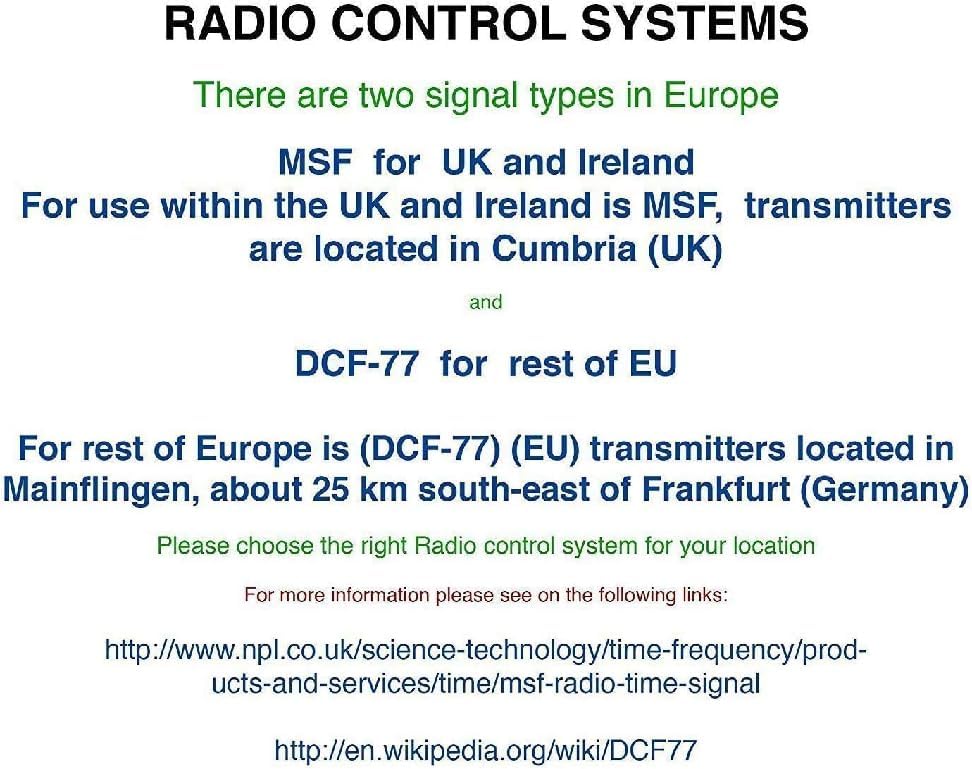
ภาพ: Diagram illustrating radio control systems. It specifies MSF for UK and Ireland, with transmitters in Cumbria (UK), and DCF-77 for the rest of the EU, with transmitters in Mainflingen, Germany. Users should choose the correct system for their location. This clock uses MSF.
If the signal is not received after a few hours, try relocating the clock to a different position or manually setting the time (see "Manual Settings" section).
คำแนะนำการใช้งาน
แสดงผลเกินview

ภาพ: The main display of the Youshiko YC8071 clock. It shows the date (e.g., 26/SEP), large digital time (e.g., 12:34), day of the week (e.g., SATURDAY), and indoor temperature (e.g., 27.8°C). Radio control signal, DST, and alarm indicators are also visible.
- เวลา: Large digits display the current time.
- วันที่: Displays day and month (e.g., 26/SEP).
- วันของสัปดาห์: Full weekday name (e.g., SATURDAY).
- อุณหภูมิ: Indoor temperature in °C or °F.
- Radio Control Icon: Indicates signal reception status.
- ตัวบ่งชี้ DST: Shows if Daylight Saving Time is active.
- สัญญาณเตือน: Icons for Alarm 1 and Alarm 2.
ปุ่มโอเวอร์view (Refer to back panel image)

ภาพ: หลัง view of the clock, highlighting the control buttons. From left to right, these typically include buttons for settings, plus (+), minus (-), alarm, and memory (MEM).
- ปุ่มตั้งค่า: Used to enter setting modes.
- + / - buttons: Used to adjust values or toggle settings.
- ปุ่มปลุก: ใช้สำหรับตั้งค่าและเปิดใช้งานสัญญาณเตือนภัย
- MEM button: Used for memory functions (e.g., min/max temperature).
Setting Time and Date Manually (If RC signal is unavailable)
- กดปุ่มค้างไว้ ชุด กดปุ่มค้างไว้จนกว่าหน้าจอจะกะพริบ
- ใช้ + or - ปุ่มสำหรับปรับค่าการกระพริบ (เช่น ชั่วโมง นาที ปี เดือน วัน)
- กด ชุด again to confirm the setting and move to the next value.
- ทำซ้ำจนกว่าจะตั้งค่าต่างๆ ที่ต้องการเสร็จเรียบร้อย
- The clock will exit setting mode automatically after a few seconds of inactivity, or you can press ชุด repeatedly until normal display resumes.
การตั้งปลุก
- กดปุ่ม เตือน ปุ่มหนึ่งครั้งเพื่อ view ตั้งปลุกครั้งที่ 1 กดอีกครั้งเพื่อตั้งปลุกครั้งที่ 2
- ในขณะที่ viewหากต้องการตั้งเวลาปลุก ให้กดปุ่มค้างไว้ เตือน กดปุ่มจนกว่าไฟแสดงเวลาปลุกจะกระพริบ
- ใช้ + or - ปุ่มสำหรับปรับชั่วโมง กด เตือน เพื่อยืนยัน.
- Adjust the minutes using + or -แล้วกด เตือน เพื่อยืนยัน.
- หากต้องการเปิด/ปิดสัญญาณเตือน ให้กดปุ่ม เตือน button repeatedly until the desired alarm icon (1 or 2) appears/disappears on the main display.
ฟังก์ชั่นการพักชั่วคราว
When an alarm sounds, press any button (except ALARM) to activate the snooze function. The alarm will temporarily stop and sound again after approximately 5-10 minutes. To stop the alarm completely, press the เตือน ปุ่ม.
Changing Temperature Unit (°C/°F)
กดปุ่ม เมม button to toggle between Celsius (°C) and Fahrenheit (°F) display for the indoor temperature.
รูปแบบ 12/24 ชั่วโมง
ในโหมดแสดงเวลาปกติ ให้กดปุ่ม + ปุ่มสำหรับสลับระหว่างรูปแบบเวลา 12 ชั่วโมงและ 24 ชั่วโมง
ตัวเลือกการติดตั้ง
The Youshiko YC8071 clock offers two convenient placement options:
- การติดตั้งบนผนัง: Use the integrated hanging hole on the back of the clock to mount it securely on a wall.
- ขาตั้งแบบตั้งโต๊ะ: Extend the integrated stand on the back of the clock for stable placement on a desk, shelf, or table.
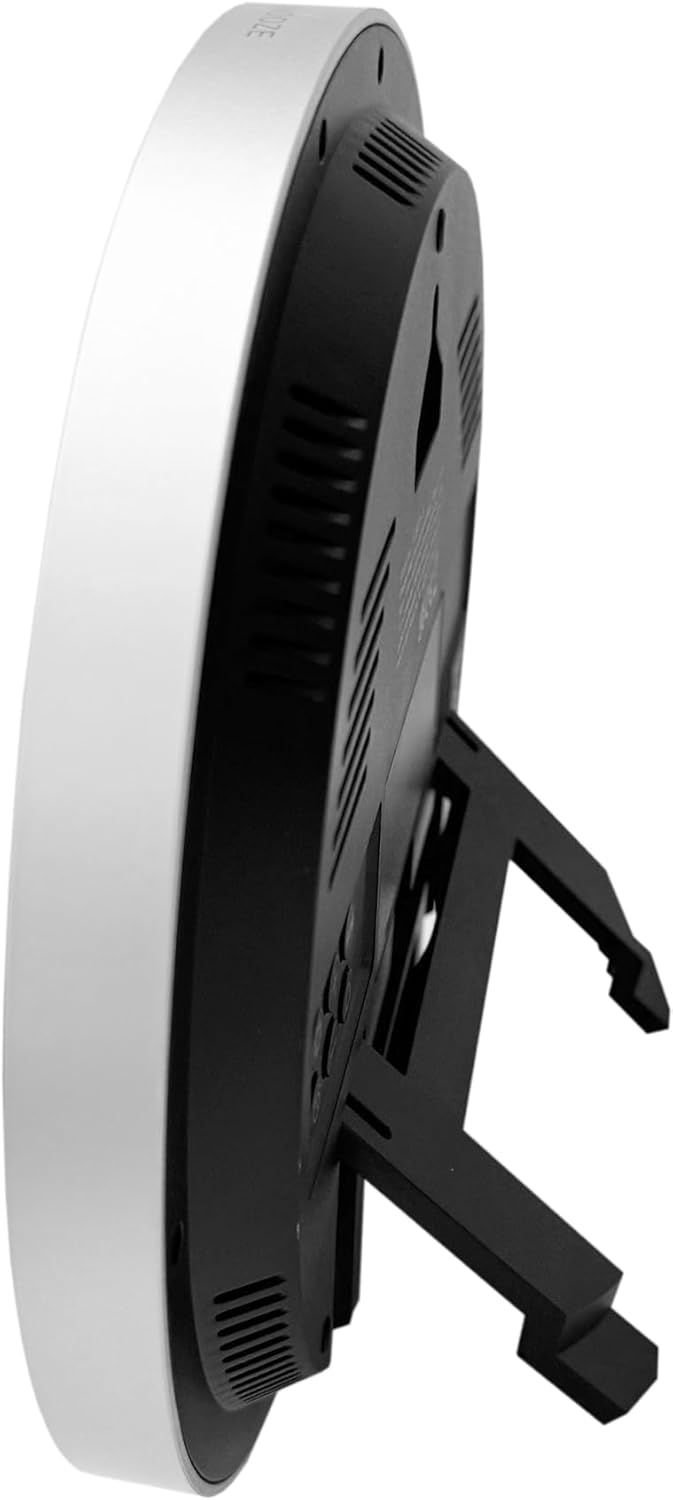
ภาพ: ด้านข้าง view of the clock with its integrated stand deployed, allowing it to stand upright on a flat surface.
ภาพ: หลัง view of the clock, showing the recessed hanging hole for wall mounting and the stand folded flat against the back panel.
การแก้ไขปัญหา
- ไม่มีการแสดงผล / การแสดงผลจาง:
- ตรวจสอบขั้วแบตเตอรี่
- เปลี่ยนแบตเตอรี่เก่าด้วยแบตเตอรี่ใหม่
- Incorrect Time / No Radio Signal:
- Ensure the clock is placed in an area with good signal reception (near a window, away from interference).
- Allow several hours for the clock to receive the signal.
- Manually set the time if the radio signal is consistently unavailable.
- Verify you are in an MSF signal reception area (UK/Ireland).
- การอ่านค่าอุณหภูมิไม่แม่นยำ:
- Ensure the clock is not exposed to direct sunlight or heat sources, which can affect the sensor.
- Allow time for the sensor to stabilize after moving the clock to a new environment.
- สัญญาณเตือนไม่ส่งเสียง:
- ตรวจสอบว่าระบบเตือนภัยทำงานอยู่หรือไม่ (ไอคอนเตือนภัยจะปรากฏบนหน้าจอ)
- โปรดตรวจสอบให้แน่ใจว่าได้ตั้งเวลาปลุกถูกต้องแล้ว
ข้อมูลจำเพาะ
| หมายเลขรุ่น | YC8071 |
| ยี่ห้อ | โยชิโกะ |
| การควบคุมเวลา | Radio Controlled (MSF - UK/Ireland) |
| ประเภทจอภาพ | จอแอลซีดีดิจิตอล |
| รูปแบบเวลา | เลือกได้ระหว่าง 12/24 ชั่วโมง |
| ช่วงอุณหภูมิ | อุณหภูมิภายในอาคาร (°C/°F) |
| เตือน | Dual Alarm พร้อม Snooze |
| แหล่งพลังงาน | แบตเตอรี่ AA 2 ก้อน (ไม่รวม) |
| ขนาด (สูง x กว้าง x ลึก) | 20.5 x 20.5 x 2.8 cm (approx. 20.5 x 3.81 x 20.5 cm including stand) |
| น้ำหนัก | 430 กรัม |
| ตัวเลือกการติดตั้ง | Wall mount or Tabletop stand |

ภาพ: Technical diagram illustrating the dimensions of the clock. It shows a diameter of 20.5 cm and various segment heights on the display, such as 2.9 cm for the main time digits.
การดูแลรักษา
- เช็ดนาฬิกาด้วยผ้าแห้งเนื้อนุ่ม ห้ามใช้สารทำความสะอาดที่มีฤทธิ์กัดกร่อนหรือตัวทำละลาย
- ควรหลีกเลี่ยงการวางนาฬิกาไว้ในที่ที่มีอุณหภูมิสูงหรือต่ำเกินไป แสงแดดโดยตรง หรือความชื้นสูง
- หากไม่ได้ใช้งานนาฬิกาเป็นเวลานาน ควรถอดแบตเตอรี่ออกเพื่อป้องกันการรั่วไหล
- Keep the clock away from strong magnetic fields or sources of radio interference.
การรับประกันและการสนับสนุน
Youshiko products are manufactured to high-quality standards. For warranty information or technical support, please refer to the warranty card included with your purchase or visit the official Youshiko webไซต์ โปรดเก็บหลักฐานการซื้อไว้เพื่อใช้ในการเรียกร้องการรับประกัน