
CITLLA L570
คู่มือผู้ใช้เมาส์ไร้สายบลูทูธ CITLLA L570
Model: L570 | Brand: CITLLA
การแนะนำ
This manual provides detailed instructions for the setup, operation, and maintenance of your CITLLA L570 Wireless Bluetooth Mouse. Please read this manual thoroughly before using the product to ensure proper functionality and to maximize your user experience.

ภาพ: ด้านบน view of the CITLLA L570 Wireless Bluetooth Mouse.

Image: User operating the CITLLA L570 mouse.
เนื้อหาแพ็คเกจ
ตรวจสอบว่ามีรายการทั้งหมดอยู่ในแพ็คเกจ:
- CITLLA L570 Wireless Bluetooth Mouse
- ตัวรับสัญญาณ USB-A (เก็บอยู่ภายในเมาส์)
- สายชาร์จ Type-C
- คู่มือการใช้งาน (เอกสารนี้)
สินค้าเกินview
Familiarize yourself with the components and key features of your CITLLA L570 mouse.

ภาพ: เหนือview of the CITLLA L570 mouse features.

Image: CITLLA L570 mouse alongside a keyboard.
คุณสมบัติหลัก:
- 4-Way Scroll Wheel: Provides both vertical high-speed scrolling and horizontal tilt scrolling.
- DPI ที่ปรับได้: Four levels (1000/1600/2400/3000) for precise control.
- การเชื่อมต่อหลายอุปกรณ์: Connects to up to three devices via one 2.4G USB-A receiver and two Bluetooth channels.
- แบตเตอรี่แบบชาร์จไฟได้: Built-in high-capacity lithium battery with Type-C charging.
- คลิกเงียบ: Designed for a quiet working environment.
- ปุ่มเดินหน้า/ถอยหลัง: Located on the side for enhanced navigation.
การตั้งค่า
The CITLLA L570 mouse offers flexible connectivity options. Choose between 2.4G wireless or Bluetooth connections.
1. 2.4G USB-A Receiver Connection
- Locate the USB-A receiver. It is typically stored in a compartment on the underside of the mouse.
- Insert the USB-A receiver into an available USB port on your computer or device.
- เปิดเมาส์โดยใช้สวิตช์เปิด/ปิดที่อยู่ด้านล่าง
- Press the device switch button (usually on the top or bottom of the mouse) to select the 2.4G mode (indicated by a specific LED color or number, refer to the mouse's physical markings). The mouse should connect automatically.
2. การเชื่อมต่อบลูทูธ (BT1 / BT2)
เมาส์นี้รองรับการเชื่อมต่อบลูทูธอิสระสองแบบ (BT1 และ BT2)
- เปิดเมาส์โดยใช้สวิตช์เปิดปิด
- Press the device switch button to select either Bluetooth 1 (BT1) or Bluetooth 2 (BT2) mode. The corresponding indicator light will flash.
- For initial pairing, hold down the device switch button for three seconds until the indicator light flashes rapidly. This indicates the mouse is in pairing mode.
- On your device (computer, tablet, smartphone), navigate to the Bluetooth settings.
- ค้นหา new devices. The mouse should appear as "CITLLA L570" or a similar name.
- Select the mouse to pair. Once connected, the indicator light will stop flashing and remain solid for a few seconds before turning off.
To connect to a second Bluetooth device, repeat steps 2-6, selecting the other Bluetooth channel (BT2).

Image: Multi-device connectivity of the CITLLA L570 mouse.
คำแนะนำการใช้งาน
1. การปรับ DPI
The mouse features 4 adjustable DPI settings to suit various tasks and preferences.
- 1000 จุดต่อนิ้ว: Suitable for design work requiring high precision.
- 1600 จุดต่อนิ้ว: เหมาะสำหรับการศึกษาค้นคว้าทั่วไปและการท่องเว็บ
- 2400 จุดต่อนิ้ว: Recommended for work and productivity tasks.
- 3000 จุดต่อนิ้ว: Optimal for gaming or fast-paced activities.
หากต้องการเปลี่ยนการตั้งค่า DPI ให้กดปุ่ม ปุ่ม DPI located below the scroll wheel. Each press cycles through the available DPI levels.

Image: DPI adjustment settings and their recommended uses.
2. 4-Way Scroll Wheel
The innovative scroll wheel provides enhanced navigation capabilities:
- การเลื่อนแนวตั้ง: Scroll the wheel up or down for standard vertical navigation. The smart fly scroll feature allows for super-fast scrolling on long web หน้า
- การเลื่อนแนวนอน: Tilt the scroll wheel to the left or right to enable horizontal scrolling, useful for wide documents or spreadsheets.
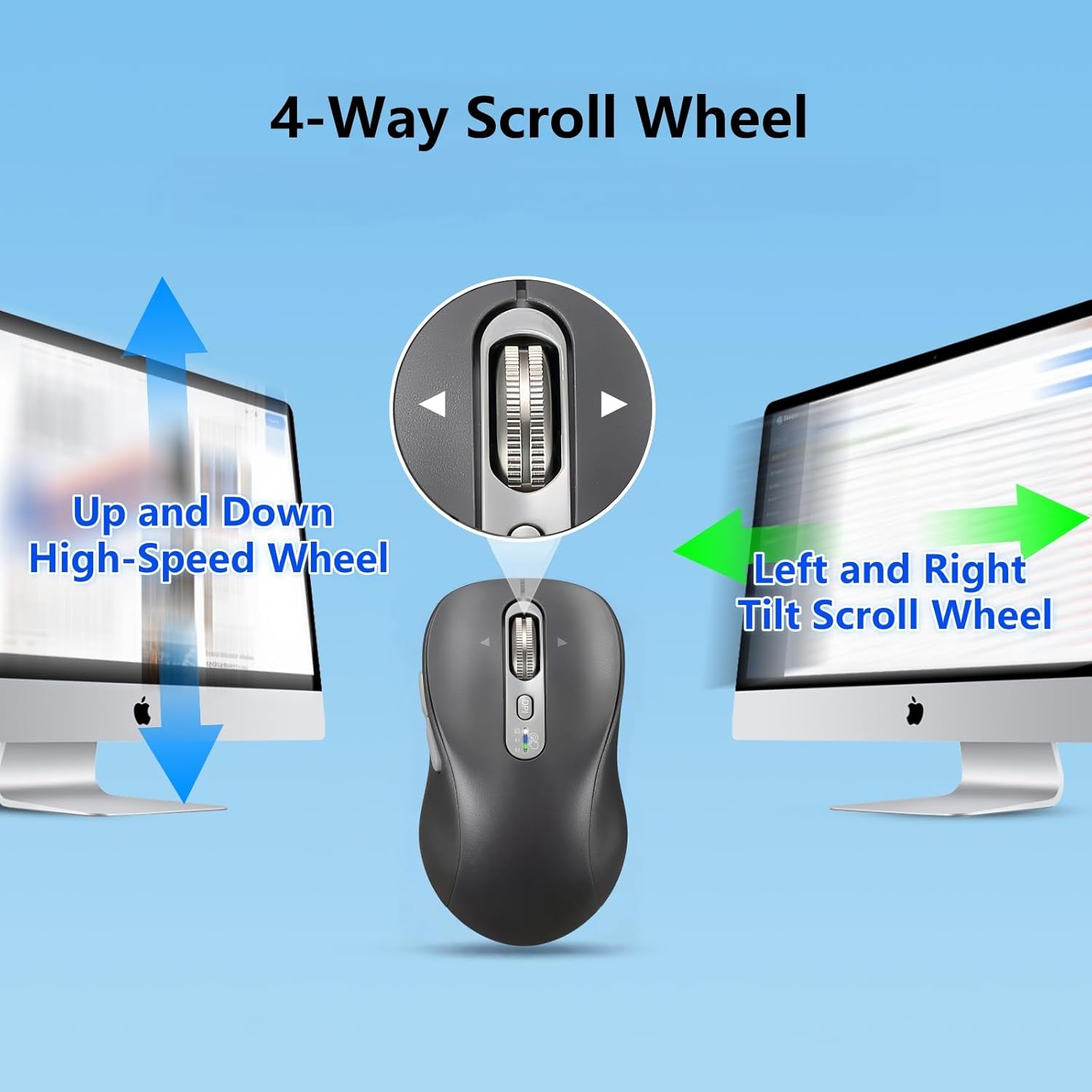
Image: Explanation of the 4-way scroll wheel functionality.
3. การสลับอุปกรณ์หลายเครื่อง
To switch between connected devices (2.4G, BT1, BT2), simply press the device switch button. The indicator light will show which channel is currently active.

Image: Mouse used with multiple devices.
4. การชาร์จไฟ
The CITLLA L570 mouse is equipped with a rechargeable battery.
- Connect the provided Type-C charging cable to the charging port on the front of the mouse and to a USB power source.
- A full charge typically takes 1.5-2 hours and can provide approximately 60 days of normal use.
- The low power indicator light will illuminate when the remaining power is sufficient for less than 7 days of use, providing ample time to recharge.

Image: Mouse charging via Type-C cable.

Image: Mouse connected for charging.
ความเข้ากันได้
The CITLLA L570 mouse is designed for broad compatibility across various operating systems and devices.
- ระบบปฏิบัติการ: Windows (8/10/11 and later), Mac OS (10.15 and later; USB connection supports 10.10 and later), Chrome OS (11 and later; USB connection supports 9 and later), iOS (13.4 and later), Android (5.0 and later), Linux (10 and later; USB connection supports 8 and later).
- อุปกรณ์: Desktops, Laptops, Tablets, Smartphones, All-in-one PCs.

Image: Operating system compatibility icons.

Image: Specific system version compatibility details.
การซ่อมบำรุง
To ensure the longevity and optimal performance of your CITLLA L570 mouse, follow these maintenance guidelines:
- การทำความสะอาด: ใช้ผ้านุ่มและแห้งเช็ดพื้นผิวของเมาส์ สำหรับสิ่งสกปรกฝังแน่น ให้เช็ดเบาๆamp สามารถใช้ผ้าได้ แต่ต้องแน่ใจว่าไม่มีความชื้นเข้าไปในส่วนประกอบภายใน หลีกเลี่ยงสารเคมีรุนแรงหรือน้ำยาทำความสะอาดที่มีฤทธิ์กัดกร่อน
- พื้นที่จัดเก็บ: เมื่อไม่ได้ใช้งานเป็นเวลานาน ควรเก็บเมาส์ไว้ในที่แห้งและเย็น
- การดูแลแบตเตอรี่ Avoid fully discharging the battery frequently. Charge the mouse when the low power indicator appears. Do not expose the battery to extreme temperatures.
- ผู้รับ: Keep the USB-A receiver in its designated storage slot within the mouse when not in use to prevent loss.
การแก้ไขปัญหา
| ปัญหา | สารละลาย |
|---|---|
| เมาส์ไม่ตอบสนอง (2.4G) |
|
| เมาส์ไม่ตอบสนอง (บลูทูธ) |
|
| การเคลื่อนที่ของเคอร์เซอร์ผิดปกติหรือช้า |
|
| ล้อเลื่อนไม่ทำงาน |
|
| Low battery indicator always on |
|
ข้อมูลจำเพาะ
| คุณสมบัติ | รายละเอียด |
|---|---|
| หมายเลขรุ่น | L570 |
| เทคโนโลยีการเชื่อมต่อ | 2.4G USB-A Receiver, Bluetooth 1, Bluetooth 2 |
| การตั้งค่า DPI | 1000 / 1600 / 2400 / 3000 |
| การตรวจจับการเคลื่อนไหว | ออฟติคอล |
| คุณสมบัติพิเศษ | 4-Way Scrolling, Forward/Back buttons, Multi-Device (3 devices), Quiet Clicks (10 million click lifespan), Rechargeable (Type-C charging) |
| ประเภทแบตเตอรี่ | High-capacity Lithium Battery (500mAh) |
| พอร์ตชาร์จ | ประเภทซี |
| อายุการใช้งานแบตเตอรี่ (โดยประมาณ) | 60 days after 1-hour charge |
| น้ำหนักสินค้า | 5.6 ออนซ์ |
| ขนาด | 5.59 x 3.11 x 2.13 นิ้ว |
การรับประกันและการสนับสนุน
CITLLA products are manufactured with quality and reliability in mind. For warranty information or technical support, please refer to the contact details provided with your purchase or visit the official CITLLA webเว็บไซต์.
หากต้องการความช่วยเหลือเพิ่มเติม คุณสามารถติดต่อผู้ขายโดยตรงผ่านแพลตฟอร์มที่คุณซื้อสินค้าได้เช่นกัน
ผู้ผลิต: ซิตลา
ร้านค้าแบรนด์: Visit the CITLLA Store on Amazon
Ask a question about this manual
Ask about setup, troubleshooting, compatibility, parts, safety, or missing instructions. Manuals+ will review the question and use this page’s manual context to help answer it.