
Inkerma HX1000
Hunter-X Laser Golf/Hunting Rangefinder User Manual
Model: HX1000 | Brand: Inkerma
การแนะนำ
The Inkerma Hunter-X Laser Rangefinder is a versatile and high-precision optical instrument designed for both golf and hunting applications. It features advanced measurement capabilities, including distance, height, speed, horizontal distance, and a dedicated golf mode with slope compensation, flag-lock, and vibration confirmation. Its robust and lightweight design ensures reliable performance in various outdoor conditions.

Image: The Inkerma Hunter-X Laser Rangefinder, a compact and durable device in a dark green finish.
เนื้อหาแพ็คเกจ
โปรดตรวจสอบว่ารายการทั้งหมดที่ระบุไว้ด้านล่างมีอยู่ในแพ็คเกจของคุณหรือไม่:
- Hunter-X1000 Laser Rangefinder
- กล่องเก็บของ
- สายคล้องมือ
- ผ้าเช็ดเลนส์
- สายชาร์จ USB
- คู่มือการใช้งาน

Image: All components included in the Hunter-X Rangefinder package: the rangefinder, its case, hand strap, carabiner, USB-C charging cable, lens cloth, and user manual.
ข้อมูลจำเพาะ
| ยี่ห้อ | อินเคอร์มา |
| ชื่อรุ่น | Hunter-X1000 Laser Rangefinder |
| สี | สีเขียว |
| วัสดุ | พลาสติก |
| การขยายภาพ | 6x |
| ช่วงการวัด | 1000 เมตร (1094 หลา) |
| ความแม่นยำในระยะทาง | ±(1m+D×0.2%) |
| ความแม่นยำของมุม | ± 1 องศา |
| ประเภทแบตเตอรี่ | ลิเธียมไออน (750 mAh) |
| ระดับความต้านทานต่อน้ำ | IP54 (ทนน้ำ) |
| น้ำหนักสุทธิ | 116.5กรัม |

Image: Key features of the Hunter-X Rangefinder, highlighting its 6x magnification, 1000m max range, accuracy, rechargeable battery, IP54 water resistance, and vibration confirmation.
การตั้งค่า
1. การชาร์จอุปกรณ์
The Hunter-X Rangefinder comes with a built-in rechargeable Lithium-Ion battery. Before first use, ensure the device is fully charged.
- ค้นหาพอร์ตชาร์จ USB-C บนอุปกรณ์
- Connect the provided USB charging cable to the rangefinder and a compatible USB power source (e.g., computer, wall adapter).
- The charging indicator will show the charging status. A full charge typically takes a few hours.
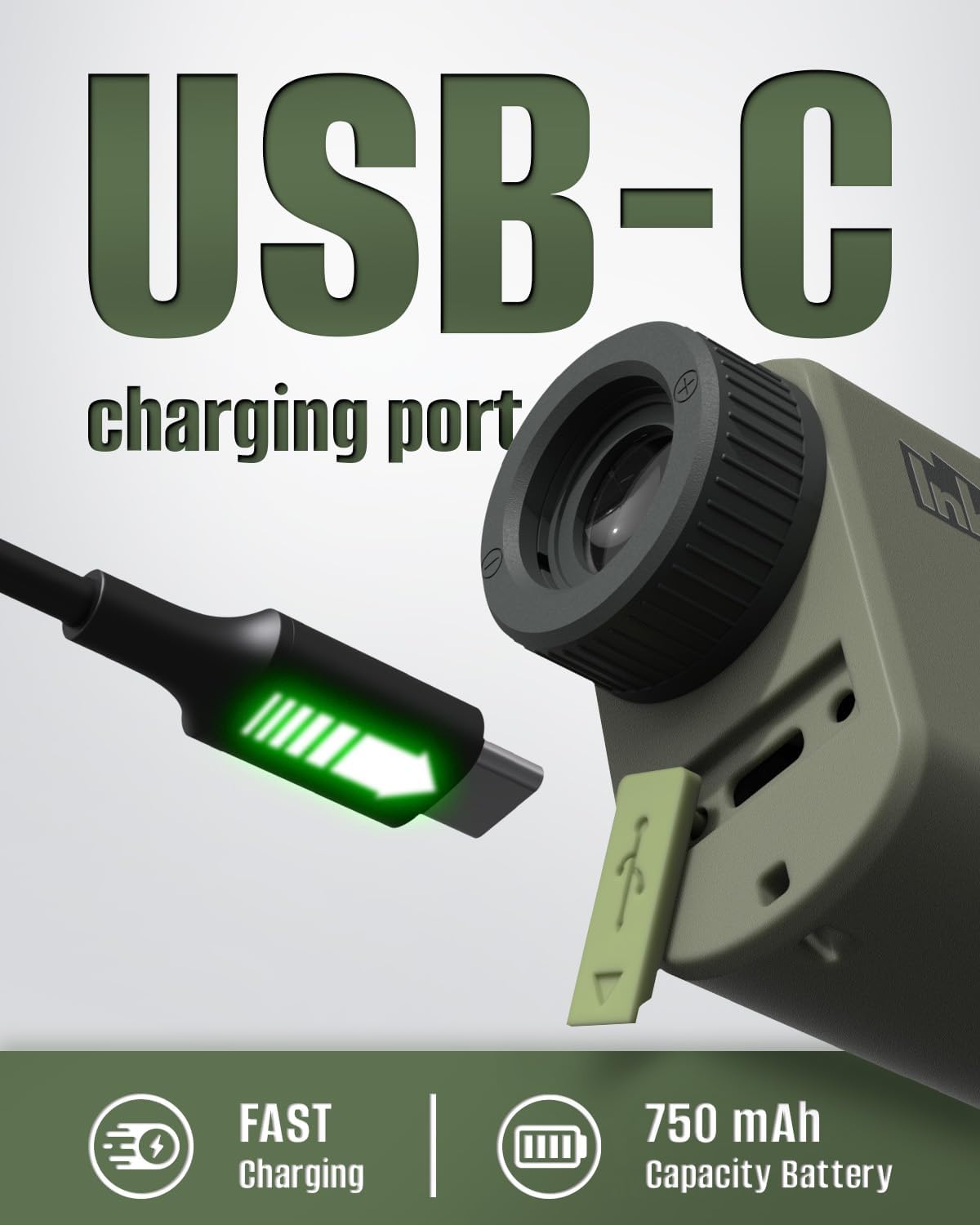
Image: Close-up of the Hunter-X Rangefinder showing the USB-C charging port, indicating fast charging and a 750 mAh capacity battery.
2. การติดสายคล้องมือ
Attach the included hand strap for secure handling and to prevent accidental drops.
- Thread the loop of the hand strap through the designated attachment point on the rangefinder.
- Pass the larger end of the strap through the loop to secure it.
3. การเปิด/ปิดเครื่อง
Press any button to power on the device. The device features a memory function that restores the last used mode when turned on.
อุปกรณ์จะปิดเครื่องโดยอัตโนมัติหลังจากไม่มีการใช้งานเป็นระยะเวลาหนึ่ง เพื่อประหยัดพลังงานแบตเตอรี่
โหมดการทำงาน
The Hunter-X Rangefinder offers five professional modes for various measurement needs. Use the Mode button to cycle through the available modes.
1. Distance Measurement Mode
This mode measures the direct line-of-sight distance to a target. It supports both single and continuous measurement.
- การวัดเดี่ยว: Press the power/measurement button once to get an instant distance reading.
- Continuous Measurement (Scan Mode): Press and hold the power/measurement button to continuously scan the target. The display will update in real-time as you move the crosshairs across different objects. This is useful for quickly scanning an area or tracking moving targets.

Image: Visual representation of Distance Measurement Mode, showing a deer in the crosshairs with a distance reading, and Speed Mode, showing a running deer with its speed displayed.

Image: Illustration of Scan Mode, demonstrating how the rangefinder quickly locks onto targets in 0.25 seconds, showing multiple distance readings for a moving cheetah.
2. Golf Mode (Slope Compensation, Flag-Lock, Vibration)
Designed specifically for golf, this mode provides accurate distances with slope compensation and makes it easy to lock onto the flagpole.
- การชดเชยความลาดชัน: Calculates the adjusted distance based on the incline or decline to the target, providing a more accurate "play as" distance for golf.
- แฟล็ก-ล็อก: When scanning, the device will identify and lock onto the flagpole, ignoring background objects.
- Vibration Confirm: The device will vibrate slightly to confirm that it has successfully locked onto the flagpole.

Image: A golfer swinging, with icons representing the Golf Mode features: Slope Compensation, Flag Lock, and Vibration Confirm.

Image: Diagrams illustrating slope compensation for uphill and downhill shots in Golf Mode, showing linear distance versus slope-adjusted distance.
3. Hunting Mode (Horizontal & Height Measurement)
This mode is ideal for hunting, providing not only the direct distance but also the horizontal distance and vertical height to the target, crucial for accurate shot placement in varied terrain.
- Measures the true horizontal distance to the target, compensating for angles.
- Provides the vertical height difference between your position and the target.

Image: A mountain landscape with a goat, illustrating how Hunting Mode calculates line of sight distance, angle, horizontal distance, and vertical distance.

ภาพ: สอง views through the rangefinder in Horizontal & Height Measurement Mode, showing how it provides both line-of-sight and compensated distances for angled shots, with advanced Angle Range Compensation (ARC).
4. โหมดการวัดความเร็ว
Measure the speed of a moving object within the range of 0-300 km/h.
- Point the rangefinder at the moving object and activate this mode.
- Follow the object with the crosshairs until a speed reading is displayed.
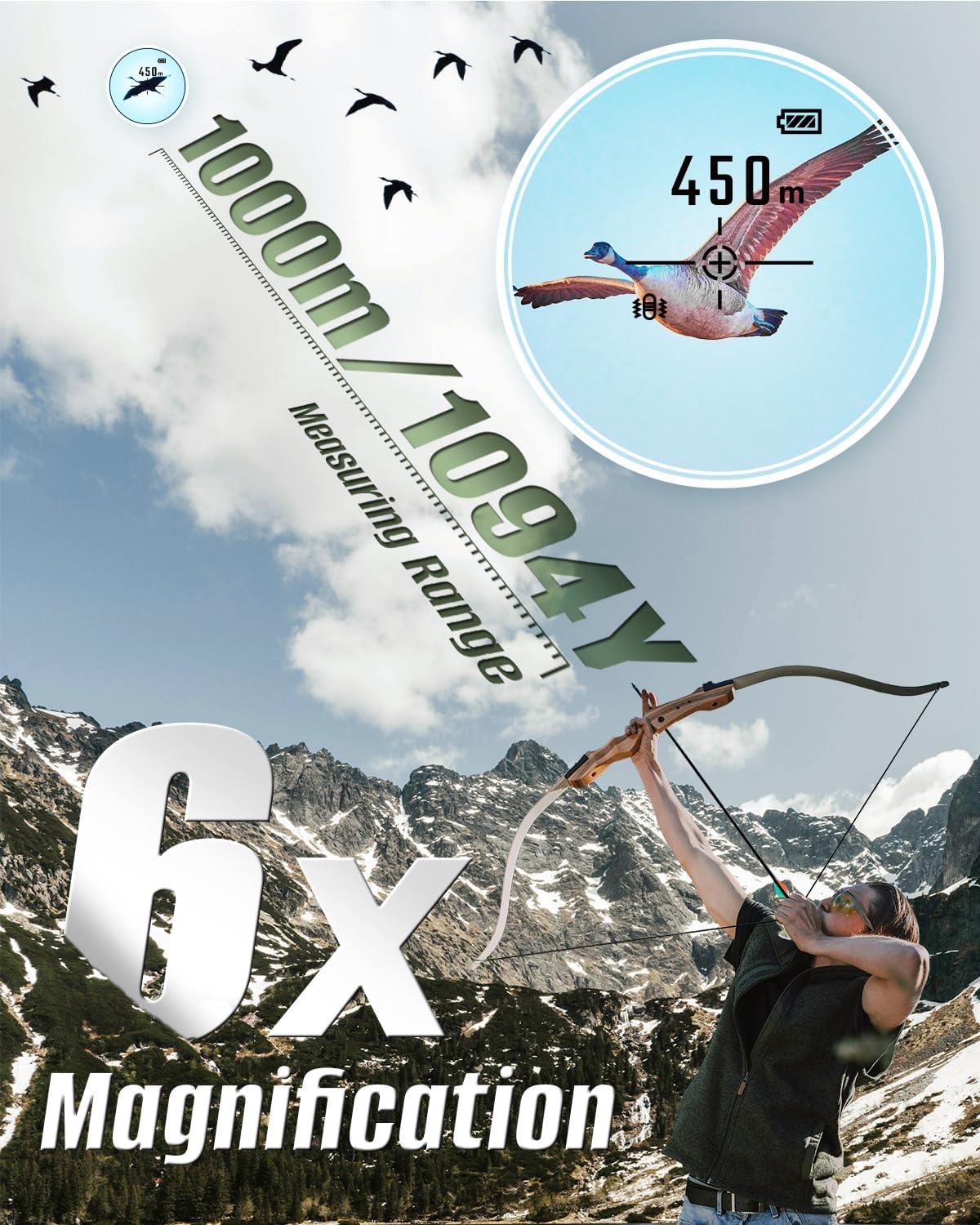
Image: An archer aiming, with an overlay showing the 1000m/1094Y measuring range and 6x magnification, depicting a goose in the crosshairs with a speed reading.
5. การสลับหน่วย
Easily switch between yards (Y) and meters (M) for distance measurements according to your preference.

Image: A person in hunting gear, with an overlay showing the rangefinder's display in Hunting Mode, indicating temperature range and the option to switch between yards and meters.
การซ่อมบำรุง
- การทำความสะอาดเลนส์: Use the provided lens cleaning cloth to gently wipe the optical lenses. Do not use abrasive materials or harsh chemicals.
- การทำความสะอาดร่างกาย: เช็ดตัวกล้องวัดระยะด้วยผ้าเนื้อนุ่มและแห้งamp cloth. Avoid using solvents.
- พื้นที่จัดเก็บ: When not in use, store the rangefinder in its protective storage case in a cool, dry place, away from direct sunlight and extreme temperatures.
- การดูแลแบตเตอรี่ For long-term storage, ensure the battery is partially charged (around 50%). Recharge periodically if stored for extended periods to maintain battery health.
- ความต้านทานน้ำ: The device is IP54 water-resistant, meaning it is protected against splashing water from any direction. Do not submerge the device in water.
การแก้ไขปัญหา
| ปัญหา | สาเหตุที่เป็นไปได้ | สารละลาย |
|---|---|---|
| อุปกรณ์ไม่เปิดเครื่อง | แบตเตอรี่ต่ำหรือหมด | ชาร์จอุปกรณ์โดยใช้สาย USB-C ที่ให้มา |
| การอ่านค่าระยะทางไม่แม่นยำ |
|
|
| หน้าจอแสดงผลมืดหรือไม่ชัดเจน | Low battery or improper focus. | Recharge the battery. Adjust the eyepiece focus. |
| Cannot lock onto flagpole in Golf Mode. | Background interference or unstable aim. | Ensure a clear line of sight to the flag. Try scanning slowly around the flag. |
การรับประกันและการสนับสนุน
The Inkerma Hunter-X Laser Rangefinder comes with a การรับประกันจากผู้ผลิต 3 ปีการรับประกันนี้ครอบคลุมถึงข้อบกพร่องในวัสดุและฝีมือการผลิตภายใต้การใช้งานปกติ
For technical support, warranty claims, or any inquiries, please contact Inkerma customer service through the following channels:
- การสนับสนุนทางออนไลน์: Visit the official Inkerma store on Amazon: Inkerma Amazon Store
- Refer to the contact information provided in your product packaging or the included user manual for direct support details.

Image: Icons representing online support, extended warranty, and faster shipping by Amazon, indicating Inkerma's commitment to customer service.
Ask a question about this manual
Ask about setup, troubleshooting, compatibility, parts, safety, or missing instructions. Manuals+ will review the question and use this page’s manual context to help answer it.