1. สินค้าหมดview
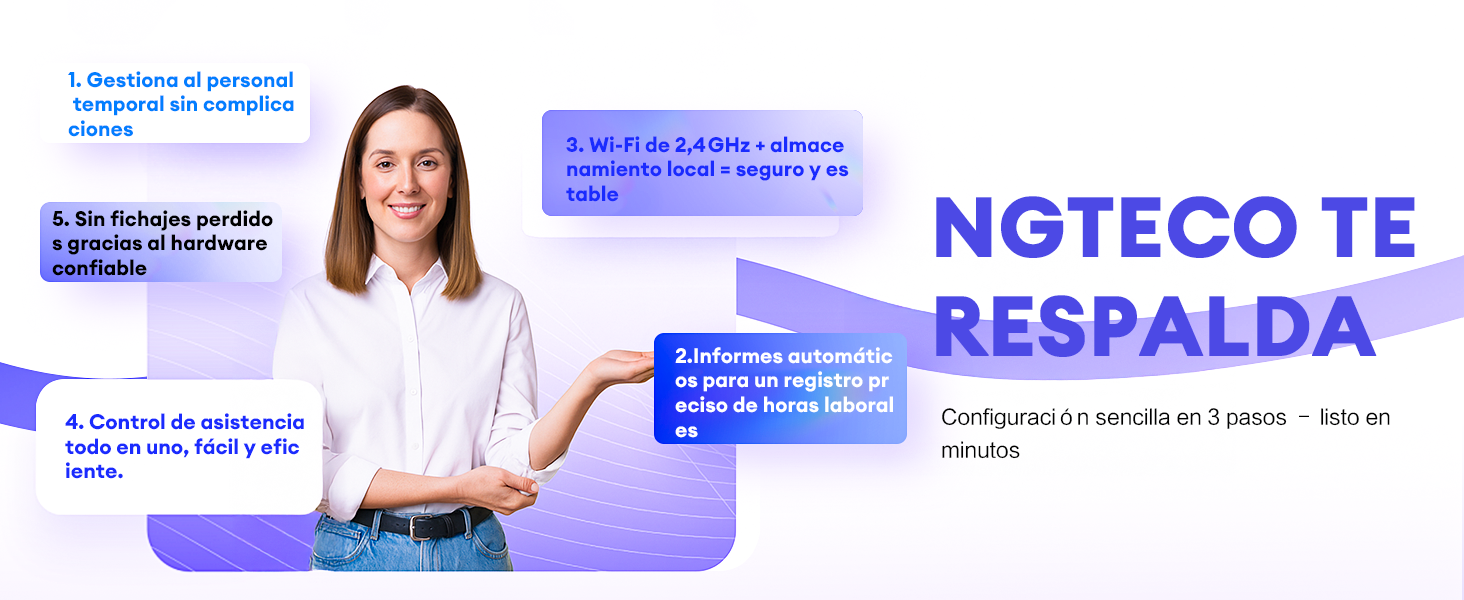
The NGTeco K4 is a state-of-the-art fingerprint time clock and attendance system designed for efficient employee time management. Featuring biometric fingerprint recognition, WiFi connectivity, and a robust 2000 mAh backup battery, this device ensures accurate and reliable attendance tracking. Manage your workforce effortlessly with the free NGTeco Time app for iOS and Android.
คุณสมบัติหลัก:
- ง่ายต่อการใช้: No complex programming required. The device is ready for use right out of the box.
- ไม่มีการสมัครสมาชิกรายเดือน: Enjoy full functionality without recurring fees. Utilize the free NGTeco Time app to send time reports directly to your email.
- 2000 mAh Backup Battery: An integrated battery provides up to 4 hours of standby time, safeguarding punch data during temporary power outagใช่
- Automatic Punch: The automatic punch mode ensures that the system updates automatically, preventing employees from forgetting to clock in or out.
- One-Year Warranty & Technical Support: NGTeco offers a one-year warranty and dedicated phone support during business hours.
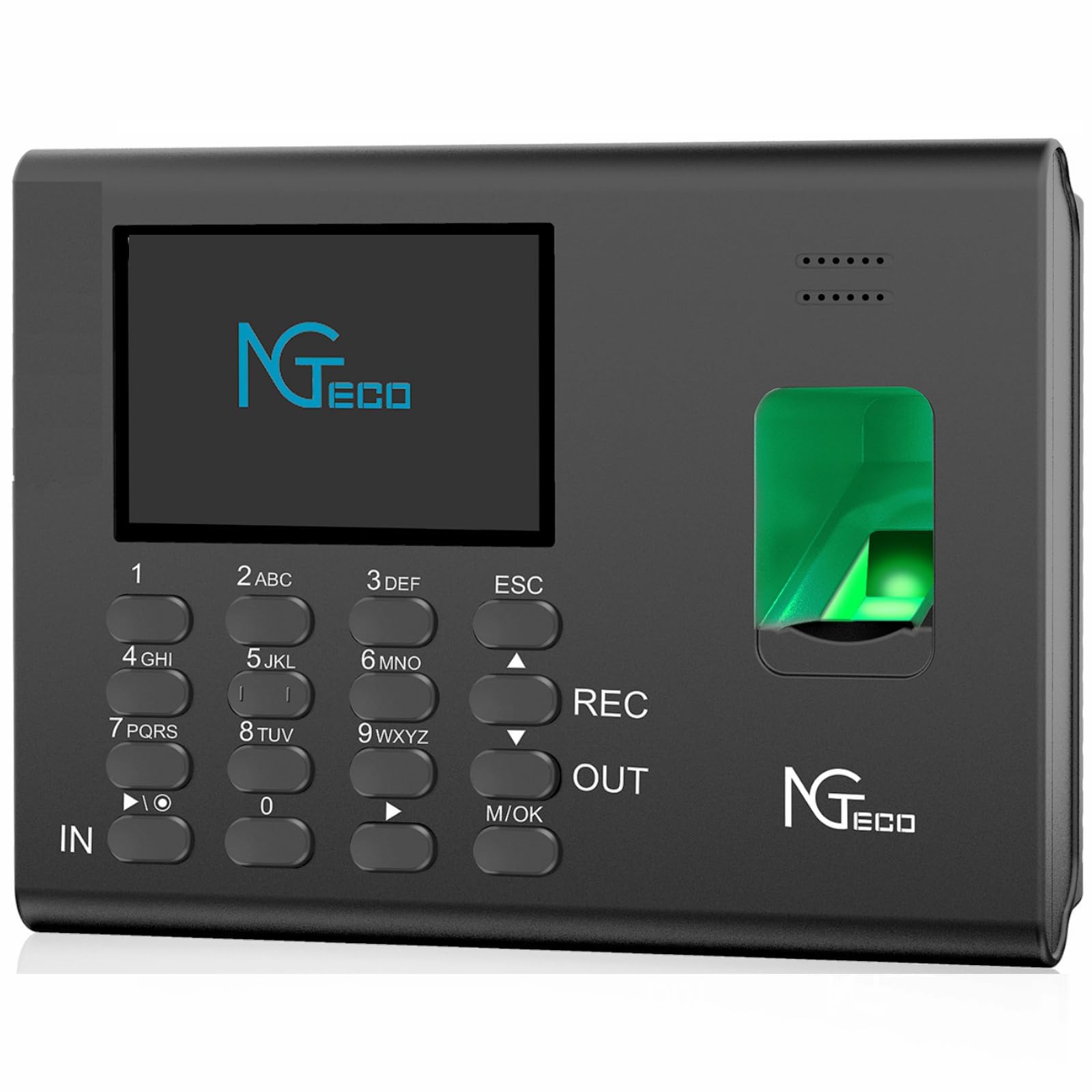
The NGTeco K4 is designed to simplify attendance management for businesses of all sizes, offering a reliable and user-friendly solution.
2. เนื้อหาบรรจุภัณฑ์
โปรดตรวจสอบว่าสินค้าทั้งหมดมีอยู่ในแพ็คเกจ:
- 1 x NGTeco K4 Attendance Control Clock
- 1 x 8G USB Drive
- คู่มือเริ่มต้นอย่างรวดเร็ว 1 ชุด
- 1 x คู่มือผู้ใช้
- อะแดปเตอร์ไฟ 1 ตัว (5V/0.8A)
- 1 x วงเล็บยึดผนัง
- 1 x ชุดสกรูยึด
3. การตั้งค่า
Follow these steps to set up your NGTeco K4 device:
- การเชื่อมต่อไฟฟ้า: เชื่อมต่ออะแดปเตอร์แปลงไฟเข้ากับอุปกรณ์ แล้วเสียบเข้ากับเต้ารับไฟฟ้า อุปกรณ์จะเปิดใช้งานโดยอัตโนมัติ
- การกำหนดค่าเริ่มต้น: ทำตามคำแนะนำบนหน้าจอเพื่อตั้งค่าวันที่ เวลา และภาษา
- การเชื่อมต่อเครือข่าย: Navigate to the network settings on the device and connect to your 2.4G WiFi network. Ensure the device is within range of your router.
- Download NGTeco Time App: Download the free NGTeco Time app from the iOS App Store or Google Play Store on your smartphone.
- การจับคู่อุปกรณ์: Open the NGTeco Time app and follow the instructions to pair it with your K4 device. This typically involves scanning a QR code displayed on the device screen.
- เพิ่มผู้ใช้: Register employees by adding their fingerprints and other necessary information through the device interface or the NGTeco Time app.

For detailed visual instructions on setting up your device and managing attendance, please refer to the video below:
Video 1: NGTeco W2 Biometric Fingerprint Time Clock Overview (similar functionality to K4)
4. การดำเนินการ
4.1 การลงเวลาเข้า/ออกงาน
- ลายนิ้วมือ: Place your registered finger on the fingerprint sensor. The device will verify your identity and record your punch.
- รหัสผ่าน: Enter your user ID and password using the keypad, then press 'OK' to record your punch.
- Automatic Punch Mode: If enabled, the device will automatically switch between 'In' and 'Out' status for consecutive punches, preventing missed records.
4.2 Managing Attendance with the NGTeco Time App
The NGTeco Time app allows you to manage various aspects of attendance:
- การจัดการผู้ใช้: Add, edit, or delete user information.
- Attendance Rules: Set up pay periods, shift schedules, and other attendance rules.
- รายงาน: Generate and email detailed time reports for payroll and record-keeping.
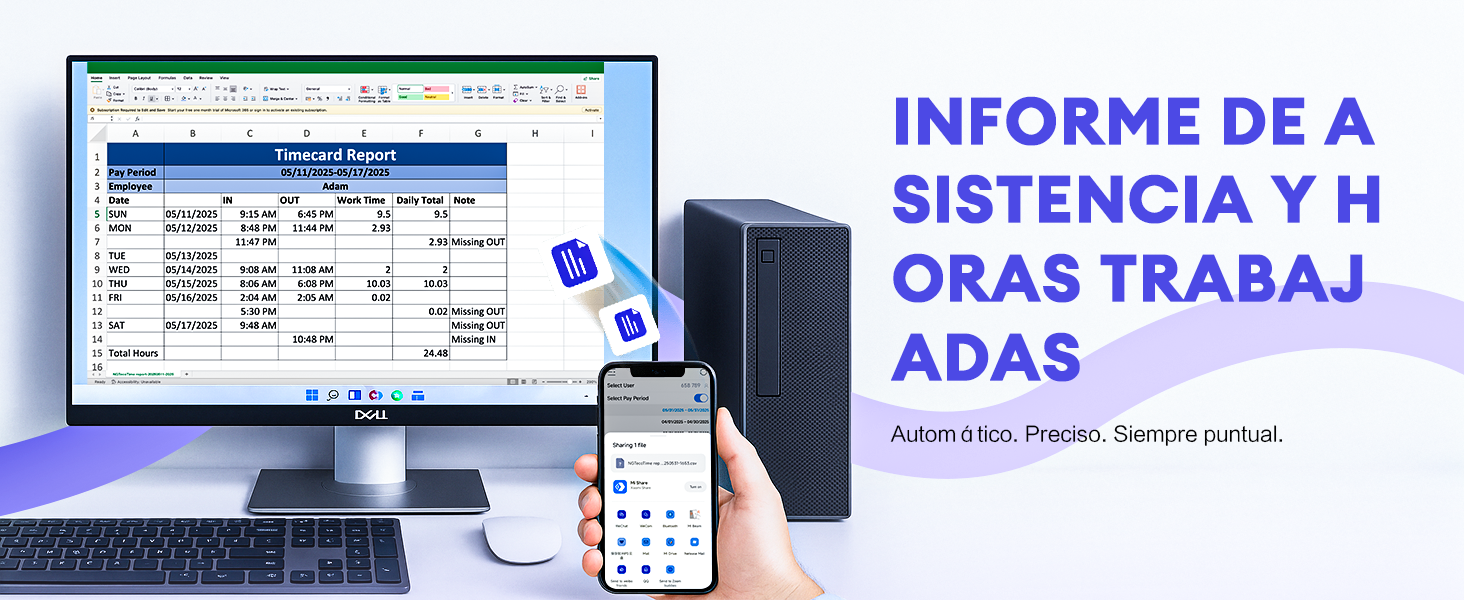
4.3 Downloading Reports via USB
You can also download attendance reports directly to a USB drive:
- Insert the provided 8G USB drive into the USB port on the side of the K4 device.
- Navigate to the 'Reports' menu on the device screen.
- Select the desired report type and date range.
- Choose the option to download the report to the USB drive. The device will process and save the data.
- Safely remove the USB drive once the download is complete.
5. การบำรุงรักษา
- การทำความสะอาด: ใช้ผ้านุ่มและแห้งเช็ดทำความสะอาดอุปกรณ์ หลีกเลี่ยงน้ำยาทำความสะอาดหรือตัวทำละลายที่มีฤทธิ์กัดกร่อน
- เซ็นเซอร์ลายนิ้วมือ: Keep the fingerprint sensor clean and free of dust or debris for optimal performance.
- การดูแลแบตเตอรี่ เพื่อยืดอายุการใช้งานแบตเตอรี่ ควรหลีกเลี่ยงการปล่อยประจุแบตเตอรี่จนหมดบ่อยๆ ควรชาร์จอุปกรณ์เป็นประจำ
- การอัปเดตซอฟต์แวร์: Periodically check for firmware updates to ensure your device has the latest features and security enhancements.
6 การแก้ไขปัญหา
- อุปกรณ์ไม่ได้เปิดเครื่อง: ตรวจสอบให้แน่ใจว่าอะแดปเตอร์แปลงไฟเสียบแน่นดีแล้ว และปลั๊กไฟใช้งานได้ปกติ
- ปัญหาการจดจำลายนิ้วมือ: โปรดตรวจสอบให้แน่ใจว่านิ้วของคุณสะอาดและแห้ง หากปัญหายังคงอยู่ ลองลงทะเบียนลายนิ้วมือของคุณอีกครั้ง
- ปัญหาการเชื่อมต่อ WiFi: Verify your WiFi password and ensure the device is within range of a 2.4G network. Restarting the device and router may help.
- ปัญหาการเชื่อมต่อแอป: Ensure both the device and your smartphone are connected to the same 2.4G WiFi network.
- ข้อมูลอาจสูญหายระหว่างไฟฟ้าดับtage: The 2000 mAh backup battery is designed to prevent data loss. If data is lost, contact support.
7. ข้อมูลจำเพาะ
| คุณสมบัติ | รายละเอียด |
|---|---|
| ผู้ผลิต | NGTECO |
| หมายเลขรุ่น | NG-K4 |
| สี | K4-Black |
| แหล่งพลังงาน | แบตเตอรี่ |
| แบตเตอรี่สำรอง | 2000 mAh (up to 4 hours standby) |
| ประเภทจอภาพ | ดิจิตอล |
| การเชื่อมต่อ | 2.4G Wi-Fi |
| การสนับสนุนแอป | iOS/Android (NGTeco Time App) |
| ขนาดสินค้า | 18.5 x 3.81 x 13 ซม.; 940 กรัม |
| คุณสมบัติพิเศษ | Light saving, Automatic Punch |
8. การรับประกันและการสนับสนุน
8.1 ข้อมูลการรับประกัน
The NGTeco K4 Fingerprint Time Clock comes with a one-year limited warranty from the date of purchase. This warranty covers manufacturing defects and malfunctions under normal use. Please retain your proof of purchase for warranty claims.
8.2 การสนับสนุนด้านเทคนิค
For technical assistance, troubleshooting, or any questions regarding your NGTeco K4 device, please contact NGTeco customer support. Support is available via phone during business hours.
For the most up-to-date contact information, please visit the official NGTeco webเข้าชมเว็บไซต์ หรือดูคู่มือเริ่มต้นใช้งานฉบับย่อที่อยู่ในบรรจุภัณฑ์ของคุณ