
1. บทนำ
The SALCAR Smart WiFi Radiator Thermostat (Model RV21) is designed to provide intelligent control over your home heating system. This device allows you to manage room temperature efficiently, offering comfort and potential energy savings. It integrates seamlessly with your 2.4G WiFi network and can be controlled via a smartphone application or voice commands through Amazon Alexa and Google Assistant. This manual provides comprehensive instructions for installation, setup, operation, and maintenance of your thermostat.
2. ข้อมูลด้านความปลอดภัย
- อ่านคำแนะนำทั้งหมดอย่างละเอียดก่อนการติดตั้งและใช้งาน
- อย่าพยายามถอดประกอบหรือซ่อมแซมอุปกรณ์ด้วยตนเอง โปรดติดต่อช่างผู้ชำนาญเพื่อขอรับบริการ
- เก็บอุปกรณ์ให้ห่างจากน้ำ ความชื้น และอุณหภูมิที่สูงเกินไป
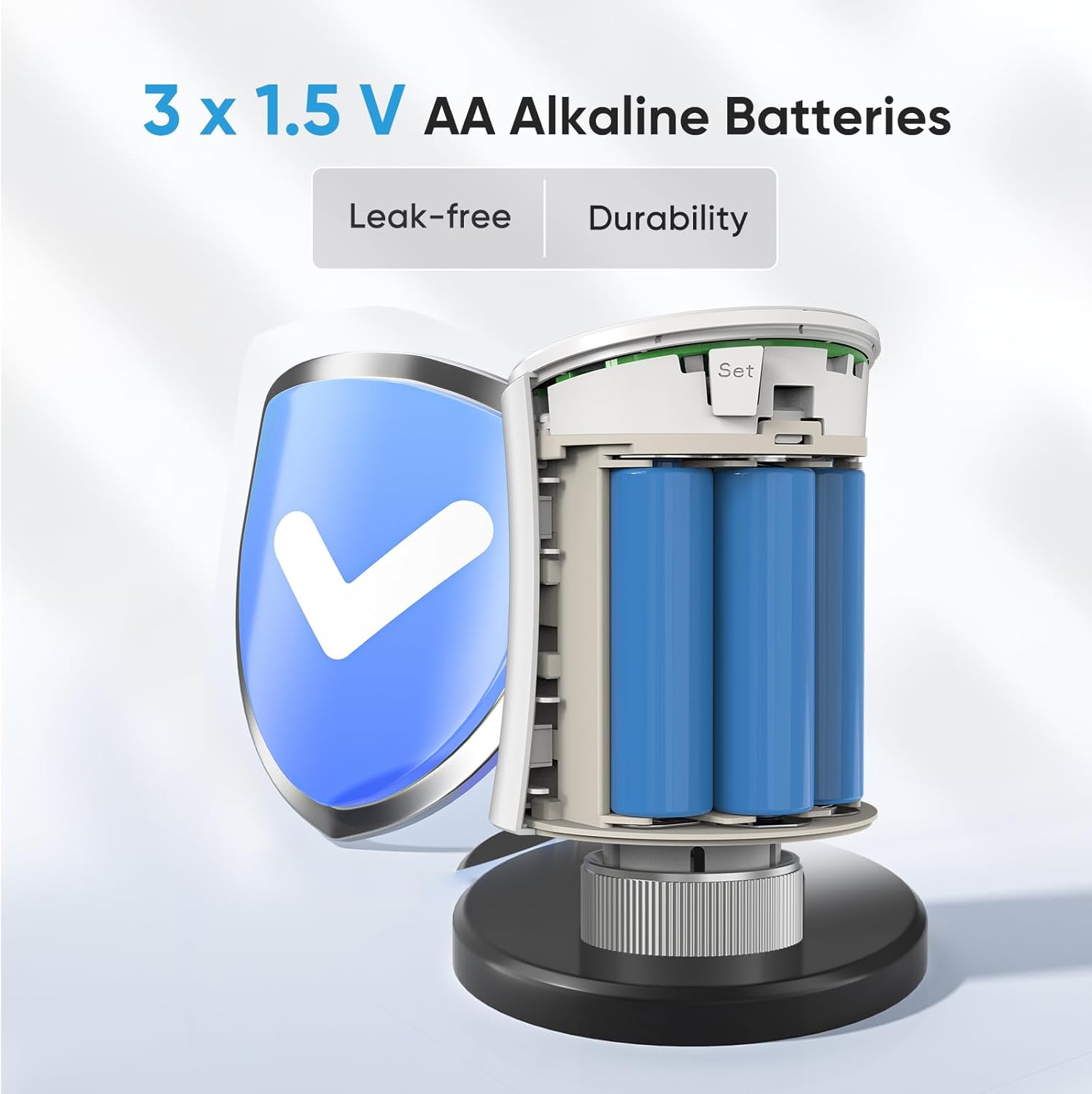
- Use only the specified battery type (3 x 1.5V AA alkaline batteries). Ensure correct polarity during installation.
- ทิ้งแบตเตอรี่ที่ใช้แล้วตามระเบียบข้อบังคับของท้องถิ่น
- Ensure the device is securely mounted to prevent accidental detachment.
3. เนื้อหาบรรจุภัณฑ์
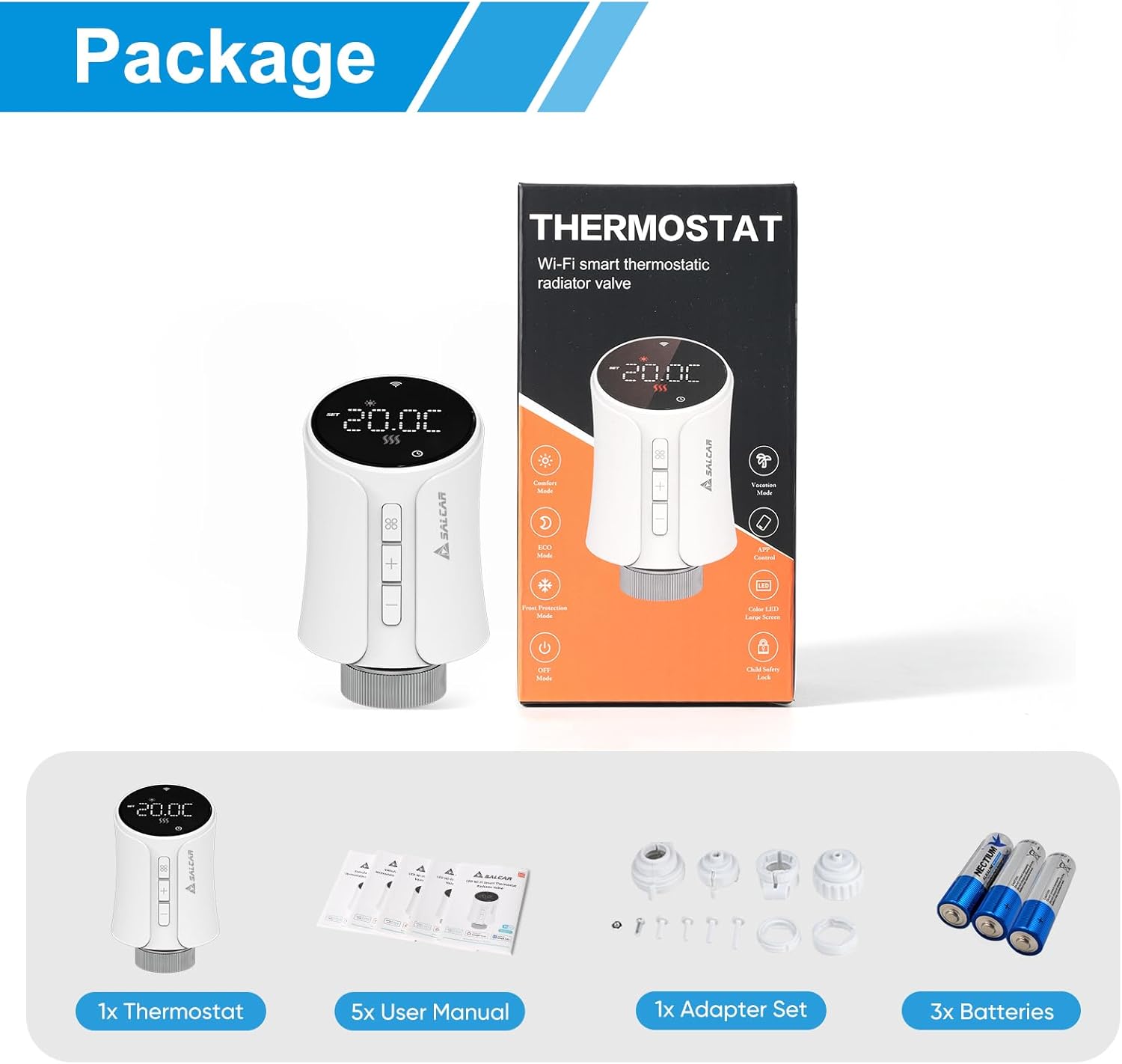
ตรวจสอบว่ามีรายการทั้งหมดอยู่ในแพ็คเกจ:
- 1 x SALCAR Smart Radiator Thermostat (Model RV21)
- 5 x User Manuals (various languages)
- 1 x Adapter Set (RA, RAV, RAVL, Canleffi, Giacomini & M28)
- แบตเตอรี่อัลคาไลน์ AA 1.5V จำนวน 3 ก้อน
- 3 x Adapter Screws
4. สินค้าหมดview
The SALCAR Smart WiFi Radiator Thermostat features a clear LED display and intuitive controls. It offers various smart functions to enhance your heating experience.
คุณสมบัติหลัก:
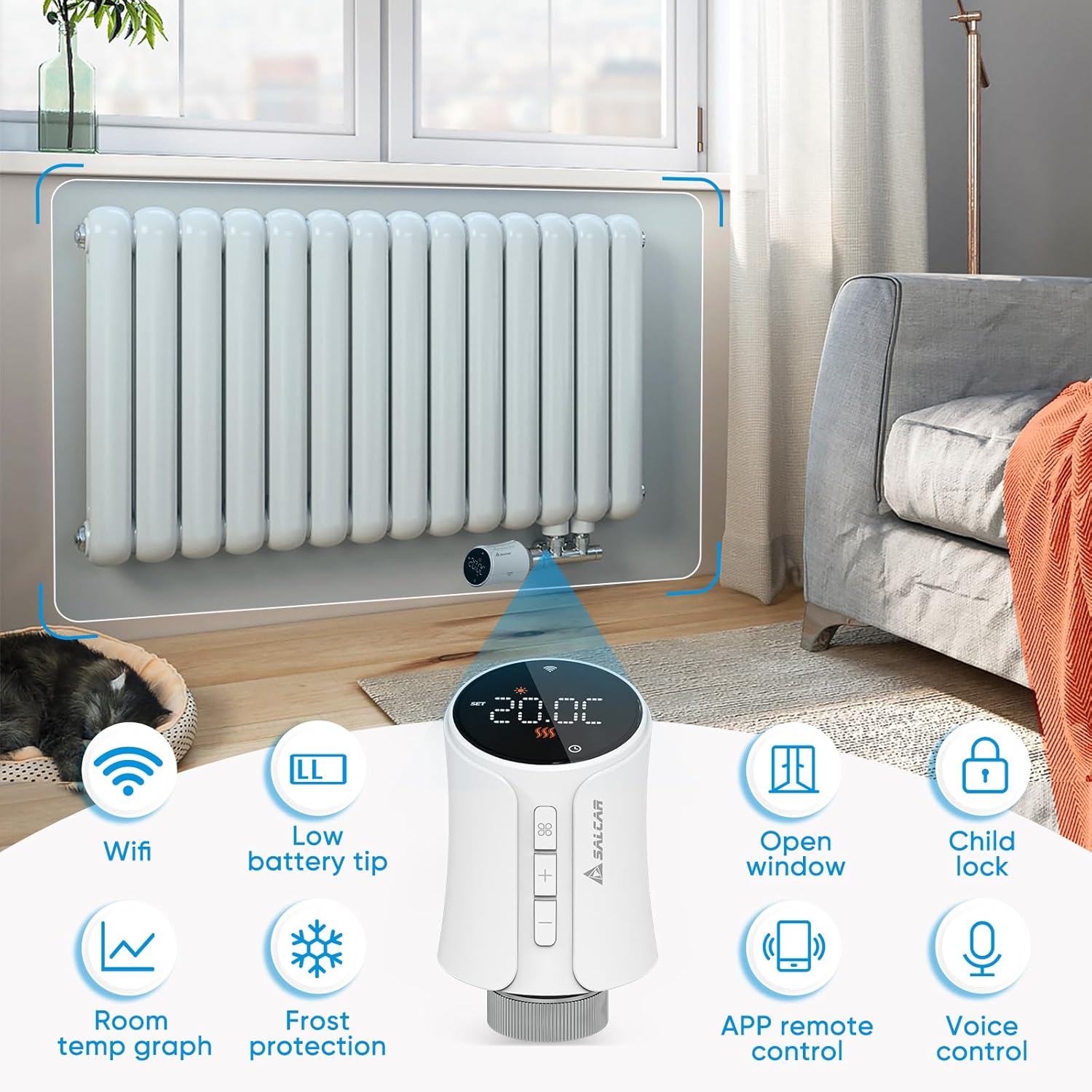
- การเชื่อมต่อ WiFi: Connects directly to your 2.4G WiFi network without a separate gateway.
- เคล็ดลับแบตเตอรี่ต่ำ: ระบุเมื่อจำเป็นต้องเปลี่ยนแบตเตอรี่
- เปิดหน้าต่างการตรวจจับ: Automatically reduces heating when an open window is detected to save energy.
- การล็อคเด็ก: ป้องกันการเปลี่ยนแปลงการตั้งค่าโดยไม่ได้รับอนุญาต
- กราฟแสดงอุณหภูมิห้อง: View temperature history via the app.
- การป้องกันน้ำค้างแข็ง: รักษาระดับอุณหภูมิต่ำสุดเพื่อป้องกันท่อน้ำแข็งตัว
- การควบคุมระยะไกลผ่านแอป: Full control via the Tuya Smart Life app.
- การควบคุมด้วยเสียง: เข้ากันได้กับ Amazon Alexa และ Google Assistant
5. การตั้งค่า
5.1 การติดตั้งแบตเตอรี่
- Gently twist and pull the top cover of the thermostat to open the battery compartment.
- Insert three 1.5V AA alkaline batteries, ensuring correct polarity (+/-).
- Close the battery compartment by aligning the cover and twisting it back into place.
5.2 Mounting on Radiator
The thermostat is designed to replace existing thermostatic radiator valves (TRVs). Use the appropriate adapter from the provided set if your radiator valve is not M30 x 1.5mm.
- ถอดหัวเทอร์โมสตัทเดิมออกจากวาล์วหม้อน้ำ
- If necessary, select the correct adapter (RA, RAV, RAVL, Canleffi, Giacomini, or M28) that fits your radiator valve.
- Attach the chosen adapter to the radiator valve.
- Screw the SALCAR Smart Radiator Thermostat onto the adapter or directly onto the M30 x 1.5mm valve until it is secure. Do not overtighten.
5.3 App Installation (Tuya Smart Life)
- ดาวน์โหลด ทูย่า สมาร์ท ไลฟ์ ดาวน์โหลดแอปจาก App Store (iOS) หรือ Google Play Store (Android)
- ลงทะเบียนบัญชีใหม่หรือเข้าสู่ระบบด้วยบัญชีที่มีอยู่
5.4 การจับคู่อุปกรณ์ (การเชื่อมต่อ WiFi)
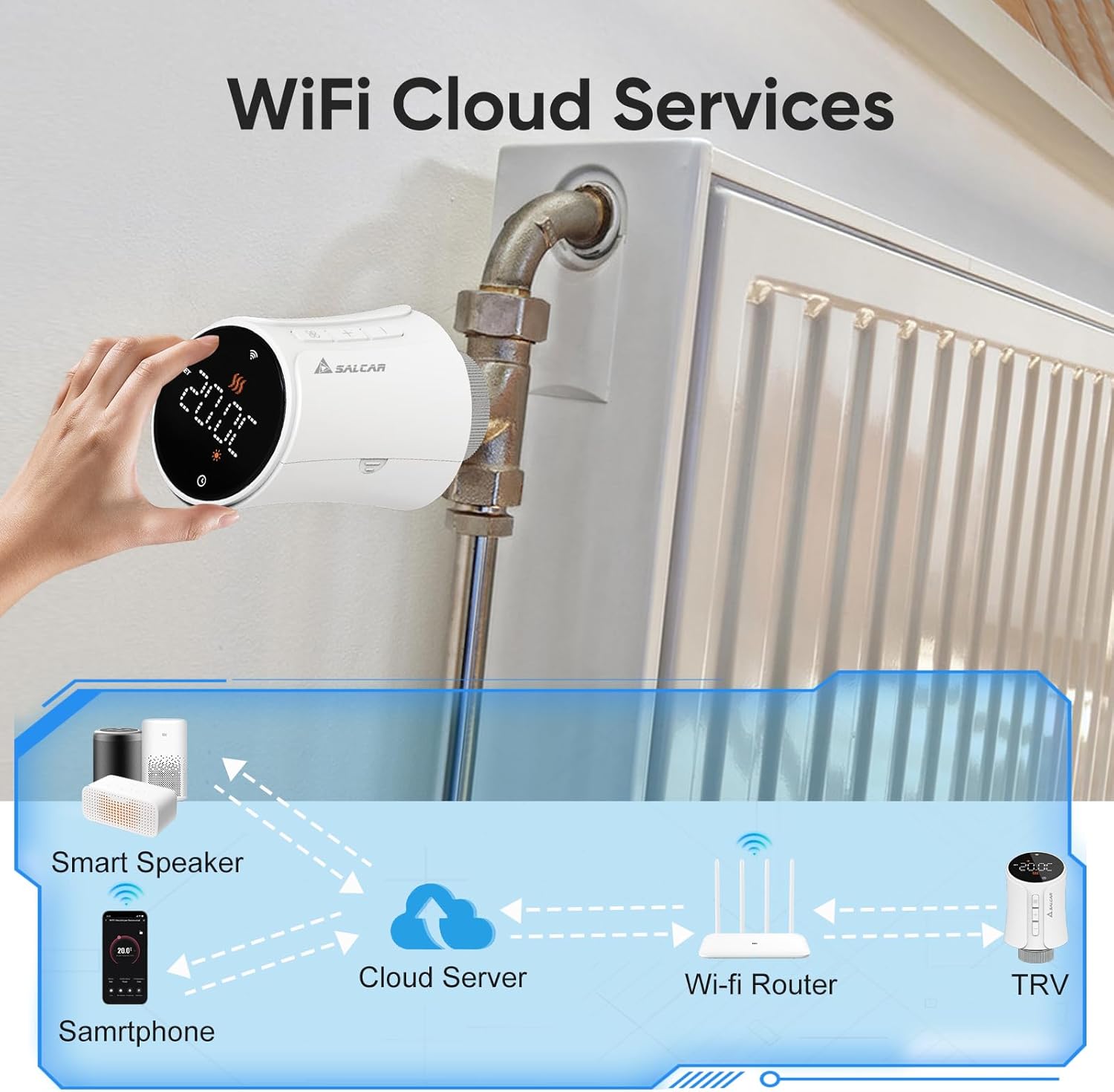
Ensure your smartphone is connected to a 2.4GHz WiFi network. The thermostat does not require a separate gateway.
- On the thermostat, press and hold the pairing button (usually indicated by a WiFi icon or similar) until the WiFi indicator on the display starts flashing rapidly. This indicates pairing mode.
- Open the Tuya Smart Life app, tap the "+" icon to add a device.
- Select "Small Home Appliance" > "Thermostat" or search for "Radiator Thermostat".
- Follow the on-screen instructions in the app to connect the thermostat to your WiFi network. You will need to enter your WiFi password.
- Once connected, the WiFi indicator on the thermostat will stop flashing and remain solid.
6. คู่มือการใช้งาน
6.1 การควบคุมด้วยตนเอง
You can adjust the temperature directly on the thermostat using the physical buttons:
- กดปุ่ม + or - buttons to increase or decrease the target temperature.
- The display will show the current temperature and the set target temperature.
6.2 การควบคุมแอป (Tuya Smart Life)
The Tuya Smart Life app provides comprehensive control over your thermostat from anywhere.

โหมดการทำงาน:
- โหมดอัตโนมัติ: ทำงานตามตารางเวลาการทำความร้อนที่ตั้งโปรแกรมไว้
- โหมดแมนนวล: รักษาอุณหภูมิคงที่ตามที่ผู้ใช้กำหนด โดยไม่สนใจการตั้งค่าตามตารางเวลา
- โหมดความสะดวกสบาย: Sets the temperature to a predefined comfortable level.
- โหมดประหยัดพลังงาน: Sets the temperature to a predefined energy-efficient level.
6.3 กำหนดการเขียนโปรแกรม
Use the Tuya Smart Life app to create custom heating schedules for each day of the week. You can set different temperatures for various time periods (e.g., morning, day, evening, night) to match your lifestyle and optimize energy consumption.
6.4 Voice Control (Amazon Alexa & Google Assistant)
After connecting your Tuya Smart Life account to Amazon Alexa or Google Home, you can control your thermostat using voice commands.
- โปรดตรวจสอบให้แน่ใจว่าเทอร์โมสตัทของคุณเชื่อมต่อกับแอป Tuya Smart Life เรียบร้อยแล้ว
- เปิดแอป Amazon Alexa หรือแอป Google Home
- Navigate to "Skills & Games" (Alexa) or "Works with Google" (Google Home) and search for "Smart Life".
- Enable the Smart Life skill/service and link your Smart Life account.
- Discover devices. Your thermostat should now appear and be controllable via voice.

Exampคำสั่งเสียง:
- "Alexa ตั้งค่า [ชื่อเทอร์โมสตัท] เป็น 22 องศา"
- "Hey Google, what is the temperature in [Room Name]?"
- "Alexa เปิด [ชื่อเทอร์โมสตัท]"
6.5 ล็อคป้องกันเด็ก
Activate the child lock feature via the Tuya Smart Life app to prevent accidental or unauthorized changes to the thermostat settings by pressing the physical buttons.
6.6 เปิดหน้าต่างการตรวจจับ
The thermostat can detect a sudden drop in temperature, indicating an open window. When detected, it will temporarily pause heating to save energy. Heating will resume automatically after a set period or when the temperature stabilizes.
6.7 การป้องกันความเย็น
This feature ensures that the room temperature does not fall below a predefined minimum (e.g., 5°C) to protect pipes from freezing, especially useful during colder months or when you are away.
7. การบำรุงรักษา
7.1 การเปลี่ยนแบตเตอรี่
When the low battery indicator appears on the display or in the app, replace the batteries promptly to ensure continuous operation. Follow the steps in Section 5.1 for battery installation.
7.2 การทำความสะอาด
Wipe the thermostat with a soft, dry cloth. Do not use abrasive cleaners or solvents, as these can damage the device's surface or internal components.
8 การแก้ไขปัญหา
| ปัญหา | สาเหตุที่เป็นไปได้ | สารละลาย |
|---|---|---|
| เทอร์โมสตัทไม่เปิด | แบตเตอรี่หมดหรือติดตั้งไม่ถูกต้อง | Replace batteries with new 1.5V AA alkaline batteries, ensuring correct polarity. |
| ไม่สามารถเชื่อมต่อ WiFi | Incorrect WiFi password; thermostat too far from router; router is 5GHz only; thermostat not in pairing mode. | Verify WiFi password; move thermostat closer to router; ensure router supports 2.4GHz; put thermostat into pairing mode (flashing WiFi icon). |
| No heating despite high setting | Radiator valve stuck; thermostat not properly mounted; open window detection active. | Check radiator valve for proper function; re-mount thermostat securely; close windows/doors; check app for active open window detection. |
| การควบคุมด้วยเสียงไม่ทำงาน | Smart Life account not linked to Alexa/Google; incorrect device name; internet connection issue. | Ensure Smart Life skill/service is enabled and linked; verify device name in Alexa/Google app; check internet connection. |
9. ข้อมูลจำเพาะ
| คุณสมบัติ | ข้อมูลจำเพาะ |
|---|---|
| หมายเลขรุ่น | RV21 |
| ยี่ห้อ | SALCAR |
| เทคโนโลยีการเชื่อมต่อ | ไวไฟ (2.4GHz) |
| แหล่งพลังงาน | แบตเตอรี่อัลคาไลน์ AA 1.5V จำนวน 3 ก้อน |
| ประเภทตัวควบคุม | Tuya Smart Life App, Amazon Alexa, Google Assistant |
| ประเภทการควบคุมอุณหภูมิ | ตั้งโปรแกรมได้, อัจฉริยะ/ควบคุมระยะไกล |
| วัสดุ | พลาสติก |
| สี | สีขาว |
| ขนาดสินค้า (กว้าง x ยาว x สูง) | 5.97 x 5.97 x 9.53 ซม. |
| น้ำหนักสินค้า | 320 กรัม |
| การเชื่อมต่อวาล์ว | M30 x 1.5mm (with various adapters included) |

10. การรับประกันและการสนับสนุน
For warranty information and technical support, please refer to the documentation provided with your purchase or contact SALCAR customer service. You can typically find contact details on the manufacturer's official webเว็บไซต์หรือผ่านผู้ค้าปลีกของคุณ
Manufacturer: SALCAR GmbH
Address: An der Hebemärchte 6, 04316 Leipzig, Germany
อีเมล: info@salcar.de
โทร : 0341 25257850