
1. บทนำ
Thank you for choosing the SODLK T13 Portable Bluetooth Speaker. This manual provides essential information for setting up, operating, and maintaining your speaker. Please read it thoroughly before use to ensure optimal performance and longevity of your device.
2. สินค้าหมดview
2.1 ส่วนประกอบ
- ลำโพงบลูทูธพกพา SODLK T13
- สายไฟ (USB-C)
- สาย Aux 3.5 มม.
- คู่มือเริ่มต้นอย่างรวดเร็ว
2.2 คุณสมบัติหลัก
- Booming Bass & 360-degree Sound: Delivers powerful audio performance.
- Stereo Dual Pairing: Connect two T13 speakers for an enhanced stereo sound experience.
- IP67 กันน้ำและกันฝุ่น: Designed to withstand water immersion and dust ingress, suitable for various environments.
- RGB Party Light: Integrated LED lighting effects to enhance your listening experience.
- ตัวเลือกการป้อนข้อมูลหลายรายการ: Supports Bluetooth, USB, TF Card, and AUX input.
- การออกแบบพกพา: Compact size with a convenient handle for easy transport.
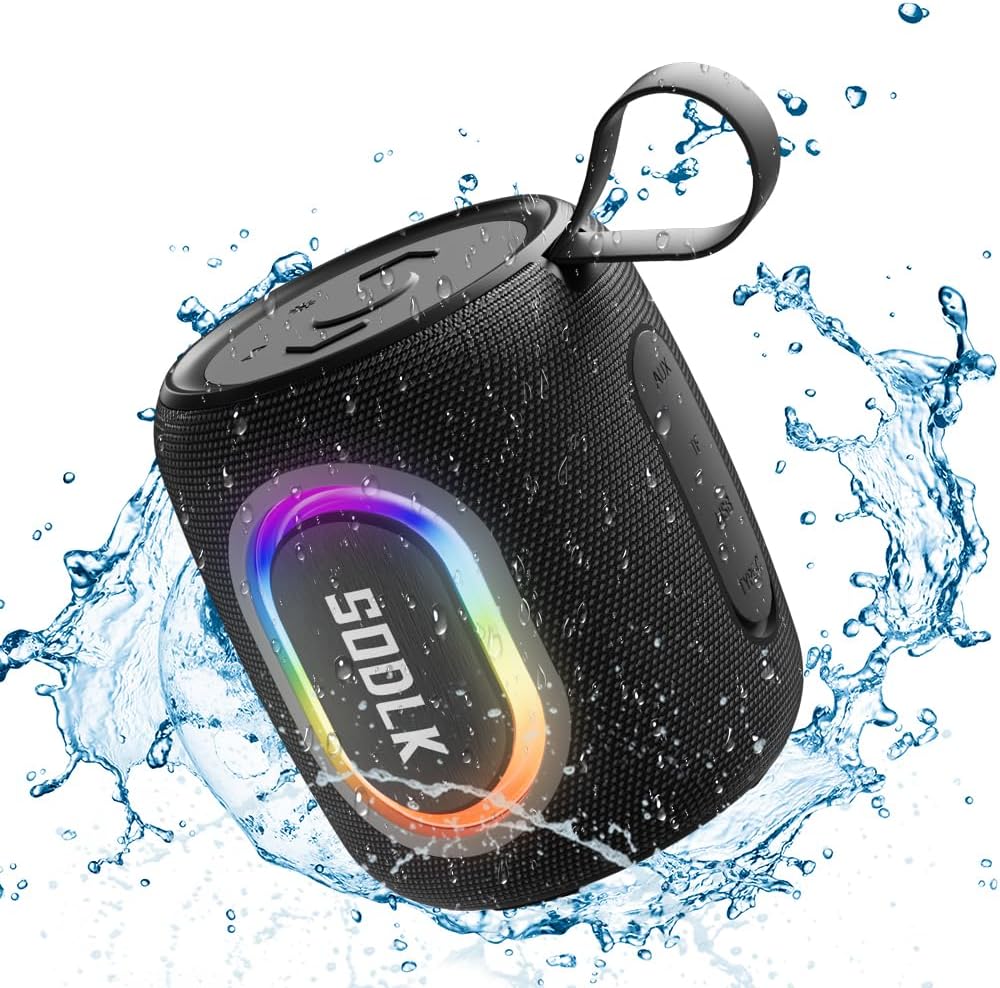
Figure 1: The SODLK T13 Portable Bluetooth Speaker demonstrating its IPX7 waterproof capability amidst splashing water.

Figure 2: Internal components of the SODLK T13 speaker, illustrating its sound engineering for loud sound and bass boost.
3. การตั้งค่า
3.1 การชาร์จลำโพง
Before first use, fully charge the speaker. Connect the provided USB-C power cable to the speaker's charging port and the other end to a compatible USB power adapter (not included) or a computer's USB port. The charging indicator light will show the charging status and turn off when fully charged.
3.2 เปิด/ปิดเครื่อง
- การเปิดเครื่อง: กดปุ่มเปิดปิดค้างไว้ (U) for approximately 3 seconds until you hear an audible prompt and the indicator lights illuminate.
- วิธีปิดเครื่อง: กดปุ่มเปิดปิดค้างไว้ (U) for approximately 3 seconds until you hear an audible prompt and the indicator lights turn off.
3.3 การจับคู่บลูทูธ
- ตรวจสอบให้แน่ใจว่าลำโพงเปิดอยู่และอยู่ในโหมดจับคู่บลูทูธ (แสดงโดยไฟ LED สีน้ำเงินกะพริบ) หากไม่เป็นเช่นนั้น ให้กดปุ่มบลูทูธสั้นๆ
- บนอุปกรณ์ของคุณ (สมาร์ทโฟน แท็บเล็ต คอมพิวเตอร์) เปิดใช้งาน Bluetooth และค้นหาอุปกรณ์ที่มีอยู่
- Select "SODLK T13" from the list of found devices.
- Once connected, you will hear a confirmation sound, and the Bluetooth indicator light will turn solid blue.
ลำโพงจะพยายามเชื่อมต่อกับอุปกรณ์ที่จับคู่ไว้ครั้งสุดท้ายโดยอัตโนมัติเมื่อเปิดเครื่อง
4. คู่มือการใช้งาน
4.1 การเล่นเพลง
- เล่น/หยุดชั่วคราว: กดปุ่มเล่น / หยุดชั่วคราว (||).
- ปรับระดับเสียงขึ้น: กดปุ่มเพิ่มระดับเสียง (+).
- ลดเสียงลง: กดปุ่มลดระดับเสียง (-).
- เพลงถัดไป: กดปุ่มเพิ่มระดับเสียงค้างไว้ (+).
- แทร็กก่อนหน้า: กดปุ่มลดระดับเสียงค้างไว้ (-).
4.2 โหมดแสง
The SODLK T13 features dynamic RGB lighting. Press the Light Mode button (often indicated by a lightbulb icon or similar) to cycle through different light patterns and colors. Press and hold to turn the lights off or on.

Figure 3: The SODLK T13 speaker illuminating a party atmosphere with its integrated RGB lighting.
4.3 Stereo Dual Pairing (TWS Function)
To achieve true wireless stereo (TWS) sound, you can pair two SODLK T13 speakers together:
- ตรวจสอบให้แน่ใจว่าลำโพง T13 ทั้งสองตัวเปิดใช้งานอยู่ และไม่ได้เชื่อมต่อกับอุปกรณ์บลูทูธใดๆ
- On one speaker (this will be the primary speaker), press and hold the TWS button (often indicated by two interlocking circles or similar icon) for approximately 3 seconds. You will hear a prompt indicating it's searching for another speaker.
- The two speakers will automatically connect to each other. You will hear a confirmation sound once paired.
- ตอนนี้ เชื่อมต่ออุปกรณ์ของคุณกับลำโพงหลักผ่านบลูทูธ ตามที่อธิบายไว้ในหัวข้อ 3.3 เสียงจะเล่นผ่านลำโพงทั้งสองแบบสเตอริโอ
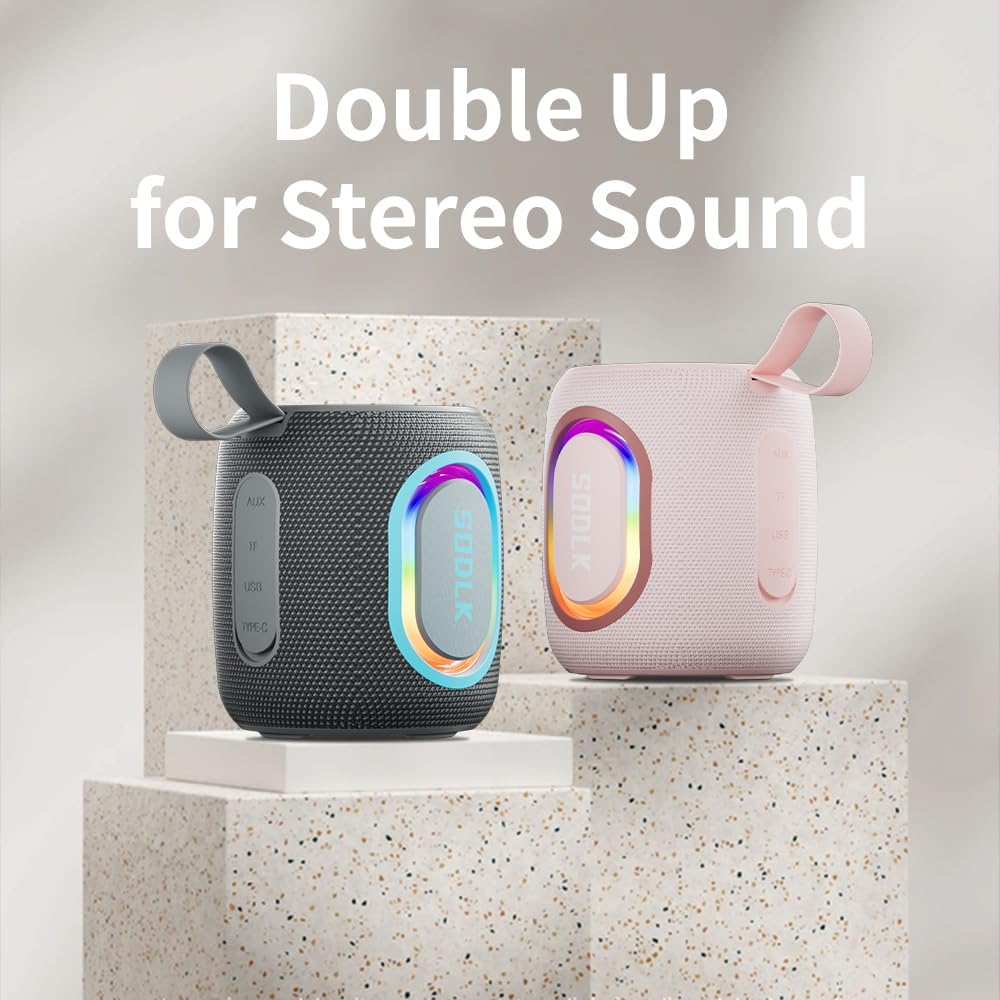
Figure 4: Two SODLK T13 speakers ready for stereo dual pairing, enhancing the audio experience.
4.4 Auxiliary and USB/TF Card Modes
- อินพุต AUX: Insert the 3.5mm AUX cable into the speaker's AUX port and connect the other end to your audio source. The speaker will automatically switch to AUX mode.
- USB/TF Card Input: Insert a USB flash drive or a TF (microSD) card with audio files into the respective port. The speaker will automatically detect the media and begin playback. Use the playback controls (Play/Pause, Volume Up/Down) to manage your music.
5. การบำรุงรักษา
5.1 การทำความสะอาด
ในการทำความสะอาดลำโพง ให้ใช้ผ้านุ่มๆamp cloth. Do not use harsh chemicals, cleaning solvents, or strong detergents, as they may damage the surface or internal components. Ensure all ports are dry before charging or connecting other devices.
5.2 พื้นที่จัดเก็บ
เก็บลำโพงไว้ในที่แห้งและเย็น หลีกเลี่ยงแสงแดดโดยตรงและอุณหภูมิที่สูงหรือต่ำเกินไป หากเก็บรักษาเป็นเวลานาน ควรชาร์จแบตเตอรี่เป็นระยะ (เช่น ทุก 3 เดือน) เพื่อรักษาสภาพแบตเตอรี่ให้ใช้งานได้นาน
6 การแก้ไขปัญหา
| ปัญหา | สาเหตุที่เป็นไปได้ | สารละลาย |
|---|---|---|
| ลำโพงไม่เปิดเครื่อง | แบตเตอรี่หมด | ชาร์จลำโพงให้เต็ม |
| ไม่สามารถจับคู่ผ่านบลูทูธได้ | ลำโพงไม่ได้อยู่ในโหมดจับคู่หรือเชื่อมต่อกับอุปกรณ์อื่นแล้ว | Ensure speaker is in pairing mode (flashing blue LED). Disconnect from other devices. Restart speaker and device. |
| ไม่มีเสียงจากลำโพง | ระดับเสียงเบาเกินไป; โหมดอินพุตไม่ถูกต้อง; อุปกรณ์ไม่เล่น | Increase speaker and device volume. Check if correct input mode (Bluetooth, AUX, USB/TF) is selected. Ensure audio is playing on the connected device. |
| การจับคู่ TWS ล้มเหลว | ลำโพงอยู่ห่างกันเกินไป และลำโพงตัวหนึ่งเชื่อมต่อกับอุปกรณ์อื่นอยู่แล้ว | ตรวจสอบให้แน่ใจว่าลำโพงอยู่ใกล้กัน ตัดการเชื่อมต่อลำโพงทั้งสองจากอุปกรณ์บลูทูธใดๆ ก่อนเริ่มการจับคู่ TWS |
7. ข้อมูลจำเพาะ
| ชื่อรุ่น | T13 |
| เทคโนโลยีการเชื่อมต่อ | บลูทูธ, อุปกรณ์เสริม, USB |
| เทคโนโลยีการสื่อสารไร้สาย | บลูทูธ |
| กำลังขับสูงสุดของลำโพง | 15 วัตต์ |
| ระดับความต้านทานต่อน้ำ | กันน้ำระดับ IP67 |
| แหล่งพลังงาน | ใช้พลังงานจากแบตเตอรี่ (รวมแบตเตอรี่ลิเธียมไอออน 1 ก้อน) |
| วิธีการควบคุม | สัมผัส |
| ขนาดสินค้า | ลึก 4.4 นิ้ว x กว้าง 3.8 นิ้ว x สูง 3.8 นิ้ว |
| น้ำหนักสินค้า | 1.34 ปอนด์ |
8. การรับประกันและการสนับสนุน
8.1 การรับประกันแบบจำกัด
The SODLK T13 Portable Bluetooth Speaker comes with a limited warranty. Please refer to the warranty card included in your product packaging for specific terms and conditions. This warranty typically covers manufacturing defects and material flaws under normal use.
8.2 การสนับสนุนลูกค้า
For any questions, technical support, or warranty claims, please contact SODLK customer service. Contact information can typically be found on the product packaging or the official SODLK webเว็บไซต์.