
การแนะนำ
Thank you for choosing the ATTACK SHARK R2PRO Superlight Magnesium Alloy Gaming Mouse. This manual provides detailed instructions for setting up, operating, maintaining, and troubleshooting your new gaming mouse. The R2PRO is engineered for high-performance gaming, featuring a PixArt PAW3950 sensor, 8000Hz wireless polling rate, and a superlight 45g magnesium alloy design for unparalleled precision and comfort.

Image: The ATTACK SHARK R2PRO gaming mouse, showcasing its lightweight magnesium alloy frame and ergonomic design.
คุณสมบัติหลัก
- New-Gen Flagship Sensor (PixArt PAW3950): Provides exceptional accuracy and precision with up to 42,000 programmable DPI, 750 IPS speed, and 50g acceleration.
- Superlight Magnesium Alloy Design: Crafted from lightweight magnesium alloy with a CNC-integrated metallic frame and hollowed-out design, weighing only 45g for effortless movement and optimal airflow.
- อัตราการส่งข้อมูลไร้สาย 8000Hz: Achieves a response time as low as 0.125ms in wireless mode, ensuring highly responsive cursor movements and faster trigger response.
- Hyperspeed Connectivity: Offers versatile connection options including ultra-fast 2.4G wireless, agile Bluetooth, and a stable wired USB-C connection. Features prolonged 200-hour battery life.
- Durable Omron Optical Microswitches: Equipped with switches rated for over 100 million clicks, providing crisp feedback and eliminating unintended double clicks. Includes an F-Switch scroll wheel encoder for precise stepping.
- Fully Customizable: Program buttons, adjust DPI settings, polling rate, and lift-off distance using the dedicated driver software.
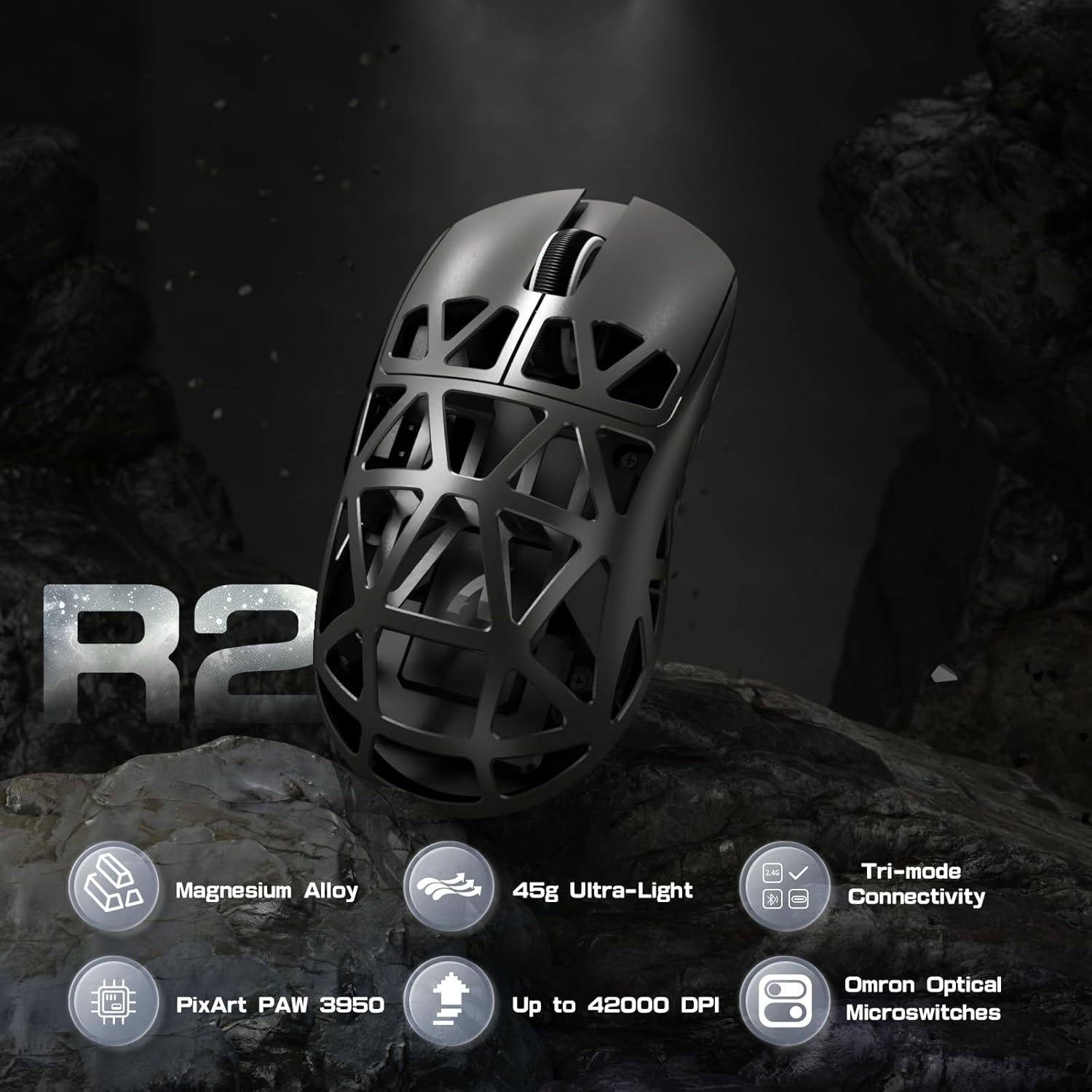
ภาพ: เหนือview of R2PRO's key features including Magnesium Alloy, 45g Ultra-Light, Tri-mode Connectivity, PixArt PAW 3950, Up to 42000 DPI, and Omron Optical Microswitches.
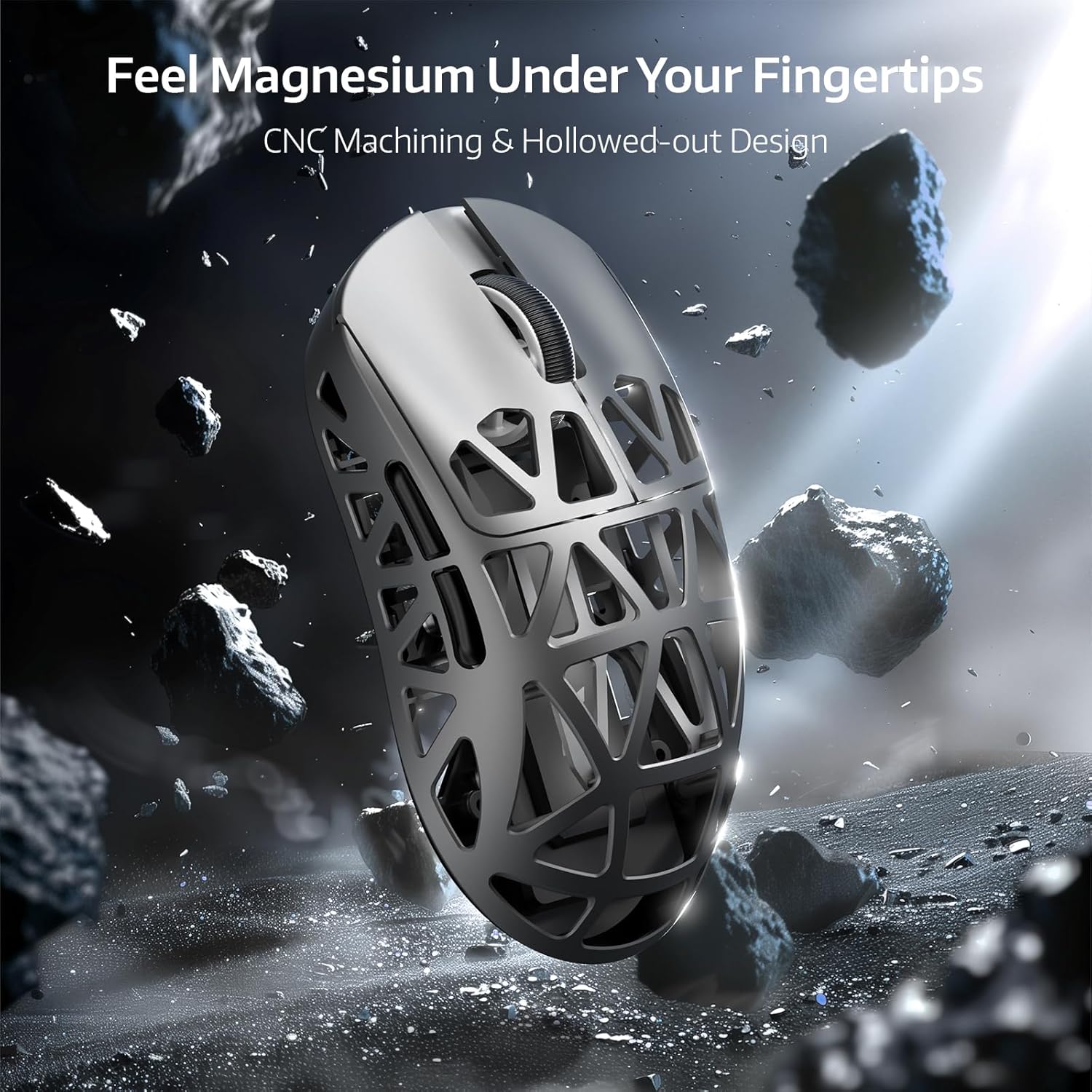
Image: Close-up of the R2PRO mouse highlighting its magnesium alloy construction and hollowed-out design for reduced weight and improved grip.

Image: Diagram illustrating the PixArt PAW3950 sensor, emphasizing its 50G acceleration, 42000 max DPI, and 8KHz polling rate capabilities.

Image: The R2PRO mouse wirelessly connected, illustrating the 8000Hz polling rate with a light beam from the dongle to the mouse.

ภาพ: ภายใน view of the Omron Optical Microswitches, highlighting their durability and precision with 100 million click lifespan and F-Switch encoder.

Image: The R2PRO mouse connected via its various modes: Performance Mode (2.4Ghz), Efficiency Mode (Bluetooth 5.2), and Wired USB-C Mode (Play While Charging).
เนื้อหาแพ็คเกจ
โปรดตรวจสอบว่าสินค้าทั้งหมดมีอยู่ในแพ็คเกจของคุณ:
- ATTACK SHARK R2PRO Gaming Mouse
- ตัวรับสัญญาณไร้สาย 2.4G (ดองเกิล USB)
- สายเคเบิลแบบขด USB-C ถึง USB-A
- คู่มือการใช้งาน
- Grip Tape (for specific variants)
- แผ่นรองเมาส์สำรอง
คู่มือการติดตั้ง
กำลังชาร์จเมาส์
Before first use, it is recommended to fully charge the mouse. Connect the provided USB-C coiled cable to the mouse's front port and the USB-A end to a computer's USB port or a USB wall adapter. The mouse's indicator light will show charging status.

Image: The R2PRO mouse connected via its USB-C cable to a power source, indicating charging.
ตัวเลือกการเชื่อมต่อ
- โหมดไร้สาย 2.4G:
- Locate the 2.4G wireless receiver (USB dongle) usually stored in a compartment on the underside of the mouse.
- เสียบดองเกิล USB เข้ากับพอร์ต USB ที่ว่างอยู่บนคอมพิวเตอร์ของคุณ
- เปิดใช้งานเมาส์โดยใช้สวิตช์ที่อยู่ด้านล่างของเมาส์ เมาส์จะเชื่อมต่อโดยอัตโนมัติ
- โหมดบลูทู ธ :
- Turn on the mouse and switch it to Bluetooth mode (refer to the switch on the mouse's underside for mode selection).
- บนคอมพิวเตอร์ของคุณ เปิดการตั้งค่าบลูทูธและค้นหาอุปกรณ์ใหม่
- Select "ATTACK SHARK R2PRO" from the list of available devices to pair.
- โหมดสาย:
- Connect the provided USB-C coiled cable to the mouse and the USB-A end to your computer.
- เมาส์จะใช้งานได้ทันทีในโหมดเสียบสาย และจะชาร์จแบตเตอรี่ไปพร้อมกัน
คำแนะนำการใช้งาน
การปรับ DPI
The R2PRO mouse features a dedicated DPI button, typically located on the top of the mouse, behind the scroll wheel. Press this button to cycle through preset DPI levels. The indicator light on the mouse may change color or flash to indicate the current DPI setting.
ปุ่มที่สามารถตั้งโปรแกรมได้
The R2PRO mouse comes with multiple programmable buttons. Their default functions include left click, right click, scroll wheel click, and side buttons (forward/back). For advanced customization, refer to the "Customization" section.
การปรับแต่ง
To unlock the full potential of your ATTACK SHARK R2PRO mouse, download and install the official driver software from the ATTACK SHARK webไซต์ ซอฟต์แวร์นี้ช่วยให้คุณ:
- Program all buttons with custom functions, macros, or multimedia controls.
- Adjust DPI levels and create multiple DPI profiles.
- Set the polling rate (up to 8000Hz).
- Configure lift-off distance.
- Manage power settings and battery life.

Image: Screenshots of the ATTACK SHARK R2PRO driver software interface, showing options for button programming, DPI settings, and other parameters.
การซ่อมบำรุง
การทำความสะอาด
To maintain optimal performance and appearance, regularly clean your mouse. Use a soft, dry, lint-free cloth to wipe the surface. For stubborn dirt, slightly dampen the cloth with water. Avoid using harsh chemicals or abrasive materials. Use compressed air to clear dust from the hollowed-out sections and sensor area.
การดูแลแบตเตอรี่
To prolong battery life, avoid fully discharging the mouse frequently. Charge the mouse when the battery indicator is low. If storing the mouse for an extended period, charge it to about 50% and turn it off.
การแก้ไขปัญหา
| ปัญหา | วิธีแก้ปัญหาที่เป็นไปได้ |
|---|---|
| เมาส์ไม่ตอบสนอง (ไร้สาย) |
|
| เมาส์ไม่ตอบสนอง (แบบมีสาย) |
|
| การติดตามหรือการเคลื่อนที่ของเคอร์เซอร์ไม่สม่ำเสมอ |
|
| เมาส์ไม่ชาร์จ |
|
| ซอฟต์แวร์ไม่ตรวจจับเมาส์ |
|
ข้อมูลจำเพาะ
| คุณสมบัติ | รายละเอียด |
|---|---|
| ยี่ห้อ | โจมตีฉลาม |
| แบบอย่าง | R2PRO |
| เซ็นเซอร์ | เซ็นเซอร์ออปติคัล PixArt PAW3950 |
| ดีพีไอ | สูงสุด 42,000 (ตั้งโปรแกรมได้) |
| อัตราการสำรวจความคิดเห็น | Up to 8000Hz Wireless |
| การเร่งความเร็ว | 50จี |
| ความเร็ว IPS | 750 IPS |
| การเชื่อมต่อ | 2.4G ไร้สาย, บลูทูธ, แบบมีสาย (USB-C) |
| สวิตซ์ | ไมโครสวิตช์ออปติคัล Omron (คลิกได้ 100 ล้านครั้ง) |
| น้ำหนัก | น้ำหนักประมาณ 45 กรัม (1.59 ออนซ์) |
| ขนาด | 6.85 x 4.13 x 2.91 นิ้ว (ขนาดบรรจุภัณฑ์) |
| ประเทศต้นกำเนิด | จีน |
การรับประกันและการสนับสนุน
The ATTACK SHARK R2PRO Gaming Mouse comes with a manufacturer's warranty. Please refer to the warranty card included in your product packaging or visit the official ATTACK SHARK website for detailed warranty terms and conditions. For technical support, driver downloads, or further assistance, please visit the ATTACK SHARK official support page or contact their customer service.
ผู้ผลิต: โจมตีฉลาม
Webเว็บไซต์: ATTACK SHARK Official Store on Amazon