
1. บทนำ
This manual provides essential information for the safe and efficient operation of your TESLA QLED Smart TV, Model Q55S939GUS. Please read these instructions thoroughly before using your television and retain them for future reference. This television features a 55-inch (140 cm) QLED display, Google TV operating system, Ultra HD resolution, HDR10, Dolby Atmos audio, built-in Wi-Fi, Bluetooth, and Chromecast.

ภาพที่ 1.1: ด้านหน้า view of the TESLA QLED Smart TV, highlighting key features.
2. ข้อมูลด้านความปลอดภัย
Always follow basic safety precautions when using this television to reduce the risk of fire, electric shock, and injury. Keep the television away from moisture and heat sources. Ensure proper ventilation. Do not block ventilation openings. Use only attachments/accessories specified by the manufacturer. Refer all servicing to qualified service personnel.
3. เนื้อหาบรรจุภัณฑ์
ตรวจสอบว่ามีรายการทั้งหมดอยู่ในแพ็คเกจ:
- TESLA QLED Smart TV (Model Q55S939GUS)
- รีโมทคอนโทรล
- สายไฟ
- TV Stand/Base
- แบตเตอรี่สำหรับรีโมทคอนโทรล
- คู่มือการใช้งาน (เอกสารนี้)
4. การตั้งค่า
4.1 การตั้งค่าทางกายภาพ
การติดขาตั้ง: Carefully place the TV screen-down on a soft, flat surface. Align the stand with the mounting holes on the bottom of the TV and secure it with the provided screws. Ensure the stand is firmly attached before placing the TV upright.

Image 4.1: TESLA QLED Smart TV with stand.
การติดตั้งบนผนัง: If you plan to wall mount the TV, refer to the instructions provided with your wall mount kit. Ensure the wall mount is compatible with the VESA mounting pattern of your TV. The back of the TV includes mounting points for this purpose.
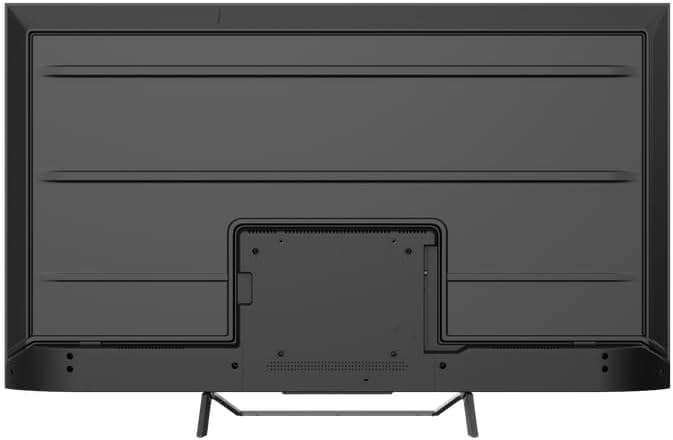
ภาพที่ 4.2: ด้านหลัง view of the TV, indicating mounting points.
4.2 การเปิดเครื่องครั้งแรกและการเชื่อมต่อเครือข่าย
- เชื่อมต่อสายไฟเข้ากับทีวีแล้วจึงเสียบเข้ากับเต้ารับไฟฟ้า
- กดปุ่มเปิดปิดบนรีโมทคอนโทรลหรือบนทีวีโดยตรง
- Follow the on-screen instructions to select your language, country, and connect to your Wi-Fi network. You can also connect via Ethernet for a wired connection.
4.3 การตั้งค่า Google TV
During the initial setup, you will be guided through setting up your Google TV account. This allows access to Google Assistant, Google Play Store apps, and personalized content recommendations. You will need a Google account to fully utilize these features.
5. การใช้งานทีวี
5.1 การควบคุมระยะไกลจบลงview
The remote control provides access to all TV functions. Insert the provided batteries into the remote control. Familiarize yourself with the button layout for easy navigation.

Image 5.1: TESLA Smart TV Remote Control.
5.2 ฟังก์ชั่นพื้นฐาน
- พลัง: กดปุ่มเปิด/ปิดเพื่อเปิดหรือปิดทีวี
- ปริมาณ: ใช้ปุ่ม VOL +/- เพื่อปรับระดับเสียง
- ช่องทางการรับชม: Use the P +/- buttons to change channels.
- การนำทาง: ใช้ปุ่มควบคุมทิศทางและปุ่ม OK เพื่อเลื่อนดูเมนูและเลือกตัวเลือกต่างๆ
- บ้าน: Press the Home button to return to the Google TV home screen.
5.3 Smart TV Features (Google TV, Apps, Chromecast)
Your TESLA QLED Smart TV runs on Google TV, offering an intuitive interface and access to a vast library of content.
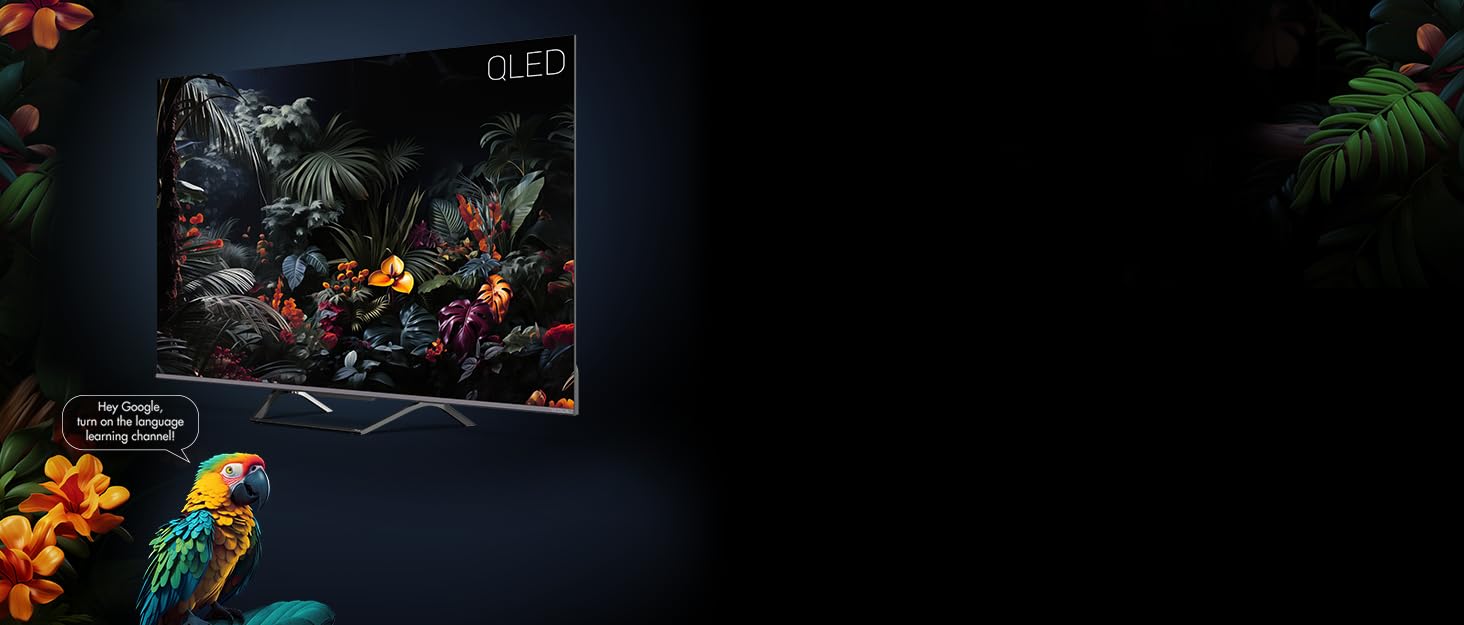
Image 5.2: Google Assistant integration on TESLA QLED TV.
- อินเทอร์เฟซ Google TV: The home screen provides personalized recommendations, quick access to installed apps like Netflix, YouTube, and Prime Video, and live TV options.
- ผู้ช่วย Google: ใช้คำสั่งเสียงผ่านรีโมทคอนโทรลเพื่อค้นหาเนื้อหา ควบคุมอุปกรณ์สมาร์ทโฮม รับคำตอบ และอื่นๆ อีกมากมาย
- Chromecast ในตัว: Cast content (videos, photos, music) directly from your compatible mobile devices or computer to the TV screen.
- ร้านค้า Google Play: Download and install over 10,000 additional applications and games.
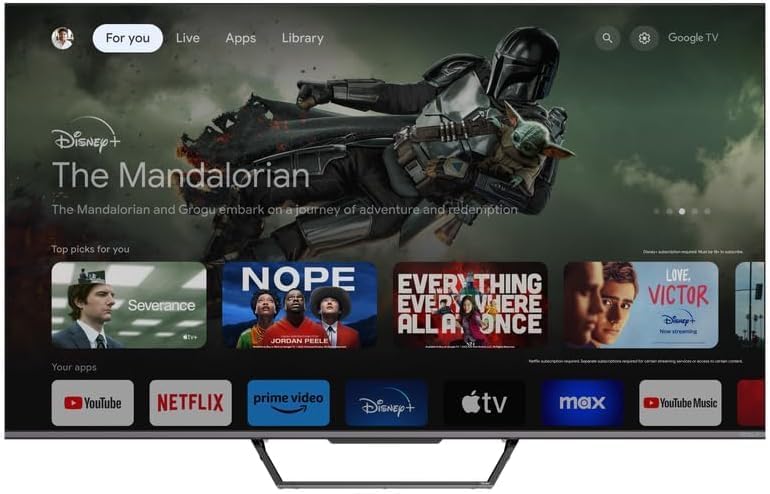
Image 5.3: Google TV home screen with app access.
5.4 การเชื่อมต่อ
ทีวีมีพอร์ตต่างๆ สำหรับเชื่อมต่ออุปกรณ์ภายนอก:
- พอร์ต HDMI (x3): Connect gaming consoles, Blu-ray players, soundbars, and other HDMI-enabled devices.
- พอร์ต USB (x2): เชื่อมต่ออุปกรณ์ USB สำหรับเล่นสื่อหรือใช้เป็นอุปกรณ์จัดเก็บข้อมูลภายนอก
- ไวไฟ : เชื่อมต่อแบบไร้สายกับเครือข่ายภายในบ้านเพื่อเข้าถึงอินเทอร์เน็ต
- บลูทูธ: Connect wireless headphones, speakers, or other Bluetooth accessories.
- อีเธอร์เน็ต: เพื่อการเชื่อมต่ออินเตอร์เน็ตแบบมีสายที่เสถียร
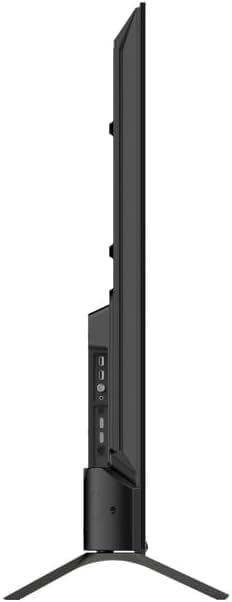
ภาพที่ 5.4: ด้านข้าง view of TV with connectivity ports.
5.5 การตั้งค่าเสียงและภาพ
- Dolby Atmos & Ultra Surround: Experience immersive, three-dimensional audio. Adjust audio settings in the TV menu to optimize sound for your environment.
- เทคโนโลยี QLED: Quantum Dot technology delivers over a billion shades of color, enhanced brightness, and superior contrast.
- HDR10: High Dynamic Range 10 provides a wider range of colors and contrasts, resulting in a more realistic image.
- โหมดภาพ: Select from various preset picture modes (e.g., Standard, Vivid, Movie, Game) or customize settings like brightness, contrast, color, and sharpness to suit your preferences.
6. การบำรุงรักษา
6.1 การทำความสะอาด
ถอดปลั๊กทีวีทุกครั้งก่อนทำความสะอาด ใช้ผ้านุ่มและแห้งเช็ดหน้าจอและตัวเครื่อง สำหรับคราบฝังแน่น ให้เช็ดเบาๆampen the cloth with water or a specialized screen cleaner. Never use abrasive cleaners, waxes, or solvents.
6.2 การอัปเดตซอฟต์แวร์
Your Google TV will periodically receive software updates to improve performance and add new features. Ensure your TV is connected to the internet to receive these updates. You can check for updates manually in the TV's settings menu.
7 การแก้ไขปัญหา
หากคุณประสบปัญหาเกี่ยวกับทีวี โปรดดูปัญหาทั่วไปและวิธีแก้ไขต่อไปนี้:
| ปัญหา | วิธีแก้ปัญหาที่เป็นไปได้ |
|---|---|
| ไม่มีไฟฟ้า | Check if the power cable is securely connected to the TV and the power outlet. Ensure the outlet is working. |
| ไม่มีภาพแต่มีเสียง | ตรวจสอบแหล่งสัญญาณเข้า ตรวจสอบให้แน่ใจว่าอุปกรณ์ภายนอกเชื่อมต่อและเปิดเครื่องอย่างถูกต้อง |
| ไม่มีเสียงแต่มีภาพ | Check the volume level. Ensure Mute is not activated. Check audio output settings. |
| รีโมตคอนโทรลไม่ทำงาน | เปลี่ยนแบตเตอรี่ ตรวจสอบให้แน่ใจว่าไม่มีสิ่งกีดขวางระหว่างรีโมทและทีวี |
| ไม่สามารถเชื่อมต่อ Wi-Fi ได้ | ตรวจสอบเราเตอร์และการเชื่อมต่ออินเทอร์เน็ตของคุณ ป้อนรหัสผ่าน Wi-Fi อีกครั้ง ลองรีสตาร์ททีวีและเราเตอร์ |
For further assistance, consult the TESLA support webเว็บไซต์หรือติดต่อฝ่ายบริการลูกค้า
8. ข้อมูลจำเพาะ
Key technical specifications for the TESLA QLED Smart TV Model Q55S939GUS:
| คุณสมบัติ | ข้อมูลจำเพาะ |
|---|---|
| ยี่ห้อ | เทสล่า |
| หมายเลขรุ่น | Q55S939GUS |
| ขนาดหน้าจอ | 55 นิ้ว (140 ซม.) |
| เทคโนโลยีการแสดงผล | คิวแอลอีดี |
| ปณิธาน | 4K (3840x2160) ความคมชัดระดับ XNUMXK |
| ระบบปฏิบัติการ | กูเกิลทีวี |
| อัตราการรีเฟรช | 60 เฮิรตซ์ |
| คุณสมบัติพิเศษ | Chromecast, Built-in Speaker, Game Mode, Flat Panel, Wide Color Enhancer |
| เทคโนโลยีเสียง | Dolby Atmos, Ultra Surround, 2 x 10W Speakers |
| การเชื่อมต่อ | Bluetooth, HDMI (x3), RF, USB (x2), Wi-Fi, Ethernet |
| ขนาดสินค้า (ลึก x กว้าง x สูง) | 26.5 x 122.5 x 72 ซม. |
| สี | เงินเมทัลลิก |

Image 8.1: Illustrative diagram of TV dimensions and remote control. Note: This product is 55 inches, not 75 inches as shown in the diagram.
9. การรับประกันและการสนับสนุน
For warranty information, please refer to the warranty card included with your product or visit the official TESLA website. Keep your proof of purchase for warranty claims. For technical support, troubleshooting assistance, or service requests, please contact TESLA customer support through their official channels.