
1. บทนำ
Welcome and thank you for choosing the Cuifati Smart Video Doorbell. This manual provides essential information for the safe and efficient operation of your device. Please read it thoroughly before use and retain it for future reference.
2. สินค้าหมดview
2.1 เนื้อหาบรรจุภัณฑ์
- 1 x ออดวิดีโออัจฉริยะ
- 1 x Wireless Chime (Dong Bell)
- 1 x คู่มือผู้ใช้
- ไขควง 1 อัน
- 1 x สายชาร์จ
2.2 คุณสมบัติหลัก
- Long-lasting 3600mAh Lithium Battery (up to 3 months per charge)
- 1MP Camera with 90-degree viewing angle for clear video
- Two-Way Voice Intercom
- Secure Cloud Storage for captured events
- Real-time Notifications to your mobile device
- Intelligent PIR Motion Detection with adjustable sensitivity
- Automatic Day/Night Mode Switching
- Variable Ring Tones for the wireless chime

This image displays the main components: the smart video doorbell unit and its accompanying wireless chime.

The doorbell features a 1MP camera with a 90-degree viewing angle, providing clear visual coverage of your entrance.
3. คำแนะนำในการตั้งค่า
3.1 การชาร์จกริ่งประตู
Before initial use, fully charge the doorbell using the provided charging cable. The built-in 3600mAh lithium battery ensures long endurance.

The doorbell features a built-in lithium battery designed for extended use, requiring infrequent charging.
3.2 การติดตั้ง
Mount the doorbell unit at your desired location near your entrance. Ensure it has a clear view and is within Wi-Fi range. Use the provided screwdriver for installation.
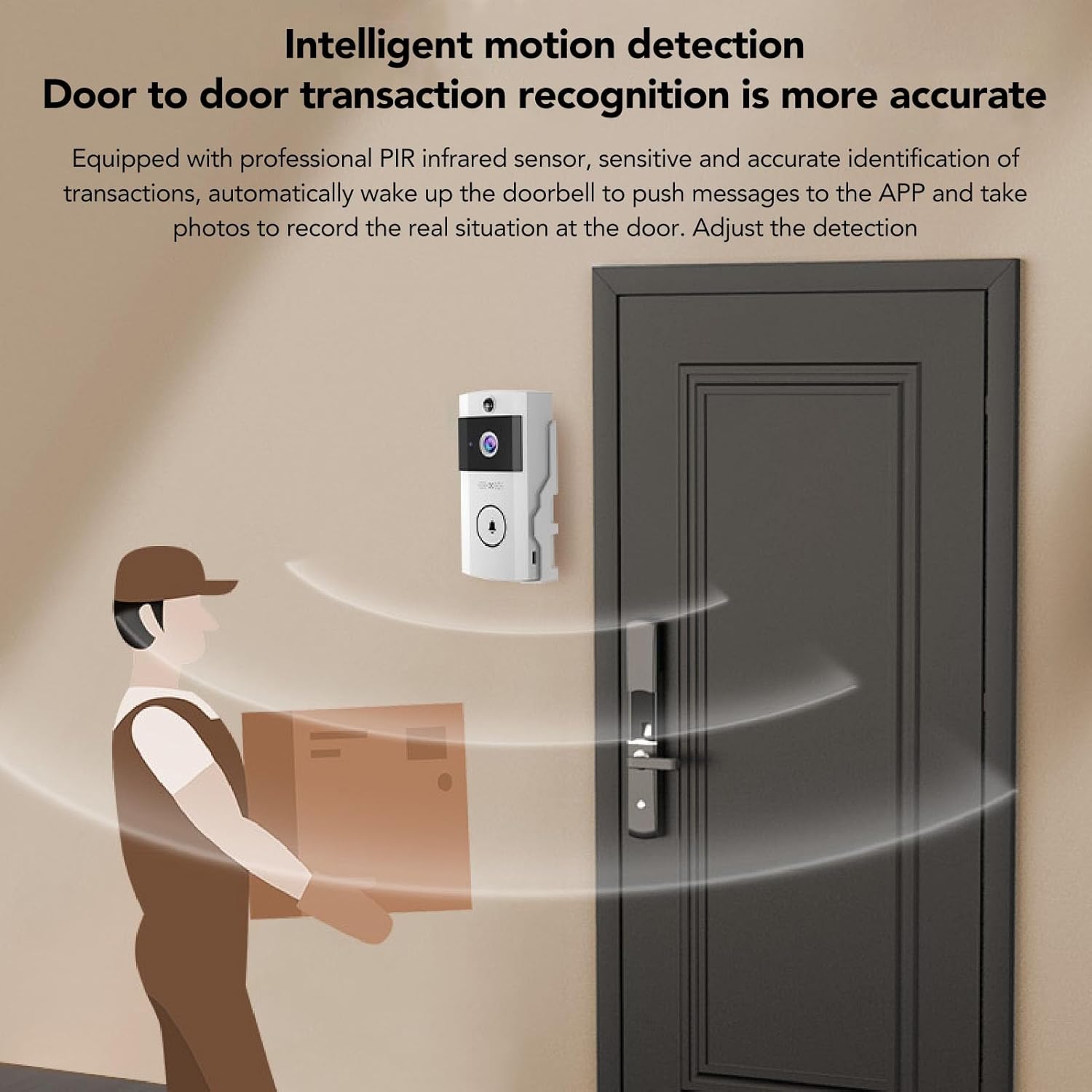
The doorbell is designed for easy wall mounting, providing a clear view จากทางเข้าของคุณ
3.3 การจับคู่แอพ
Download the dedicated mobile application (compatible with Smartphone, Tablet) from your device's app store. Follow the in-app instructions to pair your doorbell with your Wi-Fi network (2.4G band only) and mobile device. This enables real-time viewการแจ้งเตือนและข้อความแจ้งเตือน
4. คู่มือการใช้งาน
4.1 Real-time Monitoring and Two-Way Communication
เข้าสู่การถ่ายทอดสด view of your doorbell camera through the mobile application. When a visitor presses the doorbell, you will receive an instant notification on your phone. You can then initiate a two-way voice call to speak with the visitor.
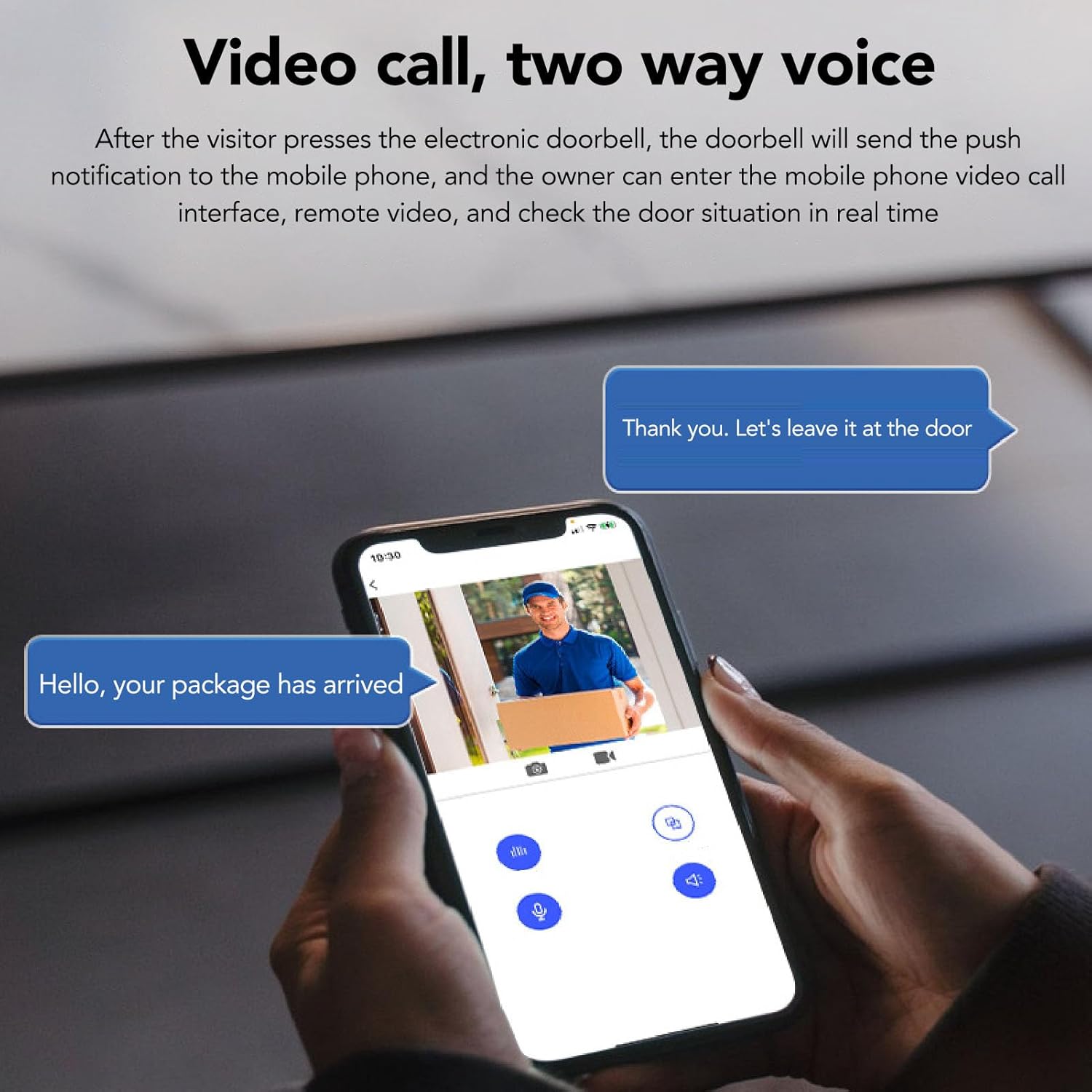
This image illustrates the two-way communication feature, allowing you to speak with visitors directly from your smartphone.
4.2 การตรวจจับการเคลื่อนไหว
The doorbell is equipped with professional PIR infrared sensors for intelligent motion detection. When motion is detected, the doorbell will send alerts to your phone and capture images or video. You can adjust the detection distance within the app to minimize false alarms.
The doorbell's motion detection feature alerts you to activity at your door, capturing images or video of detected events.
4.3 การมองเห็นทั้งกลางวันและกลางคืน
The doorbell automatically switches between day and night modes based on ambient light conditions, ensuring clear video quality at all times.

The doorbell provides clear video footage both during the day and in low-light conditions, automatically adjusting its vision mode.
4.4 การจัดเก็บข้อมูลบนคลาวด์
Captured photos of visitors and motion events are securely saved to the cloud. This allows you to review past events and share access with family members through the app.

The cloud storage feature ensures that all captured events are securely saved and accessible.
4.5 Wireless Chime
The included wireless chime can be plugged into any standard outlet indoors. It offers 3 levels of volume and 138 selectable melodies.

The wireless chime offers customizable ring tones and volume levels for indoor notification.
5. การบำรุงรักษา
To ensure optimal performance, regularly clean the camera lens with a soft, dry cloth. Keep the doorbell unit free from dust and debris. Recharge the battery as needed.
6 การแก้ไขปัญหา
- ไม่มีไฟฟ้า/ไม่เปิด: Ensure the battery is fully charged. Connect the charging cable and check for indicator lights.
- สัญญาณ Wi-Fi ไม่เสถียร: Verify the doorbell is within range of your 2.4G Wi-Fi router. Restart your router and the doorbell.
- ไม่มีการแจ้งเตือน: Check your phone's app settings to ensure notifications are enabled. Verify the doorbell is connected to the app.
- ปัญหาการตรวจจับการเคลื่อนไหว: Adjust the motion detection sensitivity in the app. Ensure there are no obstructions blocking the sensor.
- วิดีโอไม่ชัดเจน: Clean the camera lens. Check your Wi-Fi signal strength.
7. ข้อมูลจำเพาะ
| คุณสมบัติ | ข้อมูลจำเพาะ |
|---|---|
| แบบอย่าง | CUIFATIvhwf3i60tc |
| ความละเอียดวิดีโอ | 1280x720 (720P) |
| เลนส์กล้อง | COMS chip, 1MP, 90-degree viewมุมเอียง |
| การสนับสนุนเครือข่าย | ไวไฟ 2.4G |
| ความจุของแบตเตอรี่ | แบตเตอรี่ลิเธียม 3600mAh |
| แหล่งพลังงาน | Battery, Electric Cable |
| ขนาด (กว้าง x ยาว x สูง) | 14 x 8 x 7 ซม. |
| อุปกรณ์ที่รองรับ | สมาร์ทโฟน, แท็บเล็ต |
| ประเภทการแจ้งเตือน | เสียงและการเคลื่อนไหว |
8. การรับประกันและการสนับสนุน
For warranty information, technical support, or service inquiries, please refer to the product packaging or contact Cuifati customer service directly.
You can also visit the official Cuifati store on Amazon for more information: Cuifati Store.