
การแนะนำ
This manual provides instructions for the installation, operation, and maintenance of your Mcezdy P5C-6-Pin Ebike LCD Display. This display is designed to enhance your electric bike experience by providing real-time data and control over various functions.
หมายเหตุความเข้ากันได้ที่สำคัญ: This P5C ebike display operates using the UART No. 2 protocol. Ensure your ebike controller is compatible with this protocol and features a ขั้วต่อ 6 พิน เพื่อการใช้งานที่เหมาะสม
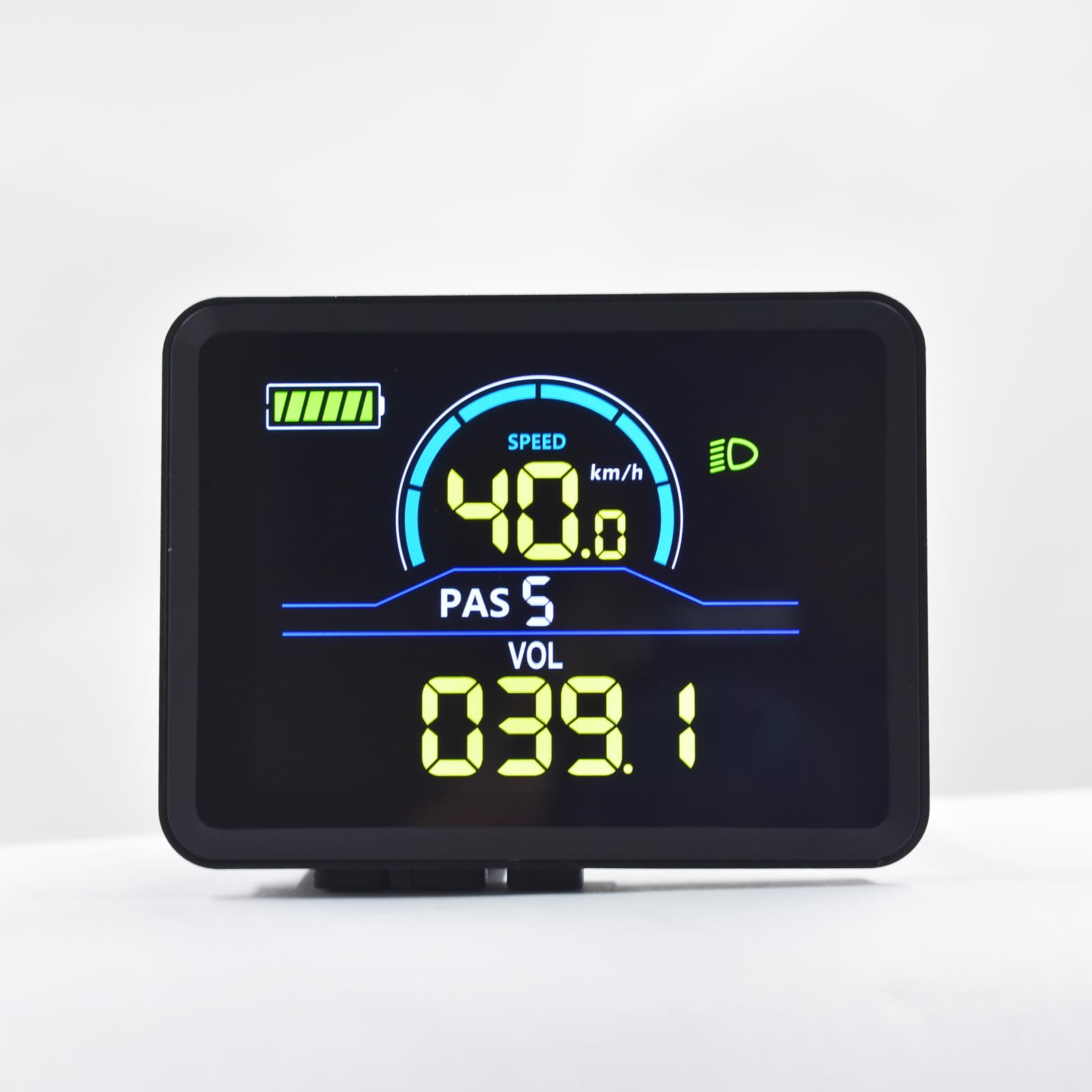
Image: Mcezdy P5C Ebike LCD Display. This image highlights the critical requirement for UART No. 2 protocol compatibility.
The display features a durable ABS+PC housing, a tempered glass screen for clarity and scratch resistance, and an IPX65 waterproof rating for protection against water splashes and rain.
การติดตั้งและการตั้งค่า
- ตรวจสอบความเข้ากันได้: Before installation, confirm that your ebike controller uses the UART No. 2 protocol and has a compatible 6-pin connector. Incompatible systems will not function correctly.
- การติดตั้งจอแสดงผล:
The display comes with an adjustable mount designed to fit handlebars with a diameter of 22.2mm. Position the display on the left side of your handlebar for optimal viewing and access to controls. Secure the mount firmly using the provided hardware.

Image: The Mcezdy P5C Ebike LCD Display mounted on a handlebar, demonstrating the adjustable mount for 22.2mm handlebars.
- การต่อสายเคเบิล:
Locate the 6-pin waterproof cable (model JL-F-Z609AG) on your display. The exposed cable length is 150mm. Carefully connect this cable to the corresponding 6-pin connector on your ebike controller. Ensure the connection is secure and fully seated to prevent water ingress and ensure reliable communication.

Image: A selection of ebike display connector types, including the 6-pin connector relevant to this model. Ensure you use the correct connector for your system.
- เปิดเครื่อง: Once securely mounted and connected, power on your ebike. The display should illuminate, indicating a successful connection.
คำแนะนำการใช้งาน
The P5C-6-Pin display provides comprehensive information and control features for your ebike. Familiarize yourself with the display layout and button functions.

Image: The Mcezdy P5C Ebike LCD Display illustrating key metrics such as speed, battery level, Pedal Assist System (PAS) level, and voltage.
แสดงเมตริก:
- ความเร็ว: Current riding speed (km/h or mph).
- ระดับแบตเตอรี่: Real-time battery charge indicator.
- PAS (ระบบช่วยเบรก) : Current assist level.
- เล่มที่tagอี (เล่ม): ปริมาณแบตเตอรี่แบบเรียลไทม์tage.
- ไฟเลี้ยวหน้า: Shows if the ebike's headlight is active.
- ระยะทางการเดินทาง: ระยะทางที่ปั่นไปแล้วในการปั่นครั้งนี้
- ระยะทางรวม (ODO): Total distance covered by the ebike.
ฟังก์ชันและการควบคุม:
- เปิด/ปิดเครื่อง: Typically controlled by a dedicated button on the display or ebike system. Refer to your ebike's main manual for specific power procedures.
- PAS Level Adjustment: Use the '+' and '-' buttons (or similar controls) to increase or decrease the pedal assist level.
- โหมดช่วยเดิน: Activates a low-speed assist for walking the ebike. Consult your ebike's manual for activation method, usually by holding a specific button.
- ระบบควบคุมความเร็วอัตโนมัติ: Allows the ebike to maintain a set speed without continuous throttle input. Activation varies by ebike model; refer to your ebike's manual.
- การปรับเปลี่ยนพารามิเตอร์: The display allows customization of certain parameters such as wheel diameter and speed limit. Accessing these settings typically involves a sequence of button presses. Exercise caution when modifying parameters, as incorrect settings can affect performance and safety.
การซ่อมบำรุง
Proper maintenance ensures the longevity and optimal performance of your Mcezdy P5C-6-Pin Ebike LCD Display.
- การทำความสะอาด: ใช้แบบนุ่มๆamp cloth to clean the display screen and housing. Avoid abrasive cleaners, solvents, or harsh chemicals that could damage the tempered glass or plastic components.
- ความต้านทานน้ำ: The display has an IPX65 waterproof rating, meaning it is protected against low-pressure water jets from any direction. While it can withstand rain and splashes, avoid submerging the display in water or exposing it to high-pressure water streams.
- การตรวจสอบสายเคเบิล: Periodically check the connection cable for any signs of wear, damage, or loose connections. Ensure the waterproof connector remains clean and free of debris.
- พื้นที่จัดเก็บ: When not in use for extended periods, store the ebike and display in a dry, temperate environment, away from direct sunlight and extreme temperatures.
การแก้ไขปัญหา
If you encounter issues with your Mcezdy P5C-6-Pin Ebike LCD Display, refer to the following common problems and solutions:
| ปัญหา | สาเหตุที่เป็นไปได้ | สารละลาย |
|---|---|---|
| หน้าจอไม่แสดงผล |
|
|
| Incorrect speed or mileage readings. |
|
|
| Display shows error codes. |
| Refer to the "Fault Code Description" document included with your display or ebike for specific error code meanings and troubleshooting steps. |
| จอภาพมืดหรือไม่สามารถอ่านได้ |
|
|
If problems persist, contact customer support or a qualified ebike technician.
ข้อมูลจำเพาะ

Image: Detailed specifications of the Mcezdy P5C Ebike LCD Display, including dimensions, cable length, model numbers, and work voltage.
- แบบอย่าง: P5C-6-Pin
- ยี่ห้อ: แมคเซดี้
- ประเภทจอภาพ: LCD, Color
- โปรโตคอลการเชื่อมต่อ: UART No. 2 (Wired)
- ฉบับที่เข้ากันได้tage: กระแสตรง 24V, 36V, 48V, 60V
- วัสดุตัวเรือน: เอบีเอส+พีซี
- วัสดุหน้าจอ: กระจกนิรภัย
- วัสดุตัวยึด: ไนลอน
- ความเข้ากันได้ของเส้นผ่านศูนย์กลางแฮนด์: 22.2มม.
- ประเภทสายเคเบิล: 6-pin waterproof cable (JL-F-Z609AG)
- Exposed Cable Length: 150มม.
- ระดับการป้องกันระหว่างประเทศ: IPX65 (Protected against dust and low-pressure water jets)
- อินเทอร์เฟซมนุษย์อินพุต: ปุ่ม
- ประเภทเซนเซอร์: เซ็นเซอร์ความเร็ว
- ขนาด (โดยประมาณ): 2.7" (width) x 2.1" (height) - Refer to image for detailed measurements.
- น้ำหนัก: ประมาณ 91 กรัม
ข้อมูลการรับประกัน
Specific warranty terms and conditions for the Mcezdy P5C-6-Pin Ebike LCD Display may vary. Please retain your proof of purchase and refer to the retailer or manufacturer's official webเว็บไซต์สำหรับข้อมูลการรับประกันและขั้นตอนการลงทะเบียนโดยละเอียด
การสนับสนุนลูกค้า
For technical assistance, troubleshooting beyond this manual, or inquiries regarding your Mcezdy P5C-6-Pin Ebike LCD Display, please contact your point of purchase or the manufacturer, Mcezdy, through their official support channels.