
1. บทนำ
This manual provides essential information for the safe and effective use of your ARROWMAX SGS MINI PLUS Electric Engraving Pen. This cordless rotary tool is designed for light-duty tasks such as engraving, polishing, carving, and sanding on various materials including metal, wood, glass, and plastic. Please read these instructions thoroughly before operation and retain for future reference.
2. เนื้อหาบรรจุภัณฑ์
ตรวจสอบว่ารายการทั้งหมดที่ระบุไว้ด้านล่างนี้รวมอยู่ในแพ็คเกจของคุณ:
- 1 x ARROWMAX SGS MINI PLUS Engraving Pen
- 24 x Engraving Bits
- 12 x Polishing Bits
- 1 x กระเป๋าเก็บของ
- 1 x ฐานชาร์จไฟ
- สายชาร์จ USB 1 เส้น
- 1 x คู่มือผู้ใช้ (เอกสารนี้)

The image above displays the engraving pen, various bits, the charging base, USB cable, and storage bag, illustrating the comprehensive kit provided.
3. สินค้าหมดview
Familiarize yourself with the main components of the ARROWMAX SGS MINI PLUS Engraving Pen:

- พอร์ตชาร์จแม่เหล็ก: Located at the top, this port facilitates easy charging with the magnetic charging base.
- ตัวบ่งชี้สถานะการทำงาน: Displays battery level and rotation direction.
- ปุ่มเปิด/ปิด: ใช้สำหรับเปิดและปิดอุปกรณ์
- ตัวเรือนอลูมิเนียมอัลลอยด์: Provides durability and a comfortable grip.
- เชย: The mechanism at the tip for securely holding engraving and polishing bits.
4. การตั้งค่า
4.1 การชาร์จอุปกรณ์
Before first use, fully charge the engraving pen. The device is powered by a 5V rechargeable battery, offering up to 90 minutes of runtime on a full charge.
- Connect the USB charging cable to the charging base and a suitable USB power source.
- Place the engraving pen onto the magnetic charging base. The working status indicator lights will show charging progress.
- A full charge is indicated when all four indicator lights are solid.

The magnetic charging base allows for convenient and secure charging of the pen.
4.2 การติดตั้งดอกสว่าน
The kit includes 24 engraving bits and 12 polishing bits for various applications.
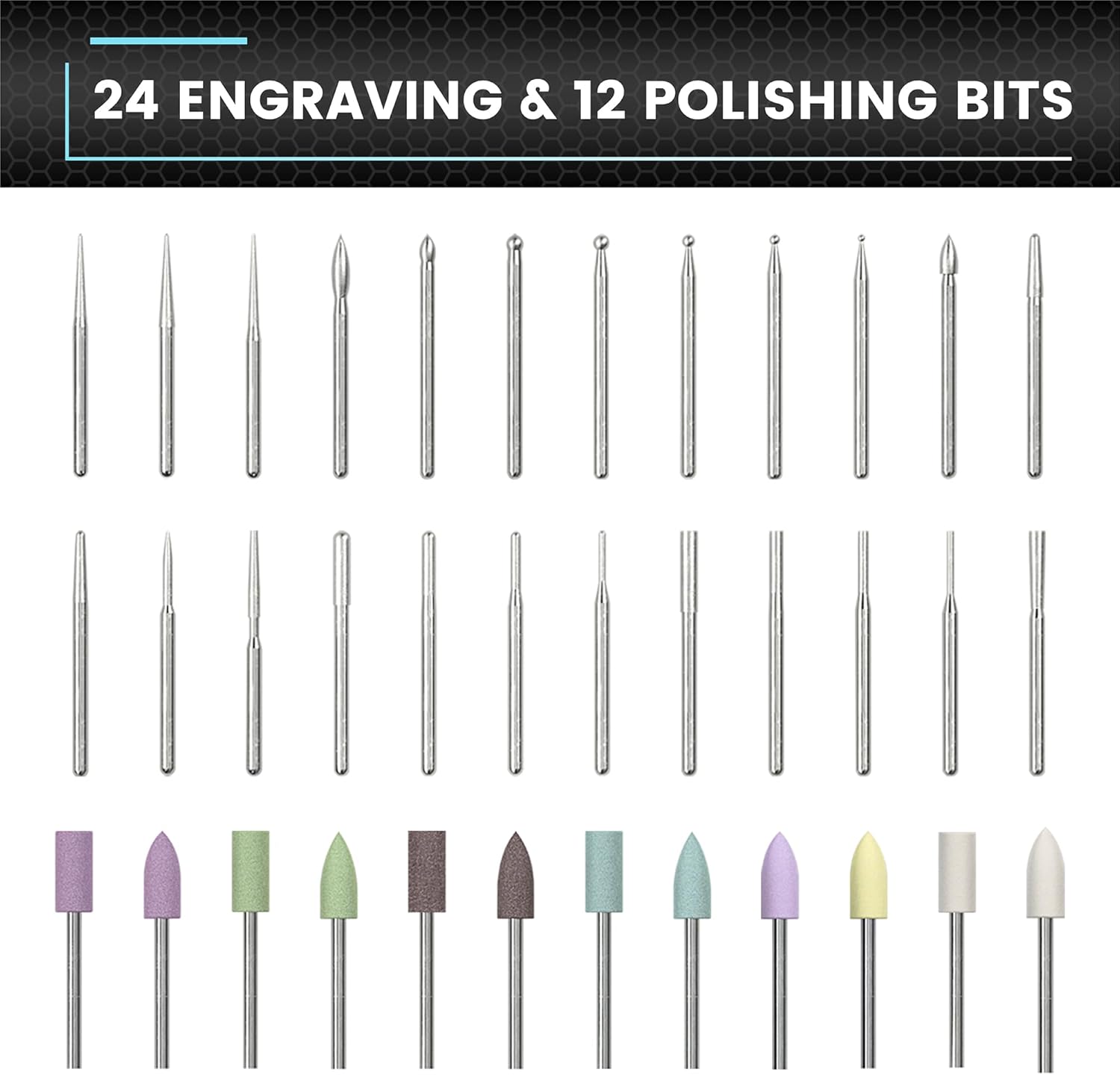
This image displays the variety of bits available for different tasks.
- Ensure the engraving pen is turned off.
- Gently insert the desired bit into the chuck until it is firmly seated. Do not force the bit.
- ในการถอดออก ให้ดึงบิตออกจากหัวจับตรงๆ
4.3 การเชื่อมต่อแอป (ทางเลือก)
For enhanced control, the engraving pen can be connected to a smartphone app (compatible with Android and iOS).
- Download the ARROWMAX app from your device's app store.
- เปิดใช้งานบลูทูธบนสมาร์ทโฟนของคุณ
- Open the ARROWMAX app and follow the on-screen instructions to pair with your SGS MINI PLUS.
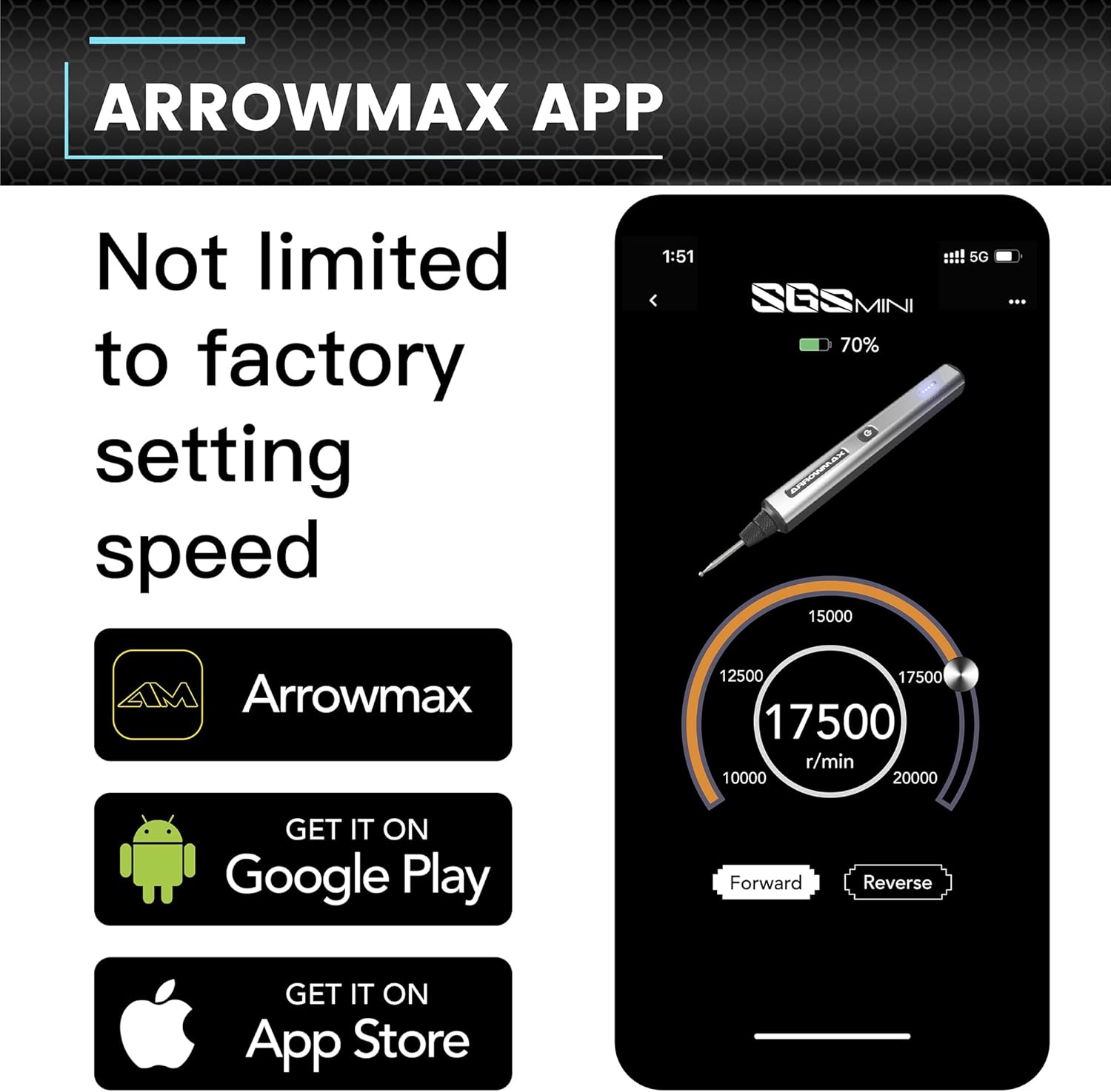
The app provides precise control over speed and rotation direction.
5. คู่มือการใช้งาน
5.1 เปิด/ปิดเครื่อง
Press the Power Button once to turn the device on. Press it again to turn it off.
5.2 Speed Control and Rotation Direction
The engraving pen offers adjustable speeds from 10,000 RPM to 20,000 RPM. You can also toggle between forward and reverse modes.
- การใช้แอพ: Connect the pen to the ARROWMAX app. Use the app interface to precisely adjust the speed in increments of 1000 RPM and change the rotation direction.
- ควบคุมด้วยมือ: (If applicable, refer to specific model features for manual speed adjustment if not using the app.)
5.3 การใช้งานทั่วไป
The SGS MINI PLUS is suitable for various crafting and detailing tasks.

This image demonstrates the pen's versatility across different materials.
- การแกะสลัก: Use appropriate engraving bits for detailed work on metal, wood, glass, or plastic.
- การขัดเงา: Attach polishing bits for smoothing surfaces or adding a finish.
- การขัด/การเจียร: Select suitable bits for light sanding or grinding tasks.
Always wear appropriate safety gear, such as eye protection, when operating the tool.
Video 5.1: Demonstration of the ARROWMAX SGS MINI electric cordless engraving pen in use for model making and grinding. This short clip illustrates the tool's application in fine detail work.
วิดีโอ 5.2: จบview of the ARROWMAX SGS MINI mini electric engraving pen. This video provides a general demonstration of the pen's features and operation.
6. การบำรุงรักษา
6.1 การทำความสะอาด
Regular cleaning ensures optimal performance and longevity of your tool.
- After each use, wipe the pen body with a soft, dry cloth.
- Carefully remove any dust or debris from the chuck area using a small brush or compressed air.
- Ensure the charging contacts on both the pen and the base are clean.
6.2 Bit Storage
Store bits in the provided storage bag or a suitable container to prevent damage and loss.
7 การแก้ไขปัญหา
- อุปกรณ์ไม่เปิด: Ensure the battery is fully charged. Connect to the charging base and check the indicator lights.
- ประสิทธิภาพ/ความเร็วลดลง: Check battery level. Ensure the bit is securely inserted and not worn out. Clean the chuck area to remove any obstructions. If using the app, verify speed settings.
- Bits not effective on material: Ensure you are using the correct type of bit for the material (e.g., engraving bits for hard surfaces, polishing bits for finishing). Some materials may require specific bit types not included in this kit.
- ปัญหาการเชื่อมต่อแอป: Ensure Bluetooth is enabled on your smartphone and the pen is within range. Try restarting both the app and the engraving pen.
8. ข้อมูลจำเพาะ
| คุณสมบัติ | รายละเอียด |
|---|---|
| ยี่ห้อ | แอร์โรว์แม็กซ์ |
| แบบอย่าง | SGS MINI PLUS |
| แหล่งพลังงาน | ใช้พลังงานจากแบตเตอรี่ |
| การใช้ที่แนะนำ | Engraving, Sanding, Grinding, Polishing |
| สี | สีเทา |
| คุณสมบัติพิเศษ | Cordless, Rechargeable, Magnetic USB Charging, App Control (Optional) |
| ส่วนประกอบที่รวมอยู่ | 1 engraving pen, 24 engraving bits, 12 polish bits, 1 storage bag, 1 manual, 1 charging base, 1 USB charging cable |
| ความเร็วการหมุนสูงสุด | 20000 รอบต่อนาที |
| ประเภทแบตเตอรี่ | แบตเตอรี่ลิเธียมโพลิเมอร์ 1 ก้อน (รวมอยู่ด้วย) |
| น้ำหนักสินค้า | 1.28 ปอนด์ |
| ขนาดแพ็คเกจ | 10.71 x 5.67 x 2.01 นิ้ว |
9. การรับประกันและการสนับสนุน
For warranty information or technical support, please refer to the contact details provided with your product packaging or visit the official ARROWMAX webไซต์ โปรดเก็บใบเสร็จรับเงินไว้เป็นหลักฐานการซื้อ