การแนะนำ
This manual provides essential instructions for the installation, operation, and maintenance of your new Generic replacement stylus. Designed to meet high standards, this stylus ensures optimal performance for your turntable, closely matching the quality of original components.
Compatible Cartridge Models:
- For-Arena Chaine Copenhague
- For-BSR P128; CEC NG2
- For-Chuo Denki NG2; For-Clifton
- For-Dynatron HFC30M, HFC36, HFC37, HFC38, HFC41, MAZURKA, RG36
- For-Garrard SP25, 40B; For-Goldring D120, G850
- For-Hacker G550; For-Hitachi HT205C
- For-LOD HT205C; For-HMV 2541, 3932
- For-Marconiphone 4494, 6300; For-Rock-ola 424, 425 -Stereo
- For-Sony HP188, HP199, ND150p, PS5011, For-STR1800; For-Ultra 6494
คู่มือการติดตั้ง
Proper installation of the replacement stylus is crucial for sound quality and to prevent damage to your records. Follow these steps carefully:
Video: Stylus Replacement Demonstration
This video demonstrates the process of removing an old stylus and installing a new one on a turntable cartridge. It shows how to locate the notch, gently remove the old stylus, and then align and insert the new stylus until it clicks into place.
- Prepare the Turntable: Ensure your turntable is powered off and the tonearm is secured in its rest.
- Locate the Stylus: Identify the existing stylus on your cartridge. Look for a small notch or tab at the front of the stylus assembly.
- Remove the Old Stylus: Gently grasp the stylus assembly from the front, near the notch. Carefully pull it downwards and forwards to detach it from the cartridge body. Avoid excessive force.
- Unpack the New Stylus: Carefully remove the new replacement stylus from its packaging. Handle it by the plastic body, avoiding contact with the needle tip.
- Align the New Stylus: Align the new stylus with the cartridge body. There should be a groove or slot on the cartridge where the stylus slides in.
- Install the New Stylus: Gently push the new stylus upwards and backwards into the cartridge body until it clicks securely into place. Ensure it is flush and stable.
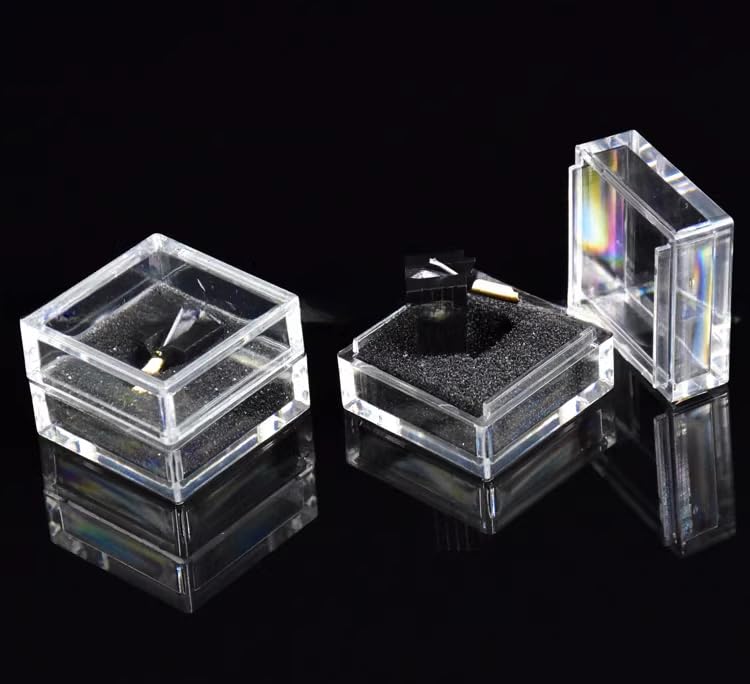
Image: Generic Replacement Stylus
This image displays the replacement stylus, highlighting its design and the needle tip. This is the component you will be installing into your turntable cartridge.
คำแนะนำการใช้งาน
Once the stylus is installed, you can resume playing your vinyl records. Always ensure the turntable is level and the tonearm's tracking force is set correctly according to your turntable or cartridge manufacturer's specifications. Incorrect tracking force can lead to premature stylus wear and record damage.
Gently lower the tonearm onto the record's lead-in groove. Avoid dropping the tonearm or stylus onto the record, as this can damage both the stylus and the record.
การซ่อมบำรุง
Regular maintenance extends the life of your stylus and preserves sound quality:
- การทำความสะอาดหัวเข็ม: Use a soft stylus brush, specifically designed for this purpose, to gently brush the stylus tip from back to front. Do this before or after each play session to remove dust and debris.
- การทำความสะอาดบันทึก: Keep your records clean. Dust and grime on records are the primary causes of stylus wear.
- พื้นที่จัดเก็บ: When not in use, ensure the tonearm is secured and, if available, use a stylus guard to protect the tip.
- การทดแทน: Styli wear out over time. Replace your stylus every 500-1000 hours of play, or sooner if you notice a degradation in sound quality or increased record wear.
การแก้ไขปัญหา
หากคุณพบปัญหา โปรดพิจารณาสิ่งต่อไปนี้:
- คุณภาพเสียงไม่ดี (เสียงผิดเพี้ยน เสียงเบา):
- Check if the stylus is clean.
- Verify the stylus is correctly seated in the cartridge.
- Ensure tracking force is set correctly.
- Inspect the stylus tip for damage or excessive wear.
- การกระโดดข้ามหรือกระโดด:
- Check if the record is clean and free of scratches.
- ตรวจสอบให้แน่ใจว่าแท่นหมุนอยู่ในระดับที่เหมาะสม
- Verify tracking force and anti-skate settings.
- Inspect the stylus tip for damage.
- ไม่มีเสียงหรือเสียงขาดหาย:
- Ensure all connections from the turntable to the ampเครื่องชาร์จไฟมีความปลอดภัย
- Check if the stylus is fully inserted into the cartridge.
ข้อมูลจำเพาะ
| คุณสมบัติ | รายละเอียด |
|---|---|
| ASIN | B0D95WCHBD |
| วันที่พร้อมใช้งานครั้งแรก | 10 กรกฎาคม 2024 |
การรับประกันและการสนับสนุน
For any questions, concerns, or support regarding your replacement stylus, please contact the seller directly through the platform where you made your purchase. Please refer to the platform's return policy for information on returns and replacements.


