1. บทนำ
This manual provides essential information for the safe and efficient operation of your Generic Avarro V2-P55ES Pro E Series 55" 4K Ultra HD LED Commercial Display. Please read these instructions thoroughly before using the product and retain them for future reference. This display is designed for commercial applications, offering 4K Ultra HD resolution and 16/7 operation.
2. ข้อมูลด้านความปลอดภัย
โปรดปฏิบัติตามข้อควรระวังด้านความปลอดภัยต่อไปนี้เพื่อป้องกันความเสียหายต่อหน้าจอและเพื่อความปลอดภัยของผู้ใช้งาน:
- Do not expose the display to rain or moisture to avoid fire or electric shock.
- ตรวจสอบให้แน่ใจว่ามีการระบายอากาศที่เหมาะสม อย่าปิดกั้นช่องระบายอากาศ
- ใช้เฉพาะอุปกรณ์เสริม/สิ่งที่แนบตามที่ผู้ผลิตกำหนดเท่านั้น
- ถอดสายไฟออกในระหว่างที่เกิดพายุฝนฟ้าคะนองหรือเมื่อไม่ได้ใช้งานเป็นเวลานาน
- ส่งต่อการบริการทั้งหมดไปยังบุคลากรบริการที่มีคุณสมบัติเหมาะสม
- อย่าวางของหนักทับสายไฟ
- Keep the display away from direct sunlight, heat sources, and extreme temperatures.
3. เนื้อหาบรรจุภัณฑ์
ตรวจสอบว่ามีรายการทั้งหมดอยู่ในแพ็คเกจ:
- Avarro V2-P55ES Commercial Display
- ขาตั้งจอแสดงผล
- สายไฟ
- รีโมทคอนโทรลพร้อมแบตเตอรี่
- คู่มือเริ่มต้นอย่างรวดเร็ว
- คู่มือการใช้งาน (เอกสารนี้)
4. สินค้าหมดview
The Avarro V2-P55ES is a 55-inch 4K Ultra HD LED commercial display designed for clear and vibrant visual presentations. It features a slim design and supports 16/7 operation for extended use.

รูปที่ 4.1: ด้านหน้า view of the Avarro V2-P55ES Commercial Display. This image shows the front of the Avarro V2-P55ES display, featuring its slim bezel and large screen.
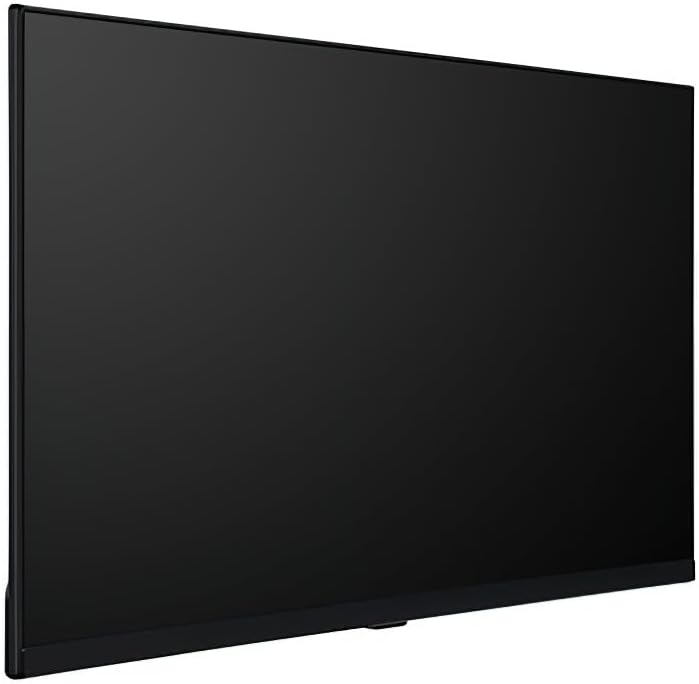
รูปที่ 4.2: ด้านโปรfile of the Avarro V2-P55ES Commercial Display. A side view highlighting the slim design of the Avarro V2-P55ES display.

รูปที่ 4.3: หลัง view of the Avarro V2-P55ES Commercial Display showing input ports. This image displays the rear panel of the Avarro V2-P55ES, detailing the various input and output ports, including HDMI, DisplayPort, and USB.
5. การตั้งค่า
5.1. Mounting or Stand Installation
The display can be mounted on a wall using a VESA-compatible mount (200 x 200 mm) or placed on its included stand. Follow the instructions provided with your chosen mounting solution or the display stand for secure installation. Ensure the display is placed on a stable, level surface if using the stand.
5.2. อุปกรณ์เชื่อมต่อ
Connect your source devices (e.g., computer, media player) to the display using the appropriate cables. The display features:
- อินพุต HDMI 2 ช่อง
- 2 DisplayPorts
- 2 USB Ports (1x USB 3.0, 1x USB 2.0)
Insert the power cord into the display's power input and then into a grounded electrical outlet (100-240 VAC).
5.3. เปิดเครื่องครั้งแรก
Press the power button on the display or the remote control to turn on the unit. The display will typically show the Avarro logo before displaying the input source.
6. Operating Your Display
6.1. รีโมทคอนโทรล
Use the provided remote control to navigate the display's menus, adjust settings, and switch input sources. Familiarize yourself with the buttons for power, volume, input selection, and menu navigation.
6.2. การเลือกแหล่งอินพุต
To switch between connected devices, press the 'Input' or 'Source' button on the remote control. A menu will appear, allowing you to select HDMI1, HDMI2, DisplayPort1, DisplayPort2, or other available inputs.
6.3. การตั้งค่าภาพและเสียง
Access the display's main menu to adjust picture settings such as brightness, contrast, color, and sharpness. Sound settings, including volume and audio modes, can also be configured here. The display offers 350 Nits brightness for clear visuals.
6.4. การเชื่อมต่อเครือข่าย
The display supports Wi-Fi and Bluetooth connectivity. Navigate to the network settings in the main menu to connect to a wireless network or pair Bluetooth devices. This enables features like content streaming or remote management.
6.5 การเล่นสื่อ USB
Insert a USB drive into one of the available USB ports (USB 3.0 or USB 2.0) to access media files. The display's media player can be used to browse and play compatible photos, videos, or audio files directly from the USB storage.

รูปที่ 6.1: The Avarro V2-P55ES display integrated into a professional meeting environment, showcasing its use for presentations and data visualization.

รูปที่ 6.2: The Avarro V2-P55ES display used in a retail setting, demonstrating its capability for digital signage and advertising.
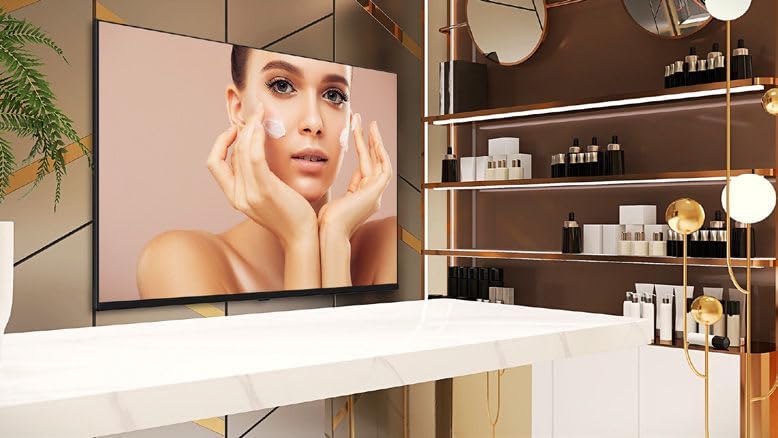
รูปที่ 6.3: The Avarro V2-P55ES display presenting high-quality visual content for a beauty product advertisement.

รูปที่ 6.4: Several Avarro V2-P55ES displays mounted in a sports bar, illustrating their use for entertainment and live event broadcasting.
7. การบำรุงรักษา
7.1. การทำความสะอาดจอแสดงผล
ในการทำความสะอาดหน้าจอ ให้เช็ดเบาๆ ด้วยผ้านุ่มที่ไม่เป็นขุย สำหรับรอยฝังแน่น ให้...ampen the cloth slightly with water or a non-abrasive screen cleaner. Avoid using harsh chemicals or abrasive materials that could damage the screen surface. Ensure the display is powered off and unplugged before cleaning.
7.2. การจัดเก็บ
If storing the display for an extended period, ensure it is powered off, unplugged, and stored in a cool, dry place away from direct sunlight and extreme temperatures. Use the original packaging if available to protect it from dust and physical damage.
8 การแก้ไขปัญหา
Refer to the table below for solutions to common issues:
| ปัญหา | สารละลาย |
|---|---|
| ไม่มีไฟฟ้า | ตรวจสอบว่าสายไฟเชื่อมต่อกับจอแสดงผลและปลั๊กไฟอย่างแน่นหนาแล้ว และตรวจสอบให้แน่ใจว่าปลั๊กไฟใช้งานได้ปกติ |
| ไม่มีรูปภาพ | Verify the input source is correctly selected. Check cable connections between the source device and the display. Ensure the source device is powered on. |
| คุณภาพของภาพไม่ดี | Adjust picture settings (brightness, contrast, sharpness) in the display menu. Ensure the source device is outputting a high-resolution signal. |
| รีโมตคอนโทรลไม่ทำงาน | Check and replace batteries. Ensure there are no obstructions between the remote and the display's IR sensor. |
| ไม่มีเสียง | Increase the volume. Check audio settings in the display menu. Ensure the source device's audio output is enabled. |
9. ข้อมูลจำเพาะทางเทคนิค
| คุณสมบัติ | ข้อมูลจำเพาะ |
|---|---|
| หมายเลขรุ่น | V2-P55ES |
| ขนาดหน้าจอ | 55 นิ้ว (เส้นทแยงมุม 54.6 นิ้ว) |
| ความละเอียดการแสดงผล | 3840 x 2160 (4K UHD) |
| อัตราส่วนภาพ | 16:9 น. |
| ความสว่าง | 350 Nits (candela_per_square_meter) |
| เวลาทำการ | 16/7 |
| เทคโนโลยีแบ็คไลท์ | DLED แบบบาง |
| อินพุต HDMI | 2 |
| ดิสเพลย์พอร์ต | 2 |
| พอร์ต USB | 2 (1x USB 3.0, 1x USB 2.0) |
| บลูทูธ | ใช่ |
| แรม | แรม 2GB DDR4 |
| Solid State Drive Capacity | 16GB อีเอ็มซี |
| ความเร็วของโปรเซสเซอร์ | 1.5 กิกะเฮิรตซ์ |
| มาตรฐาน VESA Mount | 200 x 200 มม. |
| อินพุต Voltage | 100-240 VAC |
| ขนาดสินค้า (กว้าง x สูง x ลึก) | 28 x 48.5 x 2.6 นิ้ว |
| น้ำหนักสินค้า | 29.2 ปอนด์ |
| ความกว้างของขอบ | 0.59" (bottom), 0.10" (right, left, top) |
| คำอธิบายพื้นผิวหน้าจอ | มันเงา |
10. การรับประกันและการสนับสนุนลูกค้า
This product comes with a standard manufacturer's warranty. Please refer to the warranty card included in your package for specific terms and conditions, including coverage duration and limitations. For technical assistance, troubleshooting beyond this manual, or warranty claims, please contact your retailer or the manufacturer's customer support. Keep your purchase receipt as proof of purchase.


