
1. บทนำ
Thank you for choosing the STF Eco RE3 On-Ear Headphones. These headphones are designed to provide a high-quality audio experience with reinforced bass and a long-lasting 50-hour battery. Constructed with biodegradable wheat straw fiber, they offer an environmentally conscious choice. This manual will guide you through the setup, operation, and maintenance of your new headphones.
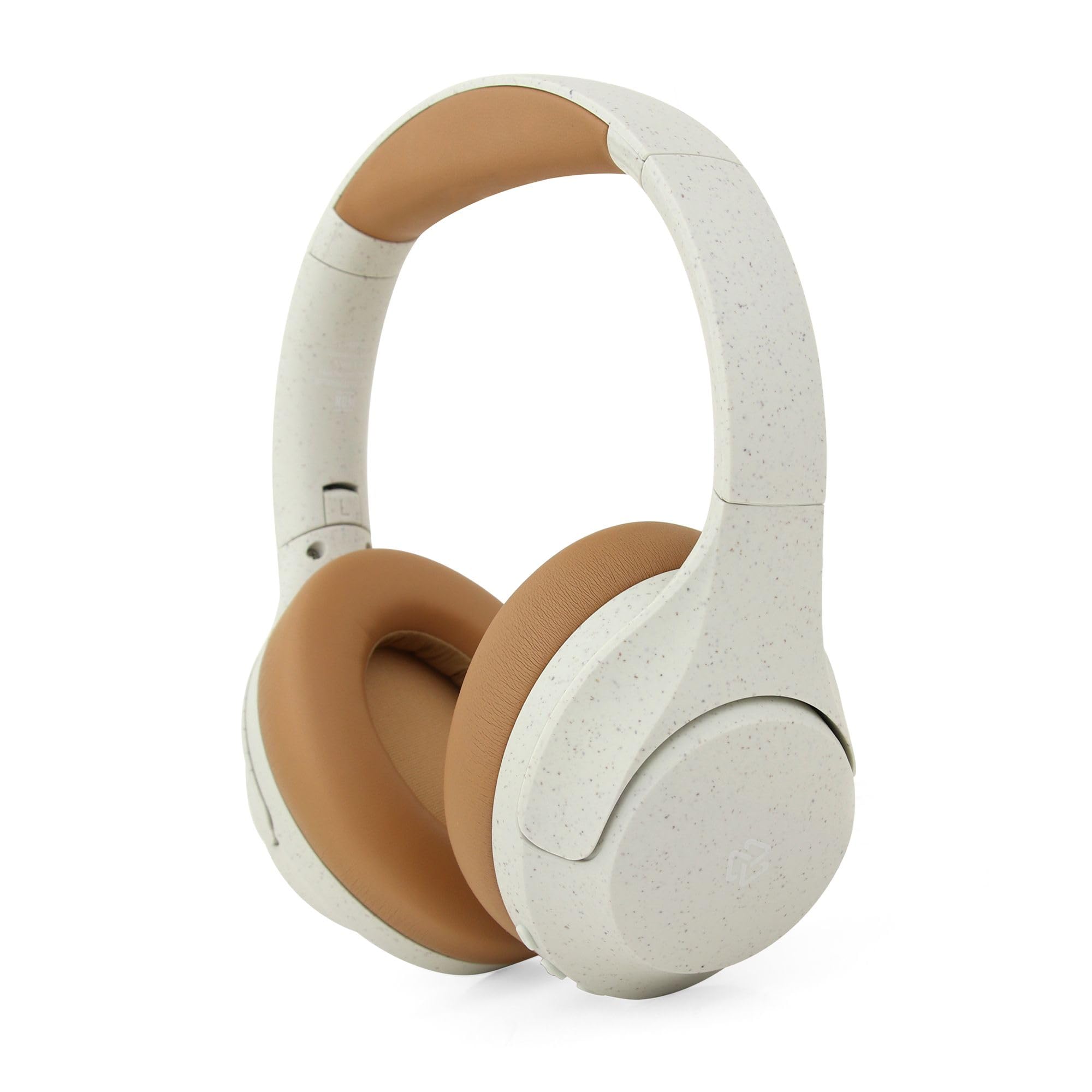
Figure 1: STF Eco RE3 On-Ear Headphones in use, showcasinคุณสมบัติหลักของ g
2. เนื้อหาบรรจุภัณฑ์
ตรวจสอบให้แน่ใจว่ามีรายการทั้งหมดอยู่ในบรรจุภัณฑ์:
- STF Eco RE3 On-Ear Headphones
- สายชาร์จ USB
- คู่มือการใช้งาน
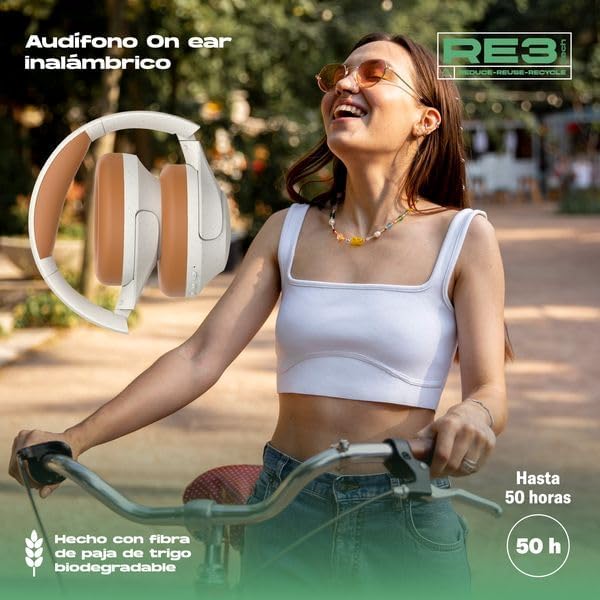
Figure 2: Retail packaging of the STF Eco RE3 On-Ear Headphones.
3. การตั้งค่า
3.1 การชาร์จหูฟัง
- เชื่อมต่อสายชาร์จ USB เข้ากับพอร์ตชาร์จบนหูฟัง
- เชื่อมต่อปลายสายอีกด้านหนึ่งเข้ากับอะแดปเตอร์ไฟ USB (ไม่รวมอยู่ด้วย) หรือพอร์ต USB ของคอมพิวเตอร์
- The LED indicator will show the charging status. A full charge provides approximately 50 hours of playback.
3.2 การจับคู่บลูทูธ
- ตรวจสอบให้แน่ใจว่าหูฟังชาร์จเต็มแล้ว
- กดปุ่มเปิด/ปิดค้างไว้จนกระทั่งไฟ LED แสดงสถานะกะพริบเป็นสีน้ำเงินและสีแดง แสดงถึงโหมดจับคู่
- บนอุปกรณ์ของคุณ (สมาร์ทโฟน แท็บเล็ต คอมพิวเตอร์) เปิดใช้งาน Bluetooth และค้นหาอุปกรณ์ที่มีอยู่
- Select "STF Eco RE3" from the list of devices.
- เมื่อเชื่อมต่อแล้ว ไฟ LED จะเปลี่ยนเป็นสีน้ำเงินทึบหรือกะพริบสีน้ำเงินช้าๆ
4. คู่มือการใช้งาน
4.1 เปิด/ปิดเครื่อง
- เปิดเครื่อง: กดปุ่มเปิด/ปิดค้างไว้ 3 วินาที
- หมดแรง: กดปุ่มเปิด/ปิดค้างไว้ 5 วินาที
4.2 การเล่นเพลง
- เล่น/หยุดชั่วคราว: กดปุ่มมัลติฟังก์ชั่นหนึ่งครั้ง
- เพลงถัดไป: กดปุ่มเพิ่มระดับเสียง (+) ค้างไว้
- แทร็กก่อนหน้า: กดปุ่มลดระดับเสียง (-) ค้างไว้
4.3 การควบคุมระดับเสียง
- ปรับระดับเสียงขึ้น: กดปุ่มเพิ่มระดับเสียง (+)
- ลดเสียงลง: กดปุ่มลดระดับเสียง (-)
4.4 Call Handling (with Built-in Microphone)
- รับ/วางสาย: กดปุ่มมัลติฟังก์ชั่นหนึ่งครั้ง
- ปฏิเสธสาย: กดปุ่มมัลติฟังก์ชั่นค้างไว้ 2 วินาที
- ผู้ช่วยเสียง: กดปุ่มมัลติฟังก์ชันสองครั้งเพื่อเปิดใช้งานผู้ช่วยเสียงของอุปกรณ์

Figure 3: Key features and controls of the STF Eco RE3 On-Ear Headphones.
5. การบำรุงรักษา
To ensure the longevity and optimal performance of your STF Eco RE3 headphones, follow these maintenance guidelines:
- การทำความสะอาด: ใช้ผ้าแห้งนุ่มๆ เช็ดทำความสะอาดหูฟัง หลีกเลี่ยงการใช้สารเคมีรุนแรงหรือวัสดุที่มีฤทธิ์กัดกร่อน
- พื้นที่จัดเก็บ: เก็บหูฟังไว้ในที่แห้งและเย็น หลีกเลี่ยงแสงแดดโดยตรงและอุณหภูมิที่สูงหรือต่ำเกินไป
- การสัมผัสน้ำ: หูฟังเหล่านี้ไม่กันน้ำ หลีกเลี่ยงการสัมผัสกับน้ำหรือความชื้นมากเกินไป
- Biodegradable Material Care: The wheat straw fiber material is durable but should be handled with care to prevent damage.
6 การแก้ไขปัญหา
| ปัญหา | สารละลาย |
|---|---|
| หูฟังไม่สามารถเปิดเครื่องได้ | Ensure the headphones are fully charged. Connect to a power source and allow time to charge. |
| ไม่สามารถจับคู่กับอุปกรณ์ได้ | Make sure the headphones are in pairing mode (flashing blue/red). Turn off and on Bluetooth on your device. Move closer to the device. |
| ไม่มีเสียงหรือเสียงเบา | Check volume levels on both the headphones and your connected device. Ensure the headphones are properly connected. |
| การเชื่อมต่อไม่ต่อเนื่อง | Ensure no obstacles are between the headphones and your device. Move away from other wireless devices that may cause interference. |
7. ข้อมูลจำเพาะ
| คุณสมบัติ | รายละเอียด |
|---|---|
| ยี่ห้อ | สทฟ. |
| แบบอย่าง | ST-H08922 |
| สี | สีขาว |
| การวางตำแหน่งหู | On-Ear (Supraaurales) |
| เทคโนโลยีการเชื่อมต่อ | ไร้สาย (Bluetooth) |
| ไมโครโฟน | รวมอยู่ด้วย |
| วัสดุ | Biodegradable Wheat Straw Fiber |
| อายุการใช้งานแบตเตอรี่ | นานถึง 50 ชั่วโมง |
| วิธีการควบคุม | รีโมทคอนโทรล |
8. การรับประกันและการสนับสนุน
8.1 ข้อมูลการรับประกัน
The STF Eco RE3 On-Ear Headphones come with a รับประกัน 1 ปี นับจากวันที่ซื้อ การรับประกันนี้ครอบคลุมข้อบกพร่องจากการผลิต แต่ไม่ครอบคลุมความเสียหายที่เกิดจากการใช้งานผิดวิธี อุบัติเหตุ การดัดแปลงโดยไม่ได้รับอนุญาต หรือการสึกหรอตามปกติ
8.2 การสนับสนุนลูกค้า
For technical support, warranty claims, or any questions regarding your STF Eco RE3 headphones, please contact STF customer service through their official website or the retailer where the product was purchased. Please have your proof of purchase and product model number (ST-H08922) ready when contacting support.