
การแนะนำ
The LeTianPai Rux is an advanced Android-powered desktop robot designed for practical utility and entertainment. It integrates large artificial intelligence models with a voice control system supporting 15 languages, allowing for seamless interaction with GPT.
Rux boasts robust entertainment capabilities and leverages its powerful hardware for a wide variety of recreational interactions. With a compact height of just 15cm, it seamlessly fits into your desktop environment, adding vitality and fun to your workspace.
This manual provides essential information for setting up, operating, and maintaining your Rux robot, ensuring an optimal user experience.
มีอะไรอยู่ในกล่อง
Upon unboxing your LeTianPai Rux robot, you should find the following items:
- LeTianPai Rux AI-ChatGPT Smart Desktop Robot
- สาย USB-C
- คู่มือการใช้งาน
- สถานีชาร์จ
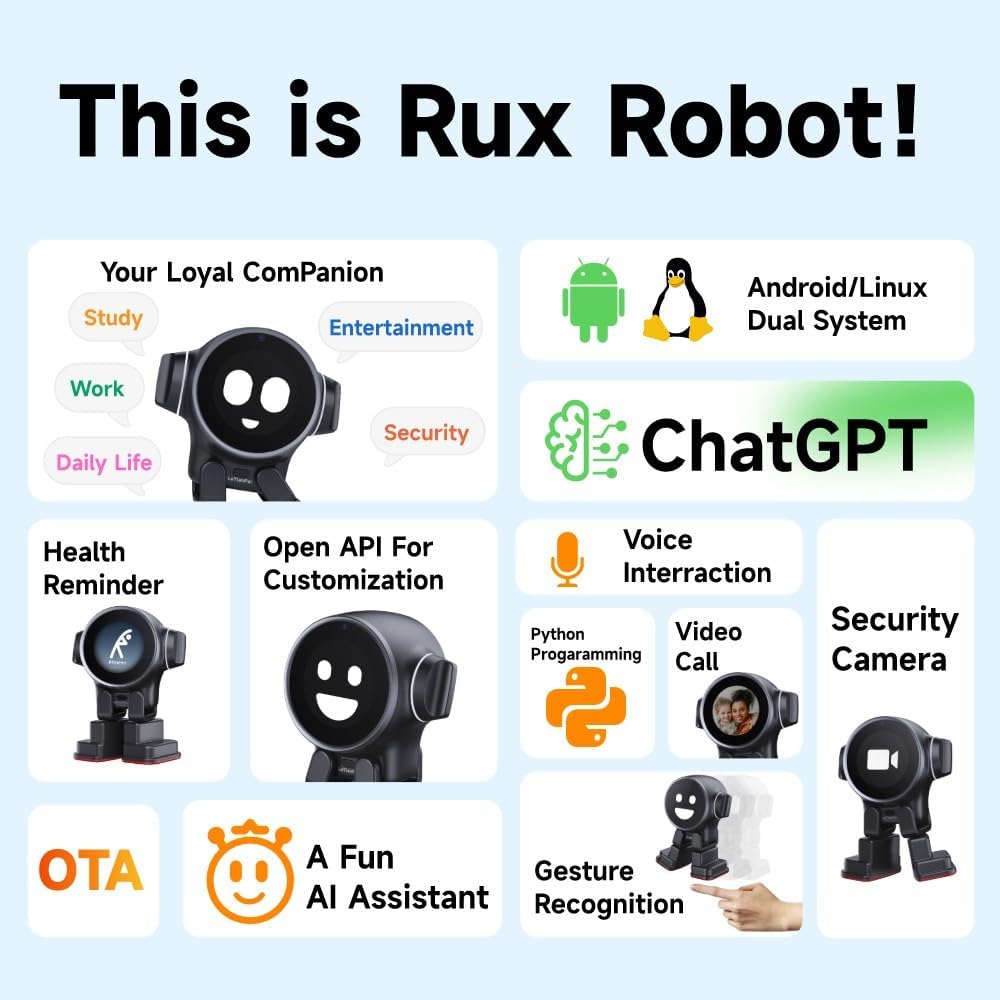
Image: The LeTianPai Rux robot shown with its charging station, USB-C cable, and user manual, illustrating the complete package contents.
การตั้งค่า
- การชาร์จครั้งแรก: Before first use, place your Rux robot on its charging station and connect the USB-C cable to a compatible 5V/3A charger. Allow approximately 2 hours for a full charge.
- การติดตั้งแอป: Download and install the official LeTianPai Rux companion app on your smartphone (iOS or Android).
- การจับคู่: Follow the in-app instructions to pair your Rux robot with your smartphone via Bluetooth.
- API Key Setup: For full AI functionality, you will need to set up your own API key for ChatGPT within the Rux app. Refer to the app's instructions for detailed steps.
- การจัดวาง: Ensure Rux is placed on a light-colored, stable surface for optimal sensor performance and movement. Avoid dark surfaces, as this may affect its ability to navigate and interact correctly.

Image: The Rux robot is shown resting on its charging station, indicating it is ready for power replenishment.
คำแนะนำการใช้งาน
Voice Control & AI Interaction
Rux supports voice commands in 15 languages. Simply address Rux to initiate conversations and interact with its integrated GPT AI model. This allows for intelligent and intuitive responses.
Entertainment & Interaction
Rux can engage in various recreational interactions. Utilize its touch sensors on the head and body for different responses. It also features gesture recognition for specific commands.

Image: The Rux robot is shown on a desk, displaying various expressions and interacting with a person through speech bubbles, demonstrating its conversational abilities.
Security & Communication
Rux is equipped with a 5MP wide-angle camera, face recognition, and two-way audio, allowing it to safeguard your home. It can also facilitate video calls.
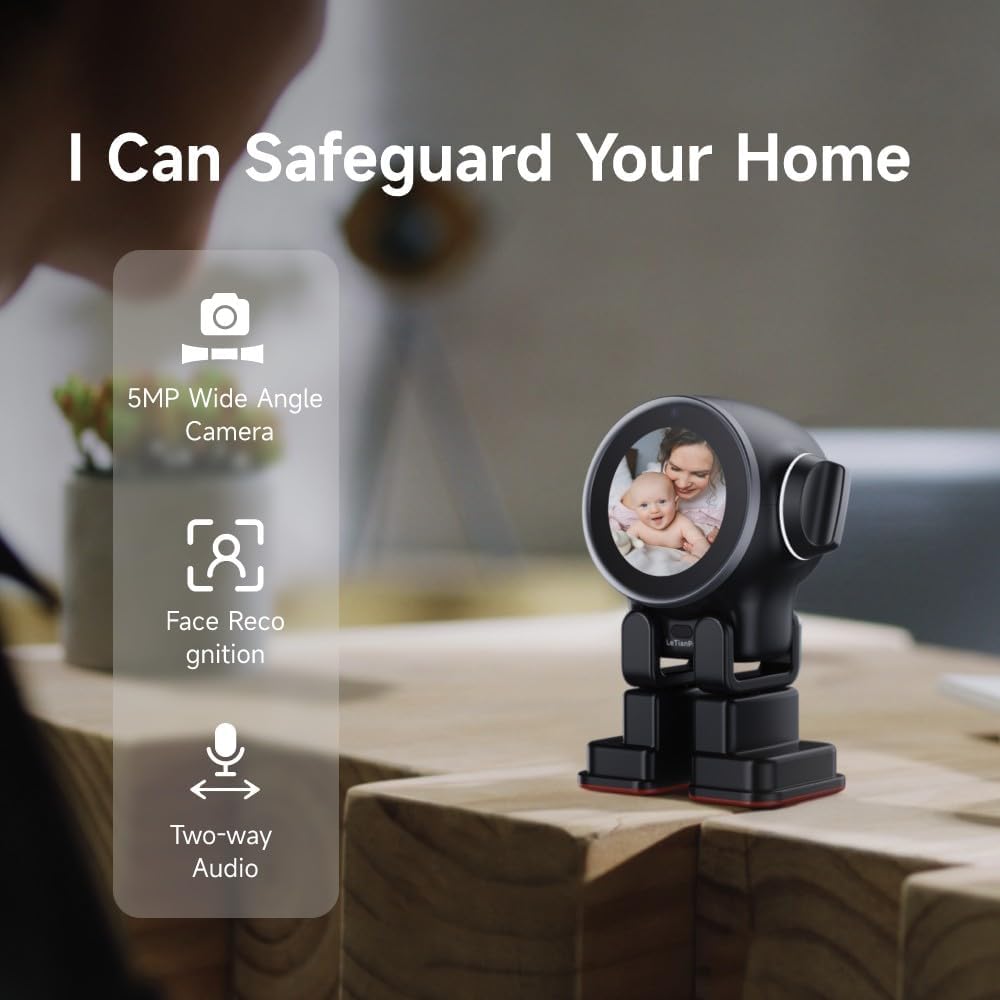
Image: The Rux robot is depicted with icons highlighting its 5MP wide-angle camera, face recognition, and two-way audio capabilities, emphasizing its role in home security.
Programming & Customization
Rux supports both Android and Linux dual systems, allowing for true programmability. You can directly use the Linux system and implement functions through Python programming.

Image: The Rux robot is shown next to a screen displaying programming code, illustrating its programmable nature and support for Linux and Python.
คุณสมบัติมากกว่าview
- Central Processor: เอ55
- หน่วยความจำ: Built-in 4GB RAM / 32GB ROM
- ระบบปฏิบัติการ: Android/Linux Dual System
- การควบคุมด้วยเสียง: Integrated with large AI models, supports 15 languages, seamless GPT interaction.
- เซ็นเซอร์: 18 sensors for environmental perception, 5-in-1 Radar Smart Sensor (from A+ content).
- กล้อง: 5MP wide-angle camera with face recognition.
- เสียง: Ring microphone x4 (360° perception of sound source), 3W speaker, two-way audio.
- แสดง: 2.1 inch color screen for expressions.
- ความคล่องตัว: Micro servo motor x4 for movement.
- การเชื่อมต่อ: OTA (Over-The-Air) updates.
- ฟังก์ชั่นเพิ่มเติม: Health Reminder, Meditation Assistance, Emergency Assistance, Gesture Recognition, Automatic Recharging.

ภาพ: ระเบิด view of the Rux robot highlighting its internal components such as the quad-core A55 CPU, Android system, 18 sensors, 5MP camera, microphones, speaker, and micro servo motors.
การซ่อมบำรุง
- การทำความสะอาด: Use a soft, dry cloth to gently wipe the exterior of the Rux robot. Avoid using harsh chemicals or abrasive materials.
- การอัปเดตซอฟต์แวร์: Regularly check for and install OTA updates through the companion app to ensure optimal performance and access to new features.
- การดูแลแบตเตอรี่ For prolonged battery life, avoid completely draining the battery frequently. Charge Rux when the battery level is low.
การแก้ไขปัญหา
- API Connection Issues: If Rux cannot connect to ChatGPT, verify your API key is correctly entered in the app. Ensure your internet connection is stable.
- อายุการใช้งานแบตเตอรี่สั้น: The battery is rated for approximately 4 hours of continuous use. If you experience significantly shorter battery life, ensure Rux is fully charged before use.
- Movement/Interaction Problems: Rux's sensors may be affected by dark surfaces. Ensure it is placed on a light-colored, non-reflective surface for optimal performance.
- ประเด็นอื่นๆ: For any other questions or issues, please do not hesitate to contact our technical and after-sales teams for prompt assistance.
ข้อมูลจำเพาะ
| ขนาดสินค้า | 4.57 x 2.9 x 6.1 นิ้ว |
| น้ำหนักสินค้า | 1 ปอนด์ |
| หมายเลขรุ่นสินค้า | เอเอดี2ซี |
| แบตเตอรี่ | ต้องใช้แบตเตอรี่ลิเธียมไอออน 1 ก้อน (รวมอยู่ด้วย) |
| ผู้ผลิต | Beijing Renhejia Technology Co., Ltd |
การรับประกันและการสนับสนุน
LeTianPai is committed to providing excellent customer support. For any questions you may encounter during use, please do not hesitate to contact us immediately. Our technical and after-sales teams will assist you promptly in understanding product usage tips and resolving any issues you may face.
โปรดดูเอกสารประกอบการซื้อสำหรับรายละเอียดการรับประกันเฉพาะเจาะจง
วิดีโอผลิตภัณฑ์อย่างเป็นทางการ
วิดีโอ: จบแล้วview of the Loona Petbot, showcasing its interactive features and capabilities as an intelligent companion robot. While this video features a similar product, it demonstrates the general functionality and appeal of smart pet robots.