
BoxWave bw-14-52905-0
BoxWave DirectSync Cable User Manual
For Yada RoadCam 1080p HD Dash Cam (BT58186-6/2)
1. บทนำ
The BoxWave DirectSync Cable is designed to provide reliable charging and high-speed data synchronization for your Yada RoadCam 1080p HD Dash Cam (BT58186-6/2). This manual outlines the features, setup, operation, maintenance, and specifications of your DirectSync Cable to ensure optimal performance.
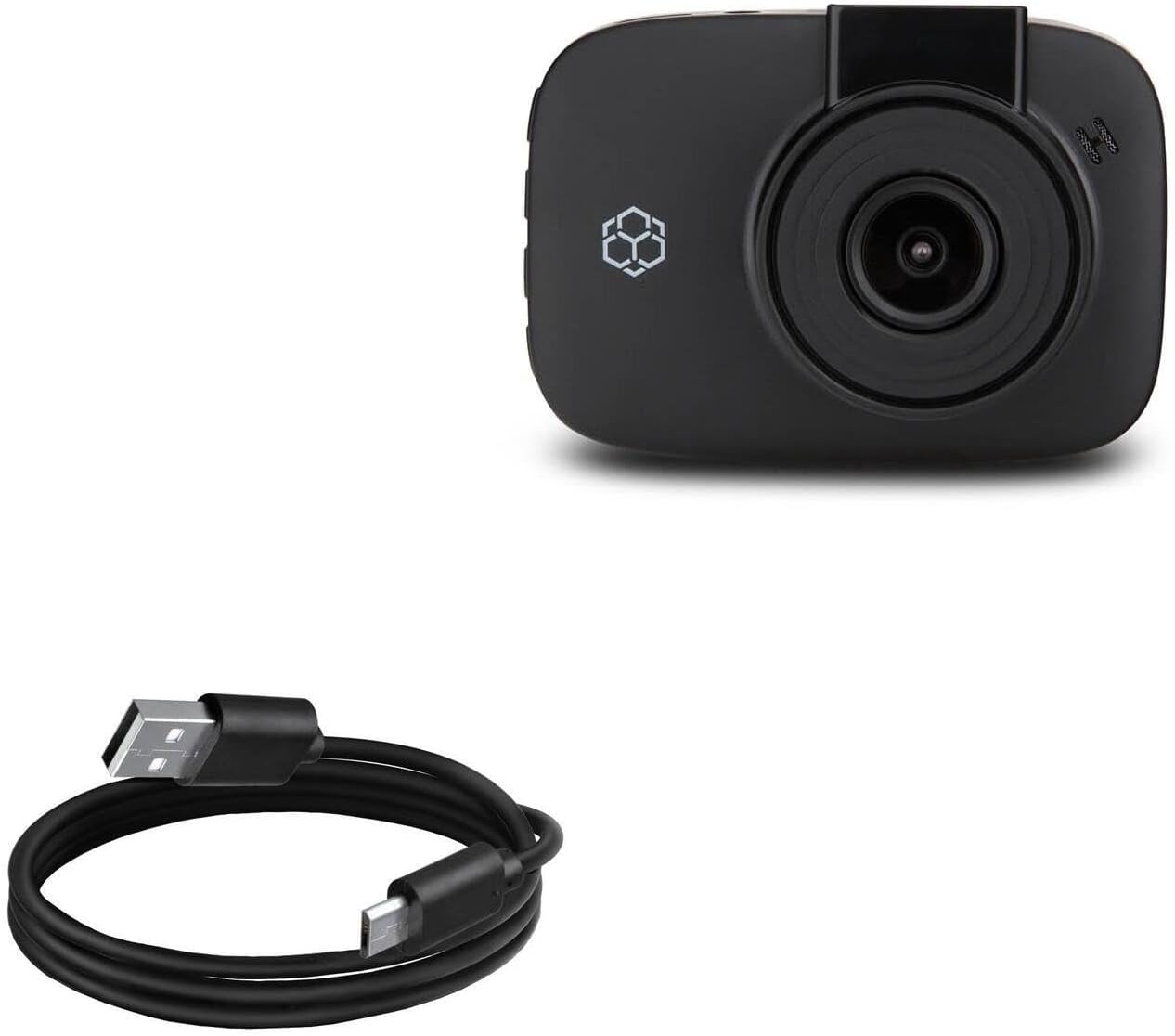
Image 1.1: The BoxWave DirectSync Cable. This image displays the black USB-A to Micro-USB cable, coiled neatly.
2. คุณสมบัติของผลิตภัณฑ์
The DirectSync Cable offers several key features for efficient and durable use:
- Hi-Speed USB 2.0 Support: Facilitates data transfers at speeds up to 480Mbps.
- Dual-Functionality: Simultaneously charges your device and transfers data, enhancing convenience.
- โครงสร้างทนทาน: Engineered for longevity and consistent performance.
- Reinforced Strain Relief: Features strong rubberized grommet strain reliefs at connector points to prevent kinking and splitting, extending the cable's lifespan.
- ความยาวที่กว้างขวาง: จัดเตรียมให้ ample length for flexible placement and connection.

Image 2.1: The DirectSync Cable connected to a laptop and a smartphone, illustrating its charge and sync capabilities.
3. คำแนะนำในการตั้งค่า
Follow these steps to connect your DirectSync Cable:
- ระบุตัวเชื่อมต่อ: The cable has a standard USB-A connector on one end and a Micro-USB connector on the other.
- เชื่อมต่อกับแหล่งจ่ายไฟ/คอมพิวเตอร์: Insert the USB-A end of the cable into a compatible USB port on a power adapter, car charger, or computer.
- เชื่อมต่อกับอุปกรณ์: Insert the Micro-USB end of the cable into the Micro-USB port on your Yada RoadCam 1080p HD Dash Cam.
- ตรวจสอบการเชื่อมต่อ: Ensure both ends are securely seated. Your device should indicate that it is charging or connected for data transfer.
4. คู่มือการใช้งาน
Using your DirectSync Cable for charging and data transfer:
4.1. การชาร์จอุปกรณ์ของคุณ
- เชื่อมต่อสายเคเบิลตามที่อธิบายไว้ในหัวข้อ 3
- When connected to a power source (e.g., wall adapter, car charger), your Yada RoadCam will begin charging.
- สังเกตหน้าจออุปกรณ์ของคุณเพื่อดูไฟแสดงสถานะการชาร์จ
4.2. การโอนข้อมูล
- Connect the USB-A end to a computer's USB port and the Micro-USB end to your Yada RoadCam.
- Your computer should recognize the connected device. You may need to select a 'data transfer' or 'mass storage' mode on your dash cam, if prompted.
- Access your device's files through your computer's file explorer to transfer videos, photos, or other data.
5. การบำรุงรักษา
Proper care will extend the life of your DirectSync Cable:
- พื้นที่จัดเก็บ: เก็บสายเคเบิลไว้ในที่แห้งและเย็น หลีกเลี่ยงแสงแดดโดยตรงและอุณหภูมิที่สูงหรือต่ำเกินไป หลีกเลี่ยงการม้วนหรือดัดสายเคเบิลเป็นมุมแหลมมากเกินไป
- การทำความสะอาด: เช็ดสายเคเบิลและขั้วต่อเบาๆ ด้วยผ้าแห้งนุ่มๆ เพื่อกำจัดฝุ่นหรือเศษต่างๆ ห้ามใช้น้ำยาทำความสะอาดหรือวัสดุขัดถู
- การจัดการ: Always grasp the connector head when plugging or unplugging the cable. Avoid pulling directly on the cable itself, as this can damage the internal wires or strain relief.

ภาพที่ 5.1: ภาพระยะใกล้ view of the reinforced strain relief on the DirectSync Cable, designed to prevent damage from bending.
6 การแก้ไขปัญหา
If you encounter issues with your DirectSync Cable, consider the following:
- สายเคเบิลไม่ชาร์จ:
- ตรวจสอบให้แน่ใจว่าปลายทั้งสองข้างของสายเคเบิลเชื่อมต่ออย่างแน่นหนา
- ลองใช้แหล่งพลังงานอื่นหรือพอร์ต USB
- Test the cable with another compatible device, if available, to determine if the issue is with the cable or the device/power source.
- Cable Not Syncing Data:
- Verify the cable is firmly connected to both your device and computer.
- Ensure your computer's operating system and device drivers are up to date.
- Check your Yada RoadCam settings to ensure it is set to 'data transfer' or 'mass storage' mode when connected to a computer.
- ลองใช้พอร์ต USB อื่นบนคอมพิวเตอร์ของคุณ
- ความเสียหายทางกายภาพ: Inspect the cable for any visible signs of damage, such as cuts, fraying, or bent connectors. A damaged cable should be replaced.
7. ข้อมูลจำเพาะ
| คุณสมบัติ | ข้อมูลจำเพาะ |
|---|---|
| หมายเลขรุ่น | บีดับบลิว-14-52905-0 |
| น้ำหนักสินค้า | 1.7 ออนซ์ |
| ขนาดแพ็คเกจ | 3.82 x 1.18 x 0.55 นิ้ว |
| มาตรฐาน USB | USB 2.0 (up to 480Mbps data transfer) |
| ประเภทสายเคเบิล | USB-A to Micro-USB |
| ความยาวสายเคเบิล | ประมาณ 3 ฟุต |

Image 7.1: A measuring tape indicating the cable's approximate length of 3 feet.

Image 7.2: The Hi-Speed USB 2.0 logo, indicating the cable's data transfer standard.
8. การรับประกันและการสนับสนุน
For information regarding the warranty of your BoxWave DirectSync Cable, please refer to the official BoxWave website or contact BoxWave customer support directly. Any specific technical support for the Yada RoadCam 1080p HD Dash Cam (BT58186-6/2) should be directed to Yada's official support channels.
Ask a question about this manual
Ask about setup, troubleshooting, compatibility, parts, safety, or missing instructions. Manuals+ will review the question and use this page’s manual context to help answer it.