
การแนะนำ
Thank you for choosing the T&G Wireless Speaker TG619C. This manual provides essential information for setting up, operating, and maintaining your new portable speaker. Please read this manual carefully before use to ensure optimal performance and longevity of your device.
The T&G Wireless Speaker TG619C is designed to deliver rich, immersive audio with the convenience of wireless connectivity. It features a 1200mAh battery for extended playtime and supports various audio sources including Bluetooth, memory cards, and USB drives.
ข้อมูลด้านความปลอดภัย
- อย่าให้ลำโพงโดนน้ำ ความชื้น หรืออุณหภูมิที่สูงหรือต่ำเกินไป
- หลีกเลี่ยงการทำตกหรือให้ลำโพงได้รับแรงกระแทกรุนแรง
- ห้ามพยายามถอดประกอบ ซ่อมแซม หรือดัดแปลงลำโพงด้วยตนเอง หากจำเป็น โปรดติดต่อเจ้าหน้าที่บริการที่มีคุณสมบัติเหมาะสม
- ควรวางลำโพงให้ห่างจากแหล่งความร้อน แสงแดดโดยตรง และวัสดุที่ติดไฟได้ง่าย
- Use only the provided or a certified charger cable for charging.
- เก็บให้พ้นจากมือเด็ก
เนื้อหาแพ็คเกจ
กรุณาตรวจสอบสิ่งของภายในบรรจุภัณฑ์เมื่อเปิดออก หากมีสินค้าใดสูญหายหรือเสียหาย โปรดติดต่อผู้ค้าปลีกของคุณ
- 1 x T&G Wireless Speaker TG619C
- 1 x สายชาร์จ
สินค้าเกินview
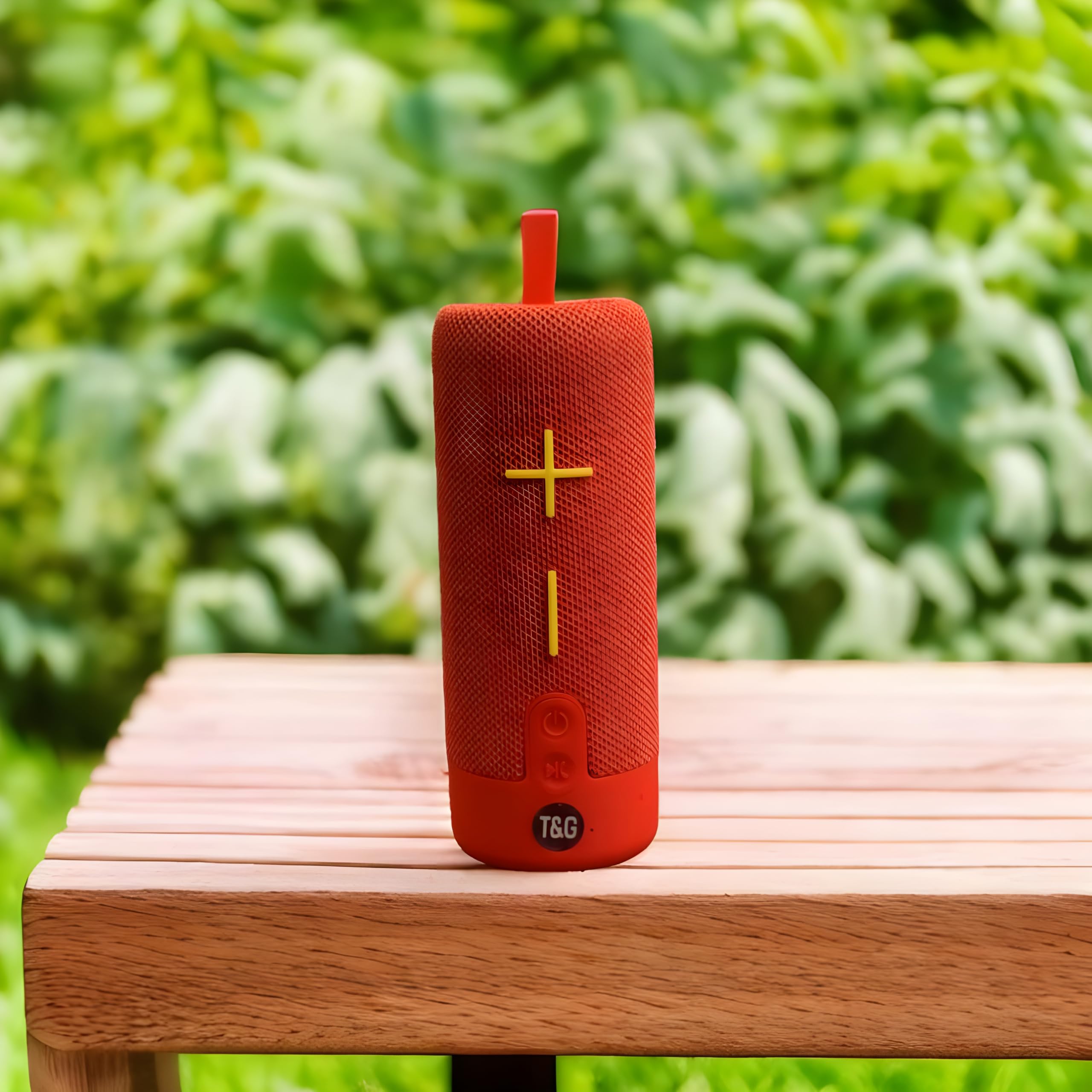
This image displays the T&G Wireless Speaker in red, highlighting its compact, cylindrical design. Visible features include the speaker grille and a control panel with buttons for power, volume, and mode selection.
The T&G Wireless Speaker TG619C is a portable audio device designed for ease of use and versatility. It features a robust speaker grille, intuitive control buttons for power, volume adjustment, track navigation, and mode switching. Input ports for charging, USB drives, and memory cards are typically located on the side or rear of the unit.
การตั้งค่า
การชาร์จลำโพง
Before first use, fully charge the speaker. Connect the provided charger cable to the speaker's charging port and the other end to a USB power adapter (not included) or a computer's USB port. The charging indicator light will illuminate during charging and turn off or change color when fully charged.
การเปิด/ปิดเครื่อง
To power on the speaker, press and hold the power button for a few seconds until you hear an audible prompt or see an indicator light. To power off, press and hold the power button again.
จับคู่บลูทู ธ
- ตรวจสอบให้แน่ใจว่าลำโพงเปิดอยู่และอยู่ในโหมดจับคู่บลูทูธ (โดยปกติจะแสดงด้วยไฟ LED กะพริบ)
- บนสมาร์ทโฟน แท็บเล็ต หรืออุปกรณ์อื่นๆ ที่เปิดใช้งาน Bluetooth ให้ไปที่การตั้งค่า Bluetooth
- ค้นหา available devices and select "T&G Speaker" (or similar name) from the list.
- เมื่อจับคู่เสร็จแล้ว ลำโพงจะส่งเสียงยืนยัน และไฟแสดงสถานะ LED จะหยุดกะพริบโดยปกติ
คำแนะนำการใช้งาน
การเล่นดนตรี
After successful Bluetooth pairing, you can stream audio from your connected device. Use your device's media player to control playback (play/pause, skip tracks).
การควบคุมระดับเสียง
Press the '+' button to increase volume and the '-' button to decrease volume. You can also adjust the volume from your connected device.
การเลือกโหมด
Press the 'M' (Mode) button to switch between available input modes: Bluetooth, Memory Card (TF card), and USB drive. The speaker will announce the current mode.
Using Memory Card/USB Drive
Insert a compatible memory card (TF card) or USB drive into the respective slot. The speaker will automatically detect the storage device and begin playing audio files. Use the track navigation buttons on the speaker to skip songs.
การซ่อมบำรุง
- ทำความสะอาดลำโพงด้วยผ้านุ่มและแห้ง ห้ามใช้น้ำยาทำความสะอาดหรือสารละลายที่มีฤทธิ์กัดกร่อน
- เก็บลำโพงไว้ในที่เย็นและแห้งเมื่อไม่ได้ใช้งาน
- To prolong battery life, avoid fully discharging the battery frequently and charge it regularly, even if not in use for extended periods.
- รักษาพอร์ตให้ปราศจากฝุ่นและเศษขยะ
การแก้ไขปัญหา
| ปัญหา | สารละลาย |
|---|---|
| ลำโพงจะไม่เปิด | Ensure the battery is charged. Connect the charger cable and try again. |
| ไม่มีเสียงจากลำโพง | Check the volume level on both the speaker and your connected device. Ensure the speaker is correctly paired via Bluetooth or the correct input mode is selected. |
| ไม่สามารถจับคู่ผ่านบลูทูธได้ | ตรวจสอบให้แน่ใจว่าลำโพงอยู่ในโหมดจับคู่บลูทูธ (ไฟ LED กระพริบ) ปิดและเปิดบลูทูธบนอุปกรณ์ของคุณ ย้ายลำโพงให้ใกล้กับอุปกรณ์ของคุณมากขึ้น ล้างการเชื่อมต่อบลูทูธก่อนหน้าทั้งหมดบนอุปกรณ์ของคุณ |
| Memory card/USB drive not playing. | Ensure the speaker is in the correct mode (Memory Card/USB). Check that the files on the card/drive are compatible audio formats. Ensure the card/drive is inserted correctly. |
ข้อมูลจำเพาะ
| คุณสมบัติ | รายละเอียด |
|---|---|
| ยี่ห้อ | T&g |
| ชื่อรุ่น | TG619C |
| ประเภทลำโพง | พกพาได้ |
| สี | สีแดง |
| ความจุของแบตเตอรี่ | 1200mAh |
| การเชื่อมต่อ | Wireless (Bluetooth), Memory Card (TF), USB |
| ขนาดสินค้า (ลึก x กว้าง x สูง) | 6.9D x 6.6W x 17.8H เซนติเมตร |
| ส่วนประกอบที่รวมอยู่ | สายชาร์จ |
| ประเทศต้นกำเนิด | จีน |
การรับประกันและการสนับสนุน
สินค้านี้มาพร้อมกับ ไม่มีการรับประกัน ตามข้อกำหนดของผู้ผลิต
For any support inquiries, technical assistance, or issues not covered in this manual, please contact the seller or retailer where the product was purchased. Please retain your proof of purchase for any potential service requests.