
LEMNOI SG7
LEMNOI SG7 Educational Day/Night Alarm Clock - User Manual
Model: SG7 (Rabbit)
การแนะนำ
Thank you for choosing the LEMNOI SG7 Educational Day/Night Alarm Clock. This device is designed to assist children in developing healthy sleep habits through visual cues, gentle alarms, and a comforting night light. Please read this manual carefully to ensure proper use and maintenance of your new alarm clock.

ภาพ: ด้านหน้า view of the LEMNOI SG7 Educational Day/Night Alarm Clock, Rabbit Model, displaying time and temperature.
คุณสมบัติหลัก
- Day/Night Educational Function: Visual cues (sun/moon icons, green/blue light) to indicate wake-up and sleep times.
- Musical Alarm: 7 musical alarm options for a gentle wake-up.
- Digital Display & Temperature Monitor: 12/24-hour format, F/C temperature conversion. Screen activates with sound or touch.
- ฟังก์ชันตั้งปลุกคู่และเลื่อนปลุก: Two customizable alarms with a 9-minute snooze, repeatable up to 3 times.
- ไฟกลางคืน 5 สี: Functions as a wake-up light, multi-color night light, or room clock.
- USB-C ชาร์จใหม่ได้: Built-in 2000 mAh lithium battery.
การตั้งค่า
1. การชาร์จครั้งแรก
Before first use, fully charge the alarm clock using the provided USB-C cable. Connect the cable to the device and a compatible USB power adapter (not included). The charging indicator will show status. A full charge typically takes approximately 3 hours.

Image: The alarm clock connected to a power source via a USB-C cable for charging.
2. ติดกระดุมview
Familiarize yourself with the buttons located on the back of the device:
- ALARM 1 / ALARM 2: ตั้งค่าและเปิดใช้งานนาฬิกาปลุกแต่ละรายการ
- เวลา: ปรับเวลาและวันที่ปัจจุบันให้ถูกต้อง
- SUN/MOON: Configure day/night educational settings.
- ปริมาณ +/-: Adjust alarm and sound volume.
- °C/°F: Switch temperature display unit.
- SOUND & LIGHT: Select alarm sounds and light colors.
- เปิด/ปิด/แสง: Power on/off, activate/deactivate screen light.
Video: A demonstration of the buttons on the back of the LEMNOI SG7 alarm clock and their functions.
คำแนะนำการใช้งาน
1. การตั้งเวลา
- กดปุ่มค้างไว้ เวลา button for 3 seconds. The hour display will flash.
- ใช้ ปริมาณ +/- ปุ่มเพื่อปรับชั่วโมง
- กด เวลา อีกครั้งเพื่อเปลี่ยนเป็นการปรับนาที ใช้ ปริมาณ +/- เพื่อตั้งค่านาที
- กด เวลา เพื่อยืนยันและออก
2. Setting Alarms (ALARM 1 / ALARM 2)
- กดค้างไว้ทั้ง นาฬิกาปลุก 1 or นาฬิกาปลุก 2 button for 3 seconds. The hour display will flash.
- ใช้ ปริมาณ +/- เพื่อตั้งเวลาปลุกที่ต้องการ
- กดปุ่มที่เกี่ยวข้อง เตือน button again to switch to minute adjustment. Use ปริมาณ +/- เพื่อตั้งค่านาที
- กดปุ่ม เตือน button to select the alarm sound (7 options available).
- กดปุ่ม เตือน button to select the alarm days (e.g., Mon-Fri, Sat-Sun, or all days).
- กดปุ่ม เตือน กดปุ่มเพื่อยืนยันและเปิดใช้งานสัญญาณเตือน ไอคอนสัญญาณเตือนจะปรากฏบนหน้าจอแสดงผล
To activate the snooze function when an alarm sounds, press the เลื่อน button on top of the clock. The alarm will pause for 9 minutes and sound again. This can be repeated up to 3 times.

Image: A child sleeping with the alarm clock on a bedside table, illustrating the snooze function.
3. Day/Night Educational Settings
This feature uses visual cues to help children understand when it's time to wake up or sleep.
- กดปุ่มค้างไว้ พระอาทิตย์/พระจันทร์ button for 3 seconds. The wake-up time hour will flash.
- ใช้ ปริมาณ +/- to set the desired wake-up hour.
- กด พระอาทิตย์/พระจันทร์ again to set wake-up minutes.
- กด พระอาทิตย์/พระจันทร์ again to set the sleep time hour.
- กด พระอาทิตย์/พระจันทร์ again to set sleep minutes.
- กด พระอาทิตย์/พระจันทร์ เพื่อยืนยัน.
When the set wake-up time approaches, the clock will display a green light and sun icon. For sleep time, a blue light and moon icon will appear.
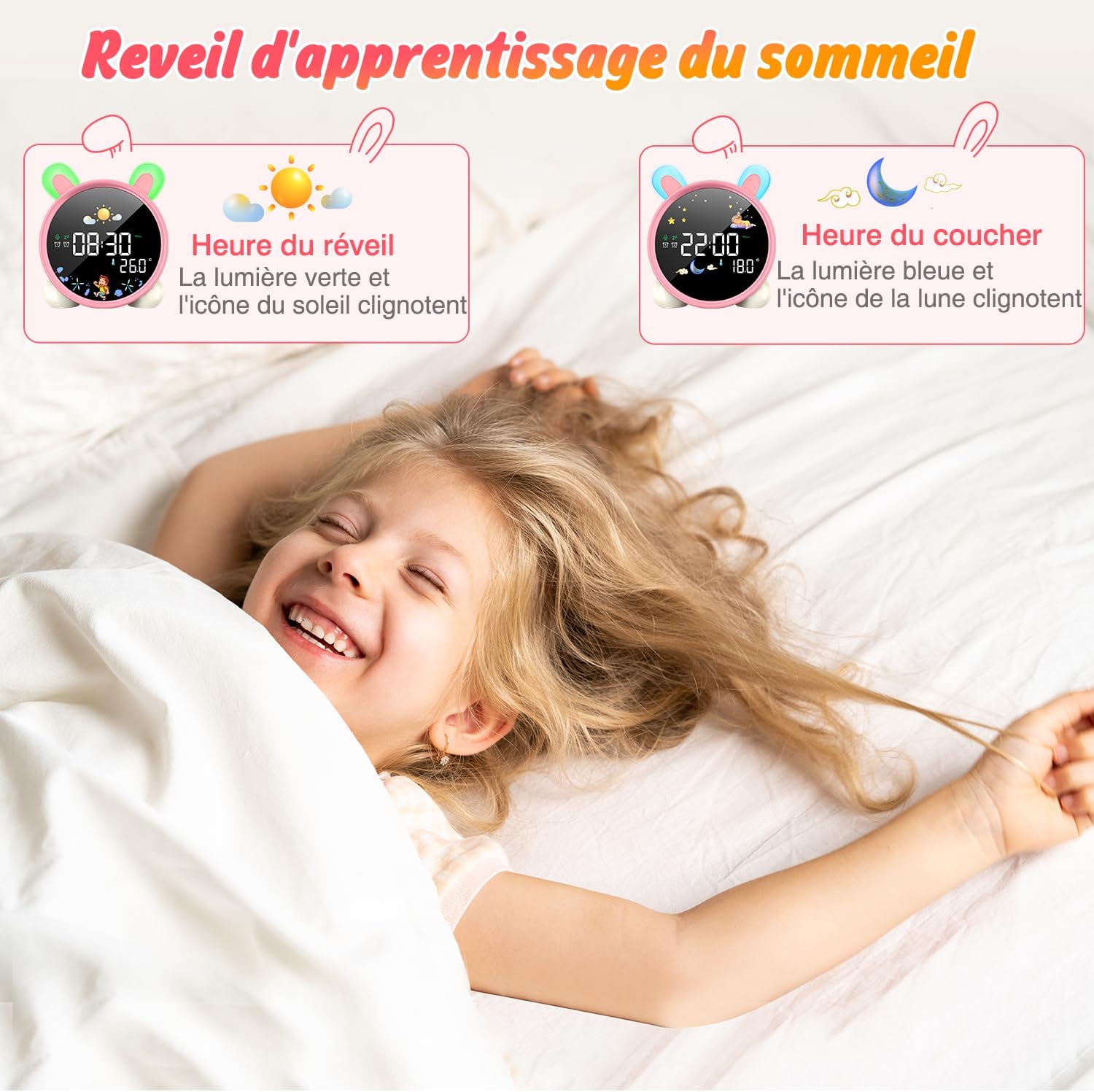
Image: The alarm clock displaying green light and sun icon for wake-up time, and blue light with moon icon for sleep time.
4. ฟังก์ชันไฟกลางคืน
The alarm clock features a 5-color night light. To adjust:
- กดปุ่ม เปิด/ปิด/ไฟ button to cycle through the 5 colors.
- กดค้างไว้ เปิด/ปิด/ไฟ เพื่อปรับระดับความสว่าง

Image: The alarm clock displaying various night light colors (yellow, blue, purple, white, gradient).
5. การแสดงอุณหภูมิ
The clock displays ambient temperature. Press the ° C / ° F ปุ่มเพื่อสลับระหว่างเซลเซียสและฟาเรนไฮต์
Video: A demonstration of switching between Celsius and Fahrenheit temperature display on the alarm clock.
6. Sound-Activated Screen
The screen can be activated by sound or touch. When the screen is off, a light tap or sound will illuminate it for 20 seconds.
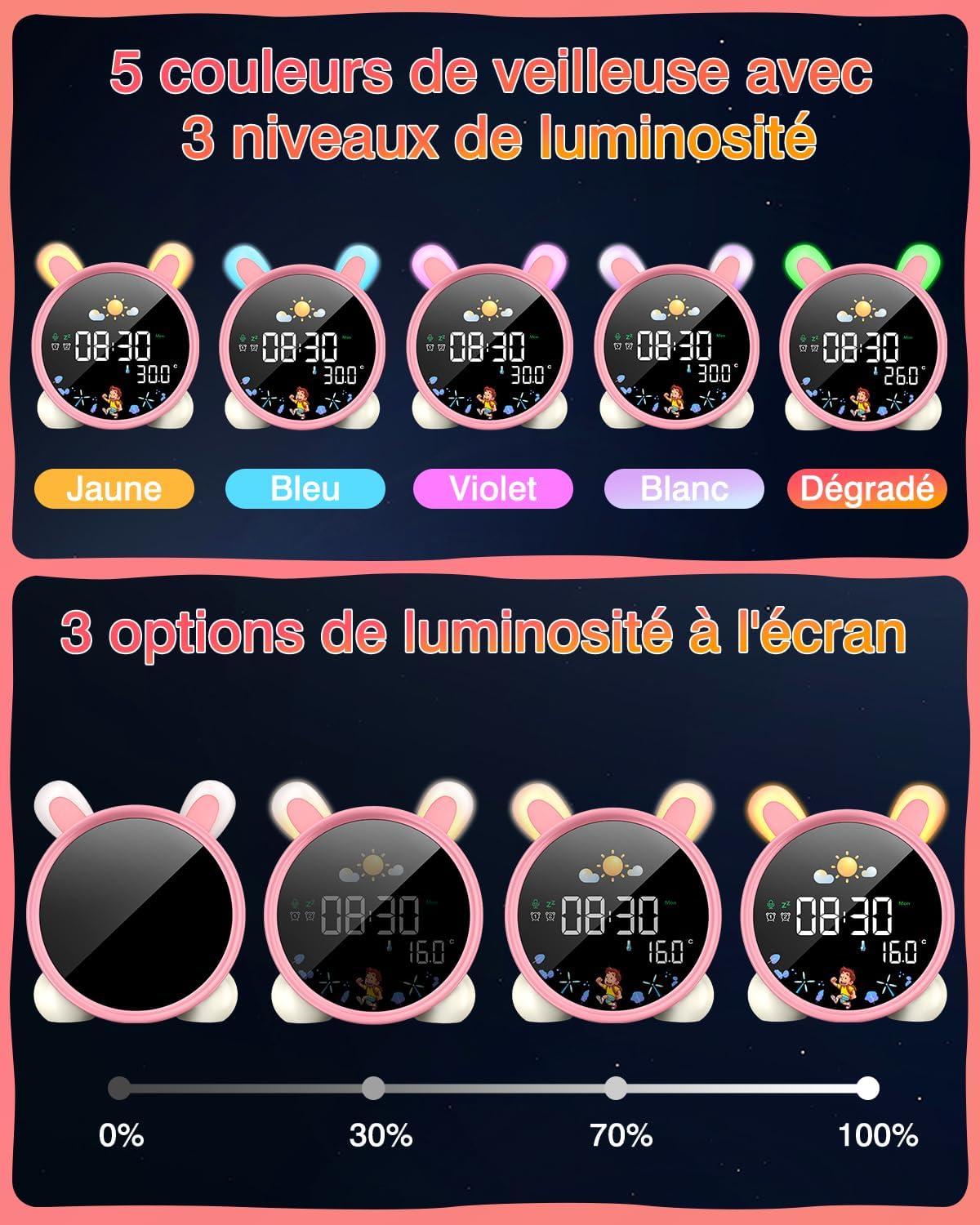
Image: A hand touching the alarm clock to activate its display.
7. ตัวจับเวลาถอยหลัง
The alarm clock includes a countdown timer for various activities.
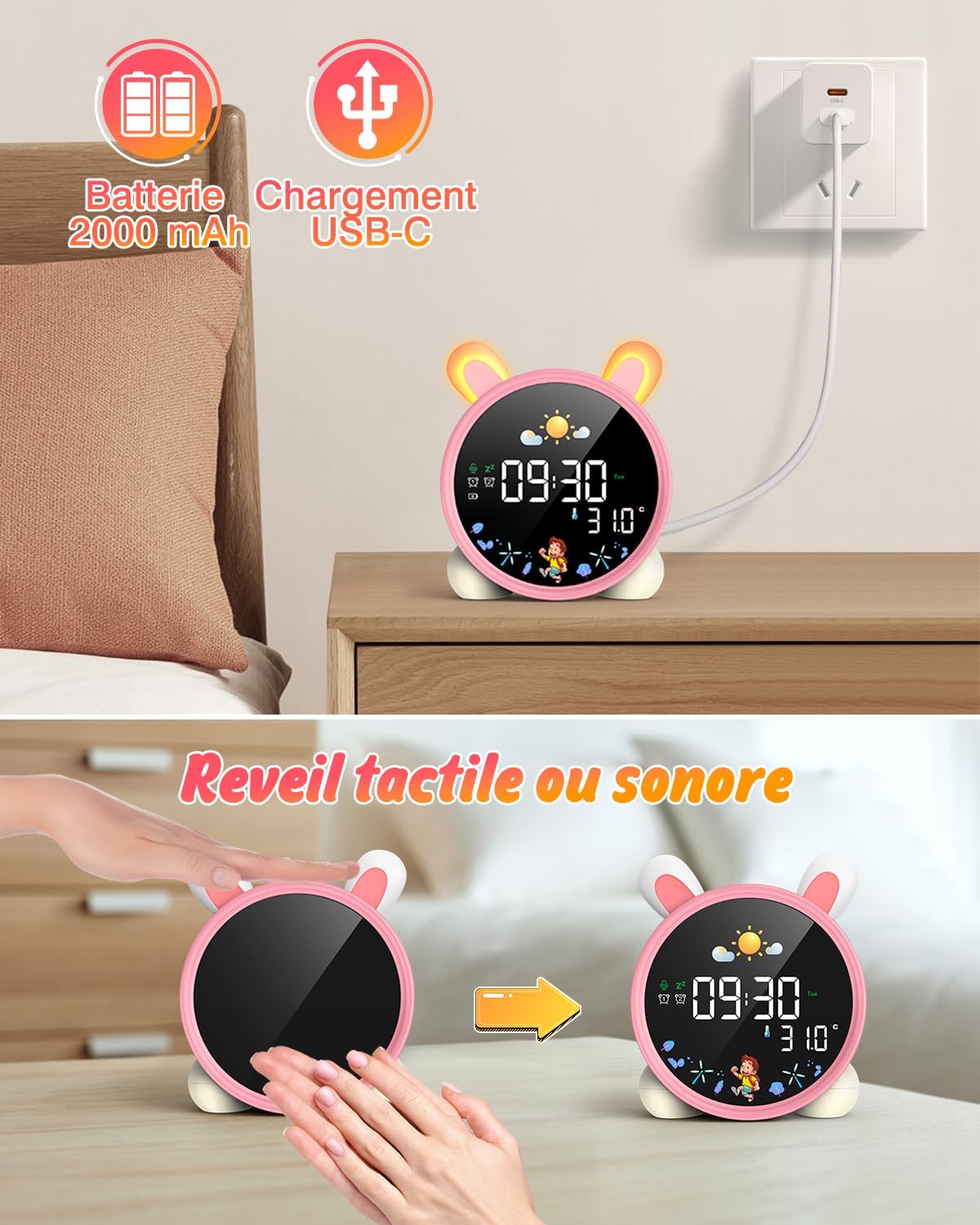
Image: The alarm clock displaying a countdown timer, useful for activities like reading or cooking.
การซ่อมบำรุง
- ทำความสะอาดอุปกรณ์ด้วยผ้านุ่มและแห้ง ห้ามใช้น้ำยาทำความสะอาดหรือสารละลายที่มีฤทธิ์กัดกร่อน
- Keep the alarm clock away from water and excessive moisture.
- หลีกเลี่ยงการทำอุปกรณ์หล่นหรือกระแทกอย่างรุนแรง
- เก็บไว้ในที่แห้งและเย็นเมื่อไม่ได้ใช้งานเป็นเวลานาน
การแก้ไขปัญหา
| ปัญหา | สาเหตุที่เป็นไปได้ | สารละลาย |
|---|---|---|
| อุปกรณ์ไม่เปิด | แบตเตอรี่อ่อนหรือไม่ได้ชาร์จ | ชาร์จอุปกรณ์ให้เต็มโดยใช้สาย USB-C |
| สัญญาณเตือนภัยไม่ดัง | ไม่ได้ตั้งปลุกหรือระดับเสียงเบาเกินไป | Verify alarm settings and adjust volume. |
| หน้าจอไม่ติดสว่าง | Screen light is off or battery is low. | Tap the device or make a sound to activate. Check battery level. |
| Day/Night function not working. | Settings not configured correctly. | Review and adjust the SUN/MOON settings. |
ข้อมูลจำเพาะ
- ยี่ห้อ: LEMNOI
- หมายเลขรุ่น: เอสจี7
- สี: Pink (Rabbit)
- ขนาด (ยาว x กว้าง x สูง): 10 x 3.81 x 10 ซม.
- น้ำหนัก: 265 กรัม
- วัสดุ: พลาสติก
- แหล่งพลังงาน: Battery Powered (2000 mAh Lithium Battery)
- ประเภทจอภาพ: ดิจิตอล
- คุณสมบัติพิเศษ: Display, Alarm, Snooze, Temperature, Night Light
ข้อมูลการรับประกัน
This product comes with a standard manufacturer's warranty. Please refer to the product packaging or contact your retailer for specific warranty terms and conditions. Keep your proof of purchase for any warranty claims.
สนับสนุน
For further assistance, technical support, or inquiries regarding your LEMNOI SG7 Educational Day/Night Alarm Clock, please contact the seller directly through the platform where the purchase was made. You may also visit the official LEMNOI brand store for additional resources.
LEMNOI Brand Store: เยี่ยมชมร้านค้า
Ask a question about this manual
Ask about setup, troubleshooting, compatibility, parts, safety, or missing instructions. Manuals+ will review the question and use this page’s manual context to help answer it.