
การแนะนำ
This manual provides comprehensive instructions for the installation, operation, and maintenance of your PNI House WIFI800 Wireless NVR. Please read this manual thoroughly before using the product to ensure proper functionality and to prevent damage. Keep this manual for future reference.
คุณสมบัติผลิตภัณฑ์
- 4K UHD Wireless NVR: Supports up to 8 IP cameras with 5MP resolution or up to 4 8MP 4K (3840 x 2160px) cameras. Compatible with PNI IP590 and PNI IP840 cameras.
- Easy Installation and Remote Access: Simple to install, configure, and control locally or remotely. View real-time images or play back recordings via phone, PC, or browser. Motion detection triggers SMS notifications via the mobile application.
- HDD and MicroSD Compatibility: Supports connecting a 2.5-inch hard drive up to 14 TB or a microSD card up to 128 GB. For optimal performance, use special CCTV hard drives designed for 24/7 reliability and durability.
- H.265AI/H.265+ Video Compression: Increases bandwidth and storage efficiency, supports higher resolution, and allows for longer recording times. Compatible with H.265/H.264.

Image: PNI House WIFI800 NVR with its packaging, highlighting its key features.

Image: Illustrates the NVR's advanced detection capabilities, including motion, human, and face detection, enhancing security monitoring.

Image: A mobile phone displaying the iCSee and XMEye applications, used for remote access and control of the NVR system.

ภาพ: ด้านหลัง view of the NVR highlighting Wi-Fi, H.265AI/H.265+ compression, and ONVIF compatibility.
เนื้อหาแพ็คเกจ
แพ็คเกจประกอบด้วยรายการต่อไปนี้:
- PNI House WIFI800 Wireless NVR
- คู่มือการใช้งาน
- หนู
- อะแดปเตอร์แปลงไฟ

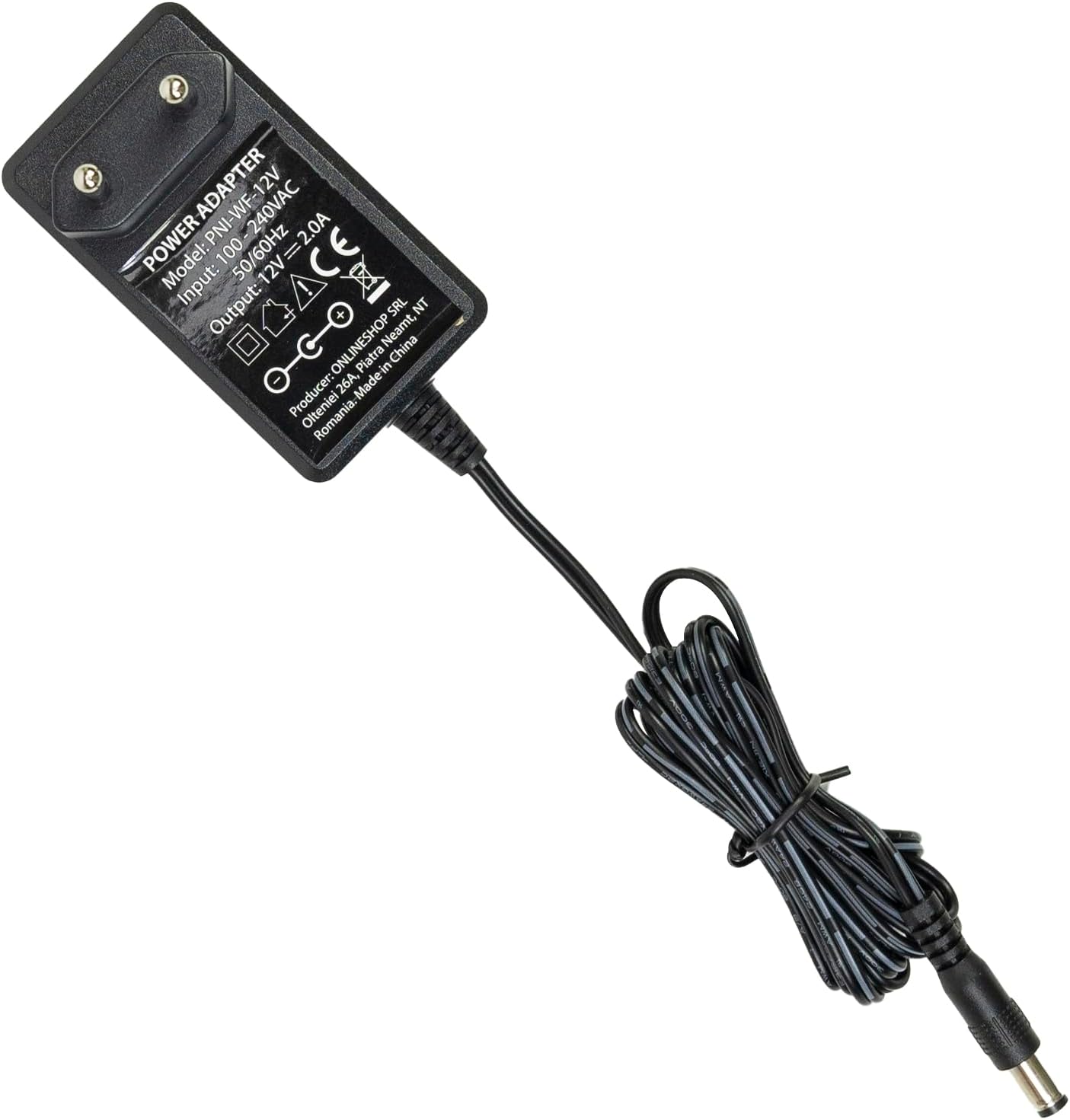
Image: The PNI House WIFI800 NVR shown with its included accessories: a mouse and a power adapter.
คำแนะนำการตั้งค่า
- เชื่อมต่อพลังงาน: Connect the provided power adapter to the NVR's power input port and then plug it into a power outlet.
- เชื่อมต่อกับเครือข่าย: For initial setup or wired connection, connect an Ethernet cable from the NVR's LAN port to your router. The NVR also supports wireless connectivity.
- เชื่อมต่อจอแสดงผล: Connect a monitor to the NVR's HDMI port using an HDMI cable (not included) to view อินเทอร์เฟซ
- เชื่อมต่อเมาส์: Plug the included USB mouse into the NVR's USB port for navigation.
- Install Storage (Optional):
The NVR supports a 2.5-inch HDD up to 14 TB or a microSD card up to 128 GB for recording. To install an HDD:
- เปิด NVR อย่างระมัดระวังasing (refer to the diagram below).
- Connect the HDD to the internal SATA power and data connectors.
- Secure the HDD within the NVR and close the casing.
- Alternatively, insert a microSD card into the dedicated slot.
- การจับคู่กล้อง: Follow the on-screen instructions on the connected display to pair your compatible PNI IP cameras (e.g., PNI IP590, PNI IP840) or other ONVIF-compatible cameras.

ภาพ: ด้านหลัง view of the PNI House WIFI800 NVR, illustrating the power input, microSD card slot, HDMI output, Ethernet (LAN) port, USB port, and audio output.
ภาพ: ด้านล่าง view of the PNI House WIFI800 NVR with the cover removed, indicating the internal slot for a 2.5-inch HDD.
คำแนะนำการใช้งาน
ปฏิบัติการในพื้นที่
Once the NVR is connected to a display and mouse, you can navigate the on-screen interface to manage your cameras, view live feeds, and access recordings.
- สด View: Select the desired camera channels to view ภาพวิดีโอแบบเรียลไทม์
- การบันทึก: The NVR supports manual, alarm-triggered (motion detection), and scheduled recording. Configure these options in the system settings.
- การเล่นซ้ำ: การเข้าถึงที่บันทึกไว้ footage from the storage device (HDD or microSD) through the playback menu.
- การตั้งค่าระบบ: Adjust network settings, video resolution, recording schedules, and other system parameters.
Remote Operation via Mobile App
The PNI House WIFI800 NVR can be accessed remotely using a mobile application (e.g., iCSee, XMEye) on your smartphone or tablet.
- ดาวน์โหลดแอพ: Download and install the recommended mobile application (e.g., iCSee or XMEye) from your device's app store.
- ลงทะเบียน/เข้าสู่ระบบ: Create an account or log in to the application.
- เพิ่มอุปกรณ์: Follow the app's instructions to add your NVR. This typically involves scanning a QR code on the NVR or manually entering its device ID.
- ระยะไกล Viewการลง: เมื่อเชื่อมต่อแล้ว คุณสามารถ view live camera feeds, play back recordings, and receive motion detection alerts directly on your mobile device.
การซ่อมบำรุง
- การทำความสะอาดปกติ: Keep the NVR unit clean and free from dust. Use a soft, dry cloth for cleaning. Do not use liquid cleaners.
- อัพเดตเฟิร์มแวร์: Periodically check for firmware updates on the PNI official webไซต์เพื่อให้มั่นใจถึงประสิทธิภาพและความปลอดภัยที่เหมาะสมที่สุด
- การสำรองข้อมูล: Regularly back up important recordings to an external storage device to prevent data loss.
- สุขภาพฮาร์ดไดรฟ์: If using an HDD, monitor its health through the NVR's system settings to anticipate potential failures.
การแก้ไขปัญหา
| ปัญหา | สาเหตุที่เป็นไปได้ | สารละลาย |
|---|---|---|
| ไม่มีเอาท์พุทวิดีโอบนจอภาพ | Loose HDMI cable, incorrect input selected on monitor, NVR not powered on. | Check HDMI cable connection. Ensure monitor is on correct input. Verify NVR power. |
| Cameras not connecting | Incorrect network settings, cameras out of range, camera not powered, pairing issue. | Check NVR and camera network settings. Ensure cameras are within Wi-Fi range. Verify camera power. Re-attempt camera pairing. |
| ไม่มีการเข้าถึงระยะไกล | NVR ไม่ได้เชื่อมต่ออินเทอร์เน็ต การตั้งค่าแอปไม่ถูกต้อง มีปัญหาไฟร์วอลล์ | Verify NVR internet connection. Check app login and device ID. Ensure router firewall allows NVR access. |
| ไม่มีการบันทึก | No storage device, storage device full, recording schedule not set, storage device fault. | Install HDD/microSD. Check storage capacity. Configure recording schedule. Format or replace faulty storage. |
ข้อมูลจำเพาะ
| ยี่ห้อ | PNI |
| หมายเลขรุ่น | PNI-WIFI800 |
| ผู้ผลิต | ร้านค้าออนไลน์ SRL |
| เทคโนโลยีการเชื่อมต่อ | มีสาย, ไร้สาย |
| อุปกรณ์ที่รองรับ | PNI IP125, PNI IP575, PNI KIMSD128, PNI IP590, PNI IP840 |
| ขนาดสินค้า (กว้าง x ยาว x สูง) | กว้าง 17 ยาว 12 สูง 3.5 เซนติเมตร |
| น้ำหนักสินค้า | 247 กรัม |
| Memory Storage Capacity (HDD) | Up to 14 TB (2.5 inch) |
| Memory Storage Capacity (MicroSD) | สูงสุด 128GB |
| พลัง | 24 วัตต์ |
| จำนวนช่องสัญญาณ | 4 (supports up to 8x5MP or 4x8MP cameras) |
| Digital Video Media Format | H.265AI/H.265+ |
| อินพุตเสียง | ไมโครโฟน |
| พอร์ต USB รวม | 1 |
| Supported Video Input Type | RJ45 |
| ประเทศต้นกำเนิด | จีน |
| แบตเตอรี่ | 1 Lithium-ion - included |
การรับประกันและการสนับสนุน
The PNI House WIFI800 Wireless NVR comes with a รับประกัน 2 ปี. For technical support, troubleshooting assistance, or warranty claims, please contact PNI customer service or visit their official webเว็บไซต์.
Spare parts availability and guaranteed software updates information are currently unavailable.
สินค้าเกินview วีดีโอ
วิดีโอ: ผลิตภัณฑ์อย่างเป็นทางการเสร็จสิ้นview and demonstration of the PNI House WIFI800 Wireless NVR features, including connectivity, remote access, and recording capabilities.