
1. บทนำ
The Gustard X30 is a high-performance network streaming decoder designed for audiophiles seeking exceptional sound quality and versatile connectivity. This device integrates advanced digital-to-analog conversion with comprehensive network streaming capabilities, supporting a wide range of high-resolution audio formats.
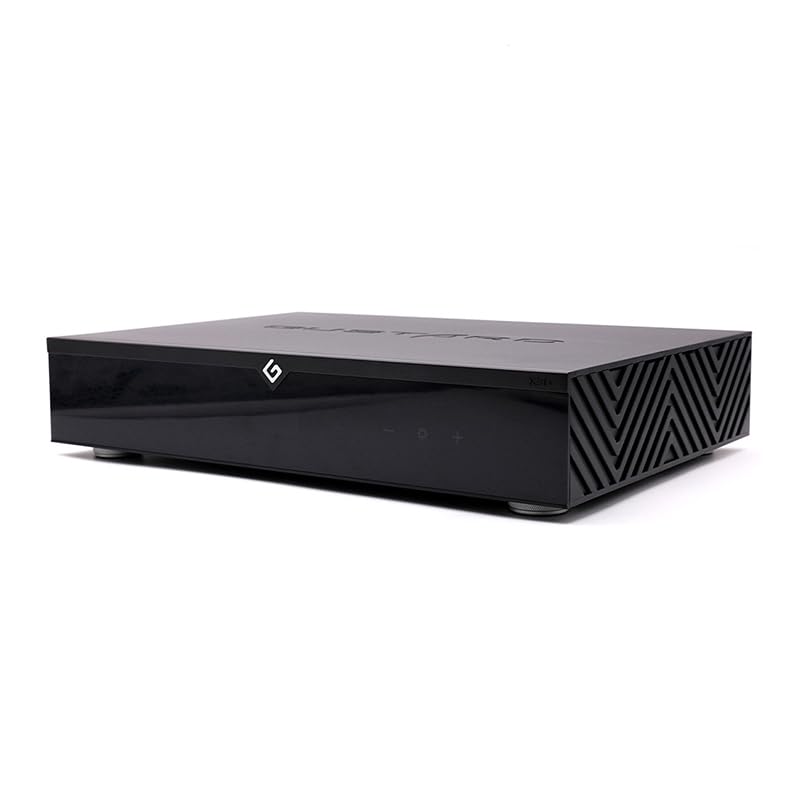
รูปที่ 1 : ด้านหน้า view of the Gustard X30 Network Streaming Decoder.
2. สินค้าหมดview
The Gustard X30 is engineered with cutting-edge technology to deliver an immersive audio experience. Key features include:
- ES9039SPROx4 DAC: Utilizes four ES9039SPRO chips for superior digital-to-analog conversion.
- ES9311Q Multi-group Independent Power Supply: Ensures clean and stable power delivery to critical components.
- Synchronized Clock Implantation Technology: Reduces audio clock requirements for enhanced precision.
- Built-in OCXO Constant Temperature Crystal Oscillator: Supports 10M clock input with ultra-low noise synthesis.
- พรีแอมป์อนาล็อกแบบพาสซีฟamp with R2R Relay Volume: Offers lossless adjustable volume control with pass-through option.
- DSP Autonomous Digital Filtering: ลดไขมันasing noise for a cleaner audio signal.
- Comprehensive Network Support: Compatible with Roon, Airplay, UPnP, NAA, and Spotify protocols.
- รองรับเสียงความละเอียดสูง: Decodes DSD512, PCM768k, and MQA384k formats.

Figure 2: Detailed feature breakdown of the Gustard X30.

Figure 3: Internal architecture highlighting the ES9039SPRO chips.
3. การตั้งค่า
3.1 การแกะกล่อง
Carefully remove the Gustard X30 from its packaging. Ensure all components are present, including the main unit and the power cable. Inspect the unit for any signs of damage during transit.
3.2 การเชื่อมต่อทางกายภาพ
Refer to the back panel diagram below for proper connection of audio sources and output devices.

Figure 4: Back panel connections of the Gustard X30.
- เอาต์พุตอนาล็อก: เชื่อมต่อของคุณ amplifier or active speakers to the XLR (balanced) or RCA (unbalanced) output ports.
- อินพุตดิจิตอล: The X30 supports various digital inputs including LAN, USB, I2S, Coaxial, AES/EBU, and Optical. Connect your digital audio sources accordingly.
- อินพุต 10MHz: For external clock synchronization, connect a 10MHz clock source to this BNC input.
- อัปเดต: พอร์ต USB สำหรับอัพเดตเฟิร์มแวร์
3.3 การเชื่อมต่อสายไฟ
Connect the provided power cable to the AC power input on the rear panel. Ensure the voltage switch (115V/230V) is set correctly for your region before powering on the device. Use the main power switch to turn the unit on or off.
3.4 การเชื่อมต่อเครือข่าย
Connect an Ethernet cable from your network router or switch to the LAN port on the rear panel. The X30 supports 100/1000Mbps LAN speeds. Network protocols such as Roon, Airplay, UPnP, NAA, and Spotify can be configured via a web อินเทอร์เฟซ
4. คู่มือการใช้งาน
4.1 แผงควบคุมด้านหน้า
The front panel features a display and touch-sensitive controls for basic operation.

รูปที่ 5: แผนผังแผงด้านหน้าและปุ่มควบคุม
- สวิตช์สแตนด์บาย: Toggles the unit between active and standby modes.
- พื้นที่แสดงผล : แสดงค่าอินพุตปัจจุบัน sampอัตรา และข้อมูลการดำเนินงานอื่นๆ
- การรับสัญญาณรีโมทคอนโทรล: ตัวรับสัญญาณอินฟราเรดสำหรับรีโมทคอนโทรล
- พื้นที่สัมผัส: Provides touch-sensitive buttons for navigation and settings adjustments.
4.2 การควบคุมระยะไกล
The included remote control allows for convenient operation from a distance, including input selection, volume adjustment (if variable output is enabled), and menu navigation.
4.3 การเลือกอินพุต
Use the front panel touch controls or the remote control to cycle through available digital inputs (LAN, USB, I2S, Coaxial, AES/EBU, Optical).
4.4 การควบคุมระดับเสียง
The X30 offers both fixed and variable analog output levels. The RCA and XLR outputs are fixed at 2.5Vrms and 5.1Vrms respectively by default. The passive analog preamplifier with R2R relay volume allows for lossless adjustable volume from 0dB to -90dB via remote control.
4.5 Streaming Functionality
The X30 supports various network streaming protocols. Access the configuration web page (usually via the device's IP address on your network) to enable or disable specific protocols like Roon, Airplay, UPnP, NAA, and Spotify. Firmware updates for streaming functionality can also be performed online.
4.6 Digital Filter Settings
The X30 features DSP autonomous digital filtering to reduce aliasing noise. Specific filter modes (e.g., 4 kinds of DSD filters, 3 kinds of PCM filters) can be selected through the device's menu or web interface to tailor the sound to your preference.
4.7 การตั้งค่านาฬิกา
The built-in OCXO constant temperature crystal oscillator provides high-precision timing. If an external 10M clock source is connected, the device will automatically synchronize to it, further enhancing audio performance.
5. การบำรุงรักษา
5.1 การทำความสะอาด
To maintain the appearance and performance of your Gustard X30, regularly wipe the exterior with a soft, dry cloth. Avoid using abrasive cleaners or solvents, as these can damage the finish. Ensure the unit is powered off and unplugged before cleaning.
การอัปเดตเฟิร์มแวร์ 5.2 รายการ
The Gustard X30 supports online firmware upgrades. Periodically check the manufacturer's website for new firmware versions. Updates can improve performance, add new features, or resolve issues. Follow the instructions provided on the configuration web page for a one-click online upgrade process.
6 การแก้ไขปัญหา
If you encounter any issues with your Gustard X30, consider the following basic troubleshooting steps:
- ไม่มีไฟฟ้า: Check the power cable connection and ensure the AC voltage switch on the rear panel is set correctly. Verify the power outlet is functional.
- ไม่มีเสียง: Confirm the correct input source is selected. Check all audio cable connections to your amplifier or active speakers. Ensure the volume is not muted or set too low.
- ปัญหาการเชื่อมต่อเครือข่าย: Verify the Ethernet cable is securely connected. Check your router and network settings. Ensure the X30's network protocols are enabled via its web อินเทอร์เฟซ
- เสียงผิดเพี้ยน: ตรวจสอบไฟล์เสียงต้นฉบับ file quality. Ensure all connections are secure and free from interference. Try resetting the device to factory defaults if necessary (refer to the web อินเทอร์เฟซสำหรับตัวเลือกนี้)
For persistent issues, consult the manufacturer's support resources or contact customer service.
7. ข้อมูลจำเพาะ
Detailed technical specifications for the Gustard X30 Network Streaming Decoder:
| หมวดหมู่ | ข้อมูลจำเพาะ |
|---|---|
| หมายเลขรุ่น | กัสตาร์ด X30 |
| Digital Input Protocols | Roon, Airplay, UPnP, NAA, Spotify |
| ความเร็ว LAN | 100/1000 เมกะบิตต่อวินาที |
| 10M Clock Input (BNC) | อิมพีแดนซ์อินพุต 50 โอห์ม, 0dBm-20dBm, สัญญาณคลื่นสี่เหลี่ยม CMOS 0.2V-3.3V, สัญญาณคลื่นไซน์ 0.5V-3.3V |
| การตอบสนองความถี่ | 20-20kHz / +-0.2dB |
| ช่วงไดนามิค | > 130เดซิเบล |
| อัตราส่วนสัญญาณต่อสัญญาณรบกวน | > 129เดซิเบล |
| ช่อง Crosstalk | -139เดซิเบล @ 10กิโลเฮิรตซ์ |
| ค่า THD+N | <=0.0001% ที่ 1kHz |
| ไอเอ็มดี | ≈0.001% @ -1dbfs |
| ระดับเอาต์พุต RCA | 2.5Vrms (ปริมาณคงที่) |
| อิมพีแดนซ์เอาต์พุต RCA | 100Ω |
| XLR Output Level | 5.1Vrms (ปริมาณคงที่) |
| XLR Output Impedance | 100Ω |
| XLR Interface Definition | มาตรฐานอเมริกัน (1 พื้นดิน, 2 ร้อน, 3 เย็น) |
| แหล่งจ่ายไฟฟ้ากระแสสลับ | AC115V / 230V 50 / 60Hz |
| การใช้พลังงาน | <30วัตต์ |
| ขนาด (กว้าง*ลึก*สูง) | 430 มม. * 300 มม. * 80 มม. (รวมฐาน 92 มม.) |
| น้ำหนักพร้อมแพ็คเกจ | 10กก. |
| เทคโนโลยีการเชื่อมต่อ | อีเธอร์เน็ต |
| ประเภทตัวควบคุม | รีโมทคอนโทรล |
| อุปกรณ์ที่รองรับ | สมาร์ทโฟน, แท็บเล็ต, คอมพิวเตอร์ส่วนบุคคล, เครื่องเล่นเกม, โทรทัศน์ Amplifier ลำโพง |

Figure 6: Dimensions of the Gustard X30.
8. การรับประกันและการสนับสนุน
For warranty information and technical support, please refer to the documentation included with your product or visit the official LEAUDIO webไซต์นี้ โปรดเก็บหลักฐานการซื้อไว้เพื่อใช้ยืนยันการรับประกัน