
การแนะนำ
This manual provides essential information for setting up, operating, and maintaining your VIZIO 40-inch Full HD 1080p Smart TV. Please read these instructions carefully before using your television to ensure proper function and safety. This television offers superior Full HD picture quality with lifelike color, enhanced audio, and smart connectivity features for an immersive entertainment experience.
มีอะไรอยู่ในกล่อง
ตรวจสอบว่าส่วนประกอบทั้งหมดมีอยู่ก่อนดำเนินการติดตั้ง:
- VIZIO 40-inch Full HD 1080p Smart TV
- รีโมทคอนโทรล
- สายไฟ
- ชั้นวางทีวี (2 ชิ้น)

รูปที่ 1: ส่วนประกอบและขนาดของทีวีที่รวมอยู่
การตั้งค่า
1. การติดตั้งขาตั้ง
- วางทีวีคว่ำหน้าลงบนพื้นผิวที่นุ่มและสะอาดอย่างระมัดระวังเพื่อป้องกันความเสียหาย
- จัดวางขาตั้งให้ตรงกับรูสกรูที่ด้านล่างของทีวี
- ยึดขาตั้งให้แน่นโดยใช้สกรูที่ให้มา
2. การติดตั้งบนผนัง (ทางเลือก)
If wall mounting, ensure you use a VESA-compliant mount (200 x 100 mm) and follow the mount manufacturer's instructions. Disconnect the power cable before mounting.
3. การเชื่อมต่อพลังงาน
เสียบสายไฟเข้ากับช่องรับไฟของทีวี จากนั้นเสียบเข้ากับเต้าเสียบที่ผนัง
4. การเปิดเครื่องครั้งแรกและการตั้งค่าครั้งแรก
- กดปุ่มเปิดปิดบนรีโมทหรือทีวี
- Follow the on-screen prompts to select your language, connect to Wi-Fi, and complete the initial setup of the SmartCast OS.
- You may be prompted to install app updates. Allow the TV to complete this process.

Figure 2: VIZIO Account setup for Smart TV functionality and product updates.
การใช้งานทีวี
รีโมทคอนโทรล
The included remote control allows you to navigate the SmartCast OS, adjust settings, and control connected devices. Ensure AAA batteries are installed correctly.
SmartCast OS
Your VIZIO Smart TV runs on the SmartCast OS, providing instant access to a wide selection of streaming services and apps. New apps are automatically added and updated.
- หน้าจอหลัก: Access your favorite apps, inputs, and trending content.
- WatchFree+: Stream over 275 free channels and 15,000+ movies and shows on demand.
- App Catalog: Browse and launch pre-installed applications like Disney Plus, Max, Netflix, Prime Video, and YouTube.
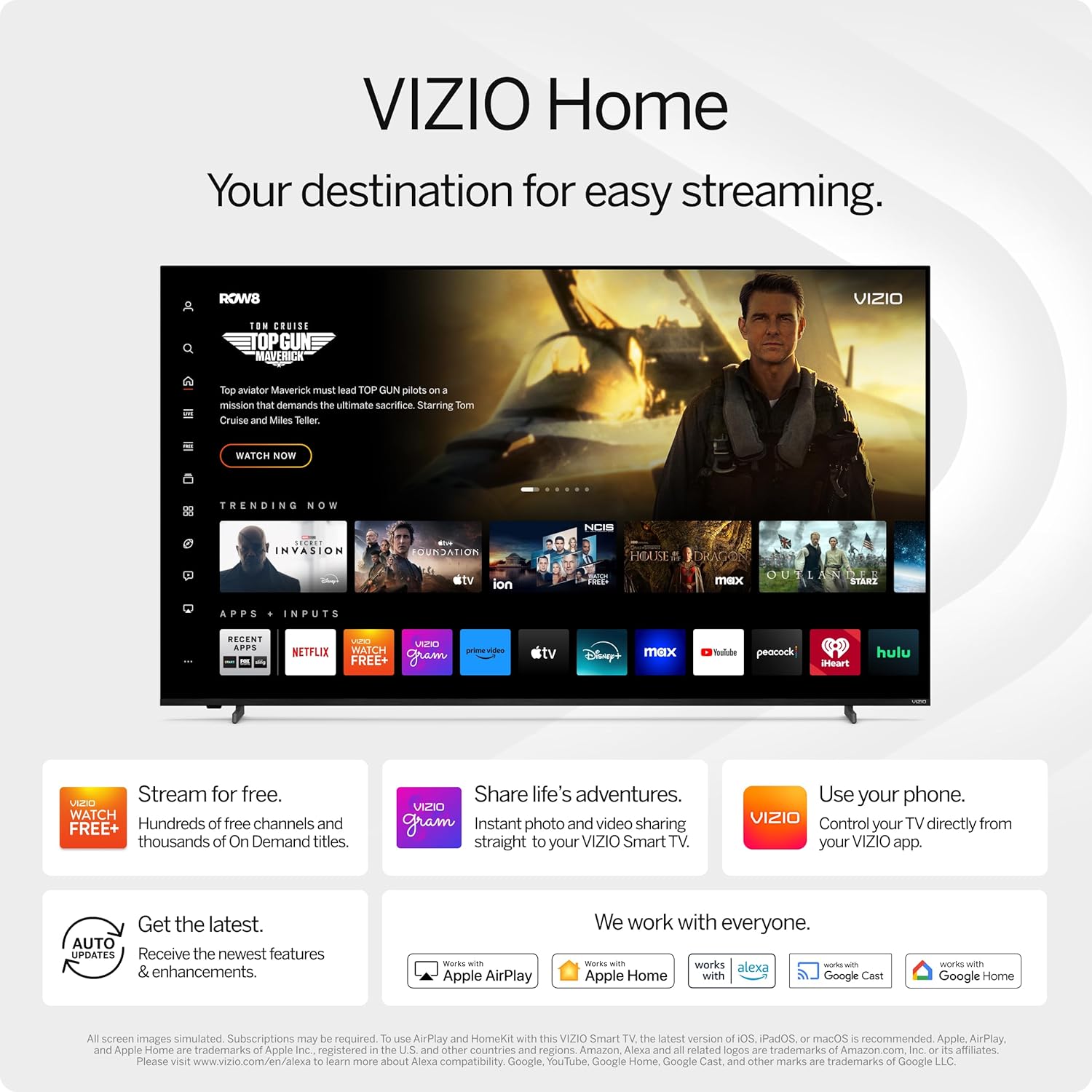
Figure 3: VIZIO Home screen for easy streaming and content access.

Figure 4: Accessing free content via WatchFree+.
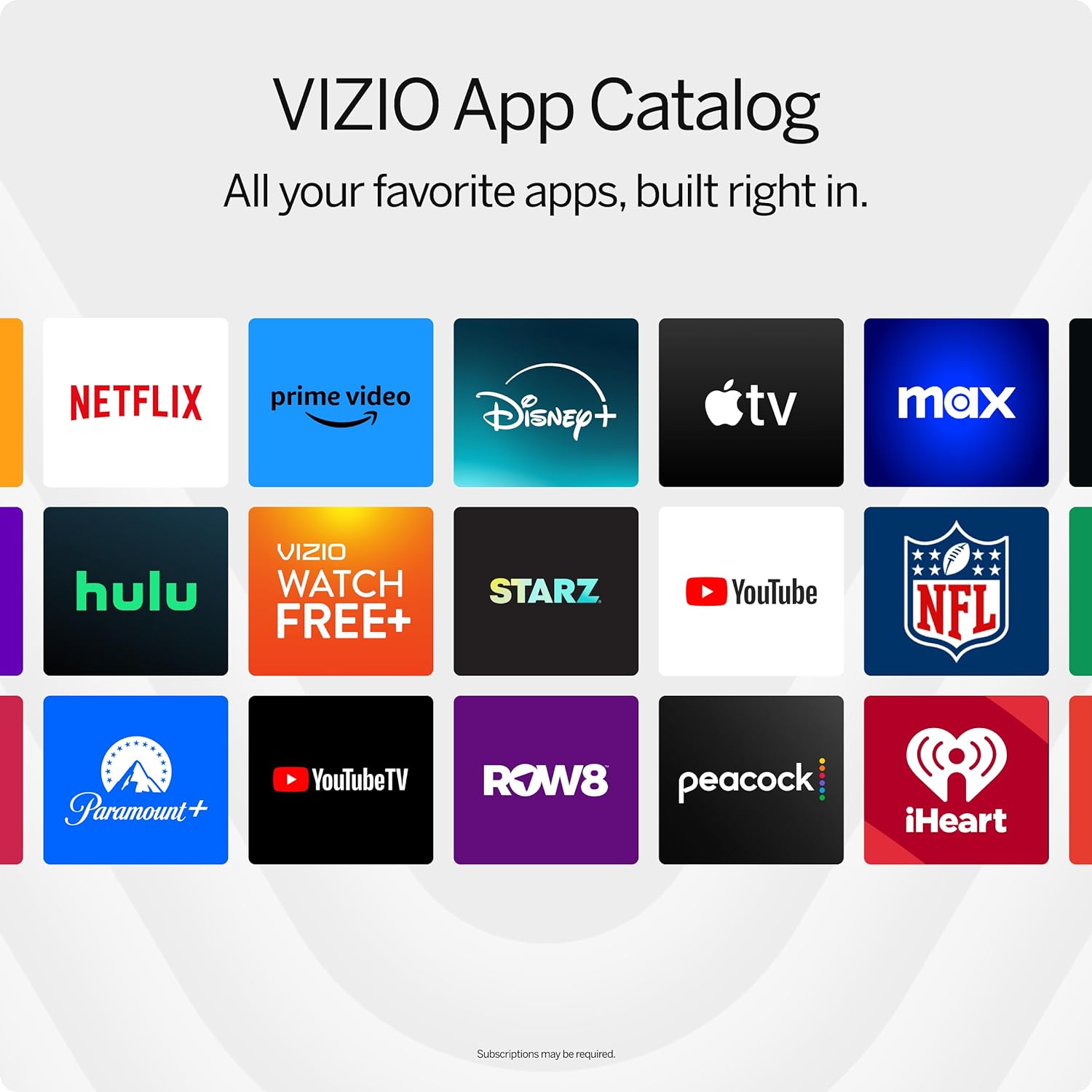
Figure 5: The VIZIO App Catalog with popular streaming services.
การเชื่อมต่อ
- ไวไฟ : เชื่อมต่อกับเครือข่ายภายในบ้านของคุณเพื่อเข้าถึงอินเทอร์เน็ตและรับชมสตรีมมิ่ง
- บลูทูธ: เชื่อมต่อหูฟังบลูทูธเพื่อการฟังส่วนตัว
- Chromecast Built-in & Apple AirPlay 2: Stream content directly from your Apple or Android devices to the TV.
- สาย HDMI และ USB: Connect external devices such as gaming consoles, Blu-ray players, or USB drives.
- การรวมระบบบ้านอัจฉริยะ: Compatible with Alexa-enabled devices, Google Assistant, and Apple Home for voice control and smart home management.
คุณสมบัติหลัก
คุณภาพของภาพ
Experience superior Full HD (1080p) picture with lifelike color and clarity. Features like Full Array LED Backlight and Active Pixel Tuning enhance contrast and brightness for a sharp, detailed image.

รูปที่ 6: เกินview of Full HD benefits including picture quality, smart platform, and Bluetooth audio.
ประสบการณ์เสียง
The TV features integrated DTS Virtual:X for an enhanced, cinema-inspired audio experience, creating the illusion of sound all around you. Bluetooth headphone capability allows for private listening without disturbing others.

Figure 7: DTS Virtual:X for immersive audio.
คุณสมบัติการเล่นเกม
This TV is game-ready with HDR10 support on HDMI, unlocking striking in-game details. When a console or PC is detected, FHD models automatically enable Auto Low Latency Mode and an integrated gaming menu for optimal performance.

Figure 8: HDR10 support enhances gaming visuals.
ข้อมูลจำเพาะ
| คุณสมบัติ | รายละเอียด |
|---|---|
| ขนาดหน้าจอ | 39.5 นิ้ว (ขนาดมาตรฐาน 40 นิ้ว) |
| ปณิธาน | 1080p เต็ม HD |
| เทคโนโลยีการแสดงผล | LED (Full Array LED Backlight) |
| อัตราการรีเฟรช | 60 เฮิรตซ์ |
| รองรับรูปแบบ HDR | HDR10/เอชแอลจี |
| โหมดเอาต์พุตเสียง | Surround (DTS Virtual:X compatible) |
| ระบบปฏิบัติการ | SmartCast OS |
| เทคโนโลยีการเชื่อมต่อ | บลูทูธ 5.0, ไวไฟ |
| การมิเรอร์หน้าจอ | AirPlay 2, Google Cast |
| พอร์ต HDMI ทั้งหมด | 2 |
| พอร์ต USB รวม | 2 |
| ขนาดสินค้า (ลึก x กว้าง x สูง) | ลึก 8.81 นิ้ว x กว้าง 35.13 นิ้ว x สูง 22.26 นิ้ว |
| น้ำหนักสินค้า | 12.26 ปอนด์ |
| มาตรฐาน VESA Mount | 200 x 100 มม. |
| การใช้พลังงาน | 54 วัตต์ |
| หมายเลขรุ่น | VFD40M-0810 |
การแก้ไขปัญหา
ไม่มีไฟฟ้า / ทีวีไม่เปิด
- ตรวจสอบให้แน่ใจว่าสายไฟเชื่อมต่อกับทีวีและเต้ารับไฟฟ้าที่ใช้งานได้แน่นหนา
- ทดสอบเต้ารับด้วยอุปกรณ์อื่นเพื่อยืนยันว่ามีไฟอยู่
- Try pressing the power button directly on the TV, not just the remote.
ไม่มีภาพ / หน้าจอดำ
- ตรวจสอบว่าเลือกแหล่งสัญญาณอินพุตที่ถูกต้อง (เช่น HDMI 1, HDMI 2)
- ตรวจสอบการเชื่อมต่อสายเคเบิลทั้งหมดระหว่างทีวีและอุปกรณ์ภายนอก
- รีสตาร์ททีวีและอุปกรณ์ที่เชื่อมต่อใดๆ
ไม่มีเสียง
- เพิ่มระดับเสียงทั้งบนทีวีและอุปกรณ์เสียงที่เชื่อมต่ออยู่
- Check the TV's audio settings to ensure the correct audio output is selected.
- หากใช้ลำโพงภายนอก โปรดตรวจสอบให้แน่ใจว่าเชื่อมต่อและเปิดเครื่องอย่างถูกต้อง
ปัญหาการเชื่อมต่อ Wi-Fi
- Ensure your Wi-Fi router is powered on and functioning.
- รีสตาร์ทเราเตอร์และโมเด็มของคุณ
- ไปที่การตั้งค่าเครือข่ายทีวีและลองเชื่อมต่อกับเครือข่าย Wi-Fi อีกครั้ง
- ย้ายทีวีให้เข้าใกล้เราเตอร์มากขึ้น หรือพิจารณาใช้ตัวขยายสัญญาณ Wi-Fi หากสัญญาณอ่อน
การซ่อมบำรุง
การทำความสะอาดหน้าจอ
- Always turn off the TV and unplug the power cord before cleaning.
- ใช้ผ้าเนื้อนุ่มที่ไม่เป็นขุย (แนะนำให้ใช้ผ้าไมโครไฟเบอร์) เช็ดหน้าจอเบาๆ
- สำหรับรอยฝังแน่น ให้เช็ดเบาๆampชุบผ้าด้วยน้ำหรือน้ำยาทำความสะอาดหน้าจอชนิดพิเศษ ห้ามฉีดน้ำยาลงบนหน้าจอโดยตรง
- Avoid using harsh chemicals, abrasive pads, or paper towels, as these can damage the screen.
การทำความสะอาดตัวทีวี
- เช็ดกรอบและขาตั้งทีวีด้วยผ้าแห้งนุ่ม
- Do not use liquid cleaners on the TV body.
การอัพเดตซอฟต์แวร์
Your VIZIO Smart TV automatically receives software updates. Ensure your TV is connected to the internet to receive the latest features and enhancements.
การรับประกันและการสนับสนุน
ข้อมูลการรับประกัน
This VIZIO Smart TV comes with a รับประกันจำกัด 90 วัน. Please refer to the warranty card included with your product for full terms and conditions, or visit the official VIZIO support webเว็บไซต์เพื่อดูรายละเอียดเพิ่มเติม
การสนับสนุนลูกค้า
For technical assistance, troubleshooting, or warranty claims, please contact VIZIO Customer Support. You can find contact information and additional resources on the official VIZIO webเว็บไซต์.
Online resources are available at www.vizio.com/support.