
1. บทนำ
ขอบคุณสำหรับการซื้อasing the Zenwire D300S Mini Projector. This manual provides essential information for the safe and efficient operation of your device. Please read it thoroughly before use and retain it for future reference.
ข้อควรระวังเพื่อความปลอดภัย
- อย่ามองตรงเข้าไปในเลนส์โปรเจ็กเตอร์เมื่อลamp อยู่บนแล้ว
- ต้องแน่ใจว่ามีการระบายอากาศที่เหมาะสมเพื่อป้องกันความร้อนสูงเกินไป อย่าปิดกั้นช่องระบายอากาศ
- ใช้เฉพาะอะแดปเตอร์ที่ให้มาเท่านั้น
- เก็บโปรเจ็กเตอร์ให้ห่างจากน้ำหรือของเหลวอื่นๆ
- หลีกเลี่ยงการวางโปรเจ็กเตอร์บนพื้นผิวที่ไม่มั่นคง
- อย่าพยายามถอดประกอบหรือซ่อมโปรเจคเตอร์ด้วยตนเอง โปรดติดต่อช่างผู้ชำนาญการ
2. เนื้อหาบรรจุภัณฑ์
กรุณาตรวจสอบว่ามีรายการทั้งหมดอยู่ในแพ็คเกจของคุณ:
- Zenwire D300S Mini Projector
- รีโมทคอนโทรล
- อะแดปเตอร์แปลงไฟ
- เคเบิ้ล AV
- คู่มือการใช้งาน (เอกสารนี้)
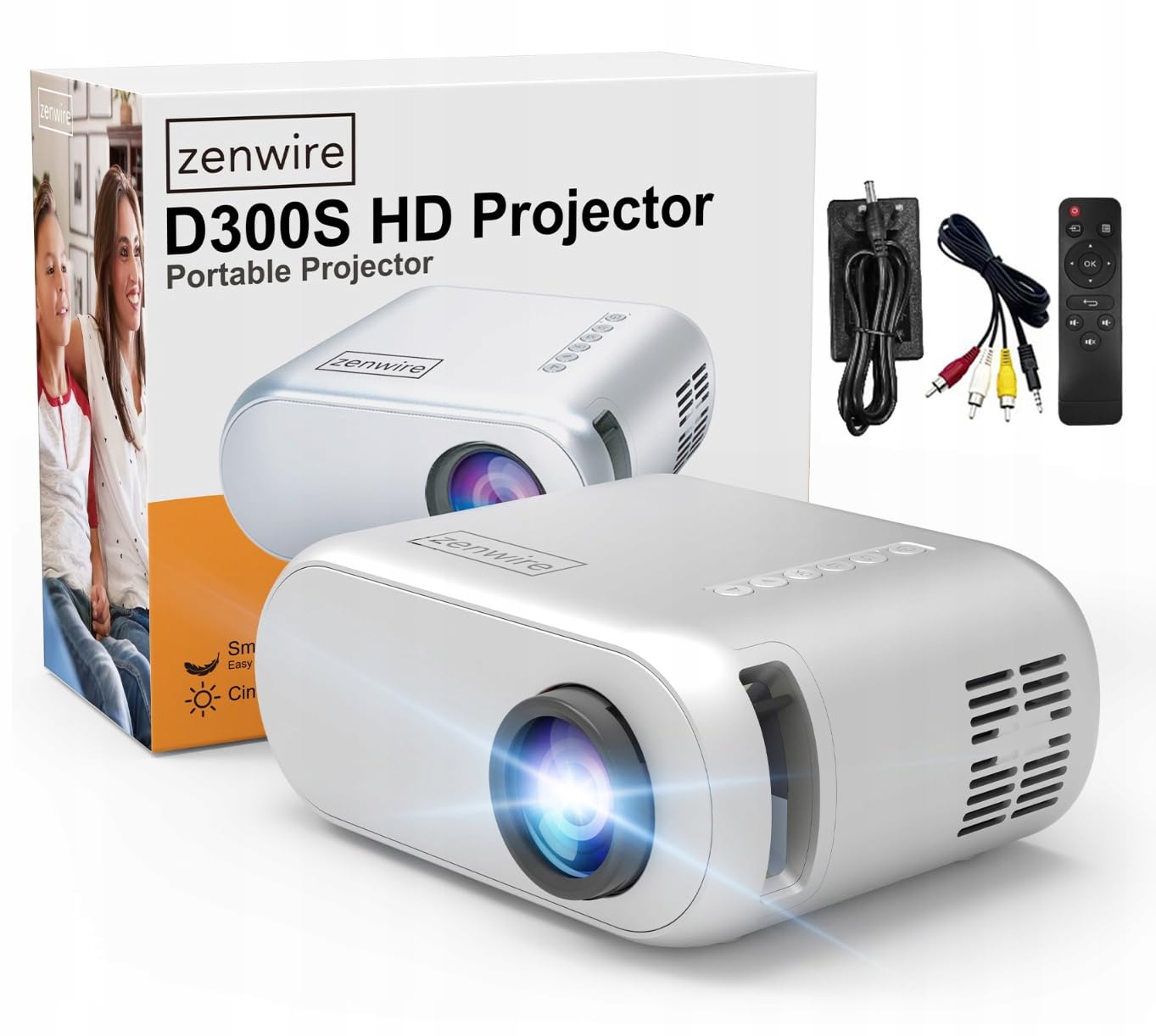
Image 2.1: Zenwire D300S Mini Projector and included accessories.
3. สินค้าหมดview
Projector Front and Top View
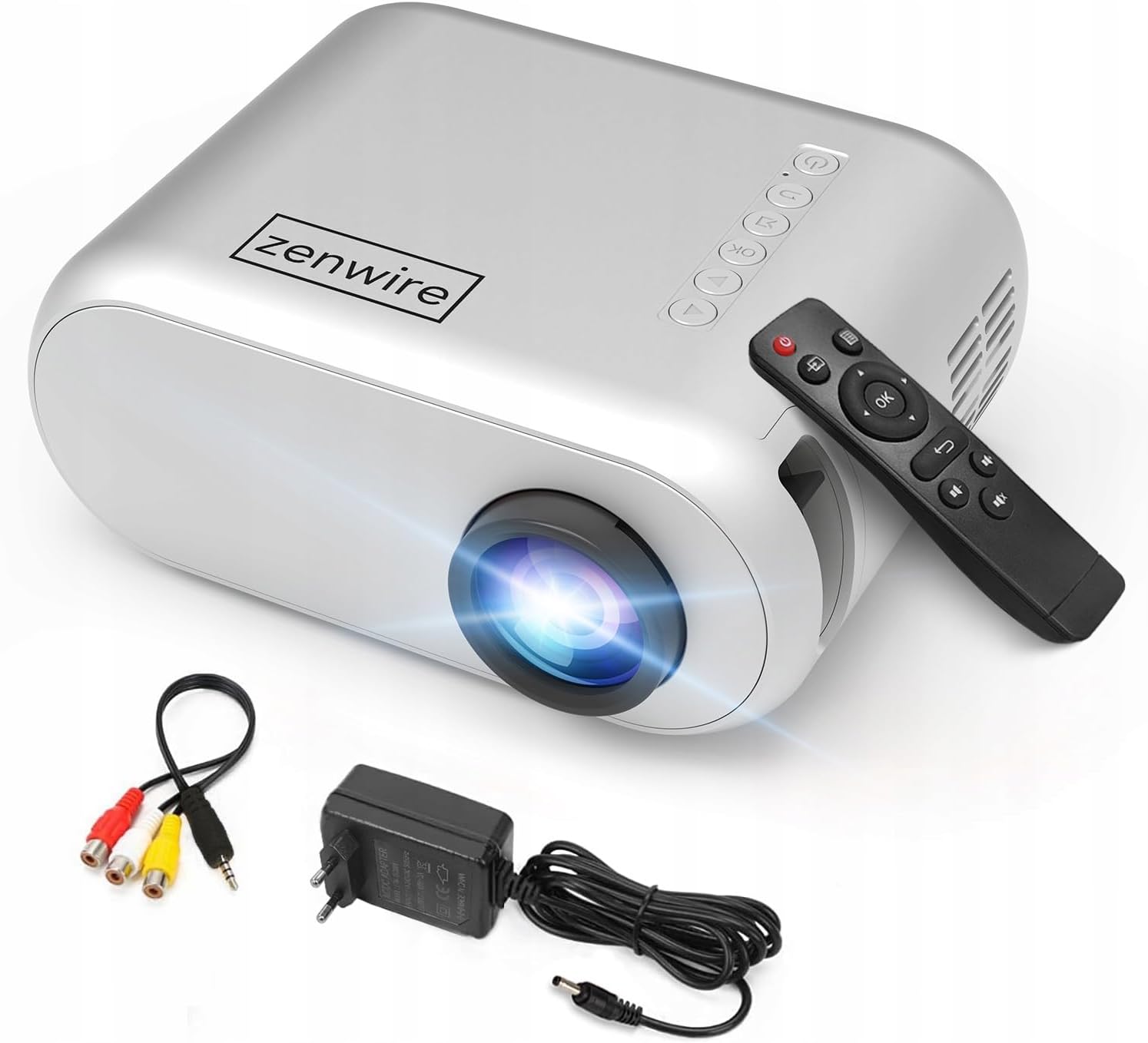
ภาพที่ 3.1: ด้านหน้าและด้านบน view of the projector, showing the lens and top control panel.
แผงด้านหลังและการเชื่อมต่อ
The rear panel of the projector features various ports for connecting external devices:

ภาพที่ 3.2: ด้านหลัง view of the projector, highlighting the input/output ports.
- อินพุต AV: For connecting devices using the included AV cable.
- อินพุต HDMI: For connecting devices such as laptops, gaming consoles, or streaming sticks.
- พอร์ต USB: For connecting USB flash drives to play media fileโดยตรงเลย
- เอาต์พุต AUX: สำหรับเชื่อมต่อลำโพงภายนอกหรือหูฟัง
- อินพุตไฟ DC: สำหรับการเชื่อมต่ออะแดปเตอร์ไฟฟ้า
แผงควบคุมด้านบน
The top of the projector features a control panel for basic operations:
- ปุ่มเปิด/ปิด: เปิดหรือปิดโปรเจ็กเตอร์
- ปุ่มนำทาง (ขึ้น/ลง/ซ้าย/ขวา): ใช้สำหรับการนำทางเมนู
- ปุ่มตกลง: ยืนยันการเลือก
- ปุ่มย้อนกลับ: กลับไปยังเมนูหรือหน้าจอก่อนหน้า
- ปุ่มต้นทาง: เลือกแหล่งสัญญาณเข้า (HDMI, AV, USB)
4. การตั้งค่า
4.1 การจัดวาง
Place the projector on a stable, flat surface. Ensure there is adequate space around the projector for ventilation. The projection distance affects the screen size. Refer to the image below for recommended distances and corresponding screen sizes.

Image 4.1: Recommended projection distances and screen sizes.
- สำหรับจอขนาด 30 นิ้ว ให้วางโปรเจคเตอร์ห่างจากจอประมาณ 0.9 เมตร
- สำหรับจอขนาด 50 นิ้ว ให้วางโปรเจคเตอร์ห่างจากจอประมาณ 1.5 เมตร
- For an 80-inch screen, place the projector approximately 2.4 meters away.
- สำหรับจอขนาด 100 นิ้ว ให้วางโปรเจคเตอร์ห่างจากจอประมาณ 3.0 เมตร
4.2 การเชื่อมต่อสายไฟ
Connect the power adapter to the DC Power Input port on the projector, then plug the adapter into a power outlet.
4.3 การเชื่อมต่ออุปกรณ์
The Zenwire D300S supports various input sources:
ภาพที่ 4.2: อดีตamples of devices that can be connected to the projector.
- ช่องต่อ HDMI: Connect your laptop, gaming console, or streaming device using an HDMI cable.
- ยูเอสบี: เสียบแฟลชไดรฟ์ USB เข้ากับพอร์ต USB เพื่อเล่นสื่อ fileโดยตรงเลย
- เอวี: Use the included AV cable to connect older devices like DVD players.
- ช่องต่อสัญญาณเสียงออก (AUX): Connect external speakers or headphones to the AUX port for enhanced audio.
4.4 การปรับโฟกัส
Turn on the projector. Adjust the focus ring located near the lens until the projected image is clear and sharp.
5. คู่มือการใช้งาน
5.1 เปิด/ปิดเครื่อง
Press the Power button on the projector or the remote control to turn the device on or off.
5.2 การเลือกแหล่งที่มา
After powering on, use the 'Source' button on the projector or remote control to select the desired input source (HDMI, AV, USB).
5.3 การนำทางเมนู
Use the navigation buttons (Up/Down/Left/Right) on the projector or remote to browse through menus. Press 'OK' to confirm a selection and 'Back' to return.
5.4 การควบคุมระดับเสียง
ปรับระดับเสียงโดยใช้ปุ่มระดับเสียงบนรีโมทคอนโทรล
5.5 Connecting to a Phone/Laptop
To project content from a phone or laptop:
- สำหรับแล็ปท็อป: Connect via HDMI cable. Select HDMI as the input source on the projector.
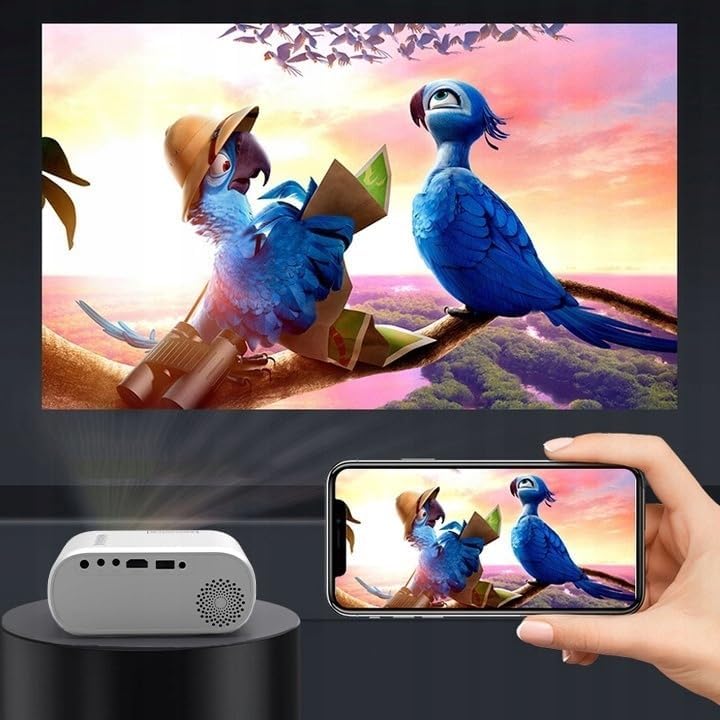
- สำหรับโทรศัพท์: Depending on your phone model, you may need an adapter (e.g., USB-C to HDMI, Lightning to HDMI) to connect via HDMI. Alternatively, some phones support wireless display technologies that can be used with a compatible streaming stick connected to the projector's HDMI port.

Image 5.1: Projecting content from a smartphone to the Zenwire D300S Mini Projector.
6. การบำรุงรักษา
6.1 การทำความสะอาดเลนส์
ใช้ผ้าเนื้อนุ่ม ปราศจากขน ที่ออกแบบมาสำหรับเลนส์โดยเฉพาะ เช็ดเลนส์โปรเจคเตอร์เบาๆ อย่าใช้สารทำความสะอาดที่มีฤทธิ์กัดกร่อนหรือออกแรงมากเกินไป
6.2 การทำความสะอาดตัวโปรเจ็กเตอร์
เช็ดทำความสะอาดภายนอกของโปรเจคเตอร์ด้วยผ้าแห้งนุ่มๆ สำหรับคราบฝังแน่น ให้ใช้ผ้าชุบน้ำหมาดๆ เช็ดเบาๆamp สามารถใช้ผ้าแล้วตามด้วยผ้าแห้ง
6.3 การระบายอากาศ
ตรวจสอบช่องระบายอากาศให้ปราศจากฝุ่นและสิ่งกีดขวางเป็นประจำเพื่อให้แน่ใจว่ามีการไหลเวียนของอากาศที่เหมาะสมและป้องกันไม่ให้เกิดความร้อนสูงเกินไป
7 การแก้ไขปัญหา
หากคุณพบปัญหาเกี่ยวกับโปรเจ็กเตอร์ โปรดดูปัญหาและวิธีแก้ไขที่พบบ่อยต่อไปนี้:
| ปัญหา | สาเหตุที่เป็นไปได้ | สารละลาย |
|---|---|---|
| ไม่มีภาพที่ฉาย | Power not connected, incorrect input source, device not sending signal. | Check power connection, select correct input source, ensure connected device is on and outputting video. |
| ภาพเบลอ | Focus not adjusted, projector too close/far. | Adjust the focus ring, reposition the projector according to recommended distances. |
| ไม่มีเสียง | ระดับเสียงเบาเกินไป ไม่ได้เชื่อมต่อลำโพงภายนอก ไม่รองรับรูปแบบไฟล์เสียง | Increase volume, connect external speakers via AUX, check audio settings on source device. |
| รีโมตคอนโทรลไม่ทำงาน | Batteries dead, obstruction between remote and projector. | เปลี่ยนแบตเตอรี่ ตรวจสอบให้แน่ใจว่ามองเห็นตัวรับสัญญาณอินฟราเรดของโปรเจ็กเตอร์ได้อย่างชัดเจน |
8. ข้อมูลจำเพาะ
- แบบอย่าง: Zenwire D300S
- ความละเอียดดั้งเดิม: 1280 x 720p HD
- ความสว่าง: 3000 ลูเมน (100 ANSI ลูเมน)
- การเชื่อมต่อ: HDMI, USB, AUX, AV
- อัตราส่วนภาพ: 16:9 / 4:3
- ระยะฉายภาพ: 0.9m - 3.0m (approx. 30-100 inches)
9. การรับประกันและการสนับสนุน
The Zenwire D300S Mini Projector comes with a standard manufacturer's warranty. Please refer to the warranty card included in your package for specific terms and conditions. For technical support or service inquiries, please contact your retailer or the Zenwire customer service department.