
การแนะนำ
This manual provides essential information for the safe and efficient operation of your XBENDON M1 MP3 Player. Please read it thoroughly before using the device and retain it for future reference.
The XBENDON M1 is a versatile portable media player featuring Android OS, Bluetooth, and Wi-Fi connectivity. It is designed for music playback, video viewing, e-books, educational applications, and games.
เนื้อหาแพ็คเกจ
Upon unboxing, ensure all items listed below are present:
- 1 x XBENDON M1 MP3 Player
- สายชาร์จ 1 x USB-C
- 1 x คู่มือผู้ใช้ (เอกสารนี้)

Image: The XBENDON M1 MP3 Player shown with its included USB-C charging cable and user manual.
อุปกรณ์โอเวอร์view
Familiarize yourself with the physical components of your M1 MP3 Player.

ภาพ: ด้านหน้าและด้านหลัง view of the XBENDON M1 MP3 Player, highlighting its compact design and volume controls.
- แสดง: 4-inch touch screen for navigation and content display.
- ปุ่มปรับระดับเสียง: ตั้งอยู่ด้านข้างสำหรับปรับระดับเสียง
- ปุ่มเปิด/ปิด: Used to turn the device on/off or put it to sleep.
- พอร์ต USB-C: สำหรับการชาร์จและถ่ายโอนข้อมูล
- แจ็คเสียงขนาด 3.5 มม.: สำหรับการเชื่อมต่อหูฟังแบบมีสาย
- ช่องเสียบการ์ด MicroSD: สำหรับเพิ่มความจุในการจัดเก็บข้อมูลได้สูงสุดถึง 512GB
การตั้งค่า
1. ค่าธรรมเนียมเริ่มต้น
Before first use, fully charge the device. Connect the provided USB-C cable to the player and a compatible USB power adapter (not included) or a computer's USB port. The charging indicator will show progress.
2. เปิด/ปิดเครื่อง
Press and hold the power button on the side of the device until the screen illuminates to power on. To power off, press and hold the power button, then select "Power off" from the options. A short press will put the device to sleep or wake it up.
3 การเชื่อมต่อ Wi-Fi
- จากหน้าจอหลัก ไปที่ การตั้งค่า.
- เลือก เครือข่ายและอินเตอร์เน็ต, แล้ว ไวไฟ.
- สลับ Wi-Fi On.
- เลือกเครือข่ายที่คุณต้องการจากรายการและป้อนรหัสผ่านหากได้รับแจ้ง
4. การจับคู่บลูทู ธ
- จากหน้าจอหลัก ไปที่ การตั้งค่า.
- เลือก อุปกรณ์ที่เชื่อมต่อ, แล้ว บลูทูธ.
- สลับบลูทูธ On.
- ตรวจสอบให้แน่ใจว่าหูฟังหรือลำโพง Bluetooth ของคุณอยู่ในโหมดจับคู่
- เลือกอุปกรณ์ของคุณจากรายการอุปกรณ์ที่พร้อมใช้งานเพื่อทำการจับคู่
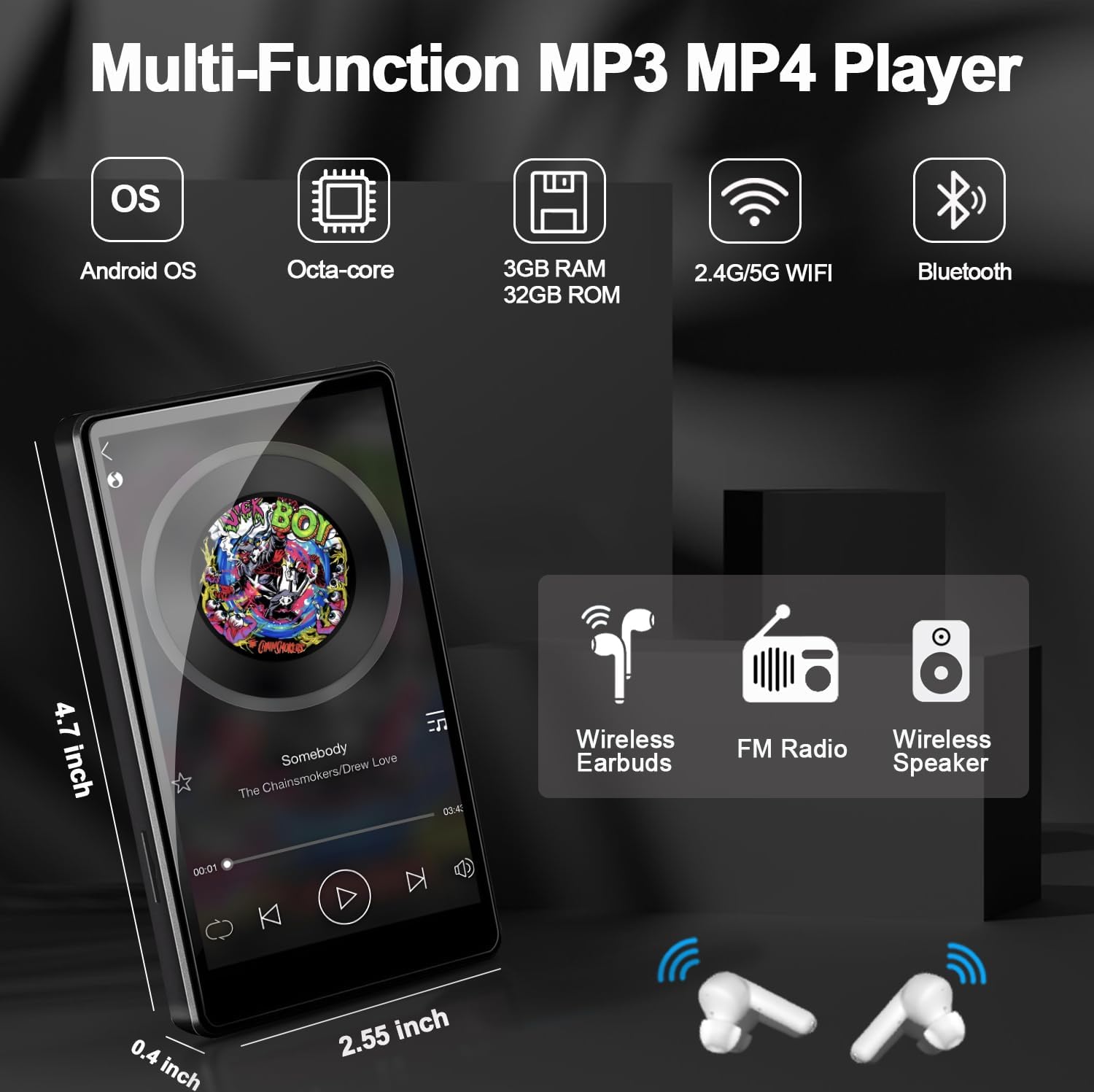
Image: The XBENDON M1 MP3 Player displaying a music interface, with wireless headphones and a speaker icon, illustrating Bluetooth connectivity.
5. Expanding Storage (MicroSD Card)
The device supports MicroSD cards up to 512GB. Gently insert a compatible MicroSD card into the designated slot until it clicks into place. The device will recognize the new storage, allowing you to store more music, videos, and apps.
คำแนะนำการใช้งาน
1. การนำทาง
The 4-inch touch screen allows for intuitive navigation. Swipe left/right to browse home screens, tap icons to open applications, and use the navigation bar at the bottom for Back, Home, and Recent Apps functions.
2. การเล่นเพลง
Use the pre-installed music player app or download your preferred streaming service (e.g., Spotify, Amazon Music) from the Google Play Store. The device supports various audio formats including MP3, OGG, FLAC, AAC, WAV, WMA, APE, MP4, MOV.

Image: The XBENDON M1 MP3 Player showing a music playback screen with options for sequential play, loop, shuffle, and equalizer adjustment, set against a colorful equalizer graphic.
3. การเล่นวิดีโอ
The device supports video playback. Transfer video files to the device's internal storage or MicroSD card, or stream from supported apps. Video formats supported include MP4, MKV, MPG, MOV, 3GP, FLV, etc.

Image: The XBENDON M1 MP3 Player displaying various app icons and a video playback screen, illustrating its multimedia capabilities.
4. Parental Control Mode (iWawa App)
The iWawa app is pre-installed for parental control. This mode allows you to:
- Hand-pick content for your children.
- Control screen time.
- Ensure safe browsing.
- Set educational goals.
- Adjust settings as your child grows.

Image: The XBENDON M1 MP3 Player displaying the iWawa parental control interface, showing options for managing content, applications, websites, and screen time.
5. Downloading Applications (GMS Certified)
As a GMS certified device, you can download and install a wide range of applications from the Google Play Store, including social media, educational tools, and entertainment apps.
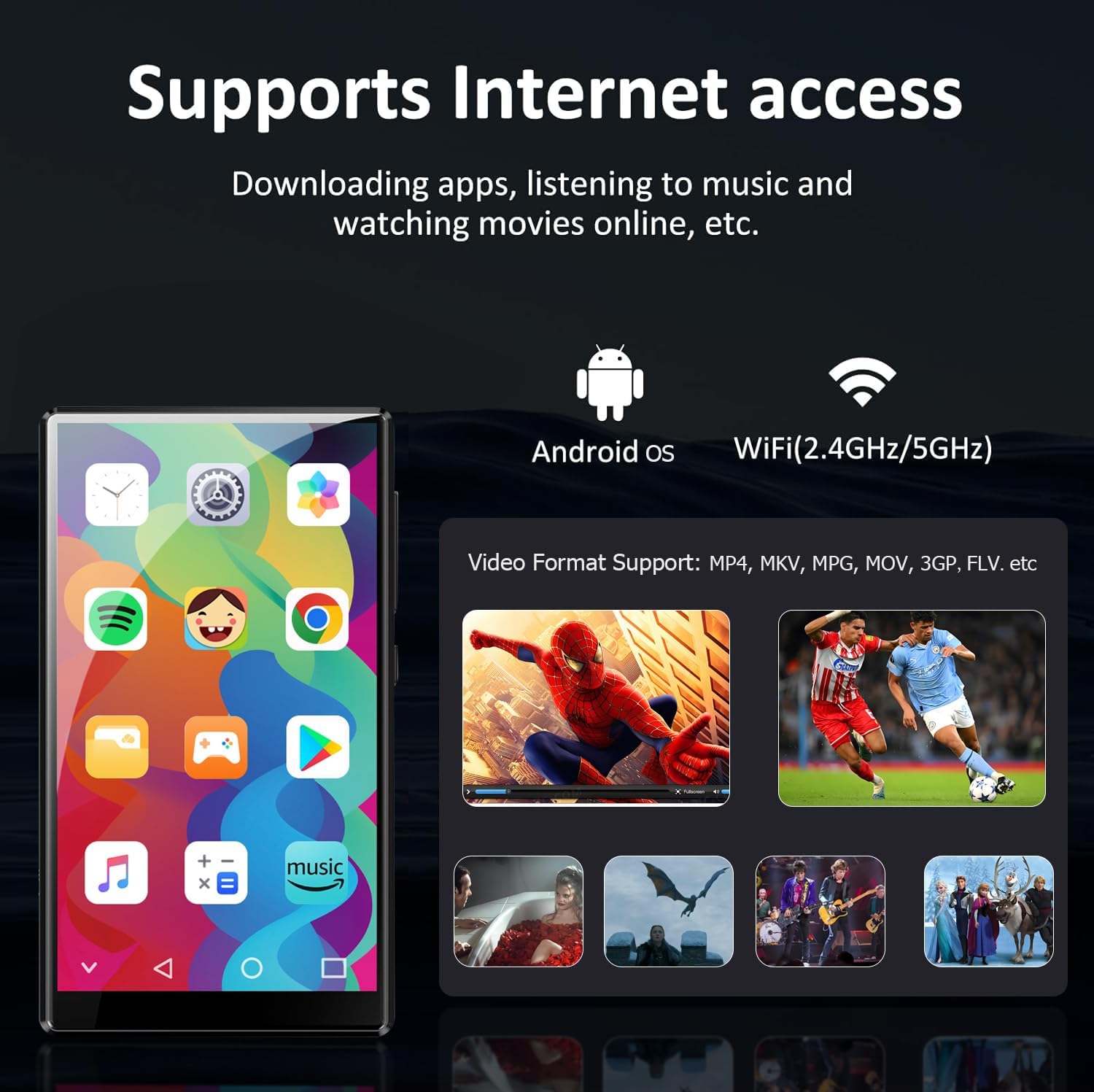
Image: The XBENDON M1 MP3 Player displaying a home screen filled with various application icons, including Spotify, YouTube, and the Google Play Store, indicating its GMS certification.
การซ่อมบำรุง
1. การทำความสะอาด
Wipe the screen and body with a soft, dry, lint-free cloth. Avoid using harsh chemicals or abrasive materials that could damage the device.
2. การดูแลแบตเตอรี่
เพื่อยืดอายุการใช้งานแบตเตอรี่ ควรหลีกเลี่ยงอุณหภูมิที่สูงหรือต่ำเกินไป และอย่าปล่อยให้แบตเตอรี่หมดเกลี้ยงบ่อยๆ ควรชาร์จอุปกรณ์เป็นประจำ
3. การอัปเดตซอฟต์แวร์
Periodically check for software updates in the device settings to ensure optimal performance and access to the latest features.
การแก้ไขปัญหา
| ปัญหา | วิธีแก้ปัญหาที่เป็นไปได้ |
|---|---|
| อุปกรณ์ไม่เปิดเครื่อง | Ensure the device is fully charged. Press and hold the power button for 10-15 seconds to perform a forced restart. |
| ไม่สามารถเชื่อมต่อ Wi-Fi ได้ | Check if Wi-Fi is enabled in settings. Verify the Wi-Fi password. Restart your router and the MP3 player. |
| อุปกรณ์บลูทูธไม่จับคู่ | Ensure Bluetooth is enabled on both devices and they are in pairing mode. Move devices closer together. Restart both devices. |
| แอปทำงานช้าหรือค้าง | Close unused apps. Clear app cache in settings. Restart the device. Ensure sufficient storage space. |
| ไม่พบการ์ด microSD | Ensure the card is inserted correctly. Try reinserting the card. Test with another compatible MicroSD card. |
ข้อมูลจำเพาะ
| คุณสมบัติ | รายละเอียด |
|---|---|
| แบบอย่าง | M1 |
| ระบบปฏิบัติการ | ระบบปฏิบัติการแอนดรอยด์ |
| แรม | 3GB |
| หน่วยความจำภายใน (ROM) | 32GB |
| พื้นที่เก็บข้อมูลแบบขยายได้ | Up to 512GB (Micro SD, Micro SDHC, Micro SDXC) |
| ขนาดหน้าจอ | 4 นิ้ว |
| การเชื่อมต่อ | 5G/2.4G Wi-Fi, Bluetooth (two-way), USB-C, Aux |
| คุณสมบัติพิเศษ | Built-In Speaker, Equalizer, FM Radio, Touch Screen, Video Playback, GMS Certified, Parental Control (iWawa) |
| ขนาดสินค้า | 0.6 x 2.5 x 4.2 นิ้ว |
| น้ำหนักสินค้า | 8.4 ออนซ์ |
| แบตเตอรี่ | แบตเตอรี่ลิเธียมโพลิเมอร์ 1 ก้อน (รวมอยู่ด้วย) |
การรับประกันและการสนับสนุน
For warranty information and technical support, please refer to the official XBENDON webเยี่ยมชมเว็บไซต์หรือติดต่อฝ่ายบริการลูกค้าผ่านแพลตฟอร์มการซื้อของคุณ เก็บหลักฐานการซื้อไว้เพื่อใช้ในการเคลมประกัน
Additional protection plans may be available for purchase separately. Please check with your retailer for details.