
DOOGEE Blade 10 Pro
DOOGEE Blade 10 Pro (2025) Rugged Phone User Manual
Model: Blade 10 Pro | Brand: DOOGEE
1. บทนำ
Welcome to the user manual for your new DOOGEE Blade 10 Pro (2025) Rugged Phone. This device is engineered for durability and high performance, featuring a 10.7mm ultra-thin design, 16GB RAM, 256GB storage, Android 14, a 6.56" HD+ 90Hz display, 50MP + 8MP cameras, IP68/IP69K waterproof rating, Widevine L1 support, NFC, and Face Unlock. This manual provides essential information to help you set up, operate, maintain, and troubleshoot your device.

ภาพ: ด้านหน้าและด้านหลัง view of the DOOGEE Blade 10 Pro, highlighting its rugged design and key specifications like 16GB+256GB, Android 14.
2. ข้อมูลด้านความปลอดภัย
Please read all safety information before using your device to ensure safe and proper use. Follow these guidelines:
- ห้ามถอดประกอบหรือดัดแปลงอุปกรณ์
- หลีกเลี่ยงการวางอุปกรณ์ไว้ในอุณหภูมิที่สูงหรือต่ำเกินไปหรือถูกแสงแดดโดยตรงเป็นเวลานาน
- Use only approved chargers and accessories to prevent damage and voiding the warranty.
- เก็บอุปกรณ์ให้ห่างจากอุปกรณ์ทางการแพทย์เพื่อหลีกเลี่ยงการรบกวน
- Ensure all ports are properly sealed when exposing the device to water or dust to maintain its IP68/IP69K rating.
3. เนื้อหาบรรจุภัณฑ์
ตรวจสอบว่ามีรายการทั้งหมดอยู่ในบรรจุภัณฑ์ผลิตภัณฑ์ของคุณ:
- DOOGEE Blade 10 Pro (2025) Rugged Phone
- สาย USB
- อะแดปเตอร์แปลงไฟ
- เครื่องมือถอดซิม
- คู่มือเริ่มต้นอย่างรวดเร็ว
- บัตรรับประกัน
4. สินค้าหมดview
Familiarize yourself with the physical features and components of your DOOGEE Blade 10 Pro.

Image: Detailed graphic showing key features including NFC, 256GB ROM + 16GB RAM, 10.7mm Ultra-Thin Body, 50MP AI Main Camera, Face Unlock, Android 14, 5150mAh battery, Octa Core processor, and 2.4G/5G WiFi.
4.1 ส่วนประกอบทางกายภาพ
- กล้องหน้า: กล้อง 8MP สำหรับถ่ายเซลฟี่และวิดีโอคอล
- แสดง: 6.56" HD+ 90Hz Waterdrop Screen for immersive viewการไอเอ็นจี
- กล้องหลัง: 50MP AI main camera for high-resolution photos.
- Fingerprint Sensor/Power Button: Integrated for quick and secure access.
- ปุ่มปรับระดับเสียง: ปรับระดับเสียง
- พอร์ต USB-C: สำหรับการชาร์จและถ่ายโอนข้อมูล
- ช่องใส่ซิมการ์ด/TF: Supports dual SIM cards and TF card expansion up to 2TB.
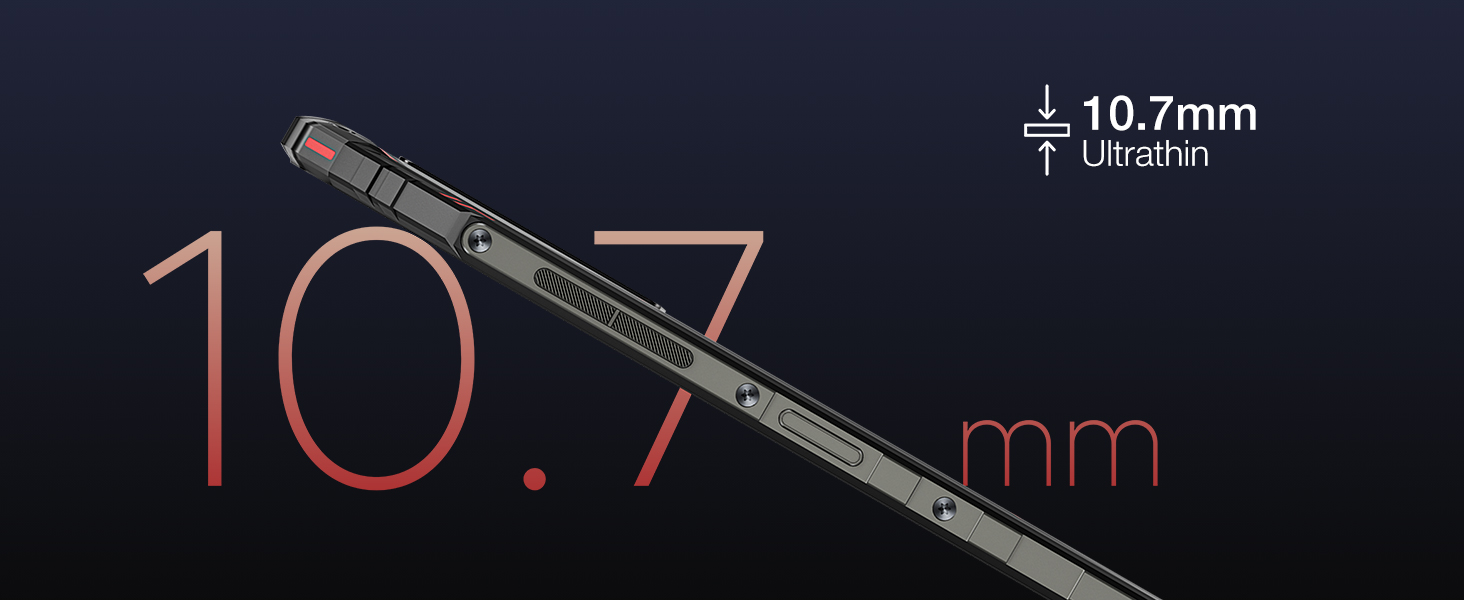
ภาพ: ระยะใกล้ view of the phone's side profile, emphasizing its 10.7mm ultra-thin design.
5. การตั้งค่า
5.1 การชาร์จเริ่มต้น
Before first use, fully charge your DOOGEE Blade 10 Pro using the provided power adapter and USB cable. The device features a 5150mAh large battery for extended usage.
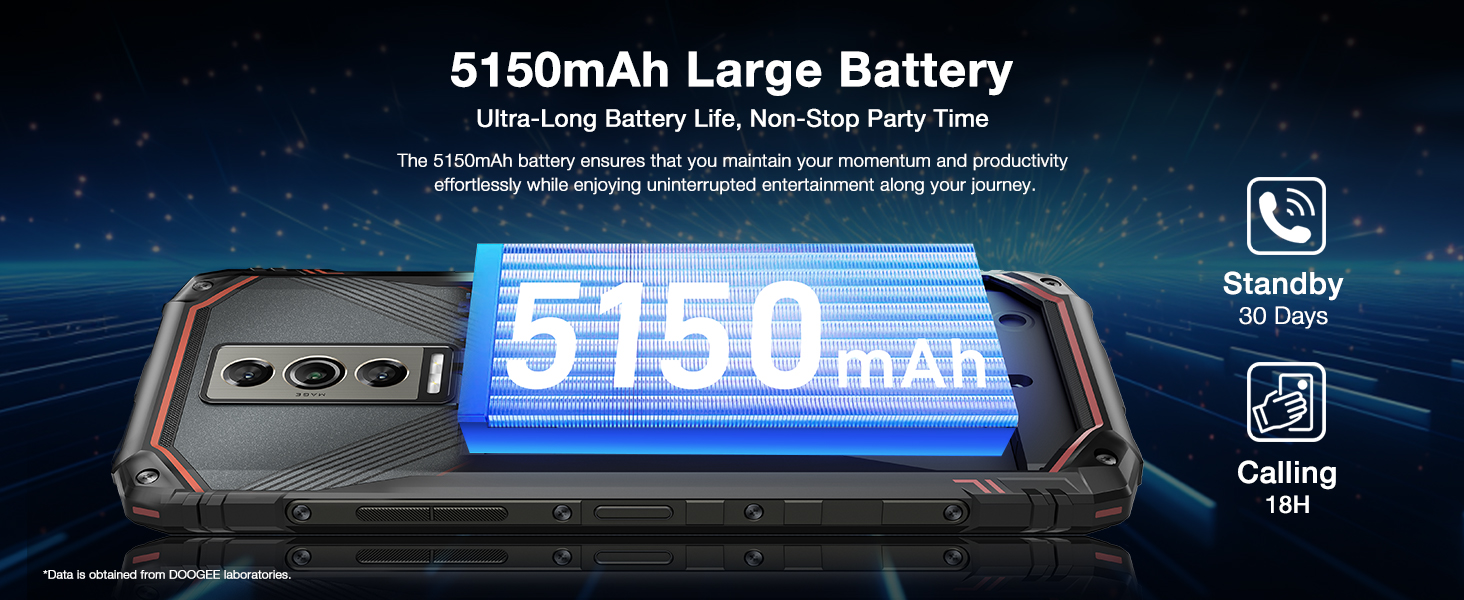
Image: Graphic illustrating the 5150mAh large battery capacity and its benefits for ultra-long battery life.
5.2 การติดตั้งซิมการ์ดและการ์ด TF
To install your SIM cards and/or TF card:
- หาช่องใส่ซิมการ์ด/การ์ด TF ที่ด้านข้างของโทรศัพท์
- เสียบเครื่องมือถอดซิมเข้าไปในรูเล็กๆ ข้างถาดเพื่อเปิดออก
- Place your Nano SIM cards and/or TF card into the designated slots on the tray. Ensure correct orientation.
- ค่อยๆ ดันถาดกลับเข้าไปในช่องจนกระทั่งชิดกับตัวเครื่องโทรศัพท์
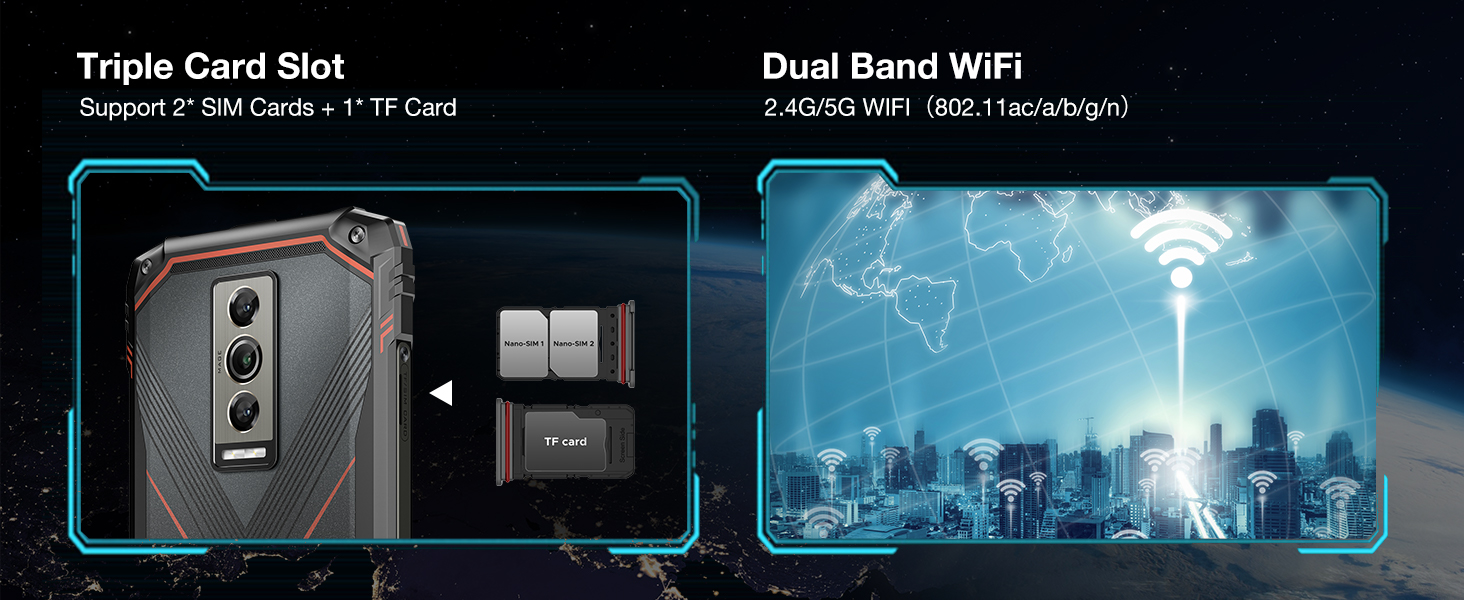
Image: Diagram showing the triple card slot supporting two SIM cards and one TF card, along with dual-band Wi-Fi capabilities.
5.3 การตั้งค่าครั้งแรก
Upon powering on your device for the first time, follow the on-screen prompts to complete the initial setup, including language selection, Wi-Fi connection, Google account login, and security settings.
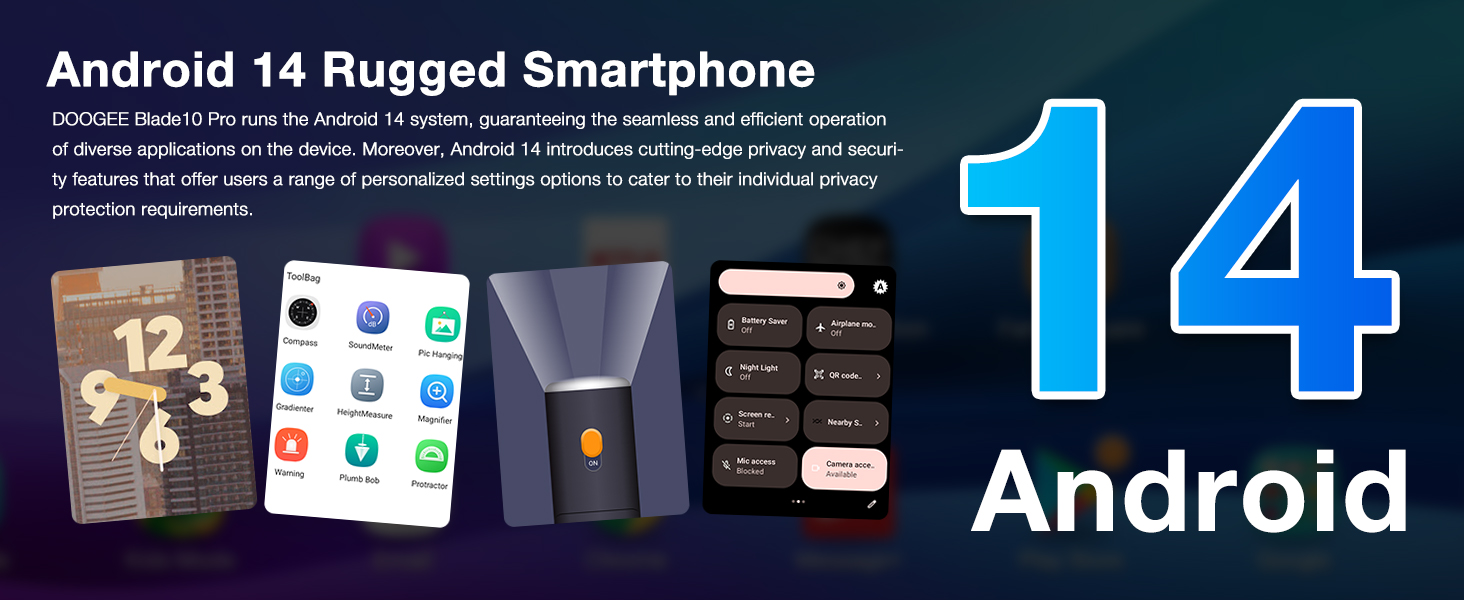
Image: Graphic highlighting the Android 14 operating system and its features, including privacy protection and personalized settings.
6. คู่มือการใช้งาน
6.1 การนำทางพื้นฐาน
Your DOOGEE Blade 10 Pro runs on Android 14, offering intuitive navigation. Use gestures or the traditional navigation bar for home, back, and recent apps. The 6.56" HD+ 90Hz display provides a smooth and responsive user experience.

Image: Visual representation of the 6.56" Waterdrop Screen, emphasizing its ultra-realistic and immersive viewing experience with details on aspect ratio, screen-to-body ratio, resolution, brightness, and pixel density.
6.2 การใช้งานกล้อง
Capture stunning photos and videos with the 50MP AI main camera and 8MP front camera. The Morpho Imaging Algorithm enhances clarity and detail in every shot.

Image: Illustration of the 50MP AI main camera and 8MP front camera, showcasinจี เอ็กซ์ample photos in Portrait, HDR, and Panorama modes.
For enhanced video stability, the phone features advanced video stabilization. See the video below for a demonstration.
Video: Demonstration of the Morpho Imaging Algorithm and video stabilization features of the DOOGEE Blade 10 Series, showing improved clarity and stability in captured footage.
6.3 Security Features: NFC and Face Unlock
The Blade 10 Pro supports NFC for convenient mobile payments and data transfer. For quick and secure unlocking, utilize the Face Unlock feature.

Image: Visuals demonstrating the NFC payment capability and the Face Unlock security feature.
6.4 ประสิทธิภาพและการจัดเก็บ
Equipped with an Octa-Core processor, 16GB RAM (including up to 10GB extended RAM), and 256GB ROM, the Blade 10 Pro ensures smooth operation and ample storage for all your applications, photos, and videos. Storage can be expanded up to 2TB via a TF card.

Image: Diagram illustrating the powerful Octa-Core processor, 16GB RAM (6GB + up to 10GB extended), 256GB ROM, and support for 2TB TF card expansion.
7. การบำรุงรักษา
7.1 การทำความสะอาดอุปกรณ์ของคุณ
To clean your phone, use a soft, lint-free cloth. For stubborn dirt, slightly dampชุบผ้าด้วยน้ำ หลีกเลี่ยงการใช้สารเคมีรุนแรงหรือวัสดุที่มีฤทธิ์กัดกร่อน
7.2 Maintaining Ruggedness (IP68/IP69K)
The DOOGEE Blade 10 Pro is IP68/IP69K rated for water and dust resistance. To maintain this protection:
- Ensure all port covers are securely closed before exposing the phone to water or dust.
- Do not submerge the phone in water deeper than specified or for longer than recommended.
- Rinse the phone with clean water if exposed to saltwater or other liquids, then dry thoroughly.
- Avoid dropping the phone from excessive heights, despite its drop-proof design.
Video: Demonstrates the ruggedness and reliability of the DOOGEE Blade 10 Series, showcasing its durability against water and impacts.
7.3 การอัปเดตซอฟต์แวร์
ตรวจสอบและติดตั้งการอัปเดตซอฟต์แวร์เป็นประจำเพื่อให้มั่นใจถึงประสิทธิภาพ ความปลอดภัย และการเข้าถึงฟีเจอร์ใหม่ๆ ที่ดีที่สุด ไปที่ การตั้งค่า > ระบบ > อัปเดตระบบ เพื่อตรวจสอบการอัปเดต
8 การแก้ไขปัญหา
| ปัญหา | วิธีแก้ปัญหาที่เป็นไปได้ |
|---|---|
| อุปกรณ์ไม่สามารถเปิดได้ | ตรวจสอบให้แน่ใจว่าแบตเตอรี่ชาร์จเต็มแล้ว เสียบชาร์จอย่างน้อย 10 นาที จากนั้นลองเปิดเครื่องอีกครั้ง |
| แอปขัดข้องหรือค้าง | Clear app cache/data (Settings > Apps > [App Name] > Storage). Restart the device. Ensure sufficient free storage. |
| สัญญาณเครือข่ายไม่ดี | Check SIM card insertion. Move to an area with better coverage. Restart the device. Verify carrier compatibility (Note: Not compatible with Verizon). |
| แบตเตอรี่หมดเร็ว | Reduce screen brightness. Close background apps. Disable unnecessary features like GPS, Wi-Fi, Bluetooth when not in use. Check for rogue apps consuming power. |
| Cannot download apps (e.g., Instagแกะ) | Ensure you have a stable internet connection. Check available storage. Verify Google Play Store is updated and functioning correctly. Some apps may have specific regional or device compatibility requirements. |
9. ข้อมูลจำเพาะ
Key technical specifications for the DOOGEE Blade 10 Pro (2025):
| คุณสมบัติ | รายละเอียด |
|---|---|
| แบบอย่าง | เบลด 10 โปร |
| ระบบปฏิบัติการ | แอนดรอยด์ 14 |
| แสดง | 6.56 inches HD+ (720x1612) 90Hz Waterdrop Screen |
| โปรเซสเซอร์ | Octa Core (CPU Model: Snapdragon) |
| แรม | 16GB (6GB + up to 10GB Extended RAM) |
| หน่วยความจำภายใน (ROM) | 256GB |
| พื้นที่เก็บข้อมูลแบบขยายได้ | รองรับความจุสูงสุด 2TB ผ่านการ์ด TF |
| กล้องหลัง | กล้องหลัก AI 50MP |
| กล้องหน้า | 8MP |
| ความจุของแบตเตอรี่ | 5150mAh |
| ระดับความทนทาน | IP68/IP69K Waterproof, Dust-proof, Drop-proof |
| การเชื่อมต่อ | 4G Cellular, Wi-Fi (2.4G/5G), NFC, Bluetooth, GPS |
| ขนาด | ขนาด 0.43 x 3.15 x 6.8 นิ้ว (บาง 10.7 มม.) |
| น้ำหนัก | 9.2 ออนซ์ (262 กรัม) |
| สี | สีดำ |
| ความเข้ากันได้กับผู้ให้บริการเครือข่ายไร้สาย | Unlocked for All Carriers (Note: Not compatible with Verizon) |
10. การรับประกันและการสนับสนุน
DOOGEE offers comprehensive support for your Blade 10 Pro:
- รับประกันคืนเงินภายใน 30 วัน: คืนสินค้าได้ฟรีภายใน 30 วันนับจากวันที่ซื้อ
- การรับประกันจำกัด 2 ปี: Covers manufacturing defects for two years from the date of purchase.
- การสนับสนุนออนไลน์ 24/7: Access to 1-on-1 online support for any queries or issues.
หากต้องการความช่วยเหลือเพิ่มเติม โปรดไปที่เว็บไซต์ฝ่ายสนับสนุนอย่างเป็นทางการของ DOOGEE webหรือติดต่อฝ่ายบริการลูกค้าโดยตรง
Ask a question about this manual
Ask about setup, troubleshooting, compatibility, parts, safety, or missing instructions. Manuals+ will review the question and use this page’s manual context to help answer it.