
DATOUBOSS TY-PSW-E2000
DATOUBOSS 2nd Generation Pure Sine Wave Inverter User Manual
Model: TY-PSW-E2000
การแนะนำ
This user manual provides detailed instructions for the safe and efficient operation of your DATOUBOSS 2nd Generation 2000W/4000W Universal Pure Sine Wave Inverter. This device converts 12V/24V DC battery power to 220V/230V AC household power, suitable for a wide range of electronic devices and appliances. Please read this manual thoroughly before use and retain it for future reference.
ข้อมูลด้านความปลอดภัย
คำเตือน: การไม่ปฏิบัติตามคำแนะนำด้านความปลอดภัยเหล่านี้ อาจส่งผลให้เกิดไฟฟ้าช็อต ไฟไหม้ การบาดเจ็บสาหัส หรือเสียชีวิตได้
- การระบายอากาศ : ตรวจสอบให้แน่ใจว่ามีการระบายอากาศที่เพียงพอรอบๆ อินเวอร์เตอร์ อย่าปิดกั้นช่องระบายอากาศ
- สิ่งแวดล้อม: Operate the inverter in a dry, well-ventilated area, away from direct sunlight, heat sources, and flammable materials. Avoid exposure to water or excessive humidity.
- การเชื่อมต่อ: Always connect the inverter to a battery before connecting any AC loads. Ensure all connections are tight and secure to prevent arcing and overheating.
- ปริมาณแบตเตอรี่tage: ตรวจสอบว่าแรงดันไฟฟ้ากระแสตรงขาเข้าถูกต้องtage (12V or 24V) matches the inverter's intelligent identification system.
- ความจุในการรับน้ำหนัก: Do not exceed the inverter's rated power (2000W continuous, 4000W peak). Overloading can damage the inverter and connected devices.
- การต่อลงดิน: การต่อสายดินที่ถูกต้องเป็นสิ่งสำคัญ หากไม่แน่ใจควรปรึกษาช่างไฟฟ้าที่มีคุณสมบัติเหมาะสม
- เด็ก: เก็บอินเวอร์เตอร์ให้พ้นมือเด็ก
- ถอดชิ้นส่วน: Do not attempt to disassemble or modify the inverter. There are no user-serviceable parts inside.
- ฟังก์ชันการป้องกัน: The inverter is equipped with multiple protection functions (overload, overheating, high voltage, ปริมาณต่ำtage, short circuit, internal fuses). Understand these features and their indicators.

Image: Inverter protection functions including overvoltage, ปริมาณต่ำtage, short circuit, overload, and overheat protection.
เนื้อหาแพ็คเกจ
เมื่อเปิดบรรจุภัณฑ์ โปรดตรวจสอบว่าสินค้าทั้งหมดอยู่ในบรรจุภัณฑ์และอยู่ในสภาพดี:
- 1 x DATOUBOSS 2000W Pure Sine 12V/24V Converter
- 1 x Set of Battery Connection Cables (Red for Positive, Black for Negative)
- 1 x คู่มือผู้ใช้ (เอกสารนี้)

Image: The DATOUBOSS Pure Sine Wave Inverter along with its red and black battery connection cables.
สินค้าเกินview
Familiarize yourself with the components and features of your DATOUBOSS Pure Sine Wave Inverter.

ภาพ: รายละเอียด view of the inverter's panel, highlighting the NO/OFF Switch, EU Sockets, USB Power Port, Type-C Interface, Cooling Fans, Positive terminal, and Negative terminal.
- สวิตช์เปิด/ปิด: สวิตซ์ไฟหลักสำหรับอินเวอร์เตอร์
- EU Sockets: Two standard European AC output sockets for connecting appliances.
- พอร์ตจ่ายไฟ USB: Standard USB-A port for charging compatible devices (2.1A).
- อินเทอร์เฟซ Type-C: USB Type-C port for charging compatible devices.
- จอแสดงผล LCD: Shows real-time information such as input voltage, ปริมาณการส่งออกtage, output power and protection mode.
- พัดลมระบายความร้อน: Integrated fans for efficient heat dissipation, activating when the load exceeds 40% or temperature rises.
- Positive Terminal (Red): Connects to the positive (+) terminal of your battery.
- Negative Terminal (Black): Connects to the negative (-) terminal of your battery.
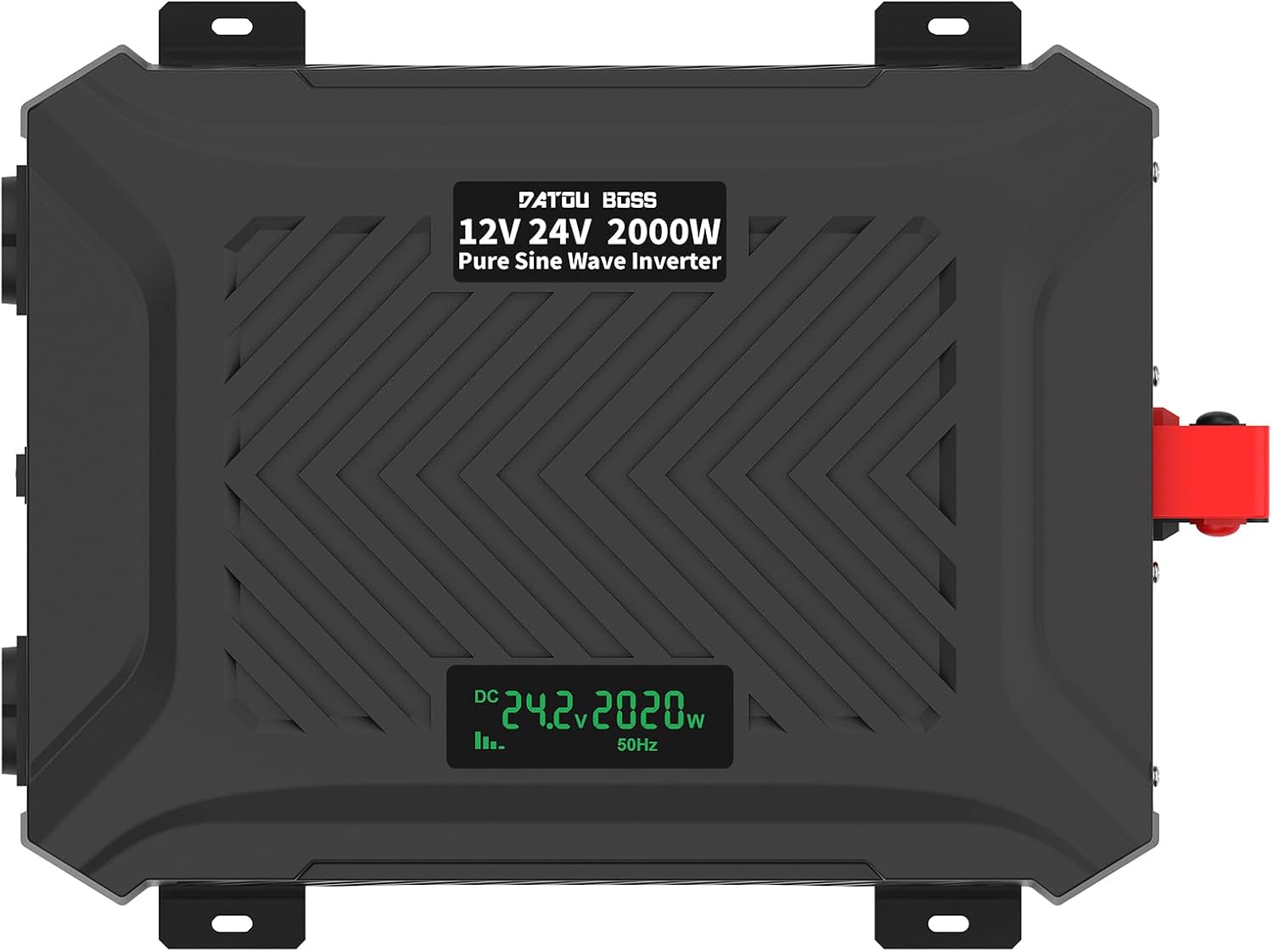
ภาพ: จากบนลงล่าง view of the inverter, clearly showing the integrated LCD display.
คำแนะนำการตั้งค่า
Follow these steps to properly set up your inverter:
- การตระเตรียม:
- Ensure the inverter's NO/OFF switch is in the "OFF" position.
- Place the inverter on a stable, flat surface in a well-ventilated area, away from direct sunlight, heat, and moisture.
- ตรวจสอบให้แน่ใจว่าแบตเตอรี่ชาร์จเต็มและอยู่ในสภาพดี
- เชื่อมต่อสายแบตเตอรี่:
- เชื่อมต่อ สีแดง สายแบตเตอรี่ไปยัง บวก (+) ขั้วของอินเวอร์เตอร์แล้วไปยัง บวก (+) terminal of your battery.
- เชื่อมต่อ สีดำ สายแบตเตอรี่ไปยัง ลบ (-) ขั้วของอินเวอร์เตอร์แล้วไปยัง ลบ (-) terminal of your battery.
- ตรวจสอบให้แน่ใจว่าการเชื่อมต่อทั้งหมดแน่นหนาและปลอดภัย เพื่อป้องกันการเกิดประกายไฟและความร้อนสูงเกินไป
- Intelligent Identification System: The inverter is equipped with an intelligent identification system that automatically detects whether a 12V or 24V battery is connected and adjusts accordingly.

Image: The inverter's intelligent identification system automatically detects and adapts to 12V or 24V battery voltagใช่
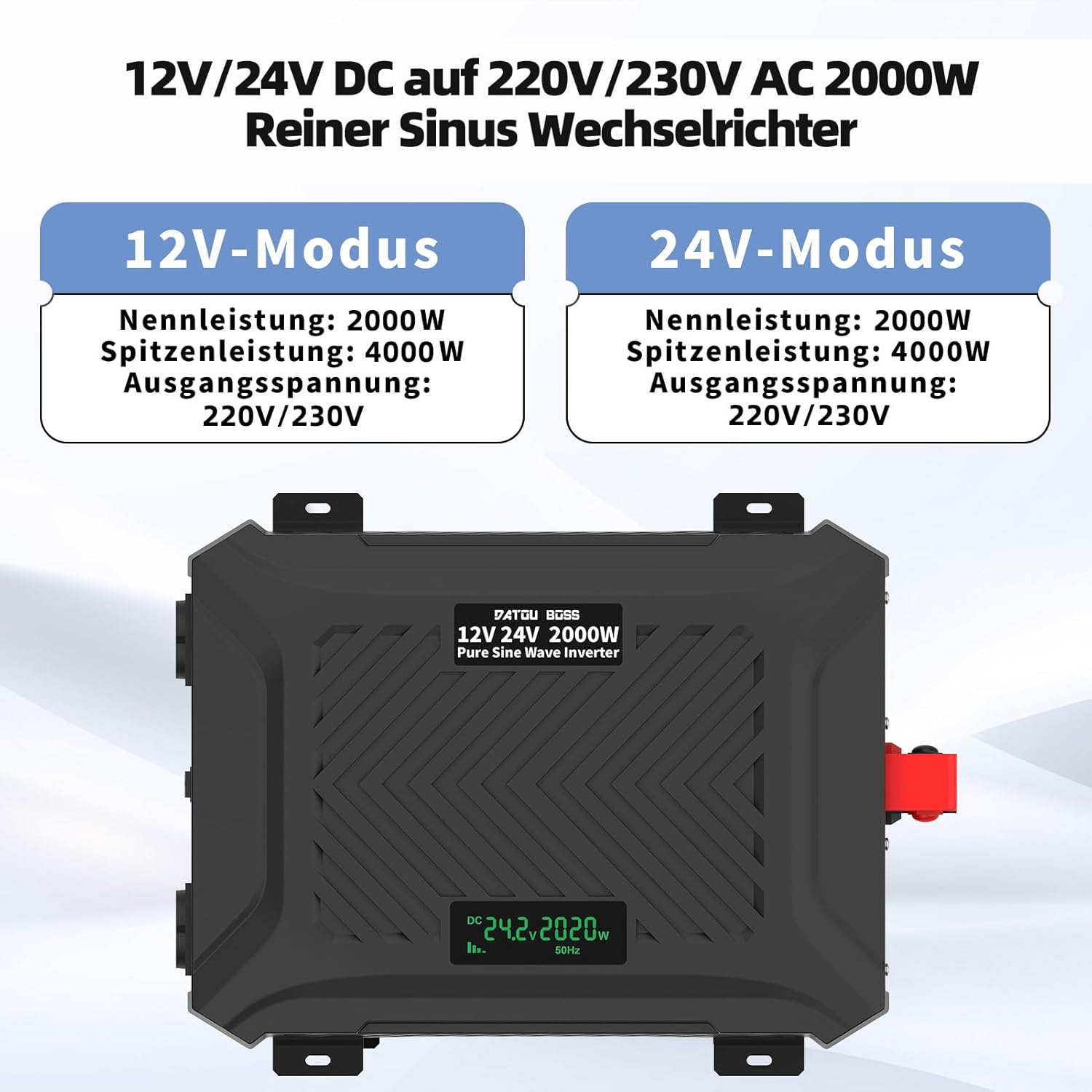
Image: The inverter operates in both 12V and 24V modes, providing a rated power of 2000W and a peak power of 4000W, with an output voltage ของ 220V/230V
- เชื่อมต่อเครื่องใช้ไฟฟ้า: Once the battery is connected, you can connect your AC appliances to the EU sockets and USB devices to the USB/Type-C ports. Ensure the total power consumption of your devices does not exceed the inverter's rated power.
Important: Always connect the battery to the inverter first before turning on the inverter or connecting any loads.
คำแนะนำการใช้งาน
- เปิดเครื่อง: After connecting the battery and ensuring all loads are within limits, switch the NO/OFF button to the "ON" position.
- จอแสดงผล LCD: The LCD display will illuminate, showing the current ambient temperature for one second, then display the input voltage (DC), output voltage (AC), and output power (W).
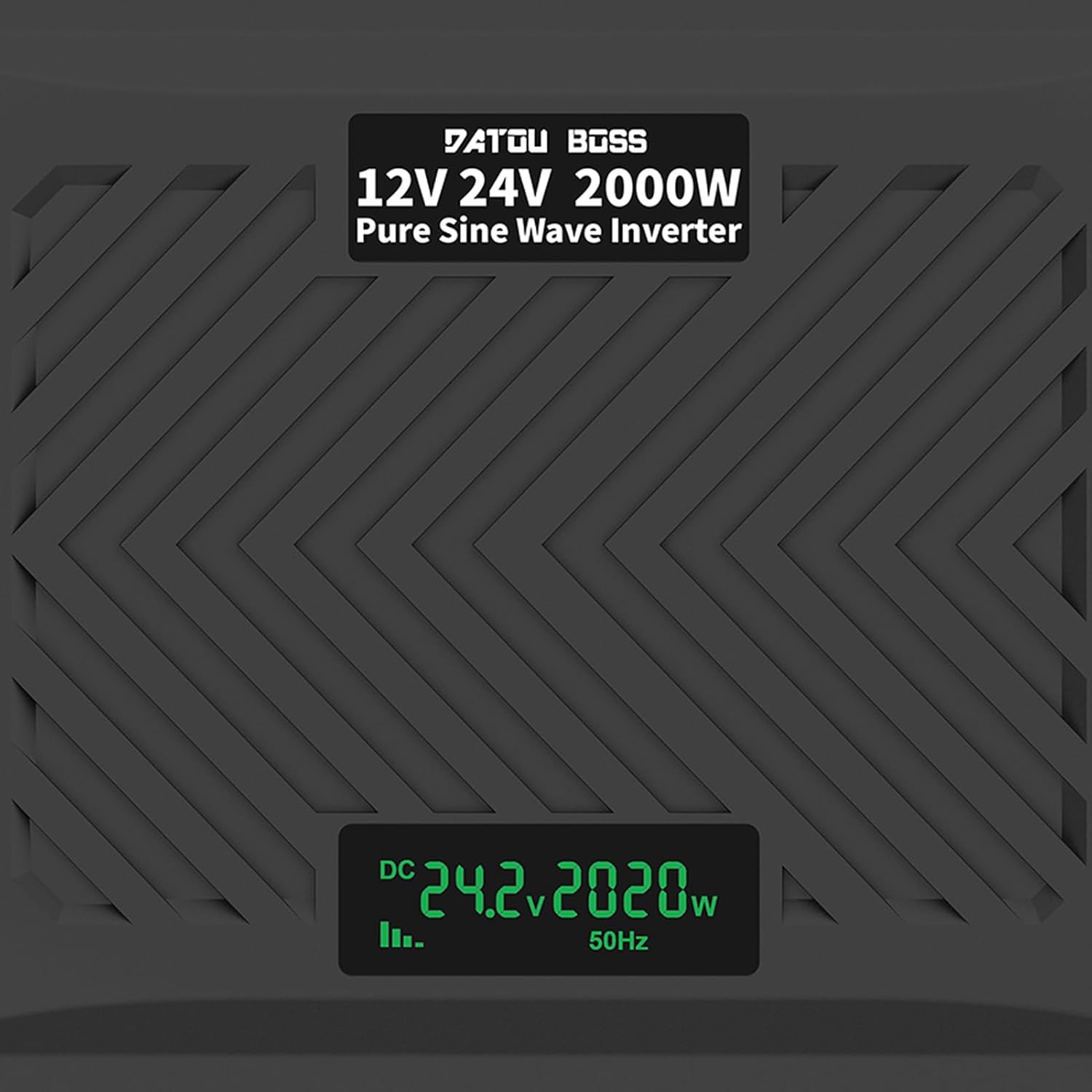
Image: A close-up of the LCD screen displaying real-time operational data, including DC input voltage, output power in watts, and output frequency.
- อุปกรณ์เชื่อมต่อ: Plug your AC appliances into the EU sockets. For USB charging, connect your devices to the USB-A or Type-C ports.
- พัดลมระบายความร้อน: The intelligent cooling fans will activate automatically when the internal temperature rises or when the load exceeds 40% of the rated capacity, ensuring optimal performance and preventing overheating.
- หมดแรง: To turn off the inverter, first disconnect all connected appliances, then switch the NO/OFF button to the "OFF" position. Finally, disconnect the battery cables.

Image: The inverter in an outdoor setting, demonstrating its use to power a laptop and a projector, highlighting its portability and utility for various applications.

Image: An illustration demonstrating the wide range of devices that can be powered by the 2000W pure sine inverter, including refrigerators, computers, kettles, electric drills, and microwave ovens.
ข้อมูลจำเพาะ
| คุณสมบัติ | ข้อมูลจำเพาะ |
|---|---|
| ชื่อรุ่น | TY-PSW-E2000 |
| กำลังขับสูงสุด | 2000วัตต์ |
| กำลังไฟสูงสุด | 4000วัตต์ |
| อินพุต Voltage | 12V DC / 24V DC (Intelligent Identification) |
| ปริมาณการส่งออกtage | 220V AC, 230V AC, 240V AC |
| ความถี่เอาต์พุต | 50เฮิรตซ์ |
| รูปคลื่นเอาท์พุต | เพียวไซน์เวฟ |
| ไม่มีกระแสโหลด | น้อยกว่า 0.7A |
| ประสิทธิภาพการแปลง | มากกว่า 92% |
| เอาท์พุต USB | 1 x USB-A (2.1A), 1 x USB Type-C |
| อุณหภูมิในการทำงาน | -10°C ถึง 50°C |
| วิธีการทำความเย็น | ระบบระบายความร้อนอัจฉริยะ |
| ฟังก์ชั่นการป้องกัน | อินพุต undervoltage, ปริมาณอินพุตสูงtage, overload, output short circuit, overheating, reverse polarity (fuse triggered) |

Image: The inverter's dimensions (24.5cm/9.64in x 32.5cm/12.79in x 9.0cm/3.54in) and an illustration of its efficient and stable pure sine wave output.
การซ่อมบำรุง
การบำรุงรักษาอย่างสม่ำเสมอจะช่วยให้เครื่องแปลงกระแสไฟฟ้าของคุณมีอายุการใช้งานยาวนานและทำงานได้อย่างมีประสิทธิภาพสูงสุด:
- การทำความสะอาด: ทำความสะอาดภายนอกอินเวอร์เตอร์เป็นระยะด้วยผ้านุ่มและแห้ง ห้ามใช้น้ำยาทำความสะอาดหรือตัวทำละลาย
- การระบายอากาศ : Ensure the cooling vents are free from dust and debris. Use compressed air to clear any blockages if necessary.
- การเชื่อมต่อ: Regularly check battery cable connections for tightness and corrosion. Clean terminals if corrosion is present.
- พื้นที่จัดเก็บ: หากต้องเก็บรักษาอินเวอร์เตอร์เป็นเวลานาน ควรตัดการเชื่อมต่อจากแบตเตอรี่และเก็บไว้ในที่แห้งและเย็น
การแก้ไขปัญหา
This section addresses common issues you might encounter with your inverter. If the problem persists, contact customer service.
| ปัญหา | สาเหตุที่เป็นไปได้ | สารละลาย |
|---|---|---|
| ไม่มีเอาต์พุต voltage / อินเวอร์เตอร์ไม่ทำงาน |
|
|
| Low output power / Inverter shuts down under load |
|
|
| เสียงปลุกดังขึ้นอย่างต่อเนื่อง |
|
|
| หน้าจอ LCD แสดงรหัสข้อผิดพลาด | Specific protection mode activated | Refer to the LCD display section in Operating Instructions for common indicators. Address the underlying issue (e.g., low voltagเช่น การโอเวอร์โหลด) |
การรับประกันและการสนับสนุน
As a manufacturer, DATOUBOSS is committed to the quality of its products. We provide comprehensive customer service and technical support.
- การรับประกัน: โปรดดูเอกสารการซื้อของคุณสำหรับข้อกำหนดและเงื่อนไขการรับประกันโดยเฉพาะ
- บริการลูกค้า: If you have any questions, encounter issues, or require technical assistance, please contact our friendly customer service team. Contact information can typically be found on the product packaging or the retailer's webไซต์ที่คุณซื้อผลิตภัณฑ์
Ask a question about this manual
Ask about setup, troubleshooting, compatibility, parts, safety, or missing instructions. Manuals+ will review the question and use this page’s manual context to help answer it.