
การแนะนำ
This manual provides comprehensive instructions for the setup, operation, and maintenance of your Diyeeni WH TA11PE Air Conditioner Remote Controller. Please read this manual carefully before using the remote control to ensure proper functionality and longevity.
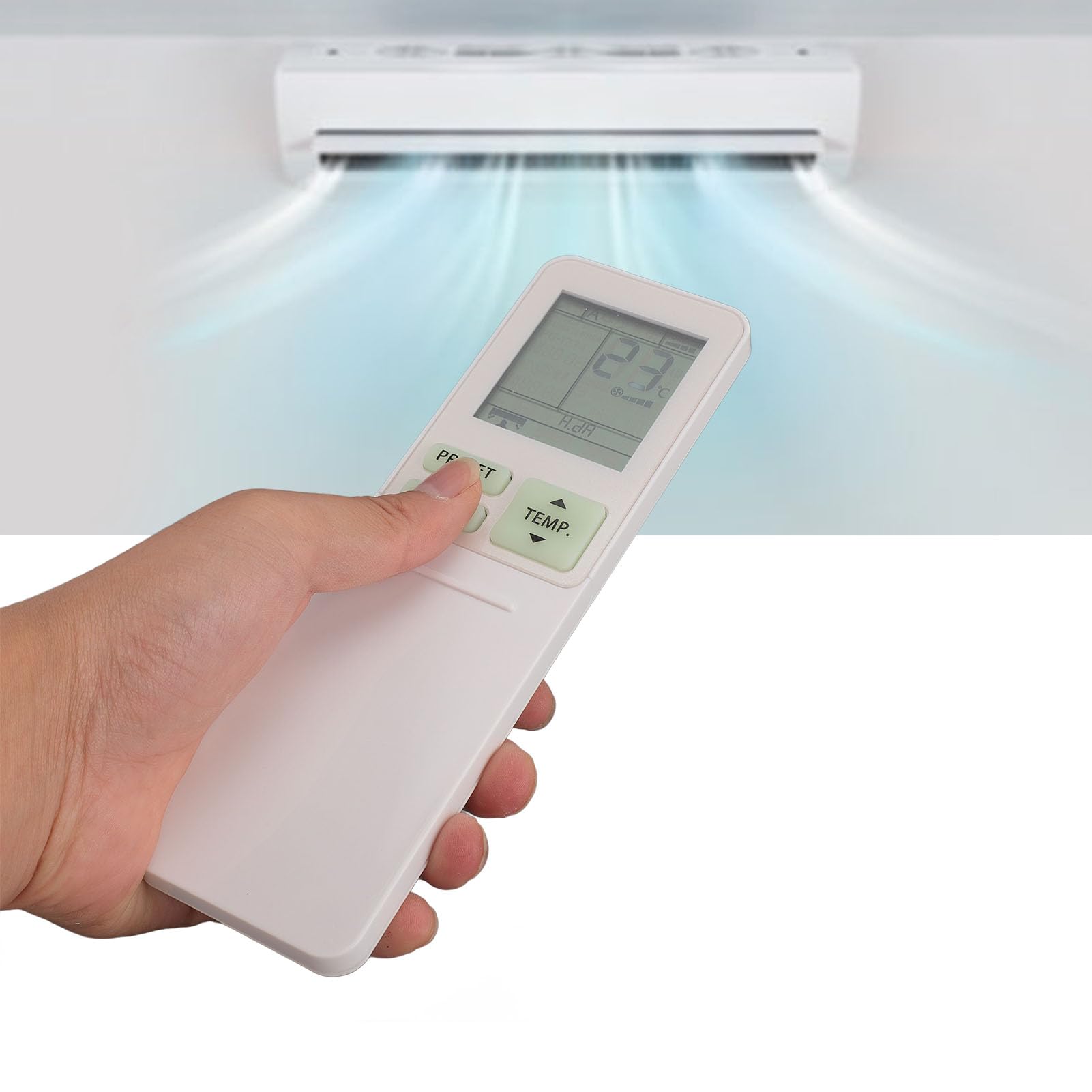
Image: The Diyeeni WH TA11PE remote control in use, with an air conditioner in the background.
รุ่นที่รองรับ
The Diyeeni WH TA11PE remote controller is designed as a replacement for the following Toshiba Air Conditioner series:
- RAS-10G2KVP Series
- RAS-13G2KVP Series
- RAS-16G2KVP Series
- RAS-18E2KVSG A Series
- RAS-22E2KVSG A Series
- RAS-24E2KVSG A Series
This remote control offers full functionality for these specified models, replicating the original remote's features.
การตั้งค่า: การติดตั้งแบตเตอรี่
ก่อนเริ่มใช้งานรีโมทคอนโทรล คุณต้องใส่แบตเตอรี่ก่อน
- เปิดช่องใส่แบตเตอรี่: Locate the battery compartment cover on the back of the remote control. Gently slide or press the latch to open the cover.
- ใส่แบตเตอรี่: Insert two (2) AAA batteries (not included) into the compartment. Ensure the positive (+) and negative (-) terminals of the batteries match the indicators inside the compartment.
- ปิดช่องใส่แบตเตอรี่: ปิดฝาช่องใส่แบตเตอรี่กลับเข้าที่โดยเลื่อนกลับเข้าที่จนกระทั่งล็อคเข้าที่อย่างแน่นหนา

Image: Remote control with the battery compartment open, illustrating correct battery placement.

ภาพ: รายละเอียด view of the battery compartment, highlighting the terminals.
Once batteries are installed, the remote control is ready for use. No programming is required for compatible Toshiba air conditioner models.
คำแนะนำการใช้งาน
The Diyeeni WH TA11PE remote control provides access to all standard functions of your Toshiba air conditioner. Point the remote control directly at the air conditioner's receiver when operating.

ภาพ: ด้านหน้า view ของรีโมทคอนโทรล แสดงปุ่มทั้งหมด
ฟังก์ชั่นหลัก:
- ปุ่มเพาเวอร์ (⏻): เปิดหรือปิดเครื่องปรับอากาศ
- TEMP. Buttons (▲/▼): ปรับอุณหภูมิขึ้นหรือลง
- ปุ่มตั้งค่าล่วงหน้า: Activates a pre-set operating mode or setting.
- ปุ่มโหมด: หมุนเวียนไปตามโหมดการทำงาน (เช่น เย็น ร้อน พัดลม แห้ง อัตโนมัติ)
- ปุ่มสวิง: ควบคุมการแกว่งในแนวดิ่งของแผ่นเบี่ยงลม
- ปุ่มพัดลม: ปรับความเร็วพัดลม (เช่น ต่ำ, กลาง, สูง, อัตโนมัติ)
- AIR FLOW Button: Controls horizontal airflow direction.
- 8°C Button: Activates an 8°C heating mode for frost protection (if supported by AC).
- ปุ่ม ECO: เข้าสู่โหมดประหยัดพลังงาน
- Hi POWER Button: Activates maximum power operation for rapid cooling/heating.
- PURE Button: Activates air purification function (if supported by AC).
- COMFORT SLEEP Button: Sets the air conditioner to a comfortable sleep mode.
- P-SEL (Program Select) Button: Selects programmed settings.
- WEEKLY ON/OFF, DAY/EDIT, PROGRAM P1-P4 Buttons: Used for setting and managing weekly timers and programs.
- TIMER ON/OFF, SET, CLR Buttons: Used for setting and clearing basic timers.
- CLOCK, CHECK, FILTER, RESET Buttons: For setting the clock, checking status, filter reset, and general reset functions.

Image: Close-up of the remote's display and primary control buttons.
Refer to your Toshiba air conditioner's original manual for specific details on how each function interacts with your unit.
การซ่อมบำรุง
- การทำความสะอาด: เช็ดรีโมทคอนโทรลด้วยผ้าแห้งเนื้อนุ่ม ห้ามใช้น้ำยาทำความสะอาด สเปรย์ หรือวัสดุที่มีฤทธิ์กัดกร่อน เพราะอาจทำให้พื้นผิวหรือชิ้นส่วนภายในเสียหายได้
- การเปลี่ยนแบตเตอรี่: Replace batteries when the remote's range decreases or the display becomes dim. Always replace both batteries at the same time with new ones of the same type (AAA).
- พื้นที่จัดเก็บ: หากไม่ได้ใช้งานรีโมทคอนโทรลเป็นเวลานาน ควรถอดแบตเตอรี่ออกเพื่อป้องกันการรั่วไหลและความเสียหายที่อาจเกิดขึ้น เก็บไว้ในที่แห้งและเย็น
- หลีกเลี่ยงการรับสัมผัสเชื้อ: อย่าให้รีโมทคอนโทรลโดนแสงแดดโดยตรง อุณหภูมิสูง หรือความชื้นสูง
การแก้ไขปัญหา
| ปัญหา | สาเหตุที่เป็นไปได้ | สารละลาย |
|---|---|---|
| รีโมทคอนโทรลไม่สามารถควบคุมเครื่องปรับอากาศได้ |
|
|
| จอแสดงผลมืดหรือว่างเปล่า |
|
|
| ฟังก์ชั่นบางอย่างไม่ทำงาน |
|
|
ข้อมูลจำเพาะ
- แบบอย่าง: WH TA11PE
- วัสดุ: เอบีเอส
- ประเภทแบตเตอรี่: แบตเตอรี่ AAA 2 ก้อน (ไม่รวม)
- ความเข้ากันได้: Toshiba RAS-10G2KVP, RAS-13G2KVP, RAS-16G2KVP Series, RAS-18E2KVSG A, RAS-22E2KVSG A, RAS-24E2KVSG A
- น้ำหนัก: ประมาณ 110 กรัม

Image: Back of the remote control, displaying the model identifier.