
REMAX CozyBuds W11
REMAX CozyBuds W11 HiFi Stereo Wireless Earhook Earphones User Manual
รุ่น: CozyBuds W11
การแนะนำ
This manual provides instructions for the proper use, setup, operation, and maintenance of your REMAX CozyBuds W11 HiFi Stereo Wireless Earhook Earphones. Please read this manual carefully before using the product to ensure optimal performance and longevity.
สินค้าเกินview
The REMAX CozyBuds W11 are wireless earhook earphones designed for comfortable and stable wear, offering high-fidelity stereo sound. They feature Bluetooth connectivity for wireless audio and call management, intuitive touch controls, and a durable, sweatproof design suitable for active use.
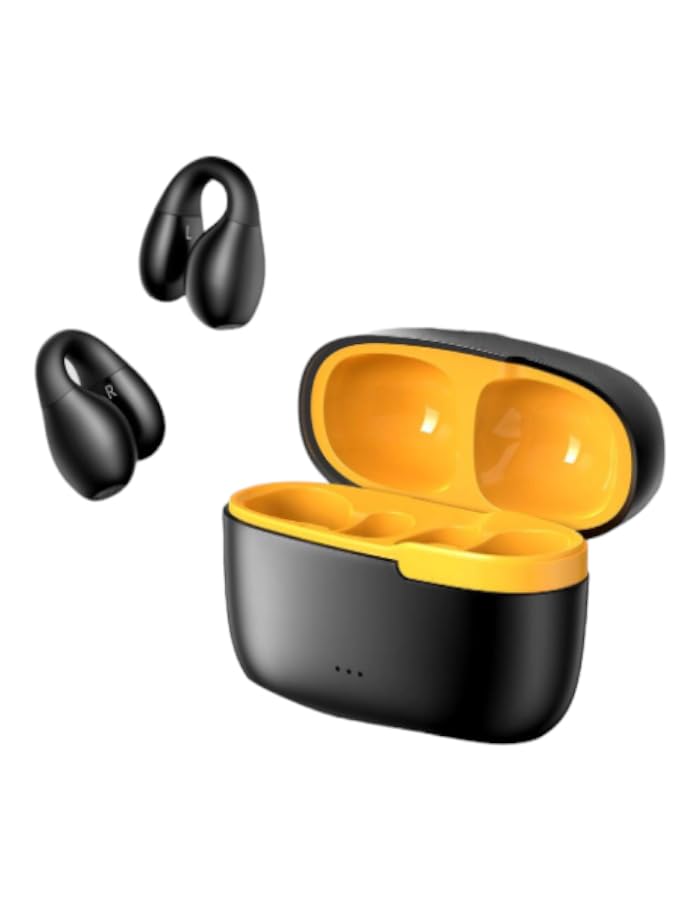
Image: REMAX CozyBuds W11 Earphones and Charging Case. This image displays the earphones in their charging case, highlighting their compact design.
เนื้อหาแพ็คเกจ
- REMAX CozyBuds W11 Earphones (1 pair)
- กล่องชาร์จ (1)
- สายชาร์จ (1)
- คู่มือการใช้งาน (เอกสารนี้)
การตั้งค่า
1. การชาร์จหูฟังและเคส
Before first use, fully charge the earphones and the charging case. Place the earphones into the charging case. Connect the charging cable to the case and a power source. The charging case has a 200mAh capacity and requires approximately 2 hours for a full charge. A full charge provides up to 8 hours of continuous earphone playback, with the case extending total playback time to up to 24 hours.
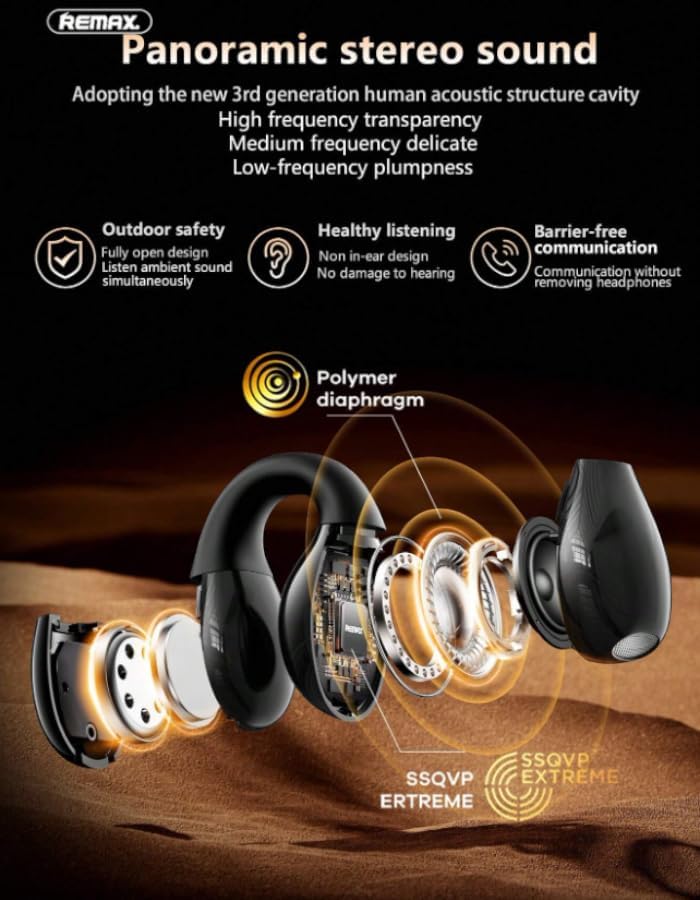
Image: Earphones and Charging Case illustrating battery life. This image shows the earphones and their charging cases, indicating a total usage time of 16 hours (likely referring to combined earphone and case battery life).
2. การจับคู่กับอุปกรณ์บลูทูธ
- ตรวจสอบให้แน่ใจว่าหูฟังมีการชาร์จแล้ว
- เปิดกล่องชาร์จ หูฟังจะเข้าสู่โหมดจับคู่โดยอัตโนมัติ
- บนอุปกรณ์ของคุณ (สมาร์ทโฟน แท็บเล็ต ฯลฯ) เปิดใช้งานบลูทูธและค้นหาอุปกรณ์ที่มีอยู่
- Select "REMAX CozyBuds W11" from the list of found devices.
- Once connected, you will hear a confirmation sound, and the earphones will be ready for use.
3. การสวมหูฟัง
The CozyBuds W11 feature an ergonomic earhook design for a secure and comfortable fit. Gently place the earphone into your ear canal and position the soft silicone earhook around your ear. Adjust for optimal comfort and stability. The design ensures the earphones remain in place during activities.

Image: A person wearing the REMAX CozyBuds W11 Earphones. This image demonstrates the proper way to wear the earhook earphones for a secure fit.
คำแนะนำการใช้งาน
เปิด/ปิดเครื่อง
- เปิดเครื่อง: เปิดเคสชาร์จ หูฟังจะเปิดโดยอัตโนมัติ
- หมดแรง: ใส่หูฟังกลับเข้าไปในกล่องชาร์จแล้วปิดฝา หูฟังจะปิดโดยอัตโนมัติและเริ่มชาร์จ
Music and Call Control (Touch Controls)
The CozyBuds W11 feature intuitive touch controls on each earbud. Specific functions may vary slightly by device, but general controls are as follows:
- เล่น/หยุดชั่วคราว: แตะที่หูฟังข้างใดข้างหนึ่งเพียงครั้งเดียว
- เพลงถัดไป: แตะสองครั้งที่หูฟังด้านขวา
- แทร็กก่อนหน้า: แตะสองครั้งที่หูฟังด้านซ้าย
- รับ/วางสาย: แตะเพียงครั้งเดียวที่หูฟังข้างใดข้างหนึ่งในระหว่างที่มีสายเรียกเข้า
- ปฏิเสธสาย: กดปุ่มหูฟังข้างใดข้างหนึ่งค้างไว้ 2 วินาทีในระหว่างที่มีสายเรียกเข้า
- เปิดใช้งาน Voice Assistant: แตะสามครั้งที่หูฟังข้างใดข้างหนึ่ง
- การควบคุมระดับเสียง: (Specific gesture not detailed in product info, often press and hold left/right for volume down/up, or controlled via device). Please refer to your device's settings or experiment with long presses if not covered by other functions.

Image: Detailed features of REMAX CozyBuds W11. This image highlights various features including touch operation, sound synchronization, and driver unit details.
คุณสมบัติเสียง
The CozyBuds W11 incorporate advanced sound technologies for an enhanced listening experience:
- ระบบเสียงสเตอริโอไฮไฟ: Delivers clear highs, balanced mids, and deep bass.
- Panoramic Stereo Sound: Utilizes a 3rd generation human acoustic structure cavity for high frequency transparency, delicate medium frequency, and plump low frequency.
- เทคโนโลยีการส่งสัญญาณแบบทิศทาง: Ensures clear sound is accurately transmitted to your ear.
- Adaptive Directional Sound: Sound is transmitted through pulse for an open panoramic sound experience.
- Non In-Ear Design: Promotes healthy listening and barrier-free communication without removing headphones.

Image: Diagram illustrating panoramic stereo sound technology. This image details the internal structure and sound delivery mechanisms for high-quality audio.
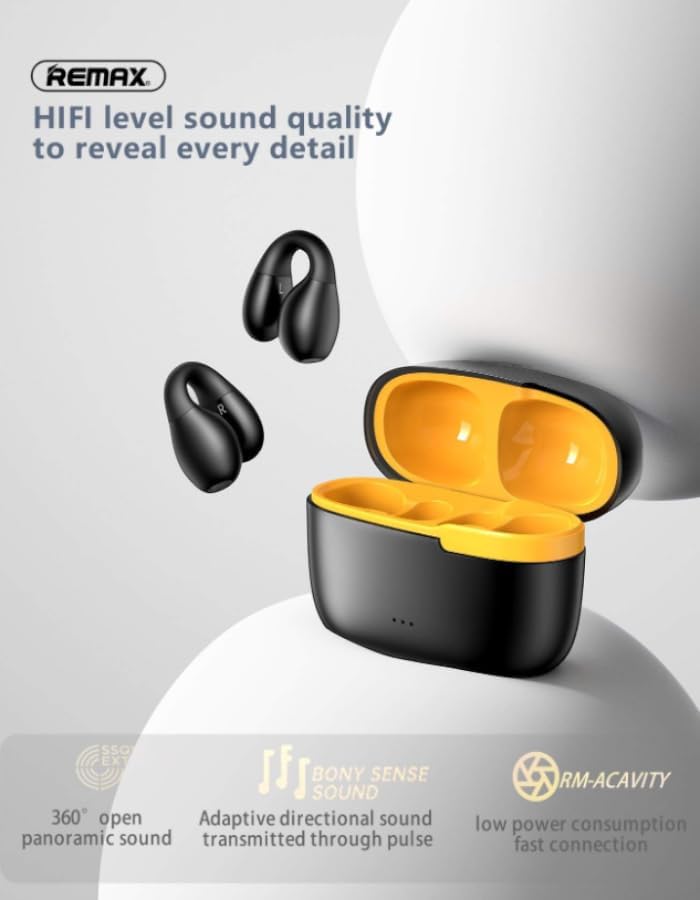
Image: Features related to HIFI level sound quality. This image highlights 360° open panoramic sound, adaptive directional sound, and low power consumption.
การซ่อมบำรุง
การทำความสะอาด
Regularly clean your earphones and charging case to ensure optimal performance and hygiene. Use a soft, dry, lint-free cloth. Do not use abrasive cleaners, alcohol, or chemical solvents. Avoid getting moisture into any openings.
พื้นที่จัดเก็บ
When not in use, store the earphones in their charging case. This protects them from dust, damage, and also keeps them charged for your next use. Store in a cool, dry place away from extreme temperatures.
ความต้านทานต่อน้ำ
The CozyBuds W11 earphones are IPX4 water-resistant, meaning they are protected against splashing water from any direction. They are suitable for workouts and light rain but are not designed for submersion in water. Do not expose them to strong jets of water or wear them while swimming or showering.
การแก้ไขปัญหา
| ปัญหา | สาเหตุที่เป็นไปได้ | สารละลาย |
|---|---|---|
| หูฟังไม่สามารถเปิดเครื่องได้ | แบตเตอรี่อ่อน | วางหูฟังลงในกล่องชาร์จและชาร์จให้เต็ม |
| ไม่สามารถจับคู่กับอุปกรณ์ได้ | บลูทูธปิดอยู่บนอุปกรณ์; หูฟังไม่ได้อยู่ในโหมดจับคู่; อยู่ห่างจากอุปกรณ์มากเกินไป | Ensure Bluetooth is enabled on your device. Open the charging case to put earphones in pairing mode. Keep earphones within 10 meters of your device. |
| ไม่มีเสียงหรือคุณภาพเสียงไม่ดี | Volume too low; earphones not properly seated; connection issue. | Adjust volume on your device. Ensure earphones are correctly worn. Re-pair the earphones with your device. |
| หูฟังหลุดบ่อยมาก | Interference; low battery; too far from device. | Move away from sources of interference. Charge earphones. Stay within Bluetooth range. |
ข้อมูลจำเพาะ
- แบบอย่าง: โคซี่บัด W11
- ยี่ห้อ: REMAX (Manufacturer) / Generic (Seller Brand)
- การเชื่อมต่อ: ไร้สาย (Bluetooth)
- ฟอร์มแฟกเตอร์: Over Ear (Earhook Design)
- สี: Black And Yellow
- ความจุเคสชาร์จ: 200mAh
- Single Ear Using Time: นานถึง 4 ชั่วโมง
- เวลาเล่นทั้งหมด: นานถึง 24 ชั่วโมง (พร้อมกล่องชาร์จ)
- เวลาในการชาร์จ: Approximately 2 hours for case
- เวลาสแตนด์บาย: นานถึง 90 วัน
- ระดับการต้านทานน้ำ: IPX4 (กันเหงื่อ)
- คุณสมบัติเพิ่มเติม: Fast Charging, Intuitive Touch Controls, HiFi Stereo Sound, Panoramic Stereo Sound, Directional Transmission Technology
การรับประกันและการสนับสนุน
Your REMAX CozyBuds W11 earphones come with a รับประกัน 6 เดือน นับจากวันที่ซื้อ การรับประกันนี้ครอบคลุมข้อบกพร่องจากการผลิต แต่ไม่ครอบคลุมความเสียหายที่เกิดจากการใช้งานผิดวิธี อุบัติเหตุ การดัดแปลงโดยไม่ได้รับอนุญาต หรือการสึกหรอตามปกติ
For warranty claims or technical support, please contact your retailer or the manufacturer's customer service with your proof of purchase.
Ask a question about this manual
Ask about setup, troubleshooting, compatibility, parts, safety, or missing instructions. Manuals+ will review the question and use this page’s manual context to help answer it.