
1. บทนำ
ขอบคุณสำหรับการซื้อasing the towild Urban Mini Bicycle Headlight Set. This manual provides detailed instructions for the safe and efficient use of your new bicycle light. Designed for night riding, this compact and powerful headlight offers 500 lumens of brightness, USB-C recharging, and a waterproof design, with specific compatibility for Brompton bicycles.
2. เนื้อหาบรรจุภัณฑ์
โปรดตรวจสอบว่ารายการทั้งหมดที่ระบุไว้ด้านล่างมีอยู่ในแพ็คเกจของคุณหรือไม่:
- Urban Mini Headlight Unit
- รีโมทคอนโทรลไร้สาย
- Brompton-specific Front Mount
- Standard Fork Mount
- Mounting Hardware (screws, gaskets, nuts)
- สายชาร์จ USB-C
- คู่มือการใช้งาน

This image displays all items included in the package: the Urban Mini headlight, a wireless remote control, a Brompton-specific front mount, a standard fork mount, mounting hardware (screws, gaskets, nuts), a USB-C charging cable, and the user manual.
3. การตั้งค่าและการติดตั้ง
3.1. Mounting the Headlight
The Urban Mini headlight offers two primary mounting options: a Brompton-specific front mount and a general fork mount. Choose the appropriate mount for your bicycle.
- Identify Mount Type: Determine if you are using the Brompton-specific mount or the standard fork mount.
- ติดตั้งแบบยึด: Secure the chosen mount to your bicycle's front fork using the provided screws, gaskets, and nuts. Ensure it is tightened firmly to prevent movement during riding.
- Attach Headlight: Slide the Urban Mini headlight onto the mount until it clicks securely into place. Verify that the light is stable and facing forward.

This diagram illustrates the two primary mounting methods. The left side shows installation for Brompton bicycles, detailing the screw, gasket, and nut assembly. The right side shows a general fork mount installation with similar components.

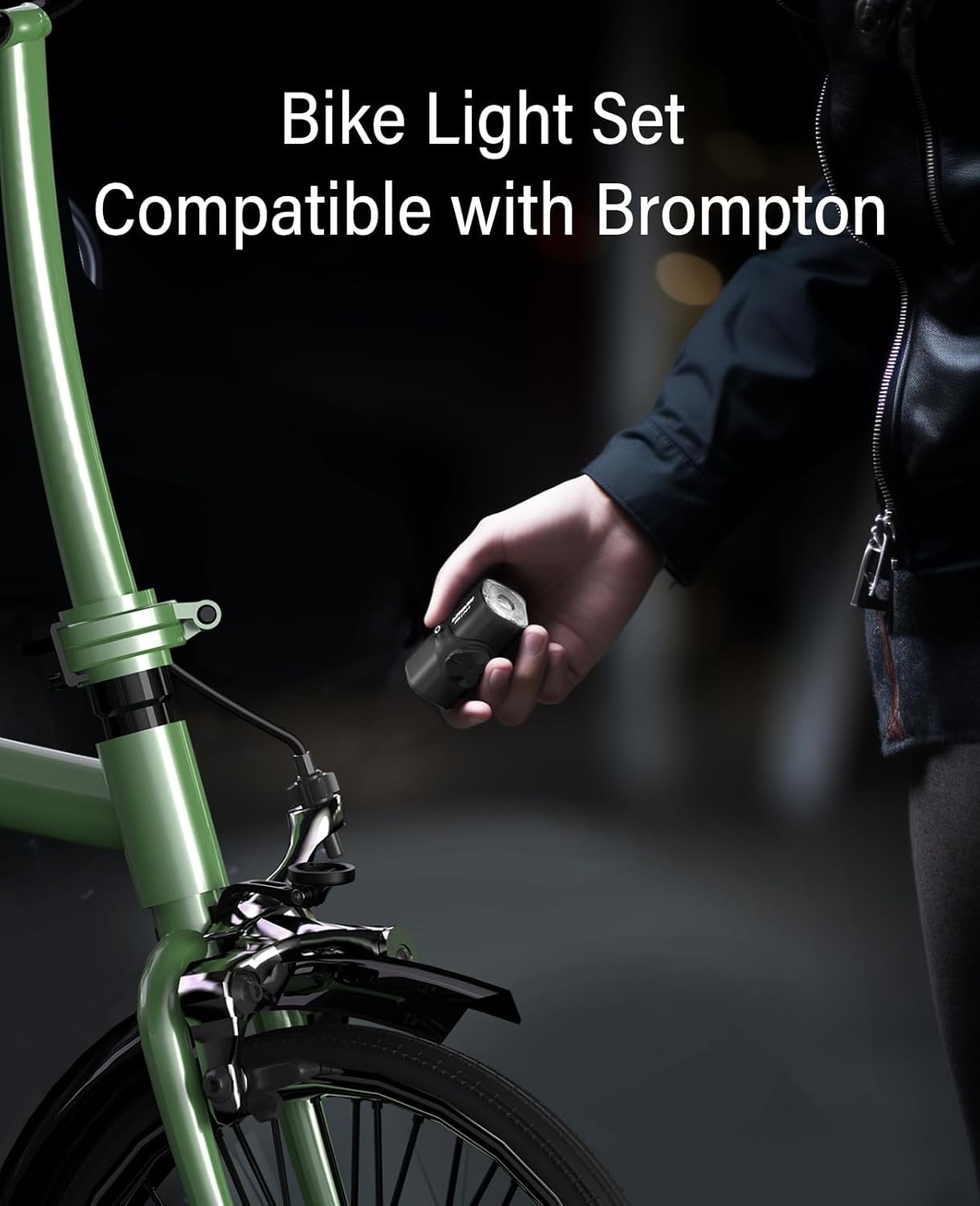
The Urban Mini headlight is shown securely mounted on the front fork of a bicycle, demonstrating its compact design and how it integrates with the bike's aesthetics.
3.2. การจับคู่รีโมทคอนโทรล
The remote control allows for convenient operation of the headlight. To pair the remote with the headlight:
- Ensure the headlight is turned ปิด.
- Press and hold the main power button on the headlight for approximately 5 seconds until the indicator light flashes rapidly. This indicates pairing mode.
- While the headlight is in pairing mode, press any button on the remote control. The headlight's indicator light will stop flashing and remain solid for a few seconds, confirming successful pairing.
- Test the remote control by pressing its buttons to change modes or turn the light on/off.
If pairing fails, repeat the steps. Ensure the remote control's battery is functional.

This image features two circular insets: the top one shows the wireless remote control with its power and mode buttons, and the bottom one shows the Urban Mini headlight itself, emphasizing its design and lens.
4. คู่มือการใช้งาน
The Urban Mini headlight features multiple lighting modes for various riding conditions. It can be operated directly via the button on the light or through the paired wireless remote control.
4.1. เปิด/ปิดเครื่อง
- เปิด: Press and hold the power button on the headlight or the power button on the remote control for 1-2 seconds.
- วิธีปิด: Press and hold the power button on the headlight or the power button on the remote control for 1-2 seconds.
4.2. การเปลี่ยนโหมดแสง
Once the light is on, short press the power button on the headlight or the mode button on the remote control to cycle through the available modes:
- สูง: 500 Lumens (approx. 1 hour 3 minutes runtime)
- ปานกลาง: 200 Lumens (approx. 3 hours 20 minutes runtime)
- ต่ำ: 100 Lumens (approx. 6 hours 30 minutes runtime)
- Night Warning: 200 Lumens (approx. 7 hours runtime)
- Day Warning: 400 Lumens (approx. 8 hours runtime)
- เทอร์โบ: 800 Lumens (available only when using the remote control)
แผนภูมินี้ให้ข้อมูลที่ครอบคลุมเกี่ยวกับ...view of the Urban Mini's lighting modes. It lists High (500LM, 1h3min), Medium (200LM, 3h20min), Low (100LM, 6h30min), Night warning (200LM, 7h), Day warning (400LM, 8h), and Turbo (800LM, remote only) modes, along with their respective lumen outputs and approximate runtimes.
5. การชาร์จไฟ
The Urban Mini headlight is equipped with a USB-C charging port for convenient recharging.
- Locate the USB-C charging port on the headlight. It is typically covered by a rubber flap to ensure waterproofing.
- Open the rubber flap and insert the provided USB-C cable into the port.
- Connect the other end of the USB-C cable to a USB power source (e.g., computer, wall adapter, power bank).
- The indicator light on the headlight will show charging status (e.g., red for charging, green for fully charged).
- เมื่อชาร์จเต็มแล้ว ให้ถอดสายเคเบิลออกและปิดแผ่นยางให้สนิทเพื่อป้องกันน้ำซึมเข้าเครื่อง
บันทึก: For optimal battery life, avoid completely draining the battery before recharging. Charge the device regularly, especially if it has not been used for an extended period.
6. การบำรุงรักษา
Proper maintenance ensures the longevity and optimal performance of your headlight.
- การทำความสะอาด: Wipe the light unit and remote control with a soft, damp cloth. Do not use abrasive cleaners or solvents, as they may damage the surface or internal components.
- การกันน้ำ: Always ensure the USB-C charging port's rubber flap is securely closed when not charging to maintain its IPX6 waterproof rating.
- พื้นที่จัดเก็บ: Store the headlight in a cool, dry place away from direct sunlight and extreme temperatures. If storing for an extended period, charge the battery to approximately 50% every few months to prevent deep discharge.
- การดูแลแบตเตอรี่ The integrated battery is not user-replaceable. Do not attempt to open the unit.
7 การแก้ไขปัญหา
If you encounter issues with your towild Urban Mini headlight, refer to the following common problems and solutions:
| ปัญหา | สาเหตุที่เป็นไปได้ | สารละลาย |
|---|---|---|
| ไฟไม่เปิด | แบตเตอรี่หมด | Charge the headlight using the USB-C cable. |
| Light turns on but remote does not work. | Remote is not paired or remote battery is low. | Re-pair the remote control (refer to Section 3.2). Check or replace the remote control battery if applicable. |
| แสงที่ออกมาสลัว | Battery is low or lens is dirty. | ชาร์จไฟให้กับไฟหน้า เช็ดเลนส์ด้วยผ้าเนื้อนุ่ม |
| Light flickers or shuts off unexpectedly. | การเชื่อมต่อหลวมหรือแบตเตอรี่อ่อน | Ensure the light is securely mounted. Charge the headlight. |
หากปัญหายังคงมีอยู่หลังจากลองวิธีแก้ไขเหล่านี้แล้ว โปรดติดต่อฝ่ายสนับสนุนลูกค้า
8. ข้อมูลจำเพาะ
| คุณสมบัติ | ข้อมูลจำเพาะ |
|---|---|
| ยี่ห้อ | โตไวล์ด |
| หมายเลขรุ่น | Urban Mini |
| เอาต์พุตแสงสูงสุด | 500 Lumens (800 Lumens with remote Turbo mode) |
| แหล่งพลังงาน | ใช้พลังงานจากแบตเตอรี่ (ชาร์จ USB-C ได้) |
| วัสดุ | อลูมิเนียม |
| สี | สีดำ |
| ระดับการกันน้ำ | IPX6 |
| ประเภทการติดตั้ง | Handlebar Mount / Fork Mount |
| ตำแหน่งการติดตั้ง | ด้านหน้า |
| ส่วนประกอบที่รวมอยู่ | Out-front mount, Bike light, Remote control |

This technical drawing provides precise measurements for the light's mounting bracket, including length, width, and screw hole distances, essential for proper installation.
9. ข้อมูลด้านความปลอดภัย
- อย่ามองตรงไปยังลำแสง เพราะอาจทำให้การมองเห็นบกพร่องชั่วคราวได้
- Ensure the light is securely mounted before each ride to prevent it from falling off.
- Always comply with local regulations regarding bicycle lighting.
- เก็บให้พ้นจากมือเด็ก
- Do not disassemble or modify the light unit. This may void the warranty and pose a safety risk.
- ใช้เฉพาะสาย USB-C ที่ให้มาหรือสายที่ได้รับการรับรองเทียบเท่าสำหรับการชาร์จ
10. การรับประกันและการสนับสนุน
The towild Urban Mini Bicycle Headlight Set comes with a standard manufacturer's warranty. For specific warranty details, please refer to the documentation included with your purchase or contact the seller directly. If you require technical support or have questions not covered in this manual, please reach out to towild customer service through their official webไซต์หรือร้านค้าปลีกที่คุณซื้อผลิตภัณฑ์