การแนะนำ
This manual provides detailed instructions for the installation, operation, and maintenance of your Aiwit P50 1080p Wireless Video Doorbell Camera. Please read this manual thoroughly before use to ensure proper functionality and safety.

Image: The Aiwit P50 Wireless Video Doorbell Camera (right) and its accompanying indoor chime (left). The doorbell features a camera lens, motion sensor, and a call button. The chime has a sync button and speaker grille.
เนื้อหาแพ็คเกจ
ตรวจสอบว่ามีรายการทั้งหมดอยู่ในแพ็คเกจของคุณ:
- Aiwit P50 Video Doorbell Camera
- กริ่งประตูไร้สายภายในบ้าน
- ตัวยึด
- สกรูยึดและพุกยึดผนัง
- สายชาร์จ USB
- คู่มือการใช้งาน
สินค้าเกินview
Familiarize yourself with the components of your Aiwit Video Doorbell and Chime.
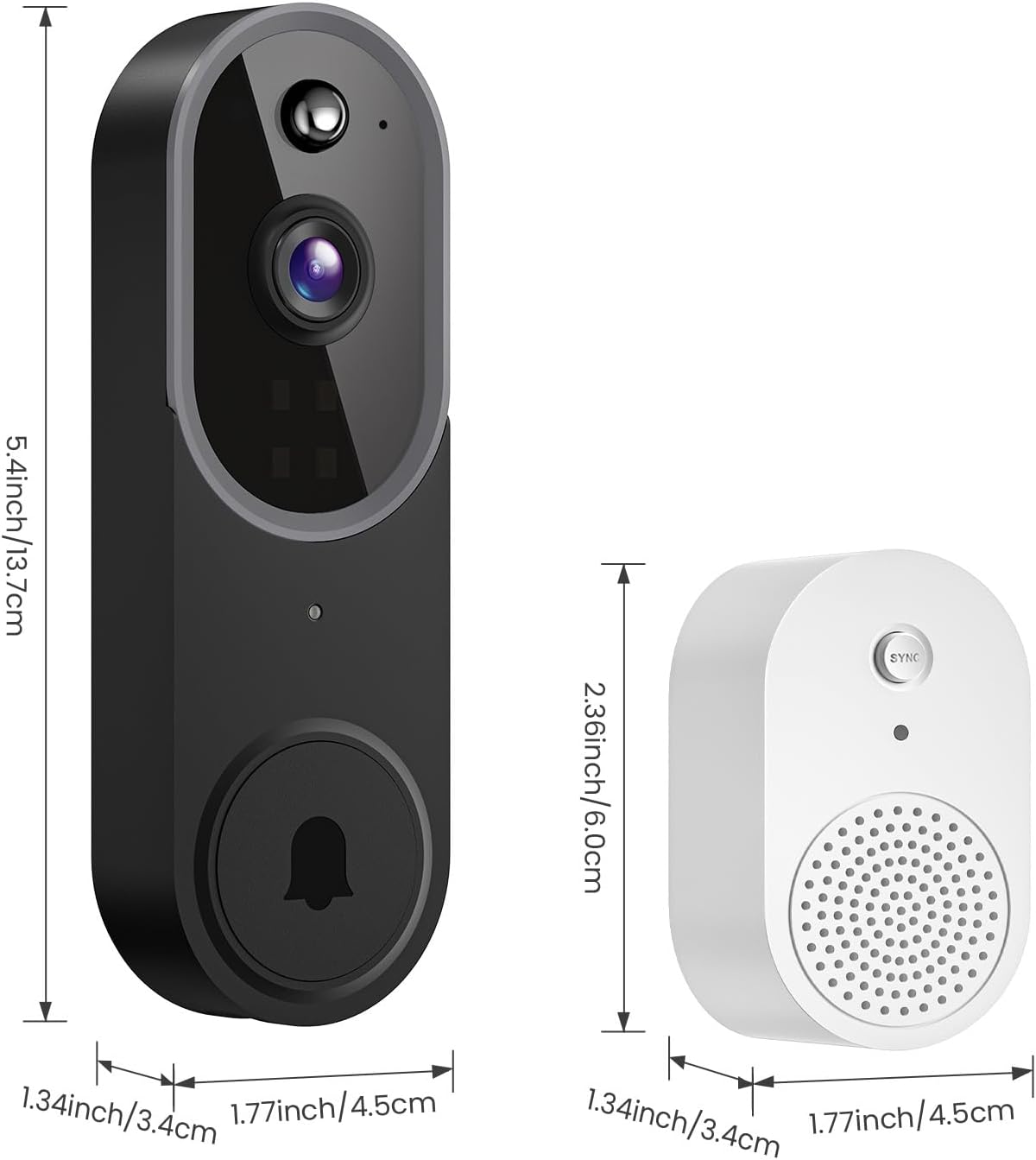
Image: This image illustrates the dimensions of the Aiwit P50 Video Doorbell and its accompanying chime. The doorbell measures approximately 5.4 inches (13.7 cm) in height, 1.77 inches (4.5 cm) in width, and 1.34 inches (3.4 cm) in depth. The chime measures approximately 2.36 inches (6.0 cm) in height, 1.77 inches (4.5 cm) in width, and 1.34 inches (3.4 cm) in depth.
Doorbell Components:
- เลนส์กล้อง: Captures 1080p video.
- เซ็นเซอร์ตรวจจับความเคลื่อนไหว PIR: ตรวจจับการเคลื่อนไหว
- ไมโครโฟน: สำหรับการสื่อสารด้วยเสียงสองทาง
- ผู้บรรยาย: สำหรับการสื่อสารด้วยเสียงสองทาง
- ปุ่มโทรออก: Activates the doorbell and sends notifications.
- ไฟแสดงสถานะ: Shows device status (e.g., charging, connected).
Chime Components:
- ปุ่มซิงค์: Used for pairing with the doorbell.
- ผู้บรรยาย: Emits doorbell sound.
- ปลั๊กไฟ: สำหรับเสียบเข้ากับปลั๊กไฟมาตรฐาน
การตั้งค่า
1. การชาร์จกริ่งประตู
Before initial use, fully charge the doorbell using the provided USB cable. The status indicator light will show charging progress and completion.
2. การติดตั้งแอปและการสร้างบัญชี
- ดาวน์โหลด แอป Aiwit from your mobile device's app store (iOS or Android).
- เปิดแอปและปฏิบัติตามคำแนะนำบนหน้าจอเพื่อสร้างบัญชีและเข้าสู่ระบบ
3. การเชื่อมต่อกับ Wi-Fi
- ตรวจสอบให้แน่ใจว่าอุปกรณ์มือถือของคุณเชื่อมต่อกับ เครือข่าย Wi-Fi 2.4GHz. The Aiwit P50 does not support 5GHz Wi-Fi.
- In the Aiwit app, tap the '+' icon to add a new device.
- Select 'Video Doorbell' and follow the app's instructions to connect the doorbell to your Wi-Fi network. This typically involves scanning a QR code generated by the app with the doorbell camera.
4. การติดตั้งกริ่งประตู
The Aiwit P50 is designed for wall-mounted installation.
- เลือกสถานที่ที่เหมาะสมใกล้ประตูบ้านของคุณ โดยให้แน่ใจว่ามองเห็นได้ชัดเจน view and good Wi-Fi signal strength.
- Use the mounting bracket as a template to mark drill holes on the wall.
- เจาะรูและใส่พุกยึดผนังหากจำเป็น
- ยึดขายึดเข้ากับผนังด้วยสกรู
- Attach the doorbell to the mounting bracket, ensuring it clicks securely into place.
5. การจับคู่กระดิ่ง
The included chime provides an audible alert inside your home when the doorbell is pressed.

Image: This image shows the Aiwit doorbell mounted next to a door and the wireless chime plugged into an indoor wall outlet. The chime emits musical notes, indicating it is sounding an alert when the doorbell button is pressed.
- Plug the wireless chime into a standard power outlet inside your home.
- Press the 'SYNC' button on the chime. The chime's indicator light will flash.
- Press the doorbell button on your Aiwit P50. The chime should ring, indicating successful pairing.
- You can adjust the chime volume and melody through the Aiwit app.
คำแนะนำการใช้งาน
สด View และเสียงสองทาง
Access real-time video and communicate with visitors directly through the Aiwit app.

Image: A person is shown interacting with a visitor via the Aiwit app on a smartphone, demonstrating the two-way audio feature. Speech bubbles indicate a conversation: "Pamela, Please open the door." and "Okay, hold on." The app interface displays live video with microphone and speaker icons.
- Open the Aiwit app and select your doorbell from the device list to view ฟีดสด
- Tap the microphone icon to speak through the doorbell's speaker. Tap again to end speaking.
- Tap the speaker icon to hear audio from the doorbell's microphone.
Motion Detection and AI Human Detection
The doorbell can detect motion and send alerts to your phone. Advanced AI human detection helps reduce false alarms.

Image: This image illustrates the AI Human Detection capability. A person walking past the doorbell is highlighted with a blue box and a checkmark, indicating successful human detection. In contrast, a bird flying by is marked with a red box and an 'X', showing that it is filtered out as irrelevant motion. A notification on a phone screen reads "Human Detection: There is a motion at Front door."
- In the Aiwit app settings for your doorbell, navigate to 'Motion Detection' or 'AI Detection'.
- Enable motion detection and configure sensitivity levels.
- Activate AI Human Detection to distinguish between human figures and other moving objects like vehicles or animals.
การมองเห็นตอนกลางคืน
The doorbell automatically switches to infrared (IR) night vision in low-light conditions, providing clear video footagทั้งกลางวันและกลางคืน

Image: A split image comparing day vision and night vision from the Aiwit doorbell. The left side shows a clear, colored view of a house during the day. The right side shows the same scene in black and white, demonstrating the clarity and detail provided by IR night vision in darkness.
การเก็บข้อมูลบนคลาวด์
The Aiwit P50 supports cloud storage for recorded video events. This allows you to reviewดาวน์โหลด และแชร์ footage.
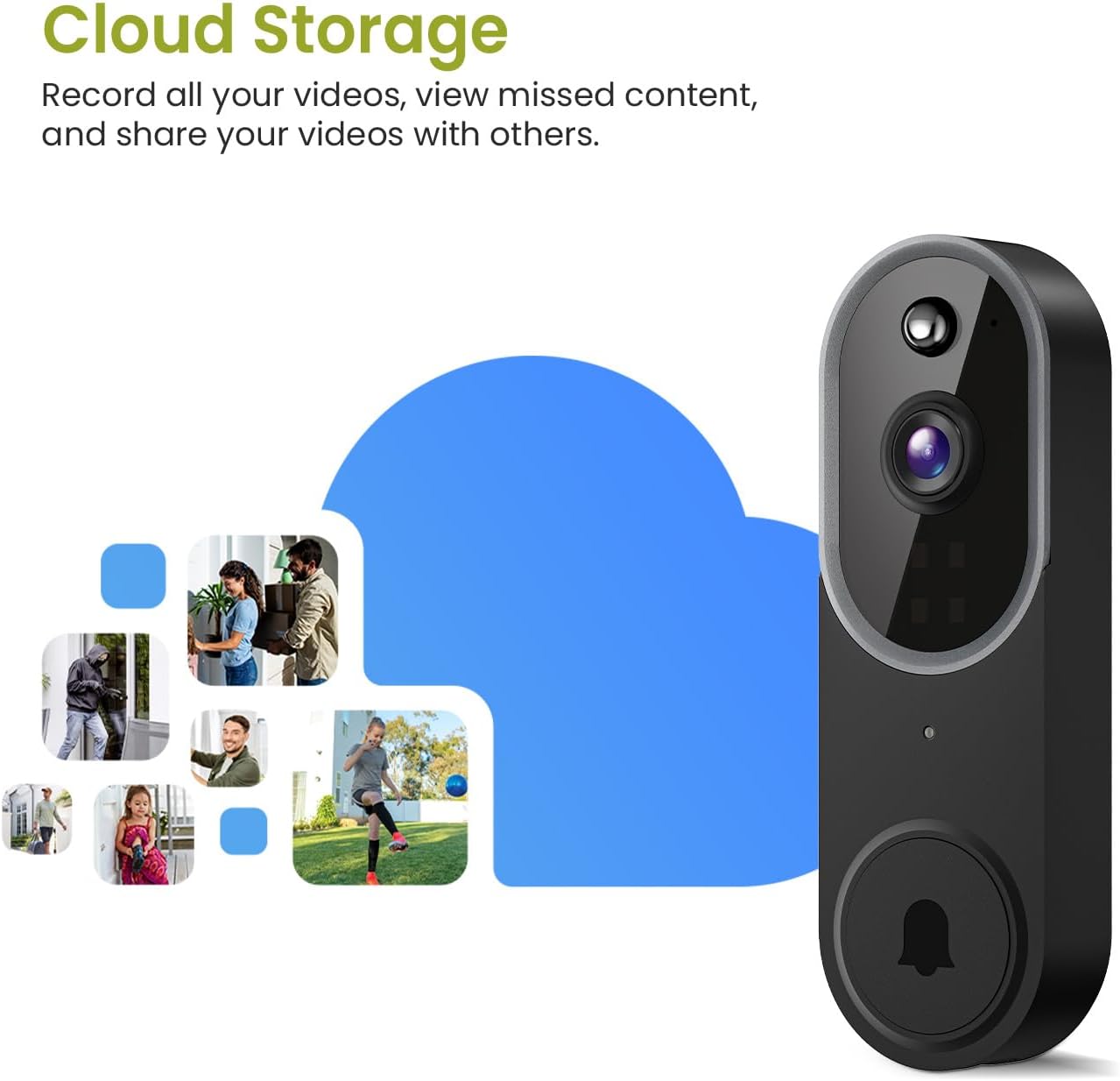
Image: The Aiwit doorbell is shown next to a large cloud icon, with smaller images of various recorded events (people, packages, pets) floating around it, symbolizing the cloud storage feature. This visually represents the ability to record, view, and share videos stored in the cloud.
- Cloud storage is an optional subscription service. A 30-day free trial may be available.
- Access recorded events through the 'Playback' or 'Cloud' section within the Aiwit app.
- All cloud storage is AES-128 encrypted for security.
การซ่อมบำรุง
การทำความสะอาด
Wipe the doorbell camera lens and body with a soft, damp เช็ดทำความสะอาดด้วยผ้าตามความจำเป็น หลีกเลี่ยงการใช้สารเคมีรุนแรงหรือน้ำยาทำความสะอาดที่มีฤทธิ์กัดกร่อน
อายุการใช้งานแบตเตอรี่
The doorbell is powered by rechargeable Lithium-Ion batteries. Battery life varies based on usage and environmental factors. Recharge the doorbell when the app indicates low battery or the status light changes.
ทนทานต่อสภาพอากาศ
The Aiwit P50 has an IP65 weather resistance rating, making it suitable for outdoor use in various conditions.

Image: This graphic highlights the IP65 weather resistance of the Aiwit doorbell. The doorbell is shown mounted outdoors with icons representing shine, rain, snow, and dust, indicating its ability to withstand various environmental elements. The working temperature range is specified as 14-140°F (-10-60°C).
การแก้ไขปัญหา
- กริ่งประตูไม่เชื่อมต่อกับ Wi-Fi: Ensure your router is broadcasting a 2.4GHz Wi-Fi signal. Verify the Wi-Fi password is correct. Move the doorbell closer to the router during setup.
- ไม่มีการแจ้งเตือน: Check app notification settings on your phone and within the Aiwit app. Ensure the doorbell has a stable Wi-Fi connection.
- คุณภาพวิดีโอไม่ดี: Check your Wi-Fi signal strength at the doorbell's location. Ensure the camera lens is clean.
- เสียงระฆังไม่ดัง: Ensure the chime is plugged in and powered. Re-pair the chime with the doorbell if necessary.
- Doorbell not turning on: ตรวจสอบให้แน่ใจว่าแบตเตอรี่ชาร์จเต็มแล้ว
ข้อมูลจำเพาะ
| คุณสมบัติ | ข้อมูลจำเพาะ |
|---|---|
| ชื่อรุ่น | Smart Video Doorbell Camera (P50) |
| ความละเอียดในการจับภาพวิดีโอ | 1080p |
| เทคโนโลยีการเชื่อมต่อ | ไร้สาย (Wi-Fi) |
| ความถี่ไวไฟ | 2.4GHz (ไม่รองรับ 5GHz) |
| แหล่งพลังงาน | ใช้พลังงานจากแบตเตอรี่ (รวมแบตเตอรี่ลิเธียมไอออน 2 ก้อน) |
| คุณสมบัติพิเศษ | 2-Way Audio, AI Human Detection, Night Vision |
| การใช้งานในร่ม/กลางแจ้ง | Indoor/Outdoor (IP65 Weather Resistance) |
| ประเภทการติดตั้ง | ติดผนัง |
| ส่วนประกอบที่รวมอยู่ | ระฆัง |
| ประเภทตัวควบคุม | แอป Aiwit |
| ขนาดสินค้า (กว้าง x ยาว x สูง) | 4.52 x 3.4 x 13.72 ซม. |
| น้ำหนักสินค้า | 290 กรัม |
การรับประกันและการสนับสนุน
For warranty information, please refer to the documentation provided with your purchase or contact Aiwit customer support. If you encounter any issues or have questions regarding your Aiwit P50 Video Doorbell Camera, please visit the official Aiwit webเว็บไซต์หรือติดต่อฝ่ายบริการลูกค้าเพื่อขอความช่วยเหลือ