
STRONG SRT32HG6733C
STRONG SRT32HG6733C 32-inch HD Android Smart TV User Manual
Model: SRT32HG6733C
การแนะนำ
This manual provides essential information for the setup, operation, and maintenance of your STRONG SRT32HG6733C 32-inch HD Android Smart TV. Please read these instructions carefully before using the product to ensure proper functionality and safety.
มีอะไรอยู่ในกล่อง
เมื่อแกะกล่องแล้ว โปรดตรวจสอบว่าสิ่งของทั้งหมดที่ระบุไว้ด้านล่างครบถ้วนและอยู่ในสภาพดี:
- STRONG SRT32HG6733C TV Unit
- Remote control with voice recognition
- แบตเตอรี่ AAA 2 ก้อน
- คู่มือการใช้งาน (เอกสารนี้)

Image: The STRONG SRT32HG6733C TV unit with its central stand, remote control, and included accessories.
การตั้งค่า
1. การติดตั้งขาตั้ง
Carefully place the TV screen-down on a soft, clean surface to prevent scratches. Align the central stand with the mounting holes on the bottom of the TV. Secure the stand using the provided screws. Ensure the stand is firmly attached before proceeding.

ภาพ: ด้านหลัง view of the TV showing the central stand attachment points and various input ports.
2. การเชื่อมต่อพลังงาน
เสียบสายไฟเข้ากับช่องจ่ายไฟของทีวี จากนั้นเสียบเข้ากับเต้ารับไฟฟ้าที่ผนัง ทีวีจะเข้าสู่โหมดสแตนด์บาย
3. การตั้งค่าเริ่มต้นและการเชื่อมต่อเครือข่าย
Upon first power-on, the TV will guide you through the initial setup process. This includes language selection, country, and network connection. For optimal Smart TV functionality, connect to your Wi-Fi network. You can also connect via an Ethernet cable for a stable wired connection.

Image: The TV screen displaying connectivity options, highlighting Wi-Fi and Bluetooth symbols.
คำแนะนำการใช้งาน
ฟังก์ชั่นพื้นฐาน
- เปิด/ปิดเครื่อง: กดปุ่มเปิดปิดบนรีโมทคอนโทรลหรือทีวี
- การเลือกช่อง: Use the CH+/- buttons or the number pad on the remote.
- การควบคุมระดับเสียง: Use the VOL+/- buttons.
- แหล่งสัญญาณเข้า: Press the SOURCE button to select between HDMI, AV, DVB-T/T2, DVB-C, DVB-S/S2 inputs.
คุณสมบัติของสมาร์ททีวี (Google TV)
Your TV runs on Google TV, providing access to a wide range of applications and services.
- หน้าจอหลัก: Access your favorite apps, movies, and shows directly from the customizable home screen.
- แอปพลิเคชันสตรีมมิ่ง: Pre-installed apps include Netflix, Prime Video, YouTube, and Disney+. Additional apps can be downloaded from the Google Play Store.
- ผู้ช่วย Google: Use the voice recognition remote to control your TV, search for content, and get information by pressing the Google Assistant button and speaking your command.
- Google แคสต์: Stream content from your compatible smartphone or tablet directly to the TV.

Image: The TV screen showing the Google TV interface with icons for Netflix, YouTube, Prime Video, Disney+, and other streaming services.

Image: A user holding the voice-controlled remote, with a visual representation of Google Assistant responding to a voice command on the TV screen.
การเชื่อมต่อ
ทีวีมีพอร์ตต่างๆ สำหรับเชื่อมต่ออุปกรณ์ภายนอก:
- พอร์ต HDMI (x2): เชื่อมต่อเครื่องเล่น Blu-ray คอนโซลเกม หรืออุปกรณ์ที่รองรับ HDMI อื่นๆ
- พอร์ต USB (x1): เล่นสื่อ fileบันทึกไฟล์ (รูปภาพ วิดีโอ เพลง) จากอุปกรณ์จัดเก็บข้อมูล USB
- พอร์ตอีเธอร์เน็ต (RJ45): สำหรับการเชื่อมต่ออินเตอร์เน็ตแบบใช้สาย
- Antenna (ANT in) / Satellite (SAT in) Inputs: เชื่อมต่อเสาอากาศภาคพื้นดินหรือเสาอากาศดาวเทียมเพื่อรับชมทีวีสด
- สล็อต CI: สำหรับโมดูลการเข้าถึงแบบมีเงื่อนไข (CAM) เพื่อถอดรหัสช่องสัญญาณที่เข้ารหัส
- เอาต์พุต SPDIF: สำหรับการส่งสัญญาณเสียงดิจิทัลไปยังซาวด์บาร์หรือระบบโฮมเธียเตอร์
- เอวีอิน: สำหรับเชื่อมต่ออุปกรณ์รุ่นเก่าที่ใช้ระบบวิดีโอคอมโพสิตและเสียงสเตอริโอ
- เอาท์พุตหูฟัง: สำหรับเชื่อมต่อหูฟัง.

ภาพ: รายละเอียดด้านหลัง view of the TV highlighting all available input and output ports, including AV in, HDMI, USB, Ethernet, S/PDIF, ANT in, SAT in, CI slot, and Headphone output.
วิดีโอ: บทนำสั้น ๆview demonstrating the TV's use in a mobile setting, such as a camper van, showing its compact size and clear display for entertainment on the go.
การซ่อมบำรุง
การทำความสะอาดทีวี
ในการทำความสะอาดหน้าจอ ให้เช็ดเบาๆ ด้วยผ้านุ่มที่ไม่เป็นขุย สำหรับรอยฝังแน่น ให้เช็ดเบาๆampen the cloth with water or a screen-cleaning solution. Avoid using harsh chemicals or abrasive materials. Clean the TV casinใช้ผ้าแห้งและนุ่มเช็ดเบาๆ
การอัพเดตซอฟต์แวร์
Your Android TV may receive software updates periodically. Ensure your TV is connected to the internet to receive these updates. Updates can improve performance, add new features, and enhance security. You can check for updates manually in the TV's settings menu.
การแก้ไขปัญหา
| ปัญหา | วิธีแก้ปัญหาที่เป็นไปได้ |
|---|---|
| ไม่มีไฟฟ้า | ตรวจสอบว่าสายไฟเสียบเข้ากับทีวีและเต้ารับที่ผนังอย่างแน่นหนาหรือไม่ ตรวจสอบให้แน่ใจว่าเต้ารับใช้งานได้ |
| ไม่มีภาพแต่มีเสียง | ตรวจสอบว่าเลือกแหล่งสัญญาณเข้าที่ถูกต้อง ตรวจสอบการเชื่อมต่อสายเคเบิลกับอุปกรณ์ภายนอก |
| ไม่มีเสียงแต่มีภาพ | Check the volume level and mute status. Ensure audio cables are correctly connected if using external speakers. |
| รีโมตคอนโทรลไม่ทำงาน | เปลี่ยนแบตเตอรี่ ตรวจสอบให้แน่ใจว่าไม่มีสิ่งกีดขวางระหว่างรีโมทและเซ็นเซอร์อินฟราเรดของทีวี |
| ไม่สามารถเชื่อมต่อ Wi-Fi ได้ | ตรวจสอบให้แน่ใจว่าเราเตอร์ของคุณเปิดอยู่และใช้งานได้ ป้อนรหัสผ่าน Wi-Fi อีกครั้ง ลองรีสตาร์ททั้งทีวีและเราเตอร์ |
| Smart TV apps are slow or unresponsive | Check your internet connection speed. Close unused applications. Restart the TV. |
ข้อมูลจำเพาะ
| คุณสมบัติ | รายละเอียด |
|---|---|
| หมายเลขรุ่น | SRT32HG6733C |
| ขนาดหน้าจอ | 32 นิ้ว (81 ซม.) |
| เทคโนโลยีการแสดงผล | นำ |
| ปณิธาน | HD Ready (1366 x 768p) |
| ระบบปฏิบัติการ | กูเกิลทีวี |
| การเชื่อมต่อ | Wi-Fi, Bluetooth, 2x HDMI, 1x USB, Ethernet (RJ45), AV In, SPDIF, ANT in, SAT in, CI Slot |
| จูนเนอร์ | DVB-T/T2, DVB-C, DVB-S/S2 (HEVC 265 codec) |
| คุณสมบัติพิเศษ | Google Assistant, Google Cast, Dolby Audio |
| ขนาด (กว้าง x ลึก x สูง) | 71.8 x 22.3 x 45.2 ซม. (พร้อมขาตั้ง) |
| ส่วนประกอบที่รวมอยู่ | TV, Voice Remote, 2x AAA Batteries, Manual |
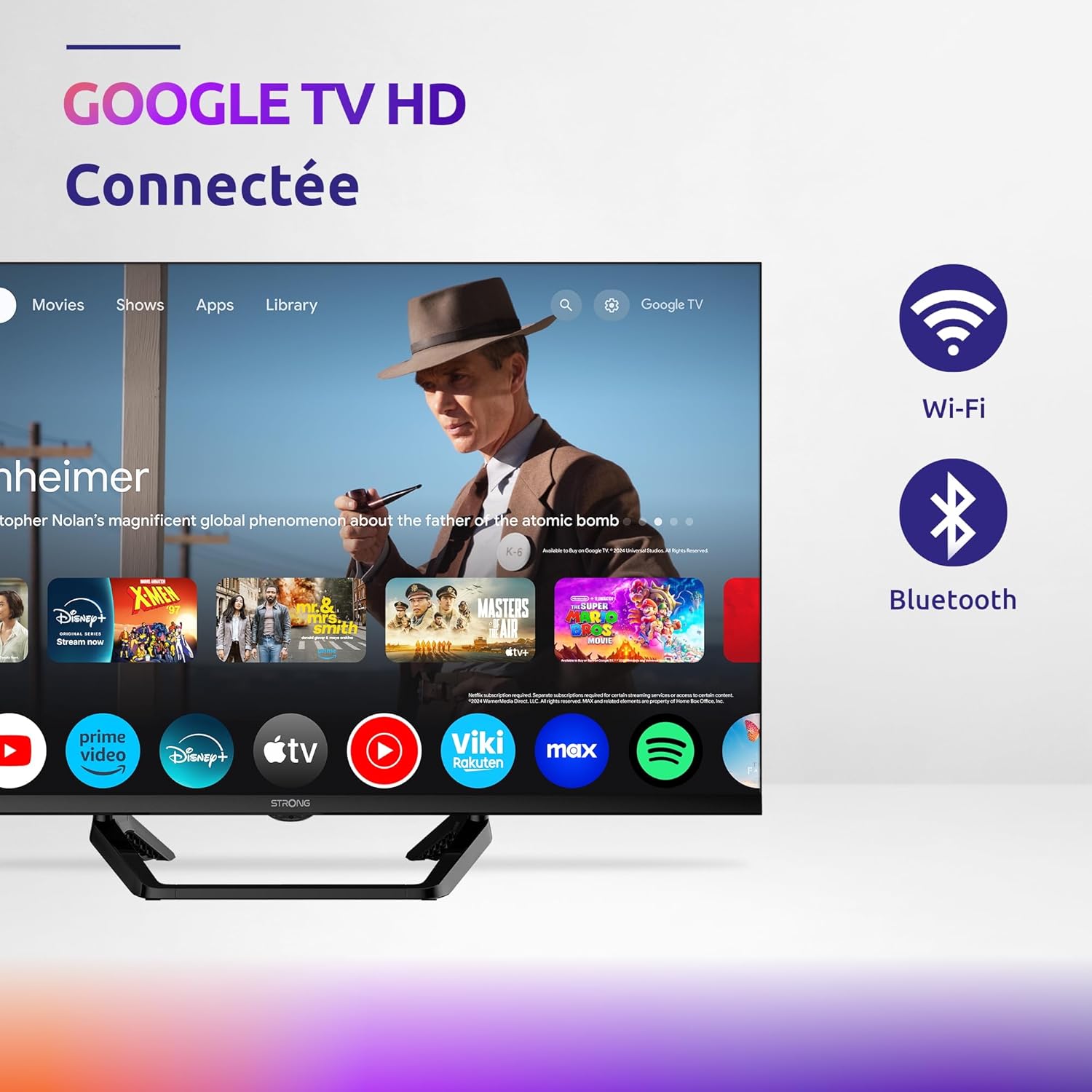
Image: Diagram showing the dimensions of the STRONG SRT32HG6733C TV, including width, height, and depth with the central stand.
การรับประกันและการสนับสนุน
This product comes with a manufacturer's warranty of 24 months. For warranty claims or technical support, please refer to the contact information provided on the official STRONG webเว็บไซต์หรือเอกสารการซื้อของคุณ
For frequently asked questions and additional resources, visit the STRONG Brand Store.


Images: Icons representing warranty information and frequently asked questions.
Ask a question about this manual
Ask about setup, troubleshooting, compatibility, parts, safety, or missing instructions. Manuals+ will review the question and use this page’s manual context to help answer it.