
การแนะนำ
This manual provides comprehensive instructions for the ARTIX CL750 On-Ear Headphones and Silent Wireless Mouse bundle. It covers setup, operation, maintenance, and troubleshooting to ensure you get the most out of your devices. Designed for productivity and comfort, this bundle is ideal for study, work, and everyday use.
มีอะไรอยู่ในกล่อง
- ARTIX CL750 On-Ear Headphones
- เมาส์ไร้สายเงียบ
- 3.5mm Audio Cable (for headphones)
- USB Receiver (for wireless mouse)
- คู่มือการใช้งาน
สินค้าเกินview
ARTIX CL750 On-Ear Headphones
The ARTIX CL750 headphones are designed for immersive audio with comfort and convenience. They feature 40mm drivers for rich bass and noise-blocking cushions for focused listening. A built-in microphone and inline controls allow for hands-free calls and easy volume adjustment.

Figure 1: ARTIX CL750 Headphones featuring a built-in microphone and inline volume controls on the cable.

Figure 2: The foldable design of the ARTIX CL750 Headphones allows for compact storage and portability.
เมาส์ไร้สายเงียบ
The Silent Wireless Mouse offers a quiet clicking experience with an ergonomic design for comfortable, extended use. Its advanced optical sensors provide high-precision cursor control, and plug-and-play functionality ensures easy setup.
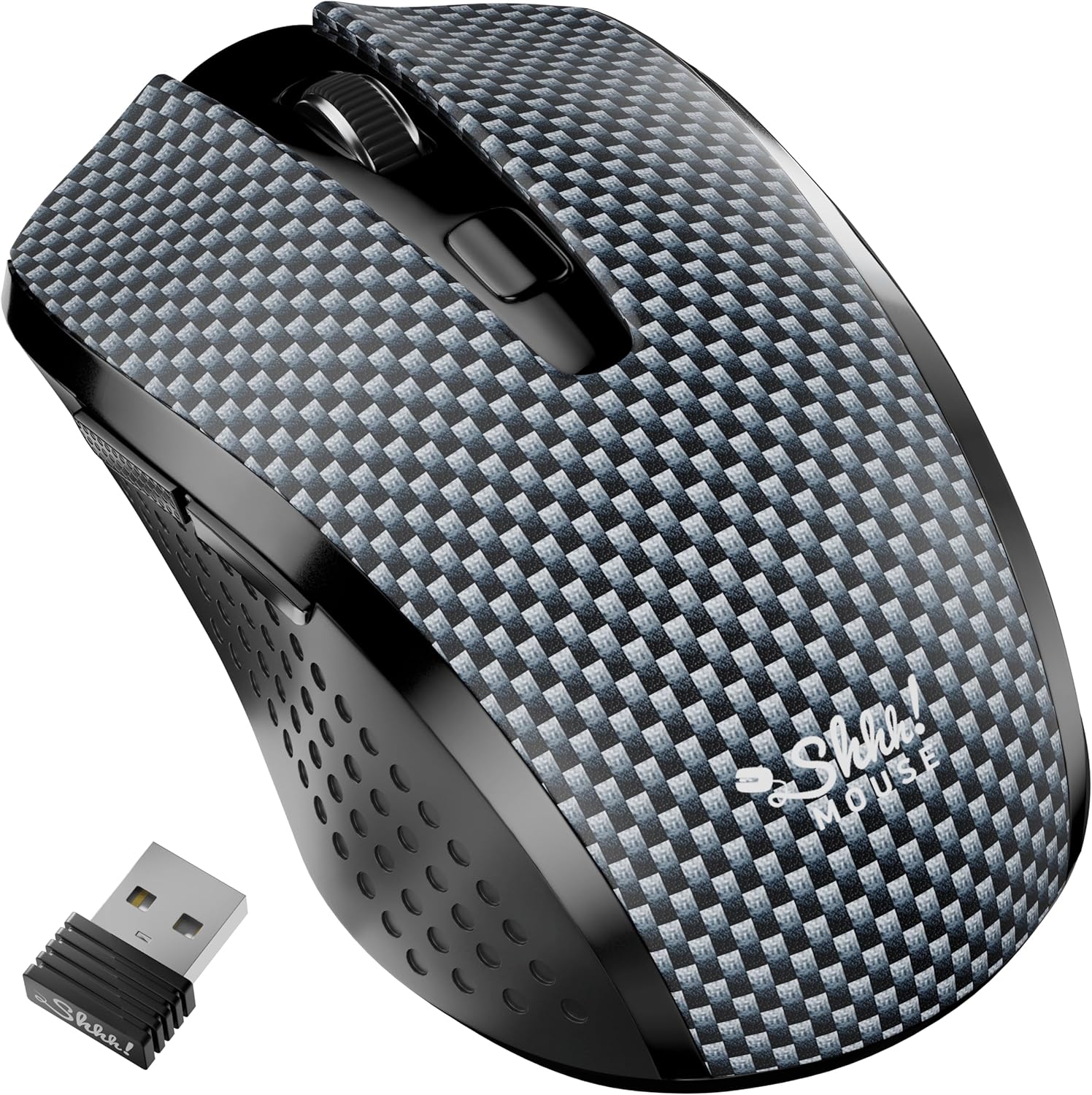
Figure 3: The Silent Wireless Mouse shown with its compact USB receiver for wireless connectivity.

Figure 4: An illustration highlighting the ambidextrous design and multi-function buttons of the Silent Wireless Mouse.
การตั้งค่า
Headphones Setup
- แกะ: Remove the ARTIX CL750 headphones from their packaging.
- เชื่อมต่อ: Plug the 3.5mm audio jack into the audio port of your laptop, computer, tablet, or smartphone.
- ปรับ: Extend or retract the headband to achieve a comfortable fit over your ears.
Wireless Mouse Setup
- ใส่แบตเตอรี่: Open the battery compartment on the underside of the mouse and insert the included AA battery (if not pre-installed).
- เชื่อมต่อตัวรับสัญญาณ USB: เสียบตัวรับสัญญาณ USB เข้ากับพอร์ต USB ที่มีอยู่ในคอมพิวเตอร์หรือแล็ปท็อปของคุณ
- เปิดเครื่อง: Turn on the mouse using the power switch located on its underside. The mouse is plug-and-play and should connect automatically.
คำแนะนำการใช้งาน
Using the ARTIX CL750 Headphones
- การเล่นเสียง: Once connected, audio from your device will play through the headphones.
- การควบคุมระดับเสียง: Use the inline controls on the cable to adjust the volume (+ for increase, - for decrease).
- ไมโครโฟน: The built-in microphone allows for hands-free communication during calls or online meetings. Ensure your device's audio settings are configured to use the headphone microphone.
- การจัดการการโทร: Use the central button on the inline control to answer/end calls or play/pause music.
Using the Silent Wireless Mouse
- ความเคลื่อนไหว: เลื่อนเมาส์บนพื้นผิวเรียบเพื่อควบคุมเคอร์เซอร์บนหน้าจอของคุณ
- การคลิก: The left and right buttons provide silent clicking for a quiet work environment.
- ล้อเลื่อน: Use the scroll wheel for vertical scrolling.
- สวิตช์ DPI: (If applicable) Some models may include a DPI switch to adjust cursor sensitivity. Refer to the mouse's specific markings for this feature.
- ฟังก์ชันปิดเครื่องอัตโนมัติ: The mouse features an auto-sleep mode (e.g., after 13 minutes of inactivity) to conserve battery life. Move the mouse or click a button to wake it up.
การซ่อมบำรุง
- Cleaning Headphones: Use a soft, dry cloth to wipe down the ear cushions and headband. Avoid harsh chemicals or abrasive materials.
- Cleaning Mouse: เช็ดพื้นผิวของเมาส์ด้วยผ้าเนื้อนุ่มและแห้งamp ผ้า. ตรวจสอบให้แน่ใจว่าไม่มีของเหลวเข้าไปในส่วนประกอบภายใน
- พื้นที่จัดเก็บ: When not in use, store the headphones folded in a protective bag to prevent damage. Store the mouse in a dry, cool place.
- การเปลี่ยนแบตเตอรี่ (เมาส์): Replace the AA battery when the mouse performance degrades.
การแก้ไขปัญหา
Headphones Issues
- ไม่มีเสียง:
- Ensure the 3.5mm jack is fully inserted into both the headphones and your device.
- Check your device's volume settings and the inline volume control on the headphone cable.
- ลองทดสอบหูฟังกับอุปกรณ์อื่นเพื่อตัดปัญหาที่เกิดจากตัวหูฟังเองออกไป
- ไมโครโฟนไม่ทำงาน:
- ตรวจสอบให้แน่ใจว่าการตั้งค่าอินพุตเสียงของอุปกรณ์ของคุณได้รับการกำหนดค่าให้ใช้ไมโครโฟนภายนอกแล้ว
- Ensure the microphone is not muted via the inline controls or device settings.
Wireless Mouse Issues
- เมาส์ไม่ตอบสนอง:
- ตรวจสอบว่าเมาส์เปิดอยู่หรือไม่
- ตรวจสอบให้แน่ใจว่าเสียบตัวรับสัญญาณ USB เข้ากับพอร์ต USB ที่ใช้งานได้แน่นดีแล้ว ลองใช้พอร์ต USB อื่น
- เปลี่ยนแบตเตอรี่ AA
- If the mouse has an auto-sleep feature, move it or click a button to wake it up.
- การเชื่อมต่อไม่ต่อเนื่อง:
- เลื่อนเมาส์เข้าใกล้ตัวรับสัญญาณ USB มากขึ้น
- ควรหลีกเลี่ยงการใช้เมาส์บนพื้นผิวที่สะท้อนแสงสูงหรือพื้นผิวโปร่งใส
ข้อมูลจำเพาะ
| คุณสมบัติ | รายละเอียด |
|---|---|
| ยี่ห้อ | ARTIX |
| ชื่อรุ่น | ซีแอล750 |
| แจ็คหูฟัง | แจ็ค 3.5 มม. |
| เทคโนโลยีการเชื่อมต่อ | Wired (Headphones), Wireless (Mouse) |
| ขนาดไดร์เวอร์เสียง | 40 Millimeters (Headphones) |
| คุณสมบัติพิเศษ | Microphone Included, Noise Isolation (Headphones), Silent Click, Ergonomic Design (Mouse) |
| อุปกรณ์ที่รองรับ | Laptops, Computers, Tablets, Smartphones |
| อายุการใช้งานแบตเตอรี่ของเมาส์ | นานถึง 18 เดือน |
การรับประกันและการสนับสนุน
For warranty information and customer support, please refer to the official ARTIX webหรือติดต่อผู้ค้าปลีกของคุณ เก็บใบเสร็จรับเงินไว้เพื่อใช้ในการเคลมประกัน
วิดีโอสินค้า
ARTIX CL750 Wired Headphones Product Overview
วิดีโอนี้จะให้ข้อมูลสรุปสั้นๆview of the ARTIX CL750 Wired Headphones, showcasinรวมถึงการออกแบบและคุณสมบัติหลักของพวกเขา
AILIHEN C8 Wired Headphones with Microphone and Volume Control
This video demonstrates the features of AILIHEN C8 Wired Headphones, including the microphone and volume controls, which are similar to the ARTIX CL750 model.
