
การแนะนำ
This manual provides essential instructions for the safe and effective operation of your Cuifati 4K Body Cam. Please read this manual thoroughly before using the device to ensure proper functionality and to prevent damage.

รูปที่ 1 : ด้านหน้า view of the Cuifati 4K Body Cam, showing the lens and LCD screen.
คุณสมบัติหลัก
- หน้าจอ LCD ขนาด 1.3 นิ้ว: Convenient for instant video playback, deletion, and menu navigation. Features inverted function screen switching and battery indicator.
- การบันทึกวิดีโอ 4K UHD: Captures accurate and clear videos with a 4K sensor and 8MP lens. Utilizes H.264 format for efficient storage.
- การมองเห็นตอนกลางคืน: Equipped with 4 fill lights for clear recording in low-light conditions. Supports 1080P, 2K, and 4K switching.
- 180° Rotatable, 120° Lens: Adjustable lens direction to capture desired angles and ensure important evidence is not missed.
- อายุการใช้งานแบตเตอรี่ที่ยาวนานขึ้น: 1200mAh rechargeable battery provides 6-7 hours of continuous operation. Supports 24/7 recording when connected to a mobile power supply.
- Loop Recording & Time Stamp: Supports up to 10 minutes of loop recording and time stamp การตั้งค่า
- โหมดฮอตสปอต: Allows downloading recordings to a mobile phone.
- Cardless & Remote Recording: Supported up to 32 feet.

รูปที่ 2: เกินview of key features including 1080P HD, 1.3-inch screen, 1200mAh battery, 180° wide angle, clip design, photo, video, record, night vision, and motion detection capabilities.
การตั้งค่า
- การชาร์จอุปกรณ์:
Connect the provided USB-C cable to the camera's charging port and the other end to a USB power adapter (not included) or a computer. The battery indicator on the LCD screen will show charging status. A full charge typically takes 3-4 hours and provides 6-7 hours of continuous use.

Figure 3: The Cuifati 4K Body Cam shown with its included USB-C charging cable and USB adapter for file โอน.
- การใส่การ์ด Micro SD:
Locate the Micro SD card slot on the side of the camera. Gently insert a compatible Micro SD card (up to 128GB, included) into the slot until it clicks into place. Ensure the card is inserted correctly to avoid damage.
- การเปิด/ปิดเครื่อง:
Press and hold the power button (usually located on the side) for a few seconds until the LCD screen illuminates. To power off, press and hold the power button again until the screen turns off.
คำแนะนำการใช้งาน
การบันทึกขั้นพื้นฐาน
- การบันทึกวิดีโอ: Once powered on, press the "OK" button to start video recording. A red indicator light or on-screen icon will confirm recording is active. Press "OK" again to stop.
- จับภาพ: In standby mode, press the "M" button to switch to photo mode. Press "OK" to take a picture.
- การบันทึกเสียง: The device supports audio recording. Refer to the menu settings to enable or disable audio capture during video recording, or to initiate audio-only recording.
การปรับเลนส์
The camera features a 180° rotatable lens, allowing you to adjust the viewing angle as needed. Simply pivot the lens module to your desired position.
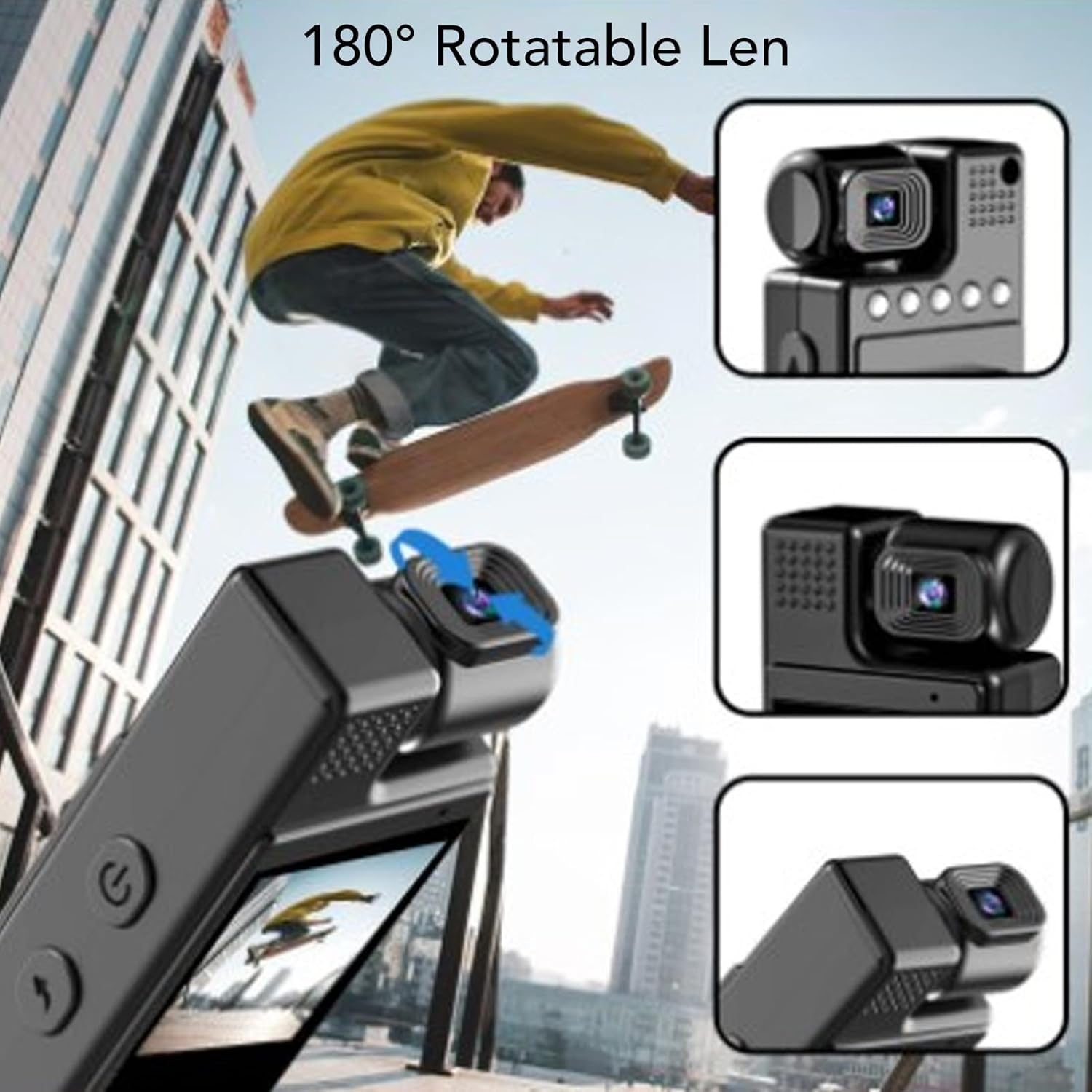
Figure 4: The 180° rotatable lens allows for flexible recording angles.
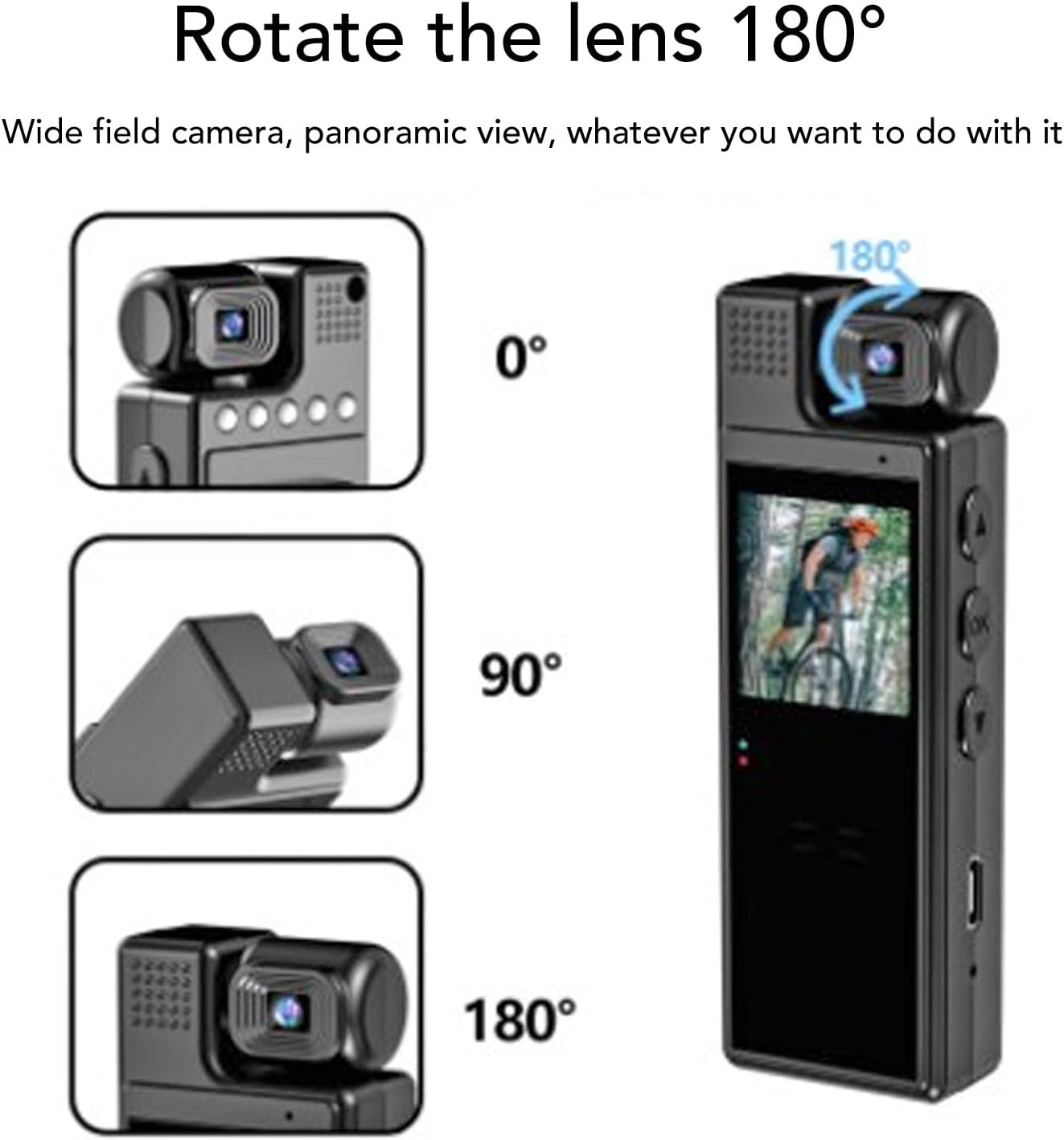
Figure 5: Visual representation of the 180° lens rotation capability.
การมองเห็นตอนกลางคืน
To activate night vision, navigate through the menu settings to find the night vision option and enable it. The 4 built-in fill lights will assist in capturing clear footagในสภาพแวดล้อมที่มืด
Menu Navigation & Settings
Use the "M" button to enter the menu. Use the up/down arrow buttons to navigate through options and "OK" to select. Settings include resolution (1080P, 2K, 4K), loop recording duration, time stamp, motion detection, and hotspot mode.
การเล่นวิดีโอ
On the 1.3-inch LCD screen, you can review recorded videos. Use the navigation buttons to browse through files and the "OK" button to play or pause.
Video 1: Demonstration of the Cuifati 4K Body Cam's user interface and video playback functionality.
วิดีโอ 2: บทนำสั้น ๆview แสดงasing the Z11 Mini Body Camera in use, demonstrating its compact size and recording capabilities.
Video 3: A use experience and preview of the Mini Body Cameras, highlighting various features and practical applications.
เครื่องประดับ
Your Cuifati 4K Body Cam comes with the following accessories:
- คู่มือการใช้งาน
- สายชาร์จ USB-C
- USB Adapter (for Micro SD card transfer)
- Back Clip (pre-attached or included separately)
- Bicycle Mount (optional, may be included)
- Magnetic Mount (optional, may be included)

Figure 6: The Cuifati 4K Body Cam showing the integrated back clip for easy attachment.

รูปที่ 7: รายละเอียด view of the back clip mechanism.

รูปที่ 8: อดีตample of how the clip can be used to attach the camera to clothing or gear.
การซ่อมบำรุง
- การทำความสะอาด: ใช้ผ้าแห้งเนื้อนุ่มเช็ดทำความสะอาดตัวกล้องและเลนส์ หลีกเลี่ยงการใช้สารเคมีรุนแรงหรือวัสดุที่มีฤทธิ์กัดกร่อน
- พื้นที่จัดเก็บ: เก็บกล้องไว้ในที่แห้งและเย็น หลีกเลี่ยงแสงแดดโดยตรงและอุณหภูมิที่สูงหรือต่ำเกินไป
- การดูแลแบตเตอรี่ เพื่อยืดอายุการใช้งานแบตเตอรี่ ควรหลีกเลี่ยงการปล่อยให้แบตเตอรี่หมดจนเกลี้ยงบ่อยๆ ชาร์จอุปกรณ์เป็นประจำ แม้ว่าจะไม่ได้ใช้งานก็ตาม
- อัพเดตเฟิร์มแวร์: ตรวจสอบของผู้ผลิต webโปรดตรวจสอบเว็บไซต์เป็นระยะเพื่อดูการอัปเดตเฟิร์มแวร์ที่มีให้ใช้งาน เพื่อให้มั่นใจได้ถึงประสิทธิภาพการทำงานที่ดีที่สุด
การแก้ไขปัญหา
| ปัญหา | สาเหตุที่เป็นไปได้ | สารละลาย |
|---|---|---|
| อุปกรณ์ไม่เปิดเครื่อง | Low battery or faulty power button. | Charge the device for at least 3-4 hours. Ensure the power button is pressed and held correctly. |
| ไม่สามารถบันทึกวิดีโอได้ | No Micro SD card, full card, or card error. | Insert a Micro SD card, delete old fileหรือฟอร์แมตการ์ด (ซึ่งจะลบข้อมูลทั้งหมด) |
| คุณภาพวิดีโอไม่ดี | Dirty lens, low light, or incorrect resolution setting. | Clean the lens. Activate night vision in low light. Check resolution settings in the menu. |
| อุปกรณ์หยุดทำงานหรือไม่ตอบสนอง | Software glitch or full memory. | Perform a soft reset (if available, check manual for specific button combination) or power cycle the device. Delete unnecessary files. |
ข้อมูลจำเพาะ
- ยี่ห้อ: กุยฟาติ
- หมายเลขรุ่น: CUIFATI8sxgu1wr52
- น้ำหนักสินค้า: 5.4 ออนซ์
- ขนาดแพ็คเกจ: 4.72 x 3.15 x 1.57 นิ้ว
- ขนาดหน้าจอ: 1.3 นิ้ว
- เทคโนโลยีโฟโต้เซนเซอร์: ซีมอส
- ความละเอียดการจับภาพวิดีโอ: 1080p (supports up to 4K)
- ประเภทหน่วยความจำแฟลช: ไมโครเอสดี (สูงสุด 128GB)
- รูปแบบการจับภาพวิดีโอ: เอ็มพี 4
- รูปแบบเสียงที่รองรับ: วาฟ
- เทคโนโลยีการเชื่อมต่อ: Wi-Fi (for hotspot mode)
- คุณสมบัติพิเศษ: Adjustable (lens)
การรับประกันและการสนับสนุน
For warranty information, technical support, or further assistance, please refer to the official Cuifati webหรือติดต่อฝ่ายบริการลูกค้าโดยตรง เก็บใบเสร็จรับเงินไว้เพื่อใช้ในการเคลมประกัน