
1. คำแนะนำด้านความปลอดภัยที่สำคัญ
โปรดอ่านคำแนะนำทั้งหมดอย่างละเอียดก่อนใช้งานเครื่องใช้ไฟฟ้านี้ และเก็บไว้เพื่อใช้อ้างอิงในอนาคต การไม่ปฏิบัติตามคำแนะนำเหล่านี้อาจทำให้เกิดไฟฟ้าช็อต ไฟไหม้ หรือการบาดเจ็บร้ายแรงได้
- ควรวางพัดลมบนพื้นผิวที่มั่นคงและเรียบเสมอ เพื่อป้องกันการล้ม
- ห้ามใช้งานพัดลมหากสายไฟหรือปลั๊กชำรุด หากสายไฟหรือปลั๊กชำรุด โปรดติดต่อฝ่ายบริการลูกค้า
- Unplug the fan from the power outlet before cleaning, performing maintenance, or when not in use.
- ห้ามสอดนิ้วหรือสิ่งแปลกปลอมใดๆ เข้าไปในช่องเปิดของพัดลม
- เครื่องใช้ไฟฟ้าตัวนี้ไม่ได้มีวัตถุประสงค์เพื่อให้บุคคล (รวมทั้งเด็ก) ที่มีความบกพร่องทางร่างกาย ทางประสาทสัมผัส หรือทางจิตใจ หรือขาดประสบการณ์และความรู้ ใช้งาน เว้นแต่จะมีการดูแลหรือคำแนะนำเกี่ยวกับการใช้เครื่องใช้ไฟฟ้าโดยบุคคลที่รับผิดชอบด้านความปลอดภัยของบุคคลดังกล่าว
- Keep children and pets away from the fan during operation. The bladeless design enhances safety, but supervision is always recommended.
- ห้ามใช้พัดลมใกล้น้ำหรือในที่ชื้นแฉะamp สภาพแวดล้อม
- ห้ามปิดกั้นช่องรับหรือช่องระบายอากาศ

Figure 1: Protective bladeless design for enhanced safety around children and pets.
2. สินค้าหมดview
The advwin Bladeless Tower Fan provides quiet and efficient cooling with a modern design. It features multiple speed settings, oscillation, a timer, and convenient control options.
เนื้อหาแพ็คเกจ:
- 1 x advwin Bladeless Tower Fan
- 1 x Remote Control (AAA batteries not included)
- 1 x คู่มือผู้ใช้
คุณสมบัติหลัก:
- การออกแบบแบบไร้ใบมีด: Safe for households with children and pets, and easy to clean.
- การตั้งค่าความเร็ว 24: Offers a wide range of airflow intensity from a gentle breeze to powerful cooling.
- การแกว่ง 120°: Provides wide coverage for effective air circulation throughout the room.
- ตัวจับเวลา 12 ชั่วโมง: Allows for automatic shut-off, conserving energy and providing convenience.
- หน้าจอสัมผัสและรีโมทคอนโทรล: Offers flexible control options for ease of use.
- ฟังก์ชั่นฟอกอากาศ: ช่วยปรับปรุงคุณภาพอากาศ
- การทำงานที่เงียบ: Operates at less than 55 dB, suitable for bedrooms and offices.
3. การตั้งค่า
The advwin Bladeless Tower Fan requires no assembly, making setup quick and easy.
3.1 การจัดวาง
- วางพัดลมบนพื้นผิวที่มั่นคงและเรียบ ตรวจสอบให้แน่ใจว่ามีพื้นที่รอบพัดลมเพียงพอเพื่อให้ลมไหลเวียนและส่ายได้ดีที่สุด
- Avoid placing the fan directly against walls or furniture that could obstruct air intake or output.

Figure 2: Stable base and touch control panel.
3.2 การเชื่อมต่อสายไฟ
- เสียบสายไฟเข้ากับเต้ารับไฟฟ้ามาตรฐาน 110V AC
- Ensure the power cord is not pinched or routed under the fan.
3.3 การติดตั้งแบตเตอรี่รีโมทคอนโทรล
- The remote control requires AAA batteries (not included).
- เปิดช่องใส่แบตเตอรี่ที่ด้านหลังของรีโมทคอนโทรล
- ใส่แบตเตอรี่ AAA สองก้อน โดยตรวจสอบให้แน่ใจว่าขั้วถูกต้อง (+/-)
- ปิดช่องใส่แบตเตอรี่ให้แน่น
4. คู่มือการใช้งาน
The fan can be operated using the touch control panel on the unit or the included remote control.
4.1 เปิด/ปิดเครื่อง
- กดปุ่ม เปิด/ปิด กดปุ่มบนแผงควบคุมหรือรีโมทเพื่อเปิดหรือปิดพัดลม
- The LED display will show the current settings when the fan is on.
4.2 การปรับความเร็วพัดลม
- กดปุ่ม ความเร็ว button on the control panel or remote to cycle through the 24 available speed settings.
- The LED display will indicate the current speed level.

Figure 3: Fan speed settings.
4.3 ฟังก์ชันการแกว่ง
- กดปุ่ม แกว่ง button on the control panel or remote to activate or deactivate the 120° oscillation function.
- When activated, the fan head will rotate horizontally to distribute air across a wider area.
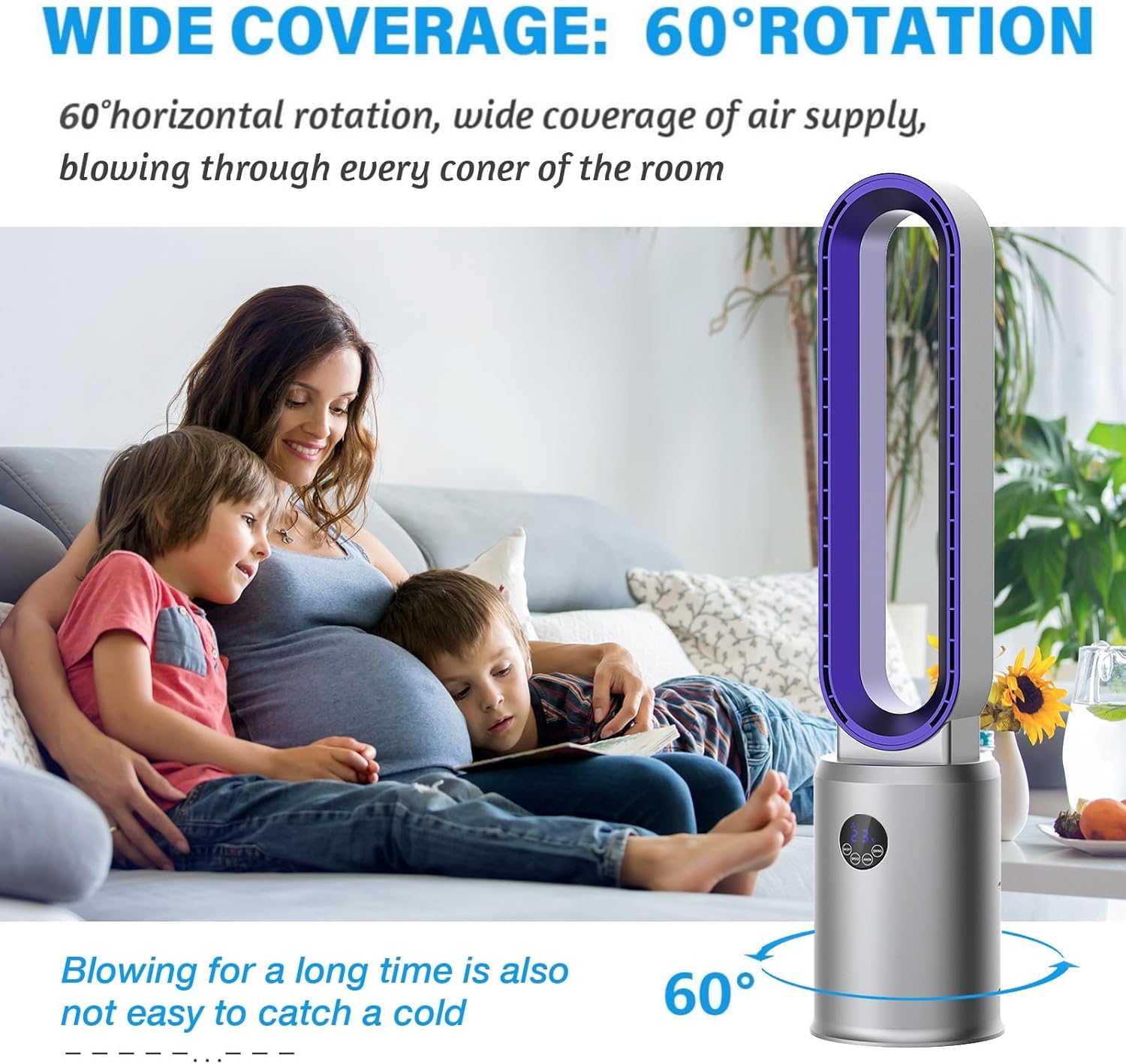
Figure 4: Wide oscillation for broad air distribution.
ตั้งเวลา 4.4 ตัว
- กดปุ่ม ตัวจับเวลา button on the remote control to set the fan to automatically turn off after a specified period (up to 12 hours).
- Each press will increase the timer by one hour. The LED display will show the set time.
4.5 Air Purification Function
- กดปุ่ม ประจุลบ button on the remote control to activate or deactivate the air purification function.
- This function utilizes an air purifier system to help improve indoor air quality.

Figure 5: Air purification system with filter.
4.6 โหมดสลีป
- กดปุ่ม นอน button on the remote control to activate sleep mode.
- In sleep mode, the fan operates at a lower speed and reduced noise level for a more peaceful environment.
5. การบำรุงรักษา
การทำความสะอาดและบำรุงรักษาเป็นประจำจะช่วยให้พัดลมของคุณทำงานได้อย่างเหมาะสมและมีอายุการใช้งานยาวนาน
5.1 การทำความสะอาดพัดลม
- ควรถอดปลั๊กพัดลมออกจากเต้ารับไฟฟ้าทุกครั้งก่อนทำความสะอาด
- Due to its bladeless design, cleaning is simplified. Use a soft, damp ใช้ผ้าเช็ดทำความสะอาดพื้นผิวด้านนอกของพัดลม
- Do not use abrasive cleaners, solvents, or harsh chemicals, as these may damage the fan's finish.
- For internal cleaning, gently wipe the air intake and outlet areas with a dry cloth or a soft brush to remove dust.
Figure 6: Easy cleaning of the bladeless fan.
5.2 การบำรุงรักษาตัวกรองอากาศ
The fan includes an air purification system with a filter. Periodically check and clean the filter to maintain air quality and fan efficiency.
- Refer to the specific instructions in the included manual for details on accessing and cleaning or replacing the air filter.
- Ensure the fan is unplugged before attempting any filter maintenance.
6 การแก้ไขปัญหา
If you encounter any issues with your advwin Bladeless Tower Fan, please refer to the following common problems and solutions:
| ปัญหา | สาเหตุที่เป็นไปได้ | สารละลาย |
|---|---|---|
| พัดลมไม่เปิด | ไม่มีแหล่งจ่ายไฟ | ตรวจสอบให้แน่ใจว่าเสียบสายไฟเข้ากับเต้ารับไฟฟ้าอย่างแน่นหนา ตรวจสอบเบรกเกอร์ |
| รีโมทคอนโทรลไม่ทำงาน | แบตเตอรี่หมดหรือมีสิ่งกีดขวาง | Replace AAA batteries in the remote. Ensure there is no obstruction between the remote and the fan's sensor. |
| Weak or inconsistent airflow. | Blocked air inlets/outlets or dirty filter. | Ensure air inlets and outlets are clear of obstructions. Clean the air filter as per maintenance instructions. |
| พัดลมมีเสียงผิดปกติ | Foreign object or unstable placement. | Unplug the fan and check for any foreign objects. Ensure the fan is on a stable, flat surface. |
If the problem persists after attempting these solutions, please contact advwin customer support for assistance.
7. ข้อมูลจำเพาะ
Detailed technical specifications for the advwin Bladeless Tower Fan (Model RUXI-Z30).
- แบบอย่าง: RUXI-Z30
- ยี่ห้อ: แอดวิน
- แหล่งพลังงาน: ไฟฟ้า
- เล่มที่tage: 110-120 โวลต์ (กระแสสลับ)
- วัดtage: 35 วัตต์
- ขนาดสินค้า (ลึก x กว้าง x สูง): 8.66" x 8.66" x 38.2"
- น้ำหนักสุทธิ: 6.17 ปอนด์ (2.8 กก.)
- ระดับเสียง: < 55 Decibels
- มุมการแกว่ง: 120°
- การตั้งค่าความเร็ว: 24
- ตัวจับเวลา: 1-12 ชั่วโมง
- วิธีการควบคุม: รีโมท, สัมผัส
- วัสดุ: พลาสติกวิศวกรรม ABS
- คุณสมบัติพิเศษ: Bladeless, Portable, Remote Controlled, Air Purifier System, LED Display

รูปที่ 7: ขนาดผลิตภัณฑ์
8. การรับประกันและการสนับสนุน
For warranty information and customer support, please refer to the documentation included with your product or contact the manufacturer directly.
- ผู้ผลิต: ADVWIN
- ติดต่อ: Please visit the official advwin webดูรายละเอียดการติดต่อฝ่ายบริการลูกค้าได้ที่เว็บไซต์หรือใบเสร็จรับเงินของคุณ