
Moman PD65
Moman PD65 D-Tap to USB-C 65W Bidirectional Charging Adapter User Manual
1. บทนำ
Thank you for choosing the Moman PD65 D-Tap to USB-C 65W Bidirectional Charging Adapter. This device is designed to provide versatile power solutions, enabling both charging and discharging for a wide range of devices, including V-mount batteries, cameras, phones, laptops, and tablets, via a USB Type-C interface. Please read this manual thoroughly before use to ensure proper operation and safety.
1.1 อะไรอยู่ในกล่อง
- Moman PD65 D-Tap to USB-C 65W Bidirectional Charging Adapter (1 unit)
2. ข้อมูลด้านความปลอดภัยที่สำคัญ
เพื่อป้องกันความเสียหายต่อผลิตภัณฑ์ หรือการบาดเจ็บต่อตัวคุณเองและผู้อื่น โปรดปฏิบัติตามข้อควรระวังด้านความปลอดภัยดังต่อไปนี้:
- อย่าให้อะแดปเตอร์สัมผัสกับน้ำ ความชื้น หรืออุณหภูมิที่สูงหรือต่ำเกินไป
- Do not attempt to disassemble, repair, or modify the adapter.
- ตรวจสอบให้แน่ใจ vol . ที่เหมาะสมtage and current compatibility when connecting devices.
- เก็บให้พ้นจากมือเด็ก
- The Moman PD65 features built-in overheating, overvoltage, overload, and input/output reverse protection. However, always use the device responsibly.
- ควรหลีกเลี่ยงการทำอะแดปเตอร์ตกหรือกระแทกอย่างรุนแรง
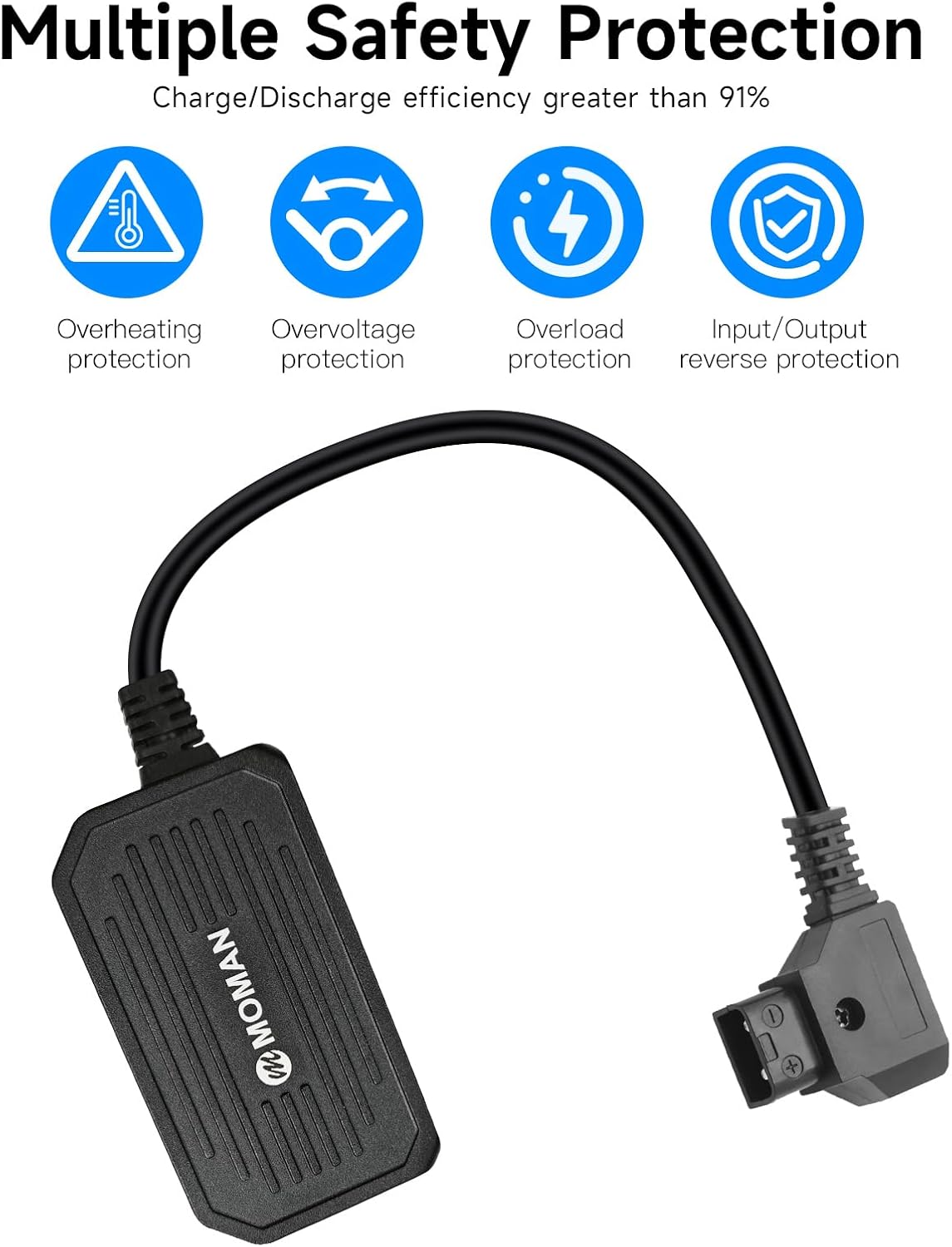
Image: The Moman PD65 adapter highlighting its multiple safety protections, including overheating, overvoltage, overload, and input/output reverse protection, ensuring safe operation.
3. สินค้าหมดview
The Moman PD65 is a compact and efficient D-Tap to USB-C adapter designed for professional and everyday use. It facilitates bidirectional power flow, meaning it can charge devices from a D-Tap source or allow a D-Tap battery to be charged via a USB-C power source (if the D-Tap battery supports USB-C input charging).
3.1 คุณสมบัติหลัก
- Bidirectional Power: Supports both charging and discharging through the D-Tap and USB-C interfaces.
- ชาร์จเร็ว 65W: Delivers up to 65W output via USB-C for rapid charging of compatible devices.
- ความเข้ากันได้กว้าง: Works with V-mount batteries and a broad range of USB-C powered devices.
- การป้องกันความปลอดภัยหลายอย่าง: Includes overheating, overvoltage, overload, and input/output reverse protection.
- การออกแบบที่กะทัดรัด: Weighs approximately 90g, making it highly portable.

Image: A visual representation of the Moman PD65 adapter's bidirectional functionality, showing power flow in both directions between D-Tap and USB-C connections.

Image: The Moman PD65 adapter is shown held in a hand, emphasizing its small size and light weight (90g) as a modern alternative to bulkier traditional chargers.
4. ข้อมูลจำเพาะ
| คุณสมบัติ | ข้อมูลจำเพาะ |
|---|---|
| D-TAP Input | 12-17V, 48W Max. (No-load Voltagอี 16.8V) |
| เอาท์พุต Type-C | สูงสุด 65W |
| ความยาวสายเคเบิล | 50ซม. (19.7นิ้ว) |
| โปรโตคอลที่รองรับ | APPLE, HUAWEI FCP, BC1.2, SCP, SAMSUNG AFC, QC2.0, QC3.0, PD3.0 |
| น้ำหนัก | น้ำหนักประมาณ 90 กรัม (3.17 ออนซ์) |
| Dimensions (Adapter Body) | ขนาดโดยประมาณ 4.65 x 4.09 x 1.06 นิ้ว (ขนาดบรรจุภัณฑ์) |

ภาพ: ภาพระยะใกล้ view of the Moman PD65 adapter's D-Tap and USB-C connectors, with labels indicating their respective input/output parameters and cable length.
5. การตั้งค่า
5.1 Connecting to a D-Tap Power Source
- Locate the D-Tap port on your V-mount battery or battery holder.
- Carefully align the D-Tap connector of the Moman PD65 adapter with the D-Tap port on your power source. Ensure correct polarity (the adapter's D-Tap connector is designed to prevent incorrect insertion, but always double-check).
- Firmly insert the D-Tap connector until it is securely seated.
5.2 Connecting to a USB-C Device
- Locate the USB-C port on the device you wish to charge or power (e.g., camera, phone, laptop, tablet).
- Connect the USB-C end of the Moman PD65 adapter to your device's USB-C port.
- ตรวจสอบให้แน่ใจว่าการเชื่อมต่อแน่นหนาดีแล้ว

Image: The Moman PD65 adapter is shown connected to a V-mount battery, which in turn is providing power to a camera light, demonstrating a typical setup.
6. คู่มือการใช้งาน
6.1 Charging Devices from a D-Tap Source
Once the Moman PD65 is connected to a D-Tap power source (like a V-mount battery) and a USB-C device, it will automatically begin charging the connected USB-C device. The adapter supports various fast charging protocols, including PD3.0, QC2.0, QC3.0, and others, to optimize charging speed for compatible devices.

Image: This graphic illustrates the Moman PD65's 65W charging efficiency, detailing estimated charging times for V-mount batteries and percentage gains for devices like iPad Pro, MacBook Pro, and iPhone 15 Pro in 30 minutes.
6.2 Discharging (Charging a D-Tap Battery via USB-C)
The Moman PD65 supports bidirectional power. If your D-Tap battery is designed to accept charge via its D-Tap port, you can connect a USB-C power source (e.g., a USB-C wall charger) to the Moman PD65, and then connect the adapter's D-Tap end to your D-Tap battery. The adapter will then facilitate charging of the D-Tap battery.
บันทึก: The Moman PD65 does not feature indicator lights. To confirm operation, observe the charging status on your connected device or the D-Tap battery, or note if the adapter becomes slightly warm during use, which is normal for power transfer.

ภาพ: ภาพตัดปะแสดงasing the Moman PD65 adapter in action, demonstrating its versatility in charging V-mount batteries, smartphones, and tablets in different professional and personal settings.
7. ความเข้ากันได้
The Moman PD65 adapter is widely compatible with:
- All V-mount batteries or other batteries equipped with a D-Tap socket.
- Mobile phones, tablets, and laptops that support USB-C fast charging.
- Mobile power supplies, SDI converters, wireless transmitters, and digital cameras equipped with a USB-C power input.
Supported charging protocols include APPLE, HUAWEI FCP, BC1.2, SCP, SAMSUNG AFC, QC2.0, QC3.0, and PD3.0.
8. การบำรุงรักษา
8.1 การทำความสะอาด
เช็ดอะแดปเตอร์ด้วยผ้าแห้งนุ่มๆ ห้ามใช้น้ำยาทำความสะอาดหรือสารละลายใดๆ
8.2 พื้นที่จัดเก็บ
เก็บอะแดปเตอร์ไว้ในที่แห้งและเย็น หลีกเลี่ยงแสงแดดโดยตรงและอุณหภูมิที่สูงหรือต่ำมากเมื่อไม่ได้ใช้งาน
9 การแก้ไขปัญหา
- อุปกรณ์ไม่ชาร์จ:
- Ensure both the D-Tap and USB-C connections are secure.
- Verify that the D-Tap power source (e.g., V-mount battery) has sufficient charge.
- Check if the USB-C device is compatible with the adapter's charging specifications.
- If attempting to charge a D-Tap battery via USB-C, confirm that the D-Tap battery itself supports charging through its D-Tap port.
- อะแดปเตอร์รู้สึกอุ่น:
- It is normal for the adapter to become slightly warm during operation, especially during high-power charging. If it becomes excessively hot, disconnect it immediately and contact support.
- No indicator lights:
- The Moman PD65 adapter does not include built-in indicator lights. Confirm operation by checking the charging status on your connected device or D-Tap battery.
10. การรับประกันและการสนับสนุน
Moman products are designed for reliability and performance. For specific warranty details, please refer to the warranty card included with your purchase or visit the official Moman website. For technical support or inquiries, please contact Moman customer service through their official channels.
โมแมน ออร์ลี Webเว็บไซต์: www.moman.co
Ask a question about this manual
Ask about setup, troubleshooting, compatibility, parts, safety, or missing instructions. Manuals+ will review the question and use this page’s manual context to help answer it.