
1. สินค้าหมดview
This manual provides essential instructions for the safe and efficient use of your HUAWEI MatePad SE 11" Tablet. Please read this manual thoroughly before using the device and retain it for future reference.

ภาพ: ด้านหลัง view of the HUAWEI MatePad SE 11" tablet, highlighting its lightweight (475g) and slim (6.9mm) design. The tablet features a premium metal unibody construction.
The HUAWEI MatePad SE 11" is designed for an immersive visual and audio experience, featuring an 11-inch FullView Eye Comfort screen and a powerful quad-speaker system. Its lightweight and slim design make it highly portable.
2. การตั้งค่าเริ่มต้น
2.1. การแกะกล่องและเนื้อหาภายในบรรจุภัณฑ์
Carefully unpack your HUAWEI MatePad SE 11" tablet. Ensure all items listed below are present:
- HUAWEI MatePad SE 11" Tablet (6GB+128GB)
- เครื่องชาร์จ
- สายเคเบิล Type-C
- คู่มือเริ่มต้นอย่างรวดเร็ว
- บัตรรับประกัน
2.2. การชาร์จแท็บเล็ต
Before first use, fully charge the tablet. Connect the Type-C cable to the tablet's USB-C port and the charger, then plug the charger into a power outlet. The tablet supports 22.5W fast charging.
2.3. การเปิด/ปิดเครื่อง
- การเปิดเครื่อง: Press and hold the Power button until the HUAWEI logo appears.
- วิธีปิดเครื่อง: กดปุ่มเปิด/ปิดค้างไว้ จากนั้นเลือก "ปิดเครื่อง" จากตัวเลือก
- ในการรีสตาร์ท: กดปุ่มเปิด/ปิดค้างไว้ จากนั้นเลือก "รีสตาร์ท" จากตัวเลือก
2.4. การกำหนดค่าเริ่มต้น
ทำตามคำแนะนำบนหน้าจอเพื่อทำการตั้งค่าเริ่มต้นให้เสร็จสมบูรณ์ ซึ่งรวมถึง:
- การเลือกภาษา
- การเชื่อมต่อเครือข่าย Wi-Fi
- HUAWEI ID login (or create a new one)
- Security settings (PIN, password, pattern, or facial recognition)
3. การใช้งานแท็บเล็ตของคุณ
3.1. คุณสมบัติการแสดงผล

Image: The HUAWEI MatePad SE 11" screen, showcasing its 11-inch FHD+ Eye Comfort display. Key features include an 85% screen-to-body ratio, 1920x1200 resolution, and 400 Nits brightness for a clear visual experience.
The 11-inch FHD+ Eye Comfort display provides an immersive visual experience. It features:
- ปณิธาน: 1920 x 1200 พิกเซล
- ความสบายตา: TÜV Rheinland certified for low blue light and flicker-free viewing, reducing eye strain during prolonged use.
- ความสว่าง: 400 Nits, with 4096-level brightness adjustment.
- E-Book Mode: A dedicated mode for a paper-like reading experience.
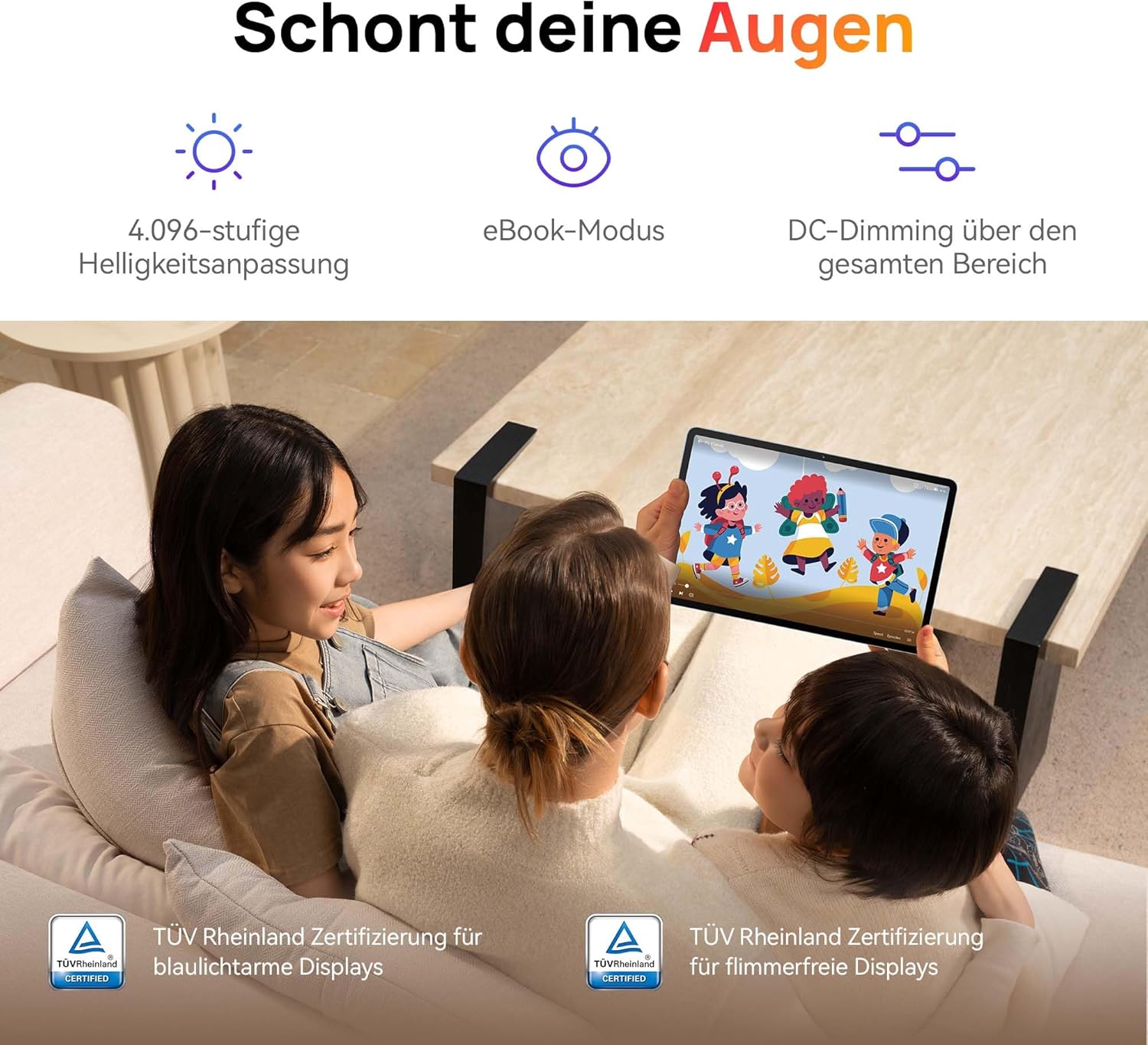
Image: Children using the tablet, illustrating the eye protection features. The display is TÜV Rheinland certified for low blue light and flicker-free operation, ensuring a comfortable viewการสร้างประสบการณ์
3.2. ระบบเสียง

Image: A user enjoying music on the tablet, demonstrating the immersive quad-speaker system. This system is optimized by HUAWEI Histen 9.0 technology for high-quality audio.
The tablet features a symmetrical quad-speaker system optimized by HUAWEI Histen 9.0 technology, providing cinematic sound quality for various applications.
3.3. มุมเด็กเล่น

Image: The Kids Corner interface on the tablet, designed as a safe and engaging environment for children. Features include posture warnings, a blue light filter, and an eBook mode, along with content from BabyBus.
Kids Corner provides a safe and dedicated environment for children to learn and play. Parents can manage:
- Time limits for usage.
- Allowed applications and content.
- Features like posture warnings and blue light filters to promote healthy digital habits.
It also includes content from BabyBus, offering games, stories, and nursery rhymes.
3.4. M-Pen Lite (Optional Accessory)

Image: The HUAWEI M-Pen Lite stylus, an optional accessory that enhances interaction with the tablet for drawing, writing, and note-taking. It is supported by the HUAWEI MatePad SE 11" Stylus Set.
If you have the HUAWEI M-Pen Lite, it can be used for enhanced interaction, drawing, and note-taking. Ensure your tablet supports the M-Pen Lite stylus set.
The tablet also supports applications like GoPaint for professional and easy-to-use digital art, and HUAWEI Note for organized note-taking.

Image: GoPaint application on the tablet, illustrating its interface for digital art creation.

Image: HUAWEI Note application on the tablet, showing its capabilities for detailed note-taking.
3.5. การเชื่อมต่อ
- ไวไฟ : Connect to available Wi-Fi networks for internet access. Supports 802.11ac.
- บลูทูธ: Pair with Bluetooth devices such as headphones, speakers, or keyboards.
- พอร์ต USB-C: Used for charging, data transfer, and connecting compatible accessories.
3.6. Multi-Window and Multi-Device Collaboration
The tablet supports multi-window functionality for enhanced multitasking and multi-device screen sharing for seamless integration with other HUAWEI devices.
4. การบำรุงรักษาและการดูแล
- การทำความสะอาด: ใช้ผ้านุ่มไม่เป็นขุยทำความสะอาดหน้าจอและตัวเครื่อง หลีกเลี่ยงวัสดุที่มีฤทธิ์กัดกร่อนหรือสารเคมีรุนแรง
- การดูแลแบตเตอรี่ เพื่อยืดอายุการใช้งานแบตเตอรี่ ควรหลีกเลี่ยงอุณหภูมิที่สูงหรือต่ำเกินไป และอย่าปล่อยให้แบตเตอรี่หมดเกลี้ยงบ่อยๆ
- การอัปเดตซอฟต์แวร์: ตรวจสอบและติดตั้งการอัปเดตซอฟต์แวร์เป็นประจำเพื่อให้มั่นใจถึงประสิทธิภาพและความปลอดภัยที่เหมาะสมที่สุด
- พื้นที่จัดเก็บ: Keep the tablet in a cool, dry place away from direct sunlight and moisture.
5 การแก้ไขปัญหา
| ปัญหา | วิธีแก้ปัญหาที่เป็นไปได้ |
|---|---|
| แท็บเล็ตไม่สามารถเปิดเครื่องได้ | ตรวจสอบให้แน่ใจว่าแบตเตอรี่ชาร์จเต็มแล้ว เสียบที่ชาร์จและรอสักครู่ก่อนลองเปิดเครื่องอีกครั้ง |
| หน้าจอไม่ตอบสนอง | Restart the tablet by holding the Power button for approximately 10 seconds. If unresponsive, ensure the screen is clean and dry. |
| ปัญหาการเชื่อมต่อ Wi-Fi | Check if Wi-Fi is enabled. Restart your router and the tablet. Ensure you are within range of the Wi-Fi signal. |
| Apps are not downloading from Play Store. | The HUAWEI MatePad SE 11" runs on HarmonyOS and uses HUAWEI AppGallery. Google Play Store services are not natively supported. Use Petal Search to find and install apps or access web เวอร์ชันของบริการ |
| ประสิทธิภาพการทำงานช้า | ปิดแอปพลิเคชันที่ทำงานอยู่เบื้องหลังโดยไม่จำเป็น ล้างแคชและไฟล์ชั่วคราว files. Ensure sufficient storage space is available. Restart the tablet. |
6. ข้อมูลจำเพาะทางเทคนิค
| คุณสมบัติ | รายละเอียด |
|---|---|
| ชื่อรุ่น | MatePad SE 11" |
| หมายเลขรุ่น | 53014FHK |
| ขนาด (กว้าง x ยาว x สูง) | 26.23 x 16.38 x 0.69 ซม. |
| น้ำหนัก | 475 กรัม |
| ขนาดจอแสดงผล | 11 นิ้ว |
| ประเภทจอภาพ | จอแอลซีดี |
| ความละเอียดการแสดงผล | 1920 x 1200 พิกเซล (FHD+) |
| อัตราส่วนภาพ | 16:9 น. |
| ระบบปฏิบัติการ | ฮาร์โมนี่โอเอส |
| โปรเซสเซอร์ | Huawei Processor (Agassi6-W09C) |
| แรม | 6GB |
| ความจุในการเก็บข้อมูล | 128GB |
| ประเภทแบตเตอรี่ | ลิเธียมโพลิเมอร์ |
| ความจุของแบตเตอรี่ | 7700 มิลลิแอมป์ |
| การชาร์จไฟ | 22.5W Fast Charging (via USB Type-C) |
| ความละเอียดกล้องหลัง | 8 ล้านพิกเซล |
| ลำโพง | 4 speakers with HUAWEI Histen 9.0 |
| เทคโนโลยีไร้สาย | Wi-Fi (802.11ac), บลูทูธ |
| พอร์ต USB | 1 (พอร์ต USB Type-C) |
| คุณสมบัติพิเศษ | 11-inch Eye Comfort Screen, Kids Corner, Multi-window, Multi-device screen sharing |
| รวมอยู่ในกล่อง | Tablet, Charger, Type-C Cable, Quick Start Guide, Warranty Card |
7. การรับประกันและการสนับสนุน
7.1. ข้อมูลการรับประกัน
Your HUAWEI MatePad SE 11" Tablet comes with a manufacturer's warranty. Please refer to the included Warranty Card for specific terms and conditions. Spare parts availability is guaranteed for 24 months.
7.2. การสนับสนุนลูกค้า
For technical assistance, troubleshooting beyond this manual, or warranty claims, please contact HUAWEI customer support. Visit the official HUAWEI webไซต์สำหรับข้อมูลติดต่อและทรัพยากรการสนับสนุน
แหล่งข้อมูลออนไลน์: การสนับสนุนจาก HUAWEI Webเว็บไซต์