
DATOUBOSS 12V-3000W
DATOUBOSS 3000W/6000W Pure Sine Wave Power Inverter
รุ่น: 12V-3000W
1. คำแนะนำด้านความปลอดภัย
โปรดอ่านและทำความเข้าใจคำแนะนำด้านความปลอดภัยทั้งหมดก่อนใช้งานอินเวอร์เตอร์ การไม่ปฏิบัติตามคำแนะนำเหล่านี้อาจส่งผลให้เกิดไฟฟ้าช็อต ไฟไหม้ หรือการบาดเจ็บร้ายแรงได้
- อย่าให้อินเวอร์เตอร์โดนฝน ความชื้น หรืออุณหภูมิที่สูงหรือต่ำเกินไป
- ตรวจสอบให้แน่ใจว่ามีการระบายอากาศที่เหมาะสมรอบๆ อินเวอร์เตอร์เพื่อป้องกันความร้อนสูงเกินไป
- เชื่อมต่ออินเวอร์เตอร์เข้ากับแหล่งจ่ายไฟ DC 12V เท่านั้น
- Do not connect the inverter to AC power.
- หลีกเลี่ยงการลัดวงจรบริเวณขั้วเอาต์พุต
- Always connect the battery cables with correct polarity (positive to positive, negative to negative). Reverse polarity protection is built-in, but incorrect connection should be avoided.
- ให้เด็กอยู่ห่างจากอินเวอร์เตอร์
- ถอดปลั๊กอินเวอร์เตอร์ออกจากแหล่งจ่ายไฟก่อนทำการบำรุงรักษาหรือทำความสะอาดใดๆ
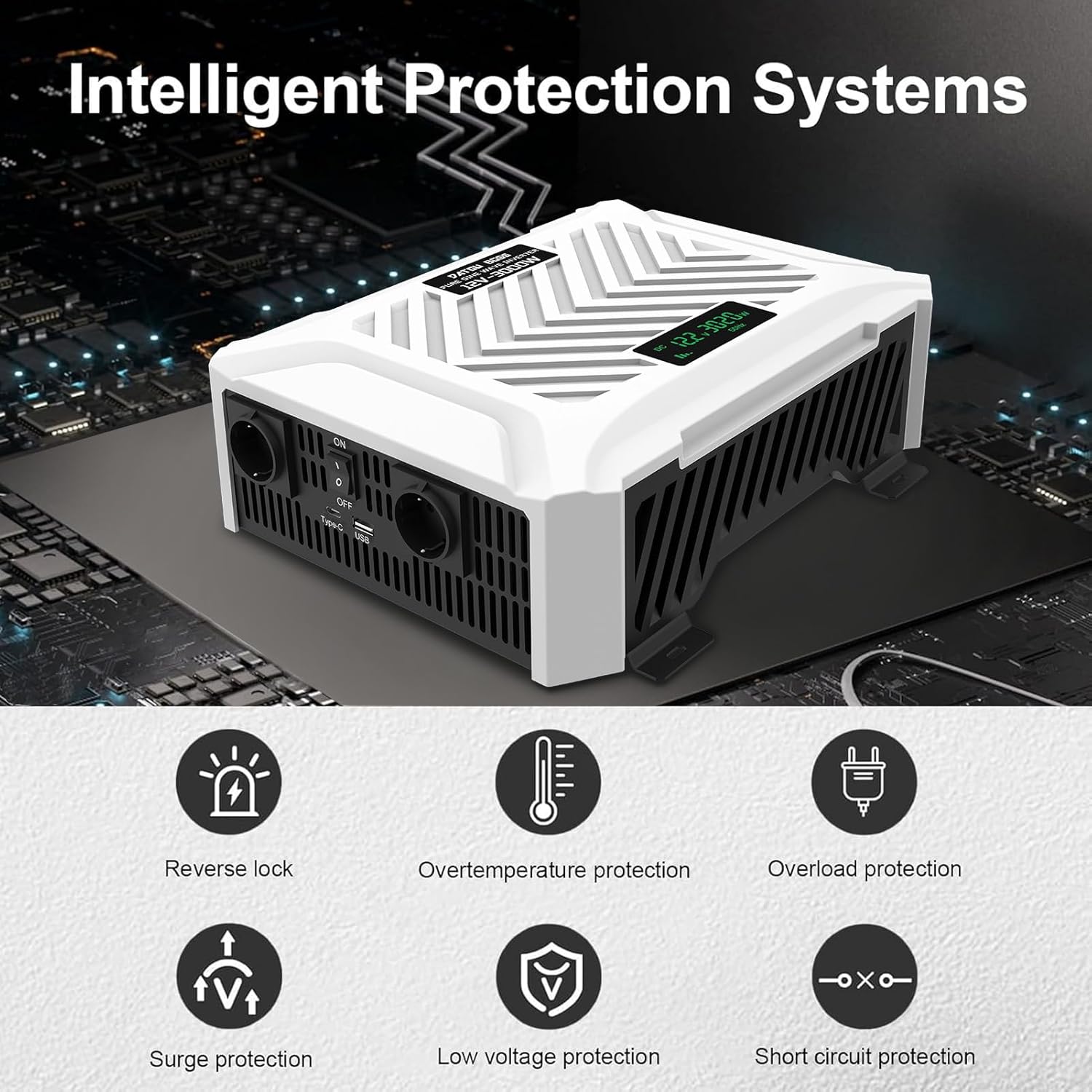
Figure 1: Intelligent Protection Systems. The inverter features multiple safety mechanisms including protection against overvoltage, overload, overheating, short-circuits, and reverse polarity.
2. สินค้าหมดview
2.1 คุณสมบัติหลัก
- เอาท์พุตคลื่นไซน์บริสุทธิ์: ให้พลังงานที่สะอาดและเสถียร เหมาะสำหรับอุปกรณ์อิเล็กทรอนิกส์ที่ต้องการพลังงานอย่างแม่นยำ
- กำลังขับสูง: 3000W continuous power, 6000W peak power.
- อินพุต/เอาท์พุตอเนกประสงค์: Converts 12V DC to 220V/230V AC at 50Hz.
- มีหลายสาขา: Equipped with 2 AC outlets, 1 USB port, and 1 Type-C port.
- จอแสดงผล LCD: การตรวจสอบปริมาณอินพุตแบบเรียลไทม์tage, output power, and frequency.
- การป้องกันขั้นสูง: Built-in fuses and protection against overvoltage, overload, overheating, short-circuit, and reverse polarity.
- ระบบทำความเย็นอัจฉริยะ: Dual intelligent fans activate when temperature reaches 45°C for efficient heat dissipation.
2.2 เนื้อหาบรรจุภัณฑ์
- อินเวอร์เตอร์เพียวไซน์เวฟ DATOUBOSS 3000W
- 1 Pair of Battery Connection Cables (Red for Positive, Black for Negative)
- คู่มือการใช้งาน

Figure 2: Product and Accessories. The package includes the inverter unit and a pair of battery connection cables.

Figure 3: Port Introduction. This image highlights the various input and output ports on the inverter, including AC outlets, USB, Type-C, and the intelligent cooling fans.
3. การตั้งค่าและการติดตั้ง
Follow these steps for proper setup of your inverter:
- เลือกตำแหน่ง: Select a dry, well-ventilated area for the inverter. Ensure there is sufficient space around the unit for airflow, especially for the cooling fans. Avoid direct sunlight or heat sources.
- เตรียมแบตเตอรี่: Ensure your 12V DC battery is fully charged and in good condition.
- เชื่อมต่อสายแบตเตอรี่:
- เชื่อมต่อ สีแดง สายแบตเตอรี่ไปยัง บวก (+) ขั้วต่อของอินเวอร์เตอร์
- เชื่อมต่อ สีดำ สายแบตเตอรี่ไปยัง ลบ (-) ขั้วต่อของอินเวอร์เตอร์
- เชื่อมต่อปลายอีกด้านหนึ่งของ สีแดง สายเคเบิลไปที่ บวก (+) ขั้วของแบตเตอรี่ 12V ของคุณ
- เชื่อมต่อปลายอีกด้านหนึ่งของ สีดำ สายเคเบิลไปที่ ลบ (-) ขั้วของแบตเตอรี่ 12V ของคุณ
ตรวจสอบให้แน่ใจว่าการเชื่อมต่อทั้งหมดแน่นหนาและปลอดภัย เพื่อป้องกันการเกิดประกายไฟหรือความร้อนสูงเกินไป
- ตรวจสอบการเชื่อมต่อ: ตรวจสอบการเชื่อมต่อทั้งหมดอีกครั้งก่อนดำเนินการต่อ

Figure 4: Wiring Diagram. This diagram illustrates the connection flow from solar panels (optional) to a charge controller, then to a battery, and finally to the inverter for powering household appliances.
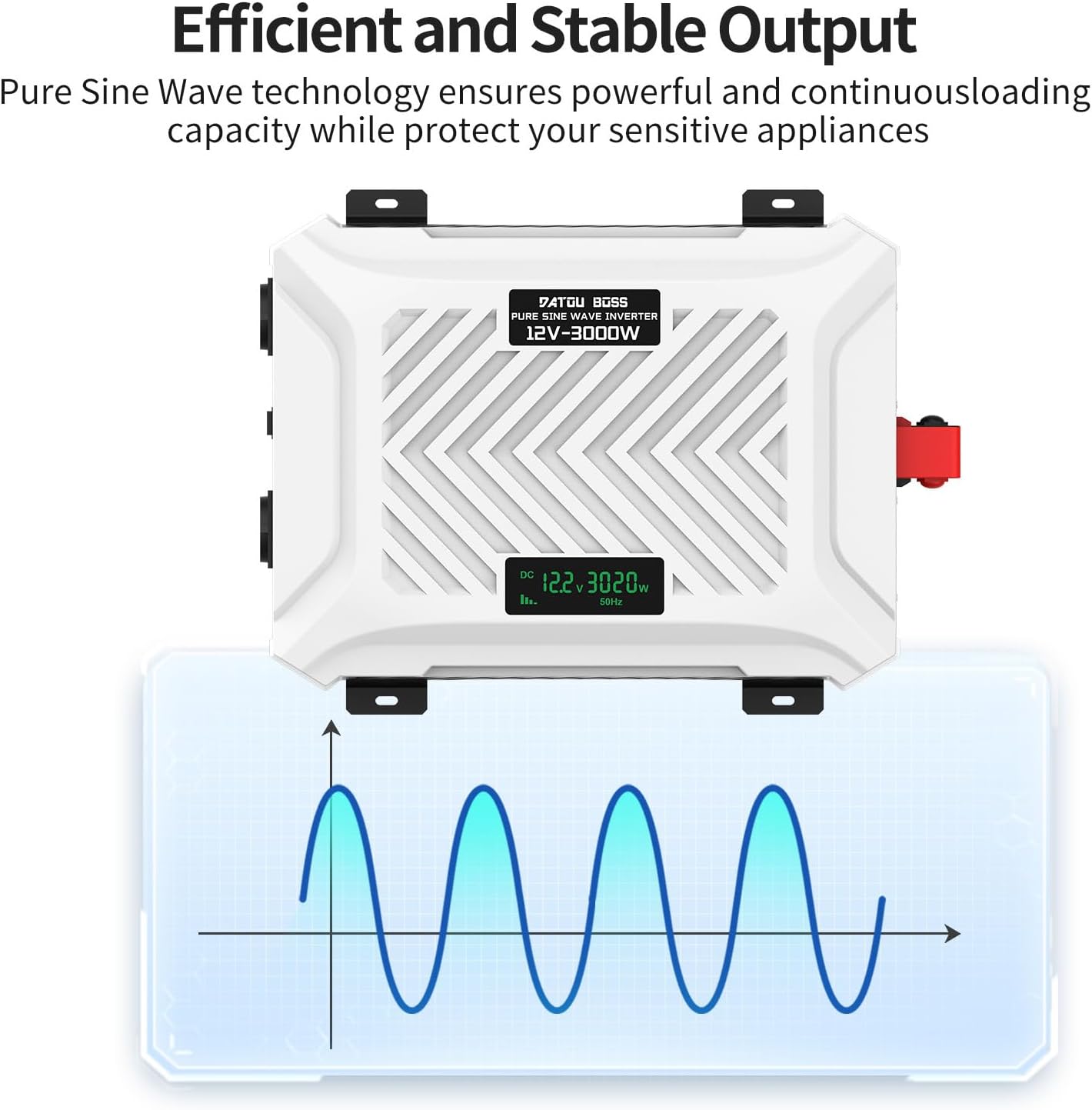
Figure 5: Connecting Solar Power. The inverter can be integrated into an off-grid solar power system, providing a high-performance and durable energy solution.
4. คู่มือการใช้งาน
- เปิดเครื่อง: Once the battery is connected, switch the ON/OFF switch on the inverter to the 'ON' position. The LCD display will illuminate.
- จอแสดงผล LCD: หน้าจอ LCD แสดงข้อมูลแบบเรียลไทม์:
- DC ฉบับที่tagอี (วี): Shows the input voltage จากแบตเตอรี่
- กำลังขับ (วัตต์): Displays the current power consumption of connected devices.
- ความถี่ (Hz): Indicates the output frequency (50Hz).
- เชื่อมต่ออุปกรณ์: Plug your AC devices into the AC outlets. For USB-powered devices, use the USB or Type-C ports. Ensure the total wattagกำลังไฟรวมของอุปกรณ์ที่เชื่อมต่อต้องไม่เกิน 3000 วัตต์
- หมดแรง: When finished, switch the ON/OFF switch to the 'OFF' position. Disconnect devices and then disconnect the battery cables if storing the inverter.
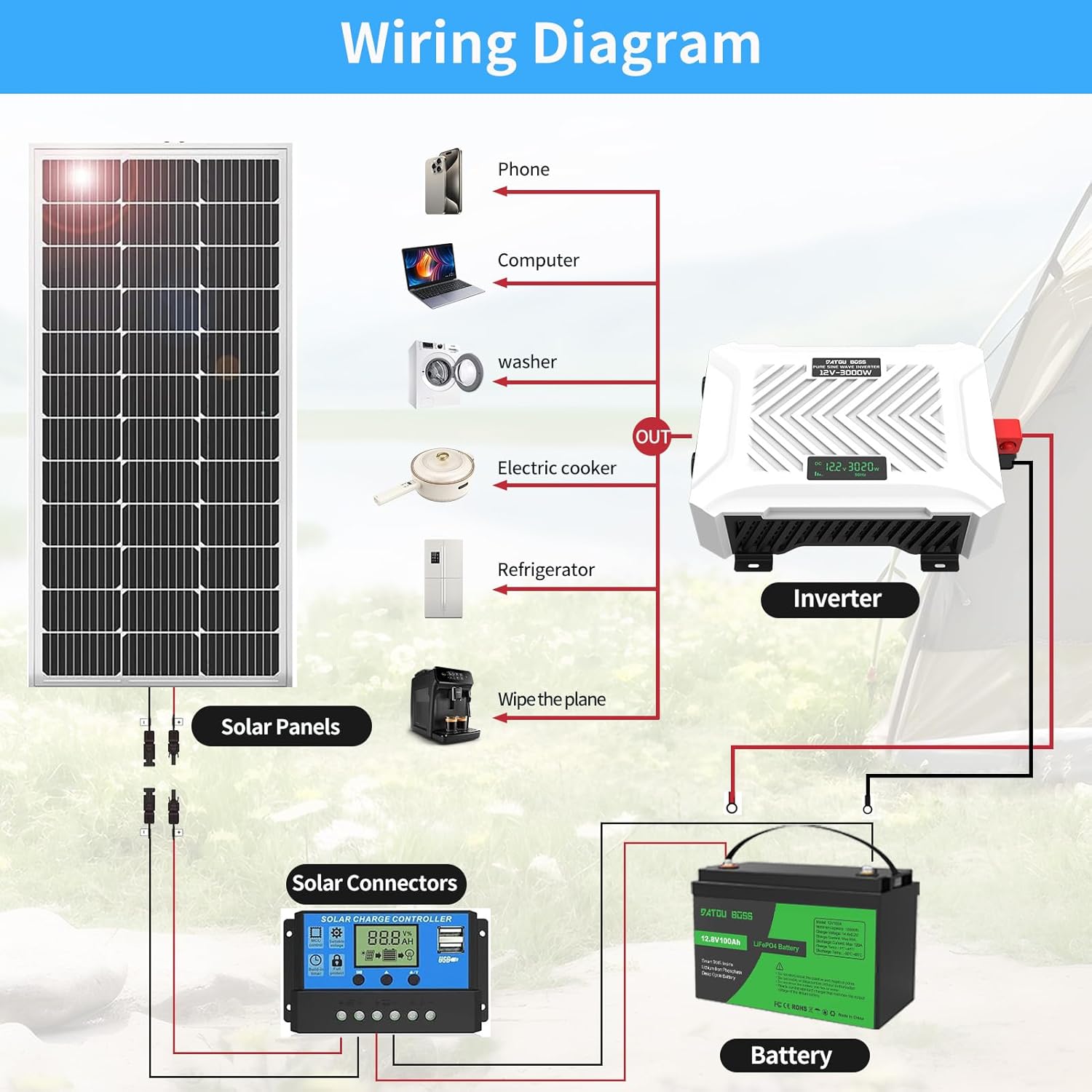
Figure 6: LCD Display Features. The LCD allows for real-time monitoring of the inverter's operational status, including input voltage และกำลังเอาท์พุต

Figure 7: Versatile Applications. The inverter is suitable for a wide range of uses, from powering camping equipment and car refrigerators to computers and small kitchen appliances. Note: The maximum operating wattage ไม่ควรเกิน 3000W.

Figure 8: Efficient and Stable Output. The pure sine wave technology ensures a powerful and continuous loading capacity, protecting sensitive appliances from damage.
5. การบำรุงรักษา
การบำรุงรักษาตามปกติจะช่วยให้อินเวอร์เตอร์ของคุณทำงานได้อย่างเหมาะสมและมีอายุการใช้งานยาวนาน:
- การทำความสะอาด: ทำความสะอาดภายนอกอินเวอร์เตอร์เป็นระยะด้วยผ้านุ่มและแห้ง ห้ามใช้น้ำยาทำความสะอาดหรือตัวทำละลาย
- การระบายอากาศ : Ensure the ventilation openings and cooling fans are free from dust and debris. The intelligent dual fans will activate automatically when the internal temperature reaches 45°C to maintain optimal operating temperature.
- การเชื่อมต่อสายเคเบิล: Regularly check battery cable connections for tightness and corrosion. Clean terminals if necessary.
- พื้นที่จัดเก็บ: หากต้องเก็บรักษาอินเวอร์เตอร์เป็นเวลานาน ควรตัดการเชื่อมต่อจากแบตเตอรี่และเก็บไว้ในที่แห้งและเย็น
6 การแก้ไขปัญหา
If you encounter issues with your DATOUBOSS inverter, refer to the table below for common problems and solutions:
| ปัญหา | สาเหตุที่เป็นไปได้ | สารละลาย |
|---|---|---|
| No output/Inverter not turning on | Loose battery connection, low battery voltage, inverter switch off, internal fuse blown. | Check battery cable connections. Recharge or replace battery. Ensure switch is ON. Contact support if fuse is suspected. |
| Low output power/Device not working | โอเวอร์โหลด, แรงดันแบตเตอรี่ต่ำtage, incorrect device wattage. | Reduce connected load. Recharge battery. Ensure device wattage is within inverter limits (max 3000W). |
| ความร้อนสูงเกินไป | การระบายอากาศไม่ดี โหลดมากเกินไป | Ensure adequate airflow around the inverter. Reduce load. Allow inverter to cool down. |
| Alarm sounds/Protection activated | โอเวอร์โหลด โอเวอร์โวลtage, อันเดอร์โวลtage, short circuit, overtemperature, reverse polarity. | Check LCD for error code. Disconnect load, check battery voltage, ensure correct polarity. Allow to cool. |
The inverter is equipped with comprehensive protection features to safeguard both the unit and your connected devices. If the problem persists after attempting the solutions above, please contact customer support.
7. ข้อมูลจำเพาะ
| คุณสมบัติ | ข้อมูลจำเพาะ |
|---|---|
| ยี่ห้อ | ดาทูบอส |
| ชื่อรุ่น | DT-PSW-E123000 (12V-3000W) |
| กำลังไฟที่กำหนด | 3000 วัตต์ |
| พลังสูงสุด | 6000 วัตต์ |
| อินพุต Voltage | กระแสตรง 12 โวลต์ |
| ปริมาณการส่งออกtage | แรงดันไฟฟ้า 220V / 230V |
| ความถี่เอาต์พุต | 50 เฮิรตซ์ |
| รูปคลื่นเอาท์พุต | เพียวไซน์เวฟ |
| ประสิทธิภาพการแปลง | > 95% |
| AC Outlets AC | 2 |
| พอร์ต USB | 1 พอร์ต USB, 1 พอร์ต Type-C |
| ขนาด (กว้าง x ยาว x สูง) | 34 ซม. x 24 ซม. x 10 ซม. (13.4 นิ้ว x 9.4 นิ้ว x 3.9 นิ้ว) |
| การทำให้เย็น | พัดลมคู่แบบอัจฉริยะ |
| คุณสมบัติการป้องกัน | โอเวอร์โวลtage, Overload, Overheating, Short-circuit, Reverse Polarity |
| ข้อแนะนำการใช้ | Home, Vehicle, Office, Campแหล่งจ่ายไฟฉุกเฉิน |
8. การรับประกันและการสนับสนุน
DATOUBOSS offers a รับประกัน 2 ปี for this product, ensuring peace of mind regarding its quality and performance. We are committed to providing friendly and responsive customer service.
If you have any questions, require technical assistance, or need to claim warranty service, please do not hesitate to contact our customer support team. You can typically find contact information on the product packaging or through the retailer where you purchased the item.
For more information about DATOUBOSS products, please visit our official brand page: DATOUBOSS on Amazon.
Ask a question about this manual
Ask about setup, troubleshooting, compatibility, parts, safety, or missing instructions. Manuals+ will review the question and use this page’s manual context to help answer it.