
VERTU H1
คู่มือการใช้งานสมาร์ทวอทช์ VERTU H1
รุ่น : H1
การแนะนำ
Welcome to the user manual for your new VERTU H1 Smart Watch. This guide provides detailed instructions on how to set up, operate, maintain, and troubleshoot your device. The VERTU H1 combines aerospace-grade carbon fiber and a sapphire crystal display with advanced smart features, including comprehensive health monitoring, extensive sports modes, and seamless Android compatibility. Please read this manual carefully to ensure optimal performance and longevity of your smartwatch.

Image: The VERTU H1 Smart Watch in white and gold, showcasing its elegant design and sapphire display.
มีอะไรอยู่ในกล่อง
Upon opening your VERTU H1 Smart Watch package, please verify that all the following items are included:
- VERTU H1 Smart Watch (METAWATCH 1)
- แท่นชาร์จแบบไร้สาย
- คู่มือการใช้งาน (เอกสารนี้)
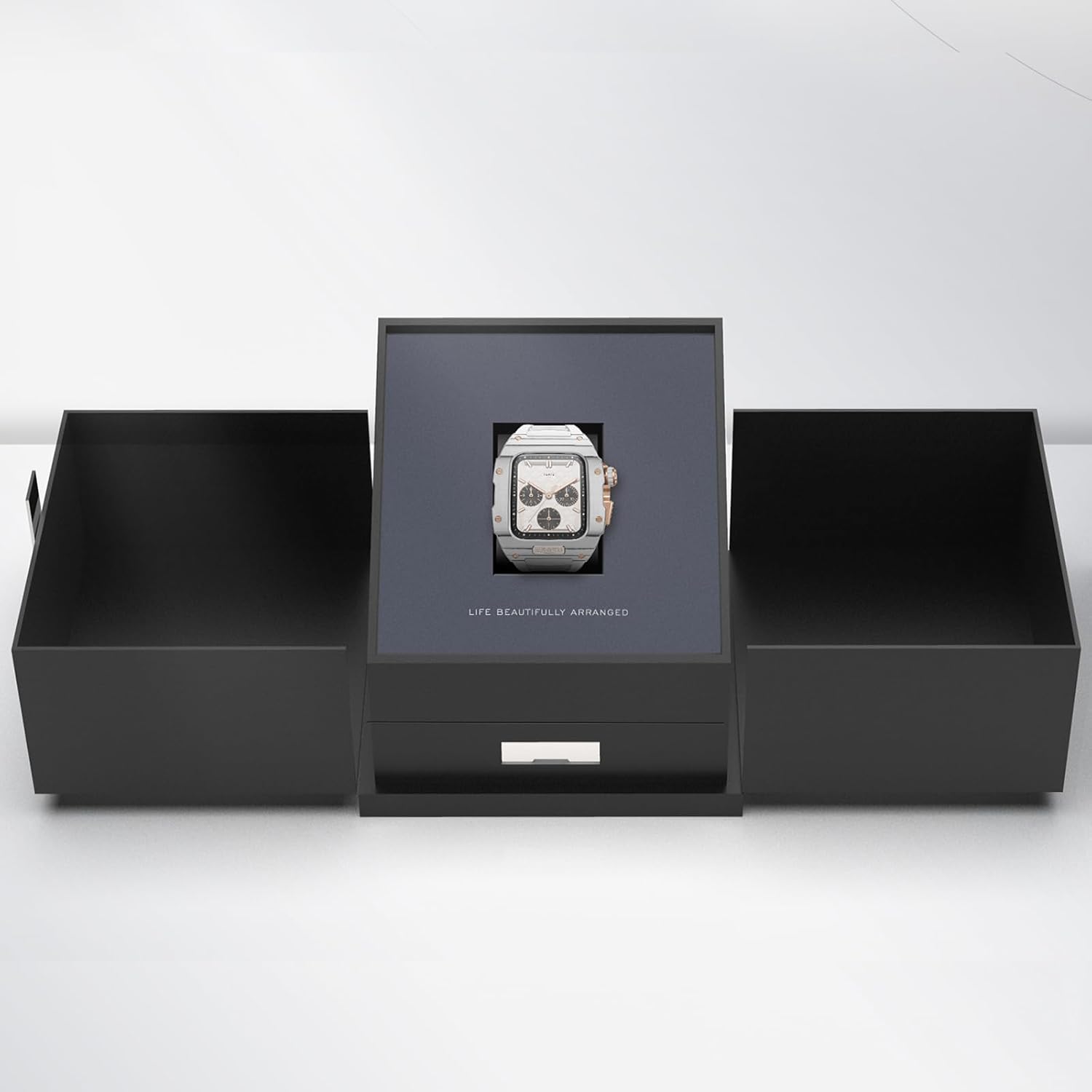
Image: The VERTU H1 Smart Watch presented within its elegant black packaging, indicating the unboxing experience.
การตั้งค่า
1. การชาร์จสมาร์ทวอทช์
Before first use, fully charge your VERTU H1 Smart Watch. Place the watch on the provided wireless charger. The screen will indicate charging status. A full charge typically takes approximately 2 hours.
2. การเปิด/ปิดเครื่อง
- เปิดเครื่อง: Press and hold the side button until the VERTU logo appears.
- หมดแรง: กดปุ่มด้านข้างค้างไว้ จากนั้นเลือก 'ปิดเครื่อง' บนหน้าจอ
3. การติดตั้งและการจับคู่แอป
To unlock the full functionality of your VERTU H1, you need to pair it with your Android smartphone via the dedicated app.
- Scan the QR code in the manual or on the watch screen (if available) to download the 'VERTU WATCH' application from the Google Play Store.
- ตรวจสอบให้แน่ใจว่าได้เปิดใช้งาน Bluetooth บนสมาร์ทโฟนของคุณแล้ว
- Open the 'VERTU WATCH' app and follow the on-screen instructions to create an account or log in.
- In the app, select 'Add Device' or 'Pair New Device'. The app will search for your VERTU H1.
- Select your watch from the list of discovered devices. Confirm the pairing request on both your watch and smartphone.

Image: An illustration showing the internal chip of the VERTU H1 Smart Watch and its connection to the companion mobile application, symbolizing the pairing process.
4. การกำหนดค่าเริ่มต้น
After successful pairing, the app will guide you through initial settings such as language selection, time format, and personal profile setup (e.g., age, height, weight for accurate health and fitness tracking).
คำแนะนำการใช้งาน
การนำทาง
- หน้าจอสัมผัส: ปัดซ้าย/ขวา ขึ้น/ลง เพื่อนำทางผ่านเมนูและการแจ้งเตือน แตะเพื่อเลือก
- ปุ่มด้านข้าง: กดเพื่อกลับสู่หน้าจอหลักหรือปลุกอุปกรณ์ กดค้างไว้เพื่อเลือกตัวเลือกพลังงาน
- มงกุฎดิจิตอล: Rotate to scroll through lists or zoom in/out. Press to select or return to the previous screen.
การโทรออกและรับสาย
With the VERTU H1 connected to your smartphone, you can make and answer calls directly from your wrist.
- การรับสายโทรศัพท์: เมื่อมีสายเรียกเข้า ให้แตะไอคอนรับสายสีเขียวบนหน้าจอนาฬิกา
- โทรออก: เข้าถึงแอปโทรออกหรือรายชื่อผู้ติดต่อบนนาฬิกาของคุณเพื่อเริ่มการโทร
การแจ้งเตือน
Receive notifications from your paired smartphone directly on your watch. Swipe down from the top of the screen to view การแจ้งเตือนล่าสุด
การปรับแต่ง
ปรับแต่งประสบการณ์การรับชมนาฬิกาของคุณ:
- หน้าปัดนาฬิกา: Long press the home screen to change watch faces. More options are available in the 'VERTU WATCH' app.
- การตั้งค่า: Access the settings menu on the watch to adjust brightness, vibration, and other preferences.
OTA Updates
The VERTU H1 supports Over-The-Air (OTA) updates. Ensure your watch is connected to the app and has sufficient battery for seamless software upgrades, which enhance features and performance.
คุณสมบัติการติดตามสุขภาพ
The VERTU H1 Smart Watch provides continuous, real-time monitoring of vital health metrics to help you stay informed about your well-being.
การตรวจวัดอัตราการเต้นของหัวใจ
The watch continuously tracks your heart rate throughout the day. View your current heart rate and historical data in the 'Heart Rate' section on the watch or in the app.
การตรวจวัดออกซิเจนในเลือด (SpO2)
Monitor your blood oxygen levels to assess your respiratory health. Access the 'Oximetry' function on your watch for on-demand measurements or view trends in the app.

Image: The VERTU H1 Smart Watch screen showing detailed health metrics, including oximetry (blood oxygen saturation) and heart rate data, with graphs illustrating trends.
การติดตามการนอนหลับ
The watch automatically monitors your sleep patterns, including deep sleep, light sleep, and wake times. Review your sleep quality analysis in the 'Sleep' section of the app.

Image: The VERTU H1 Smart Watch displaying sleep tracking data, showing duration of deep sleep and overall sleep time.
Sedentary Reminder & Drinking Water Reminder
The watch can remind you to move after periods of inactivity and prompt you to drink water, promoting healthier habits throughout your day. Configure these reminders in the 'VERTU WATCH' app.
คุณสมบัติการติดตามการออกกำลังกาย
The VERTU H1 is equipped with advanced features to support your fitness journey, offering comprehensive monitoring of your workout sessions.
100+ โหมดกีฬา
Choose from over 100 built-in sports modes, including outdoor running, indoor running, outdoor walking, and many more. Select your activity to track specific metrics relevant to your workout.

Image: The VERTU H1 Smart Watch screen showing a list of available sports modes, including outdoor running, indoor running, and outdoor walking.
การติดตามกิจกรรม
The watch automatically tracks your daily activities, including steps taken, distance covered, and calories burned. View your daily activity rings and progress in the 'Daily Activities' section on the watch or in the app.
มี GPS ในตัว
For outdoor activities, the built-in GPS accurately records your route, distance, and pace, providing detailed insights into your performance without needing your phone.
การซ่อมบำรุง
การทำความสะอาดสมาร์ทวอทช์ของคุณ
การทำความสะอาดเป็นประจำจะช่วยรักษารูปลักษณ์และฟังก์ชันการทำงานของนาฬิกาของคุณ
- Wipe the screen and case with a soft, lint-free cloth. If necessary, dampชุบผ้าด้วยน้ำเล็กน้อย
- Clean the FKM strap with mild soap and water, then rinse thoroughly and dry.
- Avoid using harsh chemicals, abrasive materials, or compressed air, as these can damage the watch.
ความต้านทานต่อน้ำ (IP68)
The VERTU H1 Smart Watch is IP68 waterproof, meaning it is protected against dust ingress and can withstand immersion in water up to 1.5 meters for 30 minutes. While suitable for daily wear and activities like swimming, it is not recommended for diving or high-pressure water activities. Avoid exposing the watch to hot water, steam, or corrosive liquids.
การดูแลแบตเตอรี่
- ควรชาร์จนาฬิกาเป็นประจำ และหลีกเลี่ยงการปล่อยให้แบตเตอรี่หมดเกลี้ยงเป็นเวลานาน
- ควรเก็บนาฬิกาไว้ในที่แห้งและเย็นเมื่อไม่ได้ใช้งาน
- Use only the provided wireless charger.
การแก้ไขปัญหา
If you encounter issues with your VERTU H1 Smart Watch, try the following solutions:
| ปัญหา | วิธีแก้ปัญหาที่เป็นไปได้ |
|---|---|
| นาฬิกาเปิดไม่ติด | ตรวจสอบให้แน่ใจว่านาฬิกาชาร์จเต็มแล้ว เชื่อมต่อกับแท่นชาร์จไร้สายอย่างน้อย 30 นาที |
| ไม่สามารถจับคู่กับสมาร์ทโฟนได้ | Ensure Bluetooth is enabled on your phone. Restart both the watch and the phone. Clear Bluetooth cache on your phone. Try pairing again through the 'VERTU WATCH' app. |
| Inaccurate health/fitness data | Ensure the watch is worn snugly on your wrist, about one finger's width above the wrist bone. Clean the sensor on the back of the watch. Update your personal information in the app. |
| อายุการใช้งานแบตเตอรี่สั้น | Reduce screen brightness. Turn off unnecessary notifications. Limit continuous heart rate monitoring if not needed. Ensure no background apps are draining power. |
| นาฬิกาไม่ตอบสนอง | Perform a force restart by pressing and holding the side button for approximately 10-15 seconds until the watch restarts. |
หากปัญหายังคงอยู่ โปรดดูที่ส่วนการสนับสนุนหรือติดต่อฝ่ายบริการลูกค้า
ข้อมูลจำเพาะ
| คุณสมบัติ | รายละเอียด |
|---|---|
| ชื่อรุ่น | H1 (Internal: METAWATCH 1) |
| ยี่ห้อ | เวอร์ทู |
| ขนาดหน้าจอ | 1.85 Inches (Sapphire Crystal Display) |
| วัสดุตัวเรือน | Aerospace-grade Carbon Fiber |
| วัสดุสายรัด | Fluoroelastomer (FKM) |
| ระบบปฏิบัติการ | ที่ใช้ Android |
| การเชื่อมต่อ | บลูทูธ |
| ความจุของแบตเตอรี่ | 260 มิลลิแอมป์ |
| ความต้านทานต่อน้ำ | IP68 |
| คุณสมบัติพิเศษ | Activity Tracker, Built-in GPS, Heart Rate/Blood Oxygen Detection, Phone Call, Sedentary Reminder, 100+ Sports Modes |
การรับประกันและการสนับสนุน
ข้อมูลการรับประกัน
Your VERTU H1 Smart Watch comes with a standard manufacturer's warranty. Please refer to the warranty card included in your product packaging for specific terms, conditions, and duration. Keep your proof of purchase for warranty claims.
การสนับสนุนลูกค้า
For technical assistance, troubleshooting beyond this manual, or warranty inquiries, please contact VERTU customer support. Contact details can typically be found on the official VERTU webไซต์หรือบนบรรจุภัณฑ์ผลิตภัณฑ์