
1. บทนำ
ขอบคุณสำหรับการซื้อasing the plplaaoo Cordless Table Lampคู่มือนี้ให้ข้อมูลที่จำเป็นสำหรับการใช้งาน l ใหม่ของคุณอย่างปลอดภัยและมีประสิทธิภาพampโปรดอ่านอย่างละเอียดก่อนใช้งานและเก็บไว้เพื่อใช้อ้างอิงในอนาคต
2. คำแนะนำด้านความปลอดภัย
- อย่าเปิดเผยลamp เนื่องจากมีน้ำหรือความชื้นมากเกินไป
- Avoid disassembling or modifying the lampเนื่องจากอาจทำให้การรับประกันเป็นโมฆะและก่อให้เกิดความเสี่ยงด้านความปลอดภัย
- ใช้เฉพาะสาย USB Type-C ที่ให้มาในการชาร์จเท่านั้น
- เก็บไว้ลamp away from heat sources and direct sunlight to prevent battery damage.
- ให้แน่ใจว่าลamp วางไว้บนพื้นผิวที่มั่นคงและเรียบเพื่อป้องกันการพลิคว่ำ
- สิ่งนี้ลamp ได้รับการออกแบบสำหรับใช้ภายในอาคารเท่านั้น
3. เนื้อหาบรรจุภัณฑ์
ตรวจสอบว่ามีรายการทั้งหมดอยู่ในแพ็คเกจของคุณ:
- 1 x Cordless Table Lamp
- สายชาร์จ 1 x USB Type-C

4. สินค้าหมดview
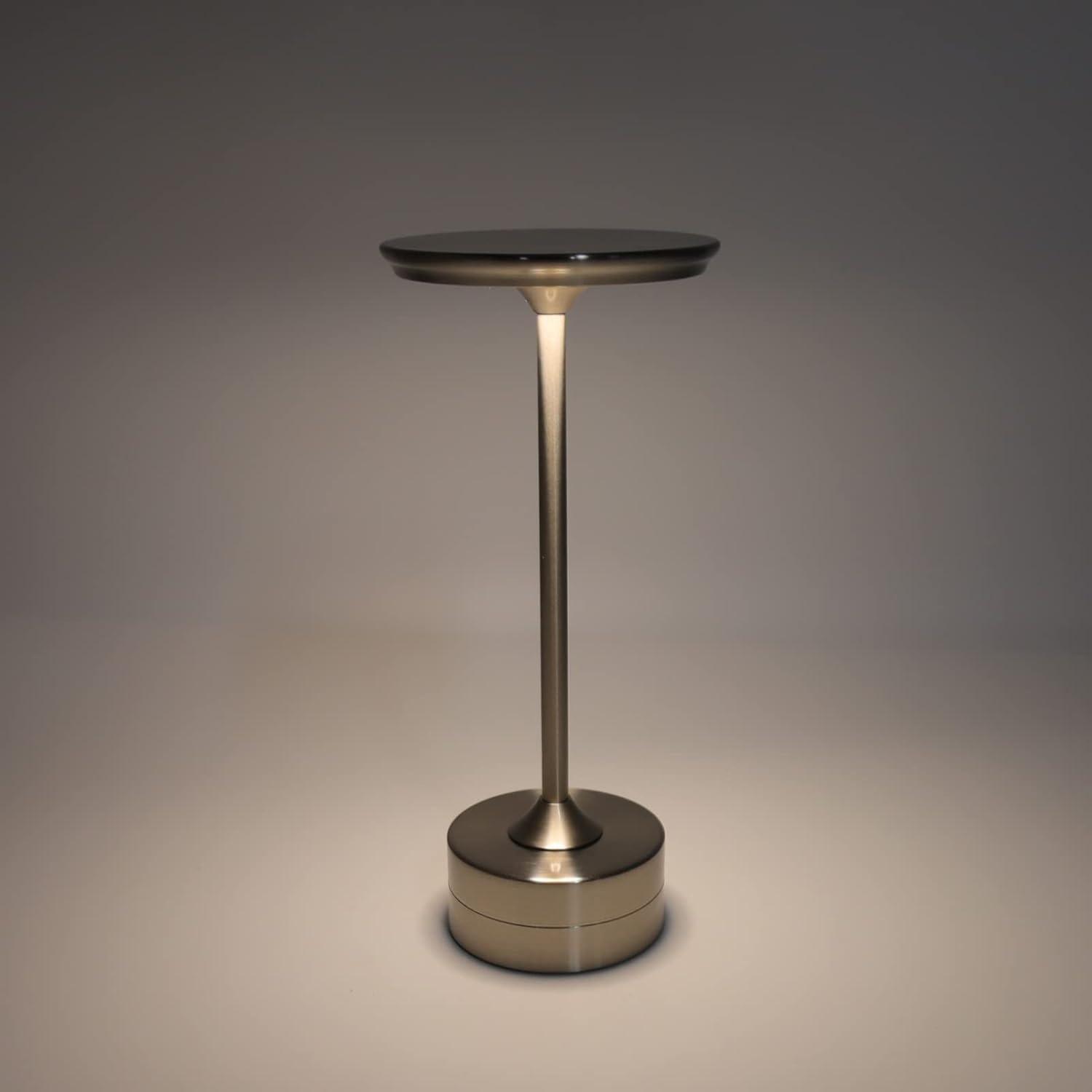
The plplaaoo Cordless Table Lamp features a sleek design with a durable iron, aluminum, and acrylic construction. It includes a built-in 2000mAh rechargeable lithium battery, offering 10-15 hours of working time on a full charge. The lamp provides three light sources: white light, warm light, and ordinary light, with adjustable brightness up to 150lm.


5. การตั้งค่า
การชาร์จเบื้องต้น
ก่อนใช้งานครั้งแรก โปรดชาร์จแบตเตอรี่ให้เต็มamp. Connect the provided USB Type-C cable to the charging port on the lamp's base and plug the other end into a compatible USB power adapter (not included).
- Locate the USB Type-C charging port on the base of the lamp.
- Insert the USB Type-C cable into the lampช่องเสียบชาร์จของ
- Connect the USB-A end of the cable to a standard USB power adapter (e.g., phone charger, computer USB port).
- The charging indicator (if present) will show the charging status. Allow several hours for a full charge.
6. คู่มือการใช้งาน
การเปิด/ปิดเครื่องและการปรับความสว่าง
ลamp features both a bottom switch and a top touch control for operation.
- สวิตช์ด้านล่าง: Flip the switch on the bottom of the lamp to the 'ON' position to enable the touch control function.
- การควบคุมด้วยระบบสัมผัสด้านบน: Gently touch the top surface of the lamp to cycle through the three light modes: white light, warm light, and ordinary light. Continue touching to adjust brightness levels within each mode.
- การปิดลamp, either cycle through all light modes until it turns off via touch control, or flip the bottom switch to the 'OFF' position.


7. การบำรุงรักษา
- การทำความสะอาด: เช็ดลamp ใช้ผ้าแห้งนุ่มๆ เช็ดทำความสะอาด ห้ามใช้สารทำความสะอาดที่มีฤทธิ์กัดกร่อนหรือตัวทำละลาย
- พื้นที่จัดเก็บ: เมื่อไม่ได้ใช้งานเป็นเวลานาน ให้เก็บamp in a cool, dry place. Ensure the battery is partially charged before storage to prolong its lifespan.
- การดูแลแบตเตอรี่ To maintain battery health, avoid completely draining the battery frequently. Recharge the lamp when the light output becomes noticeably dim.
8 การแก้ไขปัญหา
| ปัญหา | สาเหตุที่เป็นไปได้ | สารละลาย |
|---|---|---|
| Lamp ไม่เปิด | Battery is depleted. Bottom switch is off. | ชาร์จ lamp using the USB Type-C cable. Ensure the bottom switch is in the 'ON' position. |
| แสงสลัวหรือกระพริบ | แบตเตอรี่อ่อน | เติมเงิน Lamp. |
| Cannot change light mode/brightness. | Bottom switch is off. Touch control malfunction. | Ensure the bottom switch is 'ON'. Try restarting the lamp by turning the bottom switch off and on again. |
| Lamp ไม่คิดค่าใช้จ่าย | Faulty cable or adapter. Charging port issue. | Try a different USB Type-C cable and power adapter. Ensure the cable is fully inserted. |
9. ข้อมูลจำเพาะ
| คุณสมบัติ | รายละเอียด |
|---|---|
| แบบอย่าง | B0D2LG61MQ |
| วัสดุ | Iron, Aluminum, Acrylic |
| ความสูง | ประมาณ 28.5 ซม. / 11.2 นิ้ว |
| เส้นผ่านศูนย์กลาง | ประมาณ 13 ซม. / 5.1 นิ้ว |
| น้ำหนัก | Approx. 0.66 kg / 23.4 oz |
| แบตเตอรี่ในตัว | ลิเธียม 2000mAh |
| แหล่งกำเนิดแสง | White light, Warm light, Ordinary light (3 levels brightness) |
| ความสว่างสูงสุด | 150ลูเมน |
| วิธีการชาร์จ | ยูเอสบี ไทป์ ซี |
| ควบคุม | Bottom switch, Top touch control |

10. การรับประกันและการสนับสนุน
This product is covered by a standard manufacturer's warranty. For specific warranty details, please refer to the product packaging or contact the retailer where you purchased the item. For technical support or inquiries, please visit the official plplaaoo store or contact customer service.