
1. บทนำและเรื่องอื่นๆview
The ELECTROPRIME JSK-B1 is a versatile USB-powered LED fill light designed for various applications, including computer video conferencing, live streaming, and general desktop illumination. It features adjustable brightness and color temperature settings to optimize lighting conditions for different environments and user preferences.
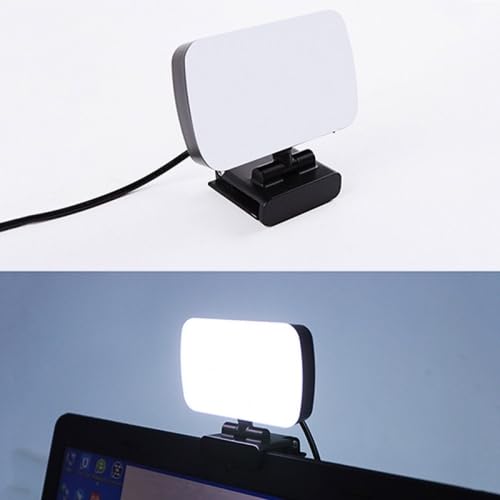
Image 1.1: The ELECTROPRIME JSK-B1 USB Portable LED Fill Light, showcasinด้วยดีไซน์ที่กะทัดรัดและคลิปหนีบในตัว
2. คุณสมบัติของผลิตภัณฑ์
The JSK-B1 LED Fill Light is equipped with advanced features for optimal performance:
- High-Quality Illumination: Utilizes 120 2835 lamp beads for direct, brighter, and more uniform light distribution.
- อุณหภูมิสีปรับได้: Offers three distinct color temperature settings (3000K-6500K) to match ambient lighting or desired mood.
- Ten-Level Brightness Control: Provides stepless adjustment across ten brightness levels, allowing precise light intensity customization.
- ตำแหน่งที่ยืดหยุ่น: Features 360-degree left/right rotation and 160-degree up/down rotation for easy angle adjustment.
- Convenient Wire Control: Simple and intuitive wire control for power and light adjustments.
- ใช้พลังงานจาก USB: Plug-and-play functionality via a standard USB interface for broad compatibility.
- การใช้งานอเนกประสงค์: Ideal for computer video calls, live broadcasts, keyboard illumination, and as a night light.
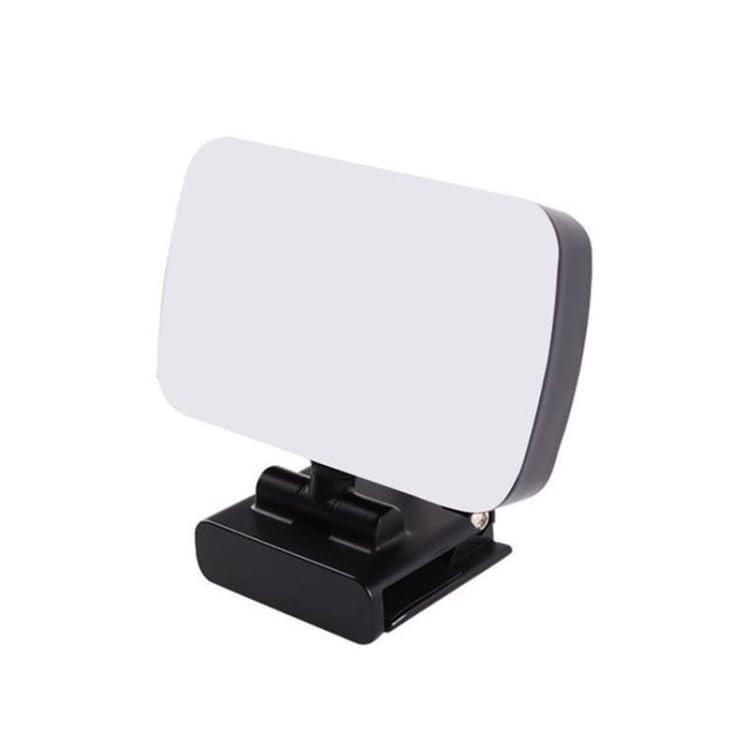
ภาพที่ 2.1: ด้านข้าง view of the ELECTROPRIME JSK-B1, highlighting its compact form factor.
3. คู่มือการติดตั้ง
Follow these steps to set up your ELECTROPRIME JSK-B1 LED Fill Light:
- แกะ: Carefully remove the LED fill light from its packaging.
- การติดตั้ง: Attach the integrated clip of the light to the top edge of your desktop monitor, laptop screen, or any suitable surface. Ensure it is securely fastened.
- เชื่อมต่อพลังงาน: Insert the USB connector of the light's cable into an available USB port on your computer, laptop, or a compatible USB power adapter (5V). The light is plug-and-play and does not require additional drivers.
- ปรับมุม: Once powered, adjust the light's angle using its 360-degree horizontal and 160-degree vertical rotation capabilities to direct the light as needed.

Image 3.1: The JSK-B1 light mounted on a laptop, illustrating its use in a typical setup.
4. คู่มือการใช้งาน
The ELECTROPRIME JSK-B1 LED Fill Light is controlled via its integrated wire control unit.
4.1 เปิด/ปิดเครื่อง
- Press the power button on the wire control to turn the light on or off.
4.2 การปรับความสว่าง
- Use the '+' button on the wire control to increase brightness.
- Use the '-' button on the wire control to decrease brightness.
- The light offers ten stepless brightness levels, allowing fine-tuning of illumination.
4.3 การปรับอุณหภูมิสี
- Press the color temperature button (often indicated by a sun or color icon) on the wire control to cycle through the three available color temperature settings (e.g., warm, natural, cool).
5. การบำรุงรักษา
To ensure the longevity and optimal performance of your LED fill light, follow these maintenance guidelines:
- การทำความสะอาด: Gently wipe the light panel and body with a soft, dry, or slightly damp ผ้า ห้ามใช้สารทำความสะอาดที่มีฤทธิ์กัดกร่อนหรือตัวทำละลาย
- พื้นที่จัดเก็บ: เมื่อไม่ใช้งาน ควรเก็บไฟไว้ในที่แห้งและเย็น หลีกเลี่ยงแสงแดดโดยตรงและอุณหภูมิที่สูงหรือต่ำเกินไป
- การจัดการ: หลีกเลี่ยงการทำอุปกรณ์ตกหรือได้รับแรงกระแทกรุนแรง เพราะอาจทำให้ชิ้นส่วนภายในเสียหายได้
- การดูแลสายเคเบิล: อย่าดัดหรือย่นสาย USB มากเกินไป ควรดึงสายออกจากปลั๊กเสมอ ไม่ใช่ดึงที่สาย เมื่อถอดสายออก
6 การแก้ไขปัญหา
If you encounter issues with your ELECTROPRIME JSK-B1 LED Fill Light, refer to the table below for common problems and solutions:
| ปัญหา | สาเหตุที่เป็นไปได้ | สารละลาย |
|---|---|---|
| ไฟไม่เปิด | ไม่มีแหล่งจ่ายไฟหรือการเชื่อมต่อ USB มีปัญหา | Ensure the USB cable is securely plugged into a working USB port. Try a different USB port or power adapter. |
| การปรับความสว่างใช้งานไม่ได้ | Wire control unit malfunction or light already at min/max brightness. | Check if the light responds to other buttons. Ensure you are pressing the correct '+' or '-' buttons. |
| Color temperature adjustment not working. | Wire control unit malfunction. | Press the color temperature button firmly. If unresponsive, try disconnecting and reconnecting the USB power. |
| ไฟกระพริบหรือไม่เสถียร | Insufficient power supply or loose connection. | Ensure the USB power source provides stable 5V. Check for any damage to the USB cable or connector. |
7. ข้อมูลจำเพาะ
Detailed technical specifications for the ELECTROPRIME JSK-B1 LED Fill Light:
| พารามิเตอร์ | ค่า |
|---|---|
| แบบอย่าง | เจเอสเค-บี1 |
| วัสดุของเปลือกหอย | เอบีเอส |
| ฉบับทำงานtage | 5V |
| ความยาวสายเคเบิล | 1.9 เมตร |
| ช่วงความสว่าง | 800-3000 ลักซ์ |
| พลัง | 7W |
| Light-emitting Size | 100 x 60 x 15 มม. |
| น้ำหนักสุทธิ | 147 กรัม |
| น้ำหนักแพ็คเกจ | 0.24 กก. (0.53 ปอนด์) |
| ขนาดบรรจุภัณฑ์ | 12 x 10 x 5 ซม. (4.72 x 3.94 x 1.97 นิ้ว) |
| ฮาร์ดแวร์อินเตอร์เฟซ | ยูเอสบี |
| ประเภทขั้วต่อ | ยูเอสบี |
8. ข้อมูลการรับประกัน
This product is covered by a warranty policy. For detailed information regarding warranty terms, conditions, and duration, please refer to the official ELECTROPRIME warranty documentation provided with your purchase or visit the ELECTROPRIME official webเว็บไซต์.
9. การสนับสนุนลูกค้า
For further assistance, technical support, or inquiries regarding your ELECTROPRIME JSK-B1 LED Fill Light, please contact ELECTROPRIME customer service. You can typically find contact information on the product packaging, the official ELECTROPRIME webไซต์หรือผ่านจุดซื้อของคุณ