
การแนะนำ
Thank you for choosing the ELECTROPRIME Soulbytes S9 Gaming Headset. This manual provides essential information for setting up, operating, maintaining, and troubleshooting your new headset. Please read it carefully to ensure optimal performance and longevity of your device.
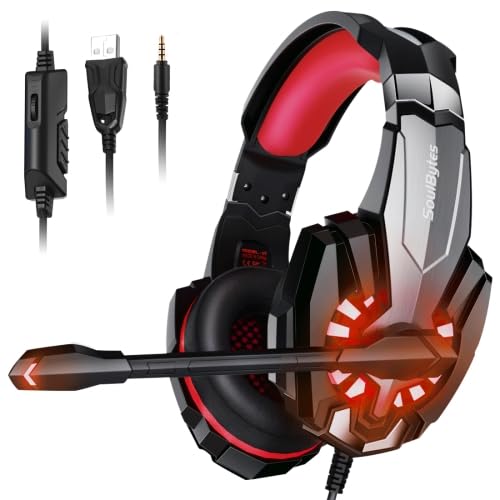
Image: ELECTROPRIME Soulbytes S9 Gaming Headset with its retail packaging.
เนื้อหาแพ็คเกจ
Before proceeding with the setup, please verify that all items listed below are present in your package:
- ELECTROPRIME Soulbytes S9 Gaming Headset
- สาย USB (รวมอยู่ด้วย)
- 3.5mm 4-Pin Audio Cable (integrated)
- แผ่นรองหูฟัง (ติดตั้งไว้แล้ว)
- แถบคาดศีรษะ (แบบในตัว)
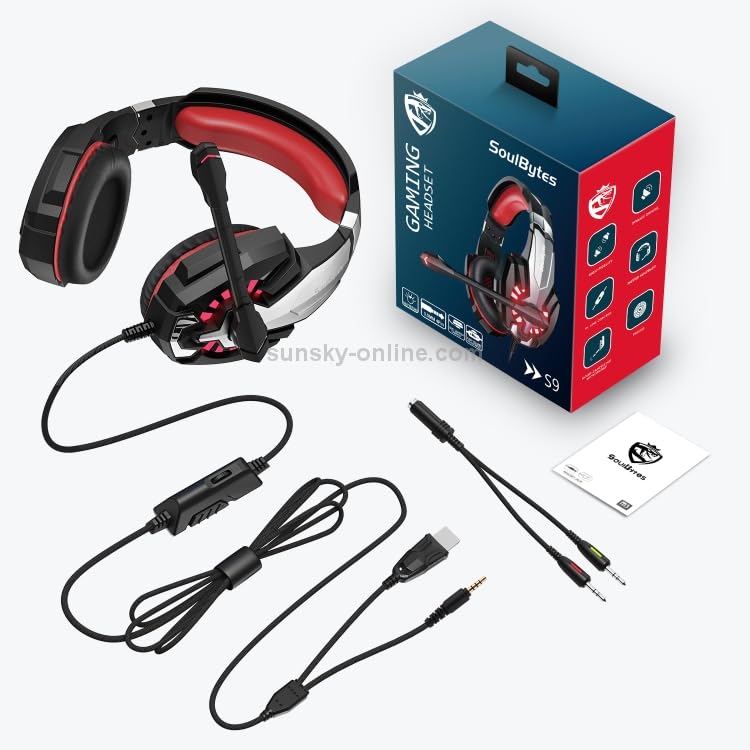
Image: All components included with the ELECTROPRIME Soulbytes S9 Gaming Headset, laid out for inspection.
การตั้งค่า
การเชื่อมต่อชุดหูฟัง
The Soulbytes S9 headset features both USB and 3.5mm 4-Pin connectors for versatile compatibility.
- For Audio and Microphone (3.5mm): Plug the 3.5mm 4-Pin connector into the corresponding audio jack on your computer, console controller, or mobile device. Ensure it is fully inserted.
- For LED Lighting (USB): Plug the USB connector into an available USB port on your computer or a USB power adapter. The USB connection is solely for powering the LED lights on the headset and does not transmit audio or microphone data.
- การใช้ร่วมกัน: For full functionality (audio, microphone, and LED lights), connect both the 3.5mm and USB cables to your device.
Initial Configuration (PC)
After connecting the headset to a PC, you may need to configure sound settings:
- หน้าต่าง: Right-click the speaker icon in the taskbar, select 'Sound Settings' or 'Playback devices'. Ensure the headset is selected as the default playback and recording device.
- แม็ค : Go to 'System Preferences' > 'Sound'. Select the headset under both 'Output' and 'Input' tabs.
คำแนะนำการใช้งาน
Adjusting the Headset Fit
For optimal comfort and sound isolation, adjust the headband to fit your head. The earcups should fully cover your ears without excessive pressure.
การใช้งานไมโครโฟน
The headset features an adjustable microphone. Position the microphone approximately 2-3 cm from your mouth for clear voice capture. The microphone angle can be adjusted for personal preference.
การควบคุมระดับเสียง
The headset includes an in-line volume control wheel on the cable. Rotate the wheel to increase or decrease the audio volume. Ensure your device's volume is also set appropriately.
ไฟ LED
The LED lights on the earcups will illuminate automatically when the USB connector is plugged into a powered USB port. There is no separate switch for the LED lights.
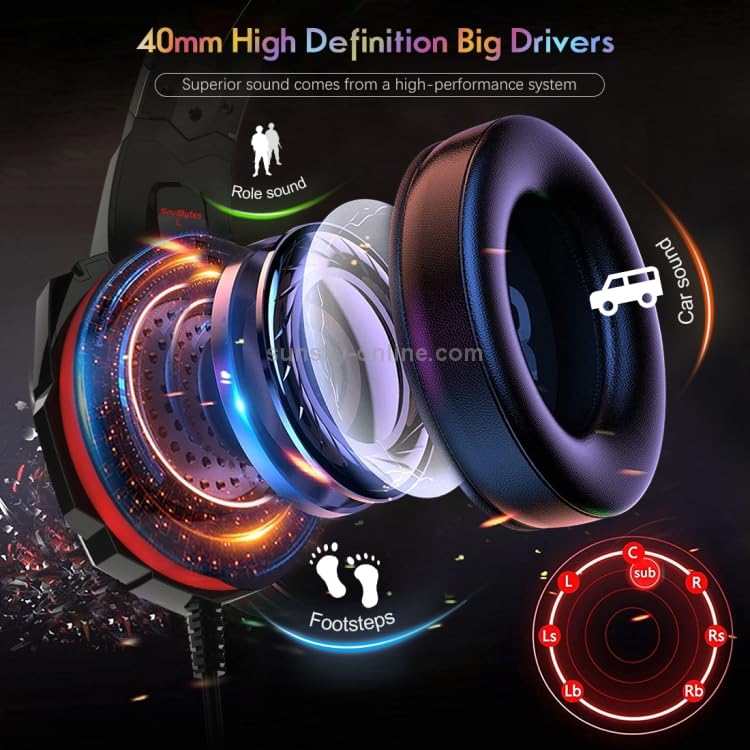
ภาพ: ระยะใกล้ view illustrating the 40mm high-definition drivers within the headset's earcups, designed for superior sound.
การซ่อมบำรุง
การทำความสะอาด
- ใช้ผ้าแห้งนุ่มเช็ดทำความสะอาดพื้นผิวของหูฟัง
- สำหรับเบาะรองหูฟัง ให้เช็ดเบาๆ ด้วยผ้านุ่มๆamp ผ้าและปล่อยให้แห้งสนิทก่อนใช้งาน
- ห้ามใช้สารเคมีรุนแรง ตัวทำละลาย หรือน้ำยาทำความสะอาดที่มีฤทธิ์กัดกร่อน
พื้นที่จัดเก็บ
Store the headset in a clean, dry place away from extreme temperatures and direct sunlight. Avoid placing heavy objects on top of the headset.
การดูแลสายเคเบิล
Avoid sharp bends or excessive pulling on the cables to prevent damage. Do not wrap the cables too tightly around the headset.
การแก้ไขปัญหา
ไม่มีเสียงจากหูฟัง
- ตรวจสอบให้แน่ใจว่าเสียบแจ็คเสียง 3.5 มม. เข้ากับอุปกรณ์จนสุดแล้ว
- Check the in-line volume control on the headset cable and increase it.
- ตรวจสอบให้แน่ใจว่าได้เลือกชุดหูฟังเป็นอุปกรณ์เล่นเสียงเริ่มต้นในการตั้งค่าเสียงของอุปกรณ์ของคุณแล้ว
- ทดสอบชุดหูฟังกับอุปกรณ์อื่นเพื่อตัดปัญหาเฉพาะอุปกรณ์ออกไป
ไมโครโฟนไม่ทำงาน
- ตรวจสอบให้แน่ใจว่าเสียบแจ็คเสียง 3.5 มม. เข้ากับอุปกรณ์จนสุดแล้ว
- ตรวจสอบให้แน่ใจว่าได้เลือกชุดหูฟังเป็นอุปกรณ์บันทึกเสียงเริ่มต้นในการตั้งค่าเสียงของอุปกรณ์ของคุณแล้ว
- Check if any software (e.g., communication apps) has muted the microphone.
- Test the microphone with another device.
LED Lights Not Illuminating
- ตรวจสอบให้แน่ใจว่าเสียบขั้วต่อ USB เข้ากับพอร์ต USB ที่มีไฟเลี้ยงอย่างแน่นหนาแล้ว
- Try a different USB port or a different USB power source.
ข้อมูลจำเพาะ
| ขนาดลำโพง | 40มม. |
| อิมพีแดนซ์ | 20 ohm +/-10% |
| ความไวต่อความรู้สึก | 100dB+/-3dB |
| การตอบสนองความถี่ | 20เฮิรตซ์-20กิโลเฮิรตซ์ |
| ขนาดไมโครโฟน | 6.0x2.7มม. |
| ความไวของไมโครโฟน | -42dB +/- 2dB |
| อิมพีแดนซ์ของไมโครโฟน | less than or equal to 2.2k ohm |
| ทิศทาง | รอบทิศทาง |
| LED ทำงาน Voltage | DC5V +/- 5% |
| กระแสไฟฟ้าทำงาน | น้อยกว่าหรือเท่ากับ 200mA |
| แจ็คหูฟัง | USB + 3.5mm 4-Pin |
| ความยาวสายเคเบิล | ประมาณ 1.9M |
| วัสดุ | หนังเทียม (ที่รองหู) |
| ประเภทขั้วต่อ | มีสาย |
การรับประกันและการสนับสนุน
This product is covered by a standard manufacturer's warranty. Please refer to your purchase documentation or contact your retailer for specific warranty terms and conditions. For technical support or further assistance, please contact ELECTROPRIME customer service through the details provided at the point of purchase or on the official ELECTROPRIME webเว็บไซต์.