
1. บทนำ
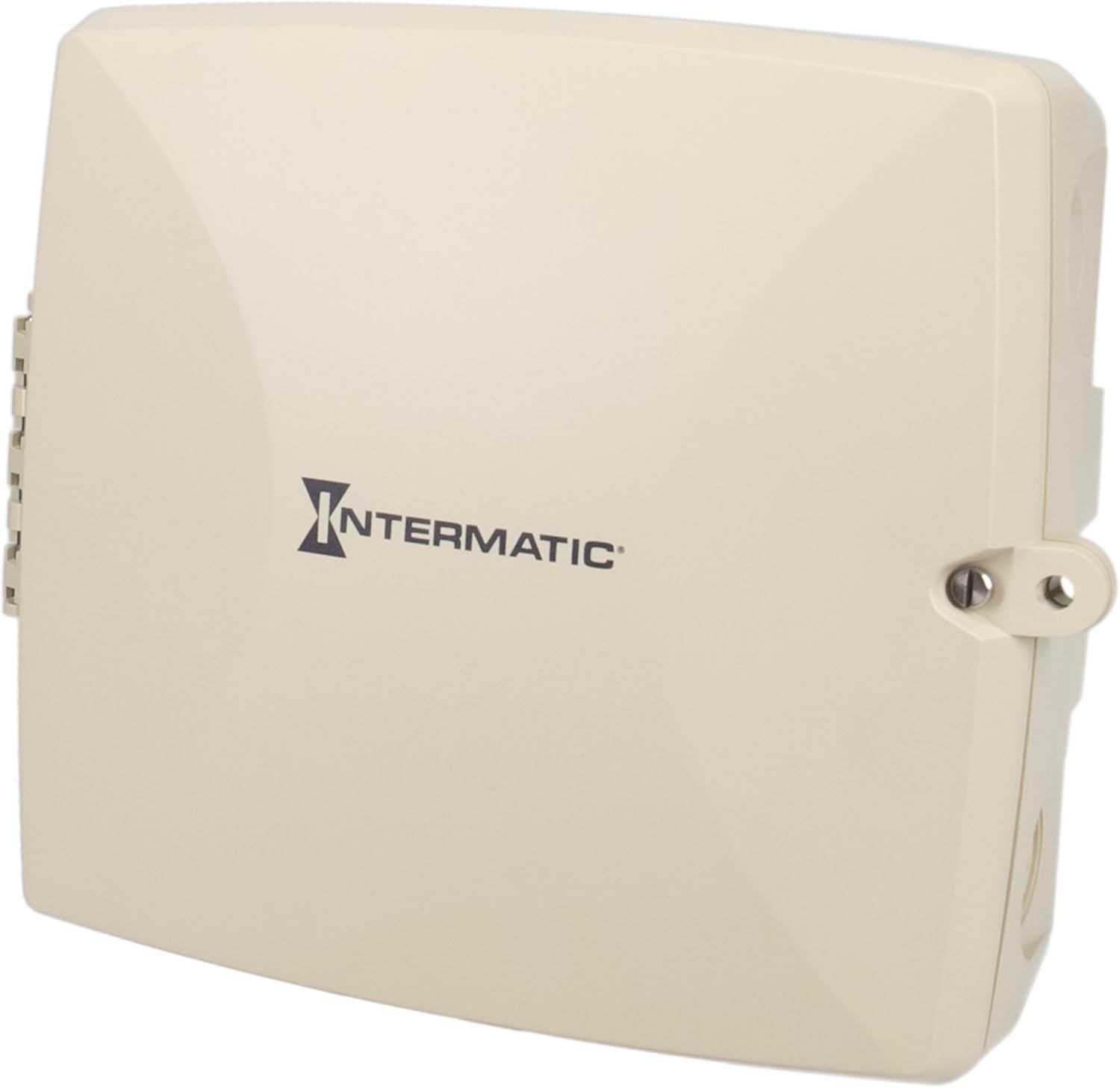
The Intermatic PE723P is a 7-day electronic Wi-Fi pool timer designed for automated control of pool and spa equipment. This device allows for precise scheduling of pumps, lighting, sanitizers, and auxiliary devices across two independent circuits. Remote management is available via the Intermatic Connect mobile application and voice control integration. The PE723P features a durable, weather-resistant enclosure and automatic voltage detection for versatile installation.
2. ข้อมูลด้านความปลอดภัยที่สำคัญ
WARNING: Risk of Electric Shock. Disconnect power at the circuit breaker or disconnect switch before installing or servicing this device.
- การติดตั้งจะต้องดำเนินการโดยช่างไฟฟ้าที่มีคุณสมบัติตามมาตรฐานไฟฟ้าท้องถิ่นและระดับชาติทั้งหมด
- ตรวจสอบให้แน่ใจว่าอุปกรณ์ต่อสายดินอย่างเหมาะสม
- Do not operate if the enclosure is damaged.
- Keep the enclosure door closed and secured when not servicing.
- This device is intended for outdoor use and is rated Type 3R for protection against rain, sleet, and external ice formation.
3. เนื้อหาบรรจุภัณฑ์
ตรวจสอบว่าส่วนประกอบทั้งหมดมีอยู่ก่อนเริ่มการติดตั้ง:
- Intermatic PE723P Wi-Fi Pool Timer Unit
- ฮาร์ดแวร์สำหรับติดตั้ง (สกรู, พุก)
- คู่มือการใช้งาน (เอกสารนี้)
4. คุณสมบัติของผลิตภัณฑ์
- 7-Day Digital Programming: Allows for up to 96 ON/OFF events per day.
- การเชื่อมต่อ Wi-Fi: Remote control and scheduling via the Intermatic Connect mobile app.
- การควบคุมด้วยเสียง: Compatible with Amazon Alexa for convenient operation.
- 2-Circuit Control: Independently manage two 30A circuits for various pool/spa equipment.
- อัตโนมัติ-Voltagการตรวจจับ: Automatically adjusts to 120–277 VAC (50/60 Hz) input.
- โครงสร้างที่ทนทาน: Type 3R plastic enclosure for outdoor environments, operating from -40°F to 158°F.
- หน่วยความจำไม่ลบเลือน: Retains programmed schedules during power outagใช่
- ไฟ LED แสดงสถานะ: Provides real-time feedback on device status and network connectivity.
5. การติดตั้ง
5.1 การติดตั้งสิ่งที่แนบมา
The PE723P is designed for wall mounting. Select a suitable location near the pool/spa equipment, ensuring it is accessible for wiring and operation, and protected from direct sunlight if possible to prolong component life.
- เปิดประตูตู้
- Mark the desired mounting points on the wall using the pre-drilled holes on the back of the enclosure as a template.
- Drill pilot holes and insert appropriate anchors if mounting into masonry or drywall.
- Secure the enclosure to the wall using the provided mounting screws.

รูปที่ 1: ด้านหลัง view of the PE723P enclosure, illustrating the mounting points for wall installation.
5.2 Wiring the Timer
WARNING: Ensure power is disconnected at the main breaker before proceeding with any wiring.
The PE723P features two independent circuits and auto-voltage detection. Refer to the internal wiring diagram and terminal block for correct connections.
- Route electrical conduits into the appropriate knockouts on the enclosure.
- Connect the incoming power supply (120-277 VAC) to the designated LINE terminals.
- Connect the load wires for Circuit 1 (e.g., pump) to the CIRCUIT 1 terminals.
- Connect the load wires for Circuit 2 (e.g., lights) to the CIRCUIT 2 terminals.
- ตรวจสอบให้แน่ใจว่าการเชื่อมต่อทั้งหมดแน่นหนาและปลอดภัย
- ปิดและล็อคประตูรั้วให้สนิท

รูปที่ 2: ภายใน view of the PE723P, showing the terminal block for power and load connections, along with control buttons and LED indicators.
รูปที่ 3: รายละเอียด view of the PE723P's internal control panel, highlighting the MODE button, SERVICE, MANUAL, AUTO, and NETWORK LEDs, RESET button, and circuit control buttons.
6. การตั้งค่าเริ่มต้นและการเชื่อมต่อ Wi-Fi
6.1 เปิดเครื่อง
After completing all wiring, restore power to the timer at the circuit breaker. The timer will power on and the LED indicators will illuminate.
6.2 Intermatic Connect App Installation
- ดาวน์โหลด Intermatic Connect แอปจากร้านแอปบนอุปกรณ์เคลื่อนที่ของคุณ (iOS หรือ Android)
- สร้างบัญชีหรือเข้าสู่ระบบหากคุณมีบัญชีอยู่แล้ว
6.3 การเชื่อมต่อกับ Wi-Fi
Follow the in-app instructions to add your PE723P timer to your Wi-Fi network. This typically involves:
- Placing the timer in pairing mode (often by pressing and holding the MODE button or a combination of buttons).
- Selecting your Wi-Fi network and entering the password within the app.
- The NETWORK LED on the timer will indicate connection status (e.g., blinking during pairing, solid green when connected).
The PE723P supports long-range Wi-Fi connectivity up to 180 ft (line of sight).
7. การดำเนินการ
7.1 กำหนดการเขียนโปรแกรม
All scheduling and programming are managed through the Intermatic Connect mobile app. The app allows you to:
- Set up to 96 ON/OFF events daily for each of the two circuits.
- Create custom 7-day schedules.
- Adjust schedules remotely from anywhere with an internet connection.
7.2 การควบคุมด้วยตนเอง
The PE723P offers manual control options directly on the unit:
- ปุ่มโหมด: Press the MODE button to cycle through operating modes: SERVICE, MANUAL, and AUTO.
- Circuit Buttons (1 and 2): In MANUAL mode, press the corresponding circuit button to toggle the connected equipment ON or OFF.
7.3 ไฟแสดงสถานะ LED
The LEDs on the control panel provide status information:
- บริการ: Indicates service mode.
- คู่มือ: Indicates manual operation mode.
- อัตโนมัติ: Indicates automatic schedule operation mode.
- เครือข่าย: Indicates Wi-Fi connection status (e.g., solid for connected, blinking for pairing/disconnected).
8. การบำรุงรักษา
The Intermatic PE723P is designed for minimal maintenance. Regular checks can help ensure optimal performance:
- การตรวจสอบเป็นระยะ: Annually inspect the enclosure for any signs of damage or wear.
- ความสะอาด : Keep the exterior of the enclosure clean and free of debris. Use a soft, damp ผ้าสำหรับทำความสะอาด ห้ามใช้สารทำความสะอาดที่มีฤทธิ์กัดกร่อนหรือตัวทำละลาย
- การเชื่อมต่อเทอร์มินัล: Periodically check electrical terminal connections to ensure they remain tight. ควรตัดกระแสไฟก่อนตรวจสอบชิ้นส่วนภายในทุกครั้ง
9 การแก้ไขปัญหา
| ปัญหา | สาเหตุที่เป็นไปได้ | สารละลาย |
|---|---|---|
| ตัวจับเวลาไม่ทำงาน | No power supply; tripped breaker; loose wiring. | Check circuit breaker. Verify power connections. Consult a qualified electrician. |
| Equipment does not turn ON/OFF as scheduled. | Incorrect programming; timer in MANUAL or SERVICE mode; Wi-Fi disconnected. | Verify schedules in the app. Ensure timer is in AUTO mode. Check Wi-Fi connection. |
| NETWORK LED is blinking or OFF. | No Wi-Fi connection; incorrect Wi-Fi credentials; router issue. | Re-attempt Wi-Fi pairing via the app. Check router status and signal strength. Ensure correct Wi-Fi password. |
| Cannot control via app. | No internet connection on phone or timer; app issue. | Check phone's internet connection. Verify timer's NETWORK LED is solid. Restart app or phone. |
| ตัวจับเวลาจะสูญเสียการตั้งค่าหลังจากไฟดับtage. | This should not occur. The PE723P has non-volatile memory. | If settings are lost, contact Intermatic customer support. |
For further assistance, refer to the Intermatic Connect app's help section or contact customer support.
10. ข้อมูลจำเพาะ
| คุณลักษณะ | ค่า |
|---|---|
| หมายเลขรุ่น | PE723P |
| ยี่ห้อ | อินเตอร์แมติก |
| เล่มที่tage | 120-277 VAC, 50/60 Hz (Auto-Voltage) |
| ความจุในการรับน้ำหนัก | 30A ต่อวงจร |
| จำนวนวงจร | 2 |
| ประเภทตู้ปิด | Type 3R Outdoor Plastic |
| อุณหภูมิในการทำงาน | -40°F ถึง 158°F (-40°C ถึง 70°C) |
| ขนาดสินค้า | ลึก 11 นิ้ว x กว้าง 14 นิ้ว x สูง 10.75 นิ้ว |
| น้ำหนักสินค้า | 4.59 ปอนด์ |
| วัสดุ | พลาสติก |
| สี | สีเทา |
| การเชื่อมต่อ | Wi-Fi, Voice Control (Alexa) |
11. การรับประกันและการสนับสนุนลูกค้า
For warranty information, please refer to the documentation included with your product or visit the official Intermatic website. If you encounter any issues or require technical assistance, please contact Intermatic customer support:
- อินเตอร์แมติก Webเว็บไซต์: www.intermatic.com
- บริการลูกค้า: อ้างถึง website for current contact information (phone, email, or online support portal).