
1. บทนำ
The CF Wireless Pool Robot 45 CL is designed for efficient and autonomous cleaning of private pool floors. This manual provides essential information for the safe and effective operation, maintenance, and troubleshooting of your robotic pool cleaner. Please read this manual thoroughly before initial use and retain it for future reference.
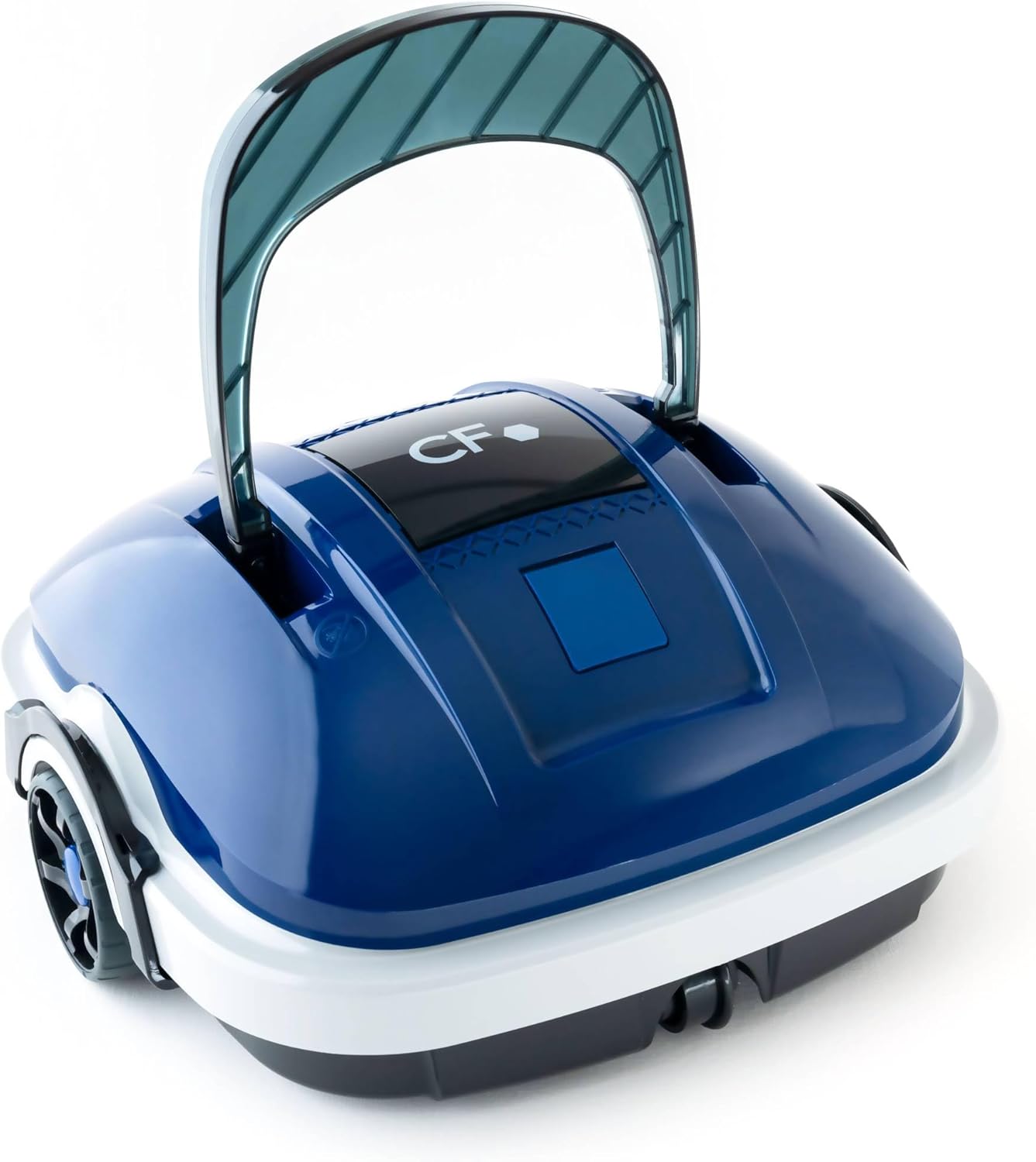
Image 1.1: The CF Wireless Pool Robot 45 CL. This image shows the compact, blue and white robotic pool cleaner with its handle raised, ready for use.
2. คำแนะนำด้านความปลอดภัยที่สำคัญ
To reduce the risk of injury, electric shock, or damage to the unit, observe the following safety precautions:
- อ่านคำแนะนำทั้งหมดก่อนใช้เครื่องใช้ไฟฟ้า
- Do not operate the robot if the power cord or charger is damaged.
- ตรวจสอบให้แน่ใจว่าพอร์ตชาร์จแห้งก่อนที่จะเสียบเครื่องชาร์จ
- โปรดกันเด็กและสัตว์เลี้ยงให้อยู่ห่างจากบริเวณสระว่ายน้ำในระหว่างที่มีการใช้งาน
- ใช้เครื่องชาร์จที่ผู้ผลิตให้มาเท่านั้น
- Do not attempt to repair the robot yourself. Contact qualified service personnel.
- Remove the robot from the pool before adding chemicals or performing maintenance.
3. เนื้อหาบรรจุภัณฑ์
ตรวจสอบว่ามีรายการทั้งหมดอยู่ในแพ็คเกจ:
- CF Wireless Pool Robot 45 CL
- อะแดปเตอร์ไฟ / เครื่องชาร์จ
- ตะขอดึง
- คู่มือการใช้งาน (เอกสารนี้)

Image 3.1: The CF Wireless Pool Robot 45 CL positioned next to a pool, accompanied by its power adapter and retrieval hook. This illustrates the main components included with the robot.
4. ส่วนประกอบผลิตภัณฑ์
Familiarize yourself with the main parts of your CF Wireless Pool Robot 45 CL:
- รับมือ: For easy placement and retrieval.
- ปุ่มเปิด/ปิด: Located on the underside for starting and stopping cleaning cycles.
- ตะกร้ากรอง: Accessible for cleaning and maintenance.
- Rubber Lip Brushes: Designed to effectively scrub and collect debris from the pool floor.
- พอร์ตชาร์จ: สำหรับการเชื่อมต่ออะแดปเตอร์ไฟฟ้า

ภาพที่ 4.1: ด้านหน้า view of the robot, highlighting its compact design and front wheels.

ภาพที่ 4.2: จากบนลงล่าง view, showing the CF logo and the overall shape of the cleaner.

ภาพที่ 4.3: ด้านข้าง view of the robot, illustrating the handle and wheel design.
5. การชาร์จหุ่นยนต์
Before first use, fully charge the robot. A full charge takes approximately 3 hours.
- Ensure the robot's charging port is clean and dry.
- Connect the power adapter to the robot's charging port.
- เสียบอะแดปเตอร์จ่ายไฟเข้ากับเต้ารับไฟฟ้ามาตรฐาน
- The charging indicator light will illuminate (refer to product for specific light behavior).
- Once fully charged, disconnect the power adapter from the outlet and then from the robot.
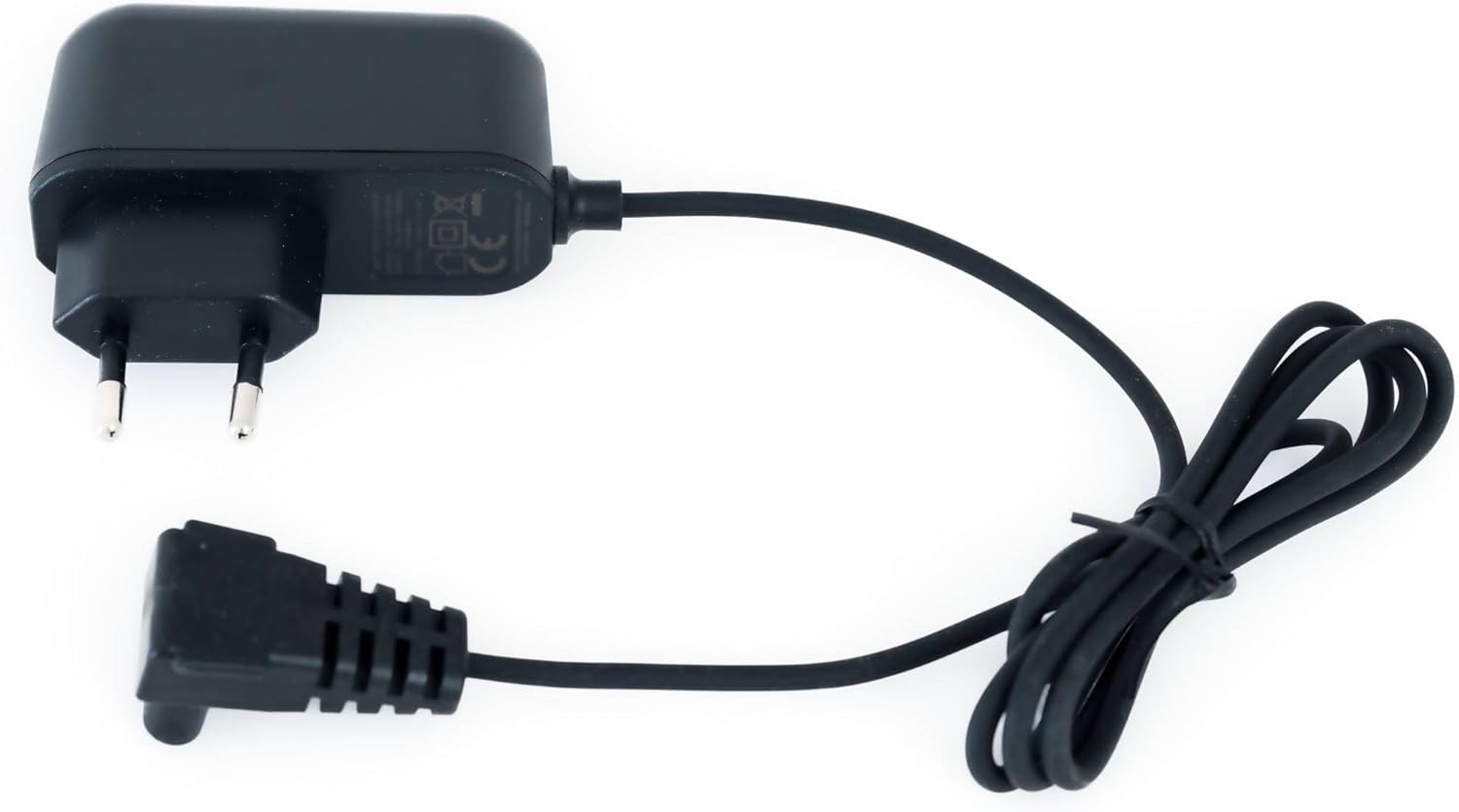
Image 5.1: The power adapter for charging the CF Wireless Pool Robot 45 CL. This image shows the charger with its cable and plug.
6. คู่มือการใช้งาน
The CF Wireless Pool Robot 45 CL is designed for simple, one-touch operation.
- การตระเตรียม: Ensure the robot is fully charged and the filter basket is clean.
- เริ่มทำความสะอาด: Locate the power switch on the bottom of the robot. Press the switch to turn the robot ON.
- การจัดวาง: Gently lower the robot into the pool. It will sink to the bottom and begin its cleaning cycle automatically.
- รอบการทำความสะอาด: The robot will operate for approximately 50 minutes, cleaning the pool floor up to 50 m².
- เสร็จสิ้น: Once the cleaning cycle is complete, the robot will typically move to the edge of the pool or stop.
- การดึงข้อมูล: Use the provided retrieval hook to carefully lift the robot out of the pool.

ภาพที่ 6.1: ภาพระยะใกล้ view of the red power button located on the underside of the robot, used to initiate the cleaning cycle.

Image 6.2: The black retrieval hook accessory, used to safely lift the robot from the pool after a cleaning cycle.
7. การบำรุงรักษา
Regular maintenance ensures optimal performance and longevity of your pool robot.
7.1 การทำความสะอาดตะกร้ากรอง
The robot features a 180µ fine filter basket that should be cleaned after each use.
- Remove the robot from the pool.
- Open the robot's housing to access the filter basket (refer to product diagrams for specific access points).
- นำตะกร้ากรองออก
- Empty any coarse debris from the basket.
- ล้างตะกร้ากรองให้สะอาดด้วยสายยางฉีดน้ำเพื่อกำจัดอนุภาคขนาดเล็กออกไป
- Ensure the filter basket is completely dry before reinserting it into the robot.
- Close the robot's housing securely.
7.2 พื้นที่จัดเก็บ
เมื่อไม่ได้ใช้งานเป็นเวลานาน:
- Clean the robot and filter basket thoroughly.
- Charge the battery to approximately 50-70% before storing.
- เก็บหุ่นยนต์ไว้ในที่แห้งและเย็น หลีกเลี่ยงแสงแดดโดยตรงและอุณหภูมิที่สูงหรือต่ำเกินไป
8 การแก้ไขปัญหา
If you encounter issues with your CF Wireless Pool Robot 45 CL, refer to the following table:
| ปัญหา | สาเหตุที่เป็นไปได้ | สารละลาย |
|---|---|---|
| หุ่นยนต์ไม่เริ่มทำงาน | แบตเตอรี่เหลือน้อยหรือหมด | ชาร์จหุ่นยนต์ให้เต็ม |
| Robot stops prematurely | แบตเตอรี่เหลือน้อย | ชาร์จหุ่นยนต์ให้เต็ม |
| ประสิทธิภาพการทำความสะอาดแย่ | Filter basket is clogged. | ทำความสะอาดตะกร้ากรองให้สะอาดหมดจด |
| หุ่นยนต์ติดค้าง | Obstruction in the pool. | Remove any large debris or toys from the pool. |
หากปัญหายังคงมีอยู่หลังจากพยายามแก้ไขปัญหาเหล่านี้แล้ว โปรดติดต่อฝ่ายสนับสนุนลูกค้า
9. ข้อมูลจำเพาะทางเทคนิค
| คุณสมบัติ | ข้อมูลจำเพาะ |
|---|---|
| หมายเลขรุ่น | CF45CL |
| Maximum Pool Size | 50 ตรม. |
| รอบการทำความสะอาด | 50 นาที |
| พื้นที่ทำความสะอาด | พื้นสระว่ายน้ำ |
| ความละเอียดของตัวกรอง | 180µ |
| ประเภทแบตเตอรี่ | ลิเธียมไอออน |
| ความจุของแบตเตอรี่ | 2600 มิลลิแอมป์ |
| เวลาในการชาร์จแบตเตอรี่ | 3 ชั่วโมง |
| การบริโภคไฟฟ้า | 30 วัตต์ |
| ขนาดสินค้า (กว้าง x ยาว x สูง) | 13.46 x 13.74 x 12.99 นิ้ว (34.2 x 34.9 x 33 ซม.) |
| น้ำหนักสินค้า | 9.02 ปอนด์ (3.6 กก.) |
10. การรับประกันและการสนับสนุนลูกค้า
For warranty information, please refer to the documentation included with your product packaging or visit the official CF website. For technical assistance, troubleshooting beyond this manual, or to inquire about replacement parts, please contact CF customer support through the contact information provided on your product packaging or the official brand webเว็บไซต์.